

Question
Cannot debug STM32F7508-DK
Hello,
I had success in creating and debugging a blinky project when created from cube IDE, but not using touchgfx generated project for this board
I am not able to start a debugging session for project created by touchgfx.
Things I have tried:
1.Explicitly changing to "External loader" from "Debug configuration" corresponding to this board
To recreate this issue:
- Create touchgfx project for STM32F7508-DK from touchgfx designer 4.14.0
- Add simple button or screen and "Generate code"
- Browse or import autogenerated "STM32CubeIDE" folder and open project in cubeIDE
- Build and debug as "STM32 M-Cortex C/C++ Application"
- Wait till target download and click "Resume"
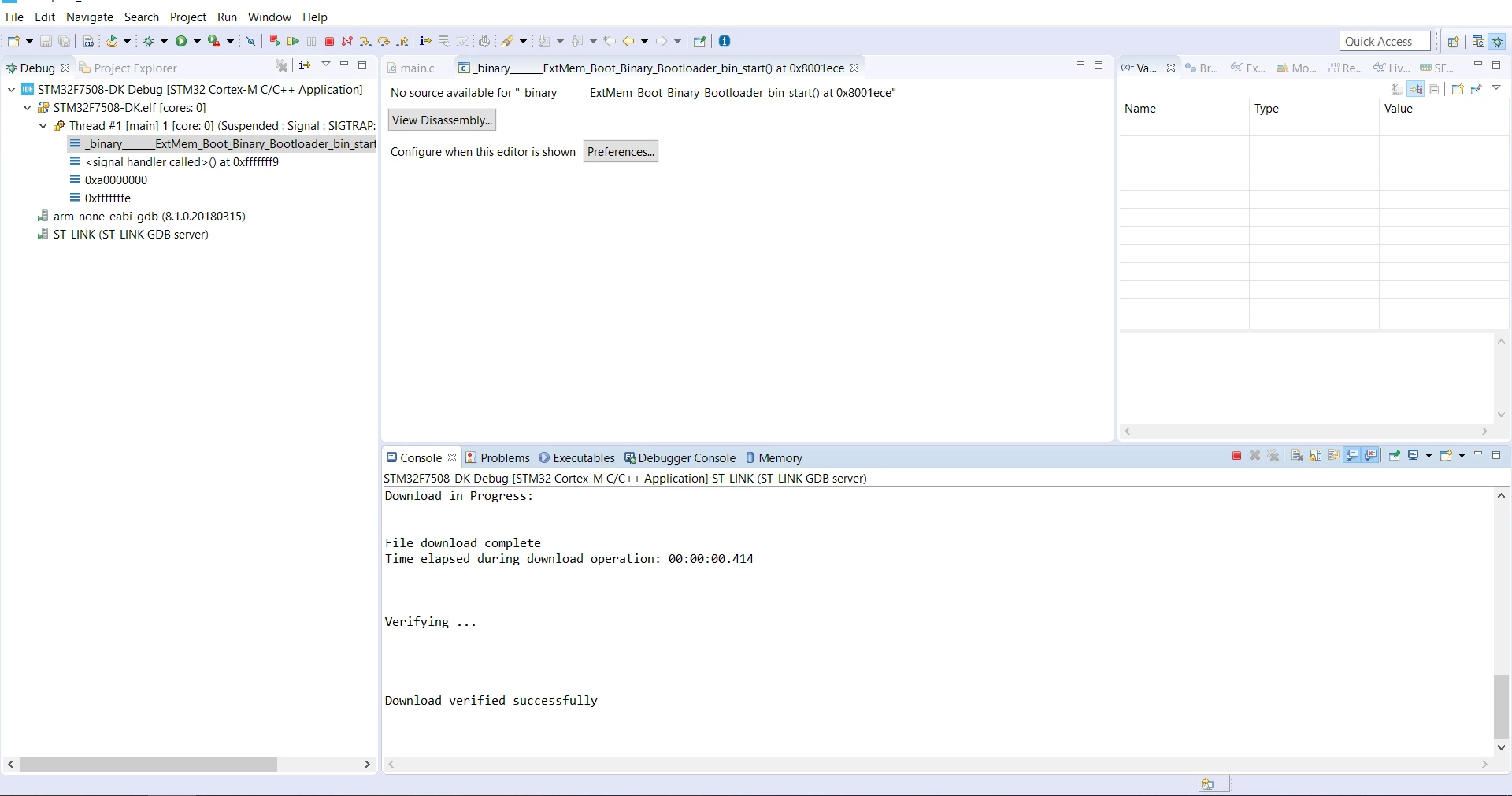
As "Resume" is clicked in debug perspective, after a few seconds the following state is encountered (image) and board stays in blank state forever (LCD white)
Environment:
Windows 10 x64
CubeIDE 1.4.0
CubeMX6.0.1
TouchGFX 4.14.0
MCU PACKAGE FW_F7_V1.15.0
Please help on this issue
Thanks,
Eshwar
Console log
STMicroelectronics ST-LINK GDB server. Version 5.6.0
Copyright (c) 2020, STMicroelectronics. All rights reserved.

Starting server with the following options:
 Persistent Mode : Disabled
 Logging Level : 1
 Listen Port Number : 61234
 Status Refresh Delay : 15s
 Verbose Mode : Disabled
 SWD Debug : Enabled
 InitWhile : Enabled

Waiting for debugger connection...
Debugger connected
 -------------------------------------------------------------------
 STM32CubeProgrammer v2.5.0-RC1
 -------------------------------------------------------------------

ST-LINK SN : 066CFF303931594E43082734
ST-LINK FW : V2J37M26
Board : STM32F7508-DK
Voltage : 3.23V
SWD freq : 4000 KHz
Connect mode: Under Reset
Reset mode : Hardware reset
Device ID : 0x449
Revision ID : Rev Z
Device name : STM32F74x/STM32F75x
Flash size : 64 KBytes
Device type : MCU
Device CPU : Cortex-M7


Memory Programming ...
Opening and parsing file: ST-LINK_GDB_server_a09544.srec
 File : ST-LINK_GDB_server_a09544.srec
 Size : 8356 Bytes
 Address : 0x08000000


Erasing memory corresponding to segment 0:
Erasing internal memory sector 0
Download in Progress:


File download complete
Time elapsed during download operation: 00:00:00.403


Verifying ...


Download verified successfully