cancel
Showing results for 
Search instead for 
Did you mean: 

NUCLEO-G491RE Standby mode power consumption test

LPetr.1
Senior II

I have ordered NUCLEO-G491R to test STANDBY mode power consumption. The power consumption measurements are taken via the PPK2 from Nordic.

https://www.nordicsemi.com/Products/Development-hardware/Power-Profiler-Kit-2
The steps:

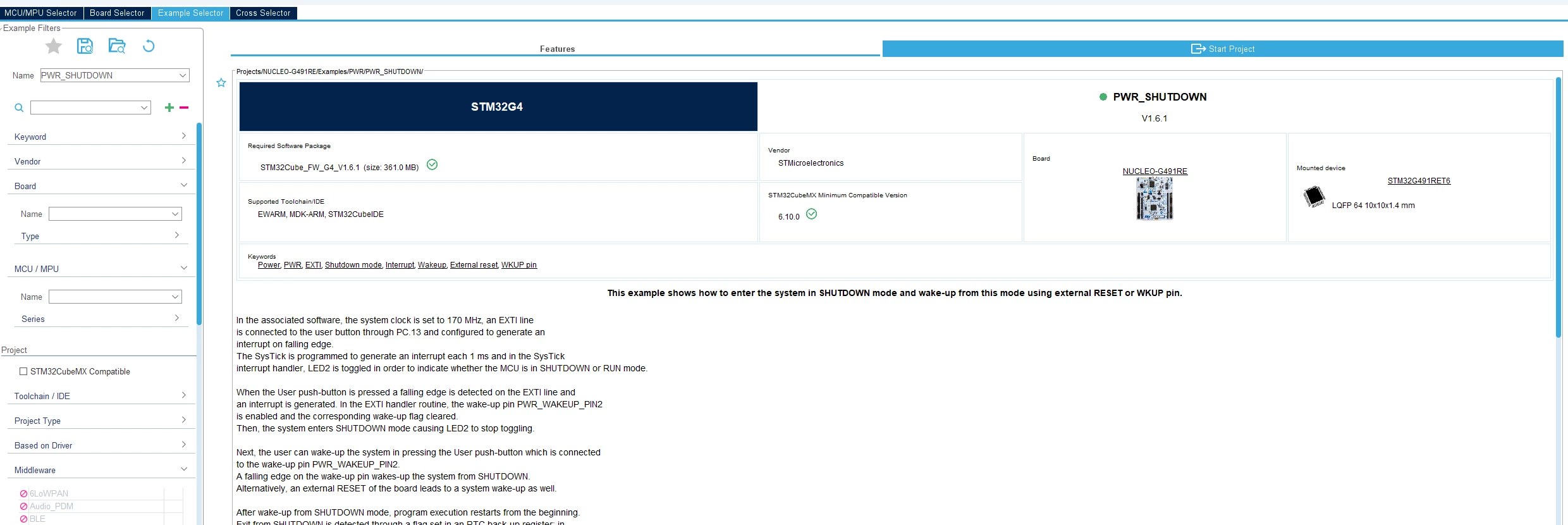
1. Take STM32CubeMX example project PWR_SHUTDOWN that is available for the Nucleo board.
LPetr1_0-1768826358525.png


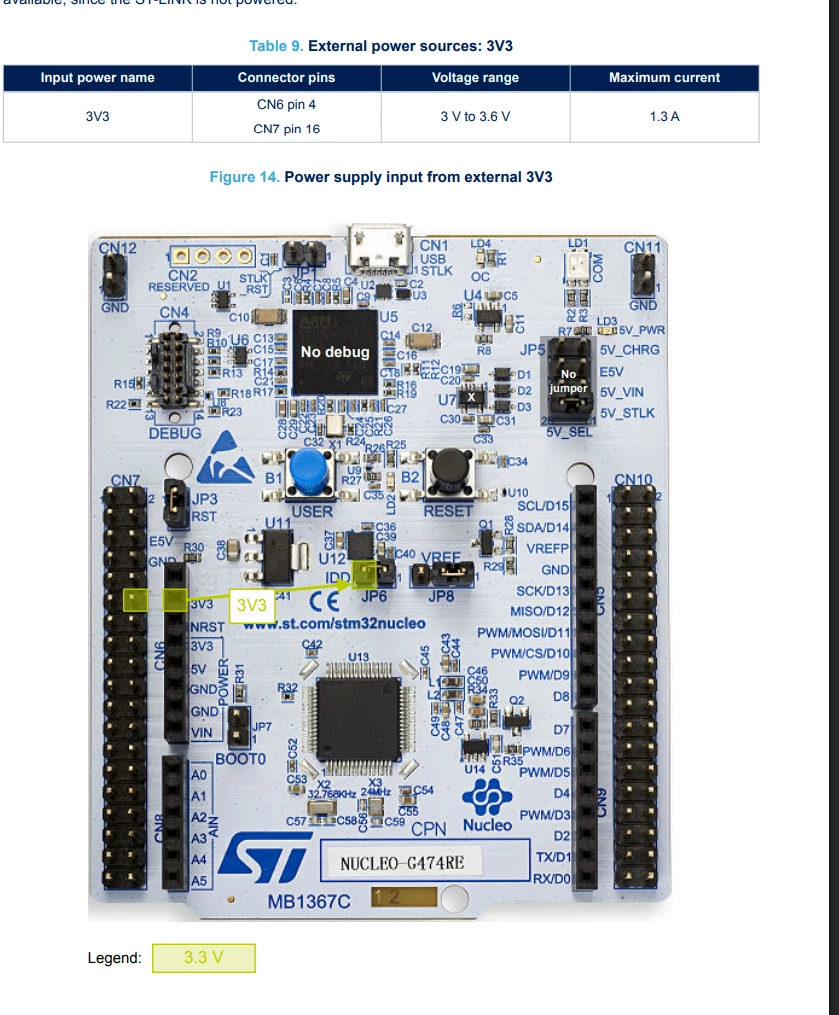
2. Program the board (ensure the JP5 jumper is at the 5V_STLK position)

3. Remove the JP5 jumper because we will be powering the board via the external 3V3 (PPK2)
LPetr1_2-1768826475933.png


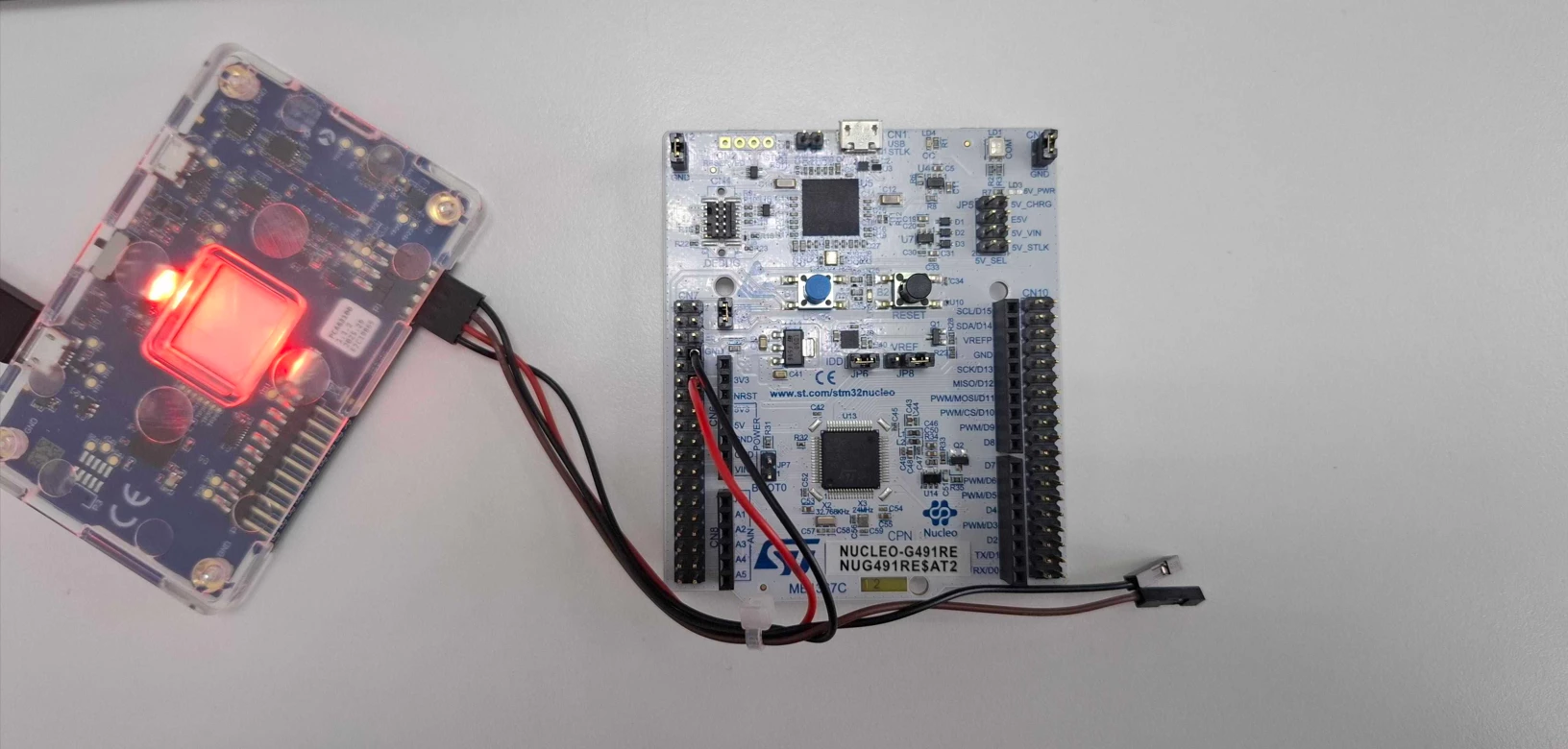
4. Connect the PPK2 to 3V3 and GND on the board.
LPetr1_0-1768827059286.png


5. Start sampling


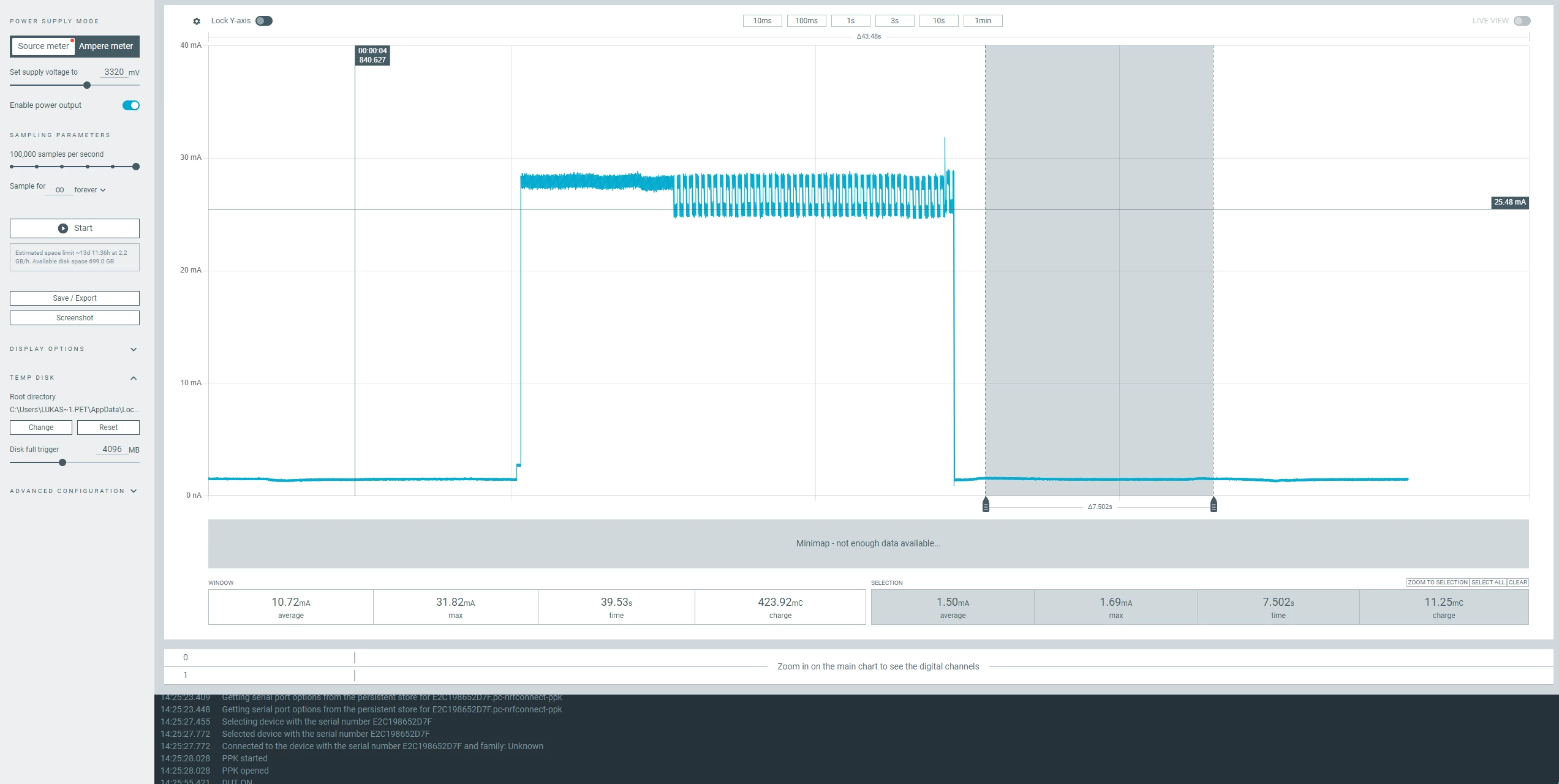
See the results below:
LPetr1_3-1768826508611.png

When the device enters STANDBY, the current consumption is measured at about 1.5mA which is way above what is declared on the datasheet.

What could be the reason that I cant achieve the declared current consumption for the STANDBY mode via the official example project? I am convinced that measurements of the PPK2 are valid as I have used this board in the past to measure very low currents and it was showing reasonable results.

Thanks in advance for any tips/suggestions.

19 REPLIES 19
mƎALLEm
ST Employee

Hello,

According to picture you shared, you seems measuring the current consumption of the board not the power consumption of the MCU.

You need to measure the power consumption on JP6.

To give better visibility on the answered topics, please click on "Accept as Solution" on the reply which solved your issue or answered your question.
Thanks for reply. Il measure the current via the JP6 tommorow.

Can you explain what else could be consuming so much power on the board?

You need to check the board's schematic. Any component consuming from 3.3V could be a source of current consumption. Check for example the availability of pull-up, pull-down resistors etc .. 

When you measure a MCU power consumption, the chip needs to be isolated from any other extra components.

To give better visibility on the answered topics, please click on "Accept as Solution" on the reply which solved your issue or answered your question.
LPetr.1
Senior II

x

I have performed measurements via the IDD (JP6). See the following steps:

1.Set the JP8 jumper to [2-3] position as explained in the datasheet:

LPetr1_3-1768896614078.png


2. Connect the PPK2 as ampere meter via the JP6

LPetr1_2-1768896591227.png


3. Start sampling:

LPetr1_0-1768896570128.png


As you can see from the data above, the MCU in active mode draws under 30 mA which is probably expected
As you can see from the data above, the MCU in SHUTDOWN mode draws around 250uA which is still above declared current consumption.


Also, I have repeated the current consumption measurements using Multimeter Brymen BM869s and got simillar results, current consumption around 250uA.


My questions:
1. What could be the reason the current consumption is way above the declared even when measured via the IDD?

2. Ideally, I would like to achieve few hundred uA board consumption (not only Microcontroller). Perhaps you could point me in the right direction to identify which components could be leaking over 1mA of current? I have looked at the schematics but could not really identify any obvious sources. The only things that are connected to VDD (3V3) rail are the MCU itself and some IO's such as LED2 and user button but I highly doubt that could cause >1mA current leakage.

LPetr.1
Senior II

I have performed more experiments with the NUCLEO-G491RE board:

I have opened the following solder bridges:

1. SB17/SB23 (STLINK RX/TX)
2. SB15 (debug trace)
3. SB38
4. SB25/SB26/SB31/SB30  (external crystals)
5. SB6 (LED2)
6. SB16 (User button)
7. SB1
8. SB27
9. SB40/SB41 (SWD/SCLK)

The lowest current consumption I have captured is 170uA with all of those disabled which is still above the declared.

At this point I am not sure what else can I do to further test it. I am questioning if the HAL example code is really correct at this point, perhaps something is missing that is crucial to current saving.

Perhaps you have this or any simillar STM32G4 based Nucleo board and could check ?

As @mƎALLEm said, have you checked the schematics?

You need to look very carefully for anything which could possibly "leak" current.

https://community.st.com/t5/stm32-mcus-wireless/excess-current-consumption-running-b-l072z-lrwan1-from-battery/m-p/322961#M13092

A couple often missed are:

  • nRST from the ST-Link;
  • Target VDD measurement by the ST-Link.


Also remember that the STM32 may need a power cycle (not just a reset) after a debugger has been connected.

A complex system that works is invariably found to have evolved from a simple system that worked.
A complex system designed from scratch never works and cannot be patched up to make it work.

Of course I have checked the schematics, but my hardware knowledge is somewhat limited. I have attempted to open all of those solder bridges after reviewing the schematic and what I have managed to identify as possible current leakage spots.

regarding the

  • nRST from the ST-Link;

, I have removed the J1 and J3, so I assume that should be fine right?

regarding the

  • Target VDD measurement by the ST-Link.

It is not fully clear what you mean, perhaps you could clarify?

I see you have had simmilar problems 

Hello,

Please refer to the following knowledge base articles:

How to minimize the power consumption in low power mode: An example using NUCLEO-F401RE board

Tips for using STM32 low-power modes


To give better visibility on the answered topics, please click on "Accept as Solution" on the reply which solved your issue or answered your question.