
Associate
August 26, 2024
Question

not able to debug the STM32L562E-DK

Hey im trying to blynk led on stm 32 l562e dk board i had attached the consol logs its not connecting to debuger i want to ask you is their any default jumper settings for this board or is their any specific debug settings required for this board . i had also attached photos of my jumper setting. additonally i had also attached my code. its a brand new board i just orderd .
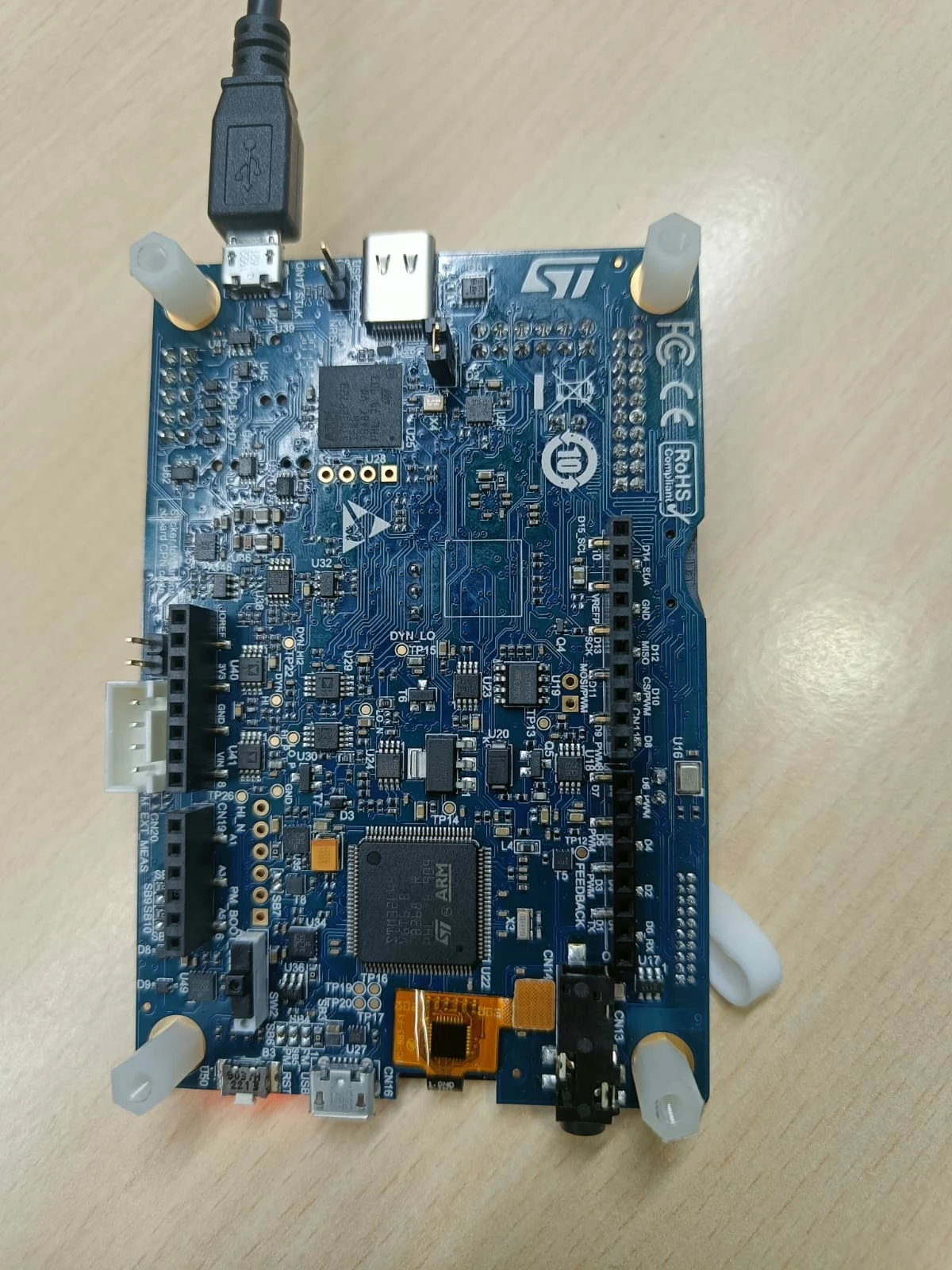
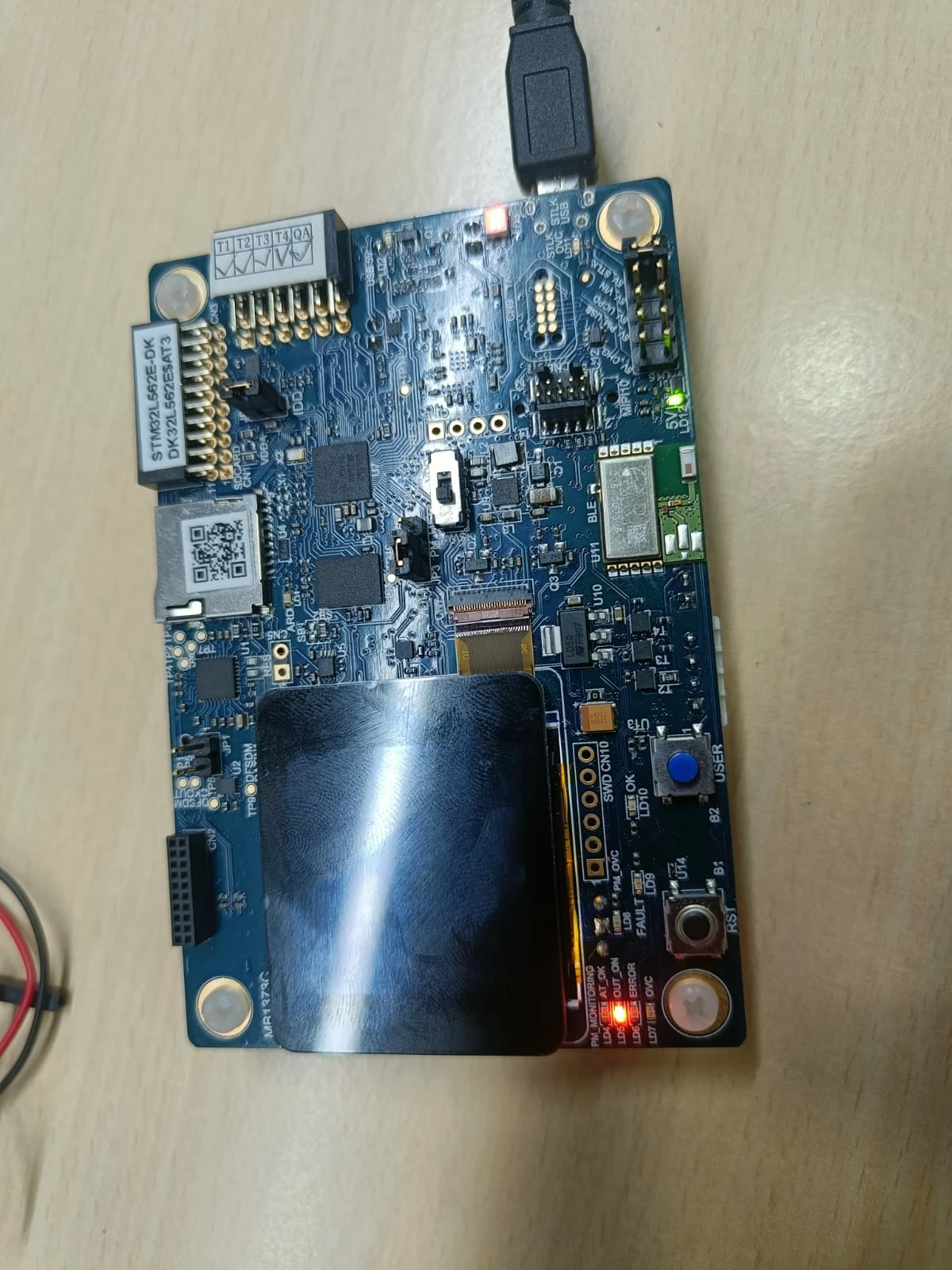
Gaurav552_0-1724654324582.jpegGaurav552_1-1724654333758.jpeg


STMicroelectronics ST-LINK GDB server. Version 7.8.0

Copyright (c) 2024, STMicroelectronics. All rights reserved.


Starting server with the following options:

Persistent Mode : Disabled

Logging Level : 1

Listen Port Number : 61234

Status Refresh Delay : 15s

Verbose Mode : Disabled

SWD Debug : Enabled

InitWhile : Enabled


Waiting for debugger connection...

Debugger connected

Waiting for debugger connection...

Debugger connected

Waiting for debugger connection...


Regards,

Gaurav N.

This topic has been closed for replies.

12 replies

Gaurav552Author
Associate
August 26, 2024

I had some how fix that error now im facing this issue how can i solve it 

Gaurav552_0-1724666207117.png


mƎALLEm
ST Technical Moderator
August 27, 2024

Hello @Gaurav552 ,

I didn't reproduce the issue with your shared firmware: I can connect and debug your application with STM32CubeIDE.

Are you able to connect to the board with STM32CubeProgrammer?

To give better visibility on the answered topics, please click "Best answer" on the reply which solved your issue or answered your question.
Gaurav552Author
Associate
September 1, 2024

no i cannot debug the application yet you can see my scb vector values in the below immage i had tryed creating multipal project also tried with blank project its not working i get the same error as i showed above.

Gaurav552_0-1725178397708.png


TDK
August 26, 2024

Looks like the vector table might not be set correctly. Ensure SCB->VTOR points to the right place, typically the start of FLASH. The SFRs window can be used to view register values (Window -> Show View -> SFRs), or add them as expressions.

"If you feel a post has answered your question, please click ""Accept as Solution""."
Gaurav552Author
Associate
September 1, 2024

when i click on dissassimbly its gives me this output .

Gaurav552_1-1725178763742.png