

MZarb.1
Associate
February 1, 2023
Question

Hello everyone. I'm having a problem with serial data transmission.

  • February 1, 2023
  • 12 replies
  • 5521 views

I'm using a STM32L152C-Discovery and a USB-RS232 adapter to receive data via UART protocol from the board. The system clock is 32 MHz and I'm using a baud rate of 115200 and no parity check. To view the messages on the PC, I use Putty configured consistently with the transmission parameters. When I try to send data via HAL_UART_Transmit the serial monitor shows completely different data. In the case of repeted "Hello world" message I get the following result:
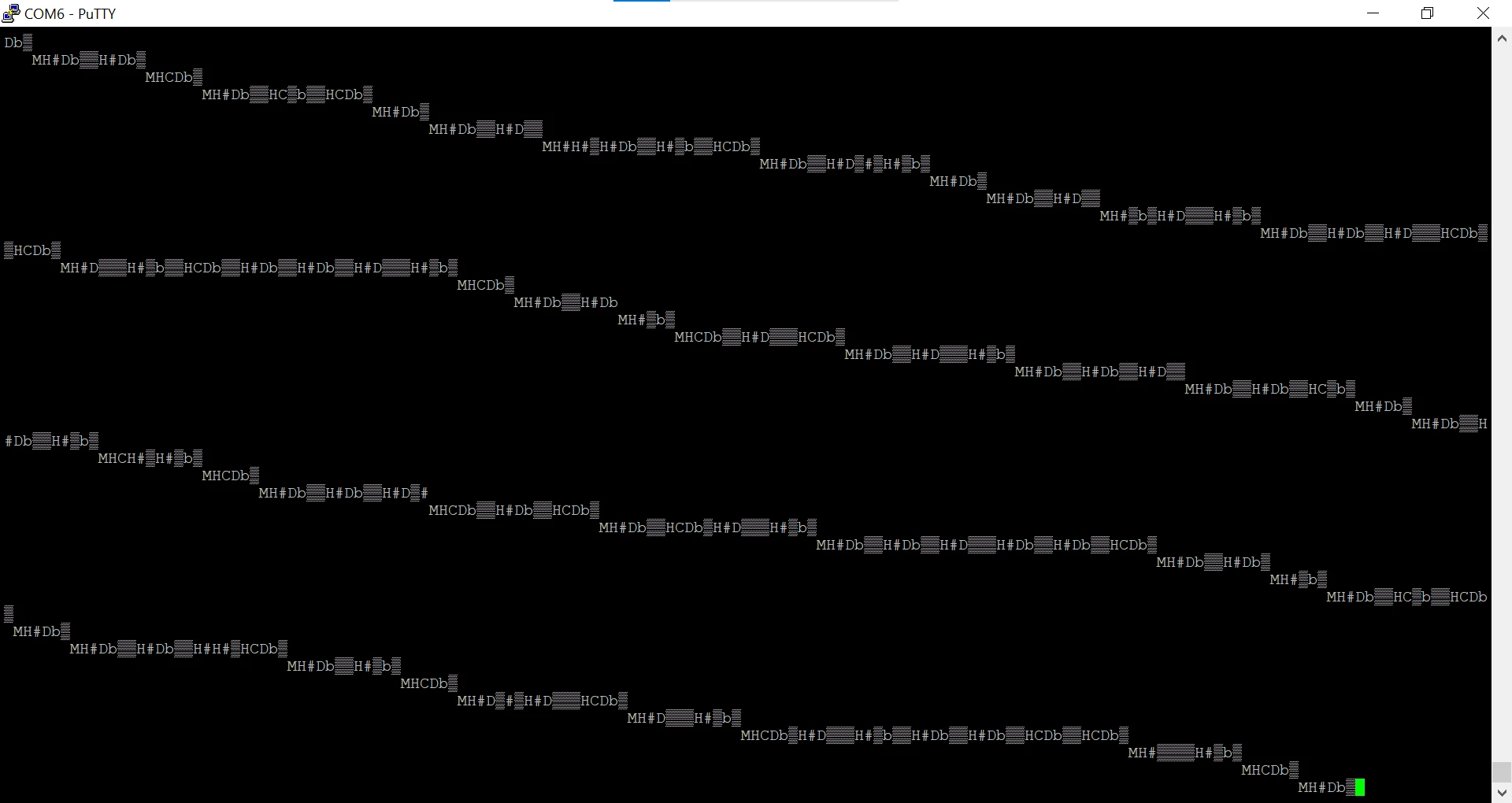
0693W00000Y9hTjQAJ.png 

I also thought about low precision clock problems, if this were the case, how can I verify the correctness with the oscilloscope?

This topic has been closed for replies.

12 replies

S.Ma
Principal
February 1, 2023

The onboard debugger (STLink) includes the UART to USB bridge function.

Check the board schematics,

You will need to program the right USART and from USB PC side, set the baudrate correctly on your teraterm-like application.

MZarb.1
MZarb.1Author
Associate
February 1, 2023

I checked, my board doesn't have UART to USB bridge function.

MZarb.1
MZarb.1Author
Associate
February 1, 2023

I need it to work in this mode and I'm trying to track down the problem. In the other case it definitely works.

S.Ma
Principal
February 1, 2023

If you want to find the rootcause within 30 minutes, use an oscilloscope on TX Pin of the MCU.

Javier1
Principal
February 1, 2023

>>Putty configured consistently with the transmission parameters

Probably not, which USB-RS232 are you using?

As @S.Ma​  said, just use the UART connected to the stlink, you dont need to connect anything extra.

hit me up in https://www.linkedin.com/in/javiermuñoz/
MZarb.1
MZarb.1Author
Associate
February 1, 2023

yes, putty is set correctly. I'm using the following:

0693W00000Y9hb9QAB.png

MZarb.1
MZarb.1Author
Associate
February 1, 2023

in fact, I had asked how can I verify this?

gbm
Super User
February 1, 2023

The converter on the photo above uses RS232 levels. You need to use USB-UART "TTL" type converter with 3.3 Volt output, not USB to RS232.

My STM32 stuff on github - compact USB device stack and more: https://github.com/gbm-ii/gbmUSBdevice
Tesla DeLorean
Guru
February 1, 2023

RS232 has different levels, and inverts, so data will often look as shown, ie patterns consistent, size/form, but wrong characters.

The UART outputs CMOS levels, not RS232

Tips, Buy me a coffee, or three.. PayPal Venmo (See Profile) Up vote any posts that you find helpful, it shows what's working..
S.Ma
Principal
February 1, 2023

Check out some boards which are UART CMOS to USB, there was FTDI based kit (and clones), many available on the web. The cable above probably expect a MAX232 voltage shifter...

IMHO I would go directly to HC-05 Serial to Bluetooth Adapter... no wires, no drivers, isolated.

Yugenthar
Associate III
February 9, 2023

example:sprintf("Hello\n\r");

Guenael Cadier
ST Employee
February 15, 2023

Hi @MZarb.1​ 

Does your configuration have Parity enabled ?

If so, could you provide :

  • your Putty configuration
  • UART instance configuration parameters

in terms of wordlength, stop bits, parity ?

Please note that in case of enabled parity, parity bit is included in word length on STM32 side, which is not the case on Putty config side.

Regards