


VShet.2
Associate III
Nov 19, 2020 7:22 AM UTC
Question

TouchGFX Designer gets hanged.
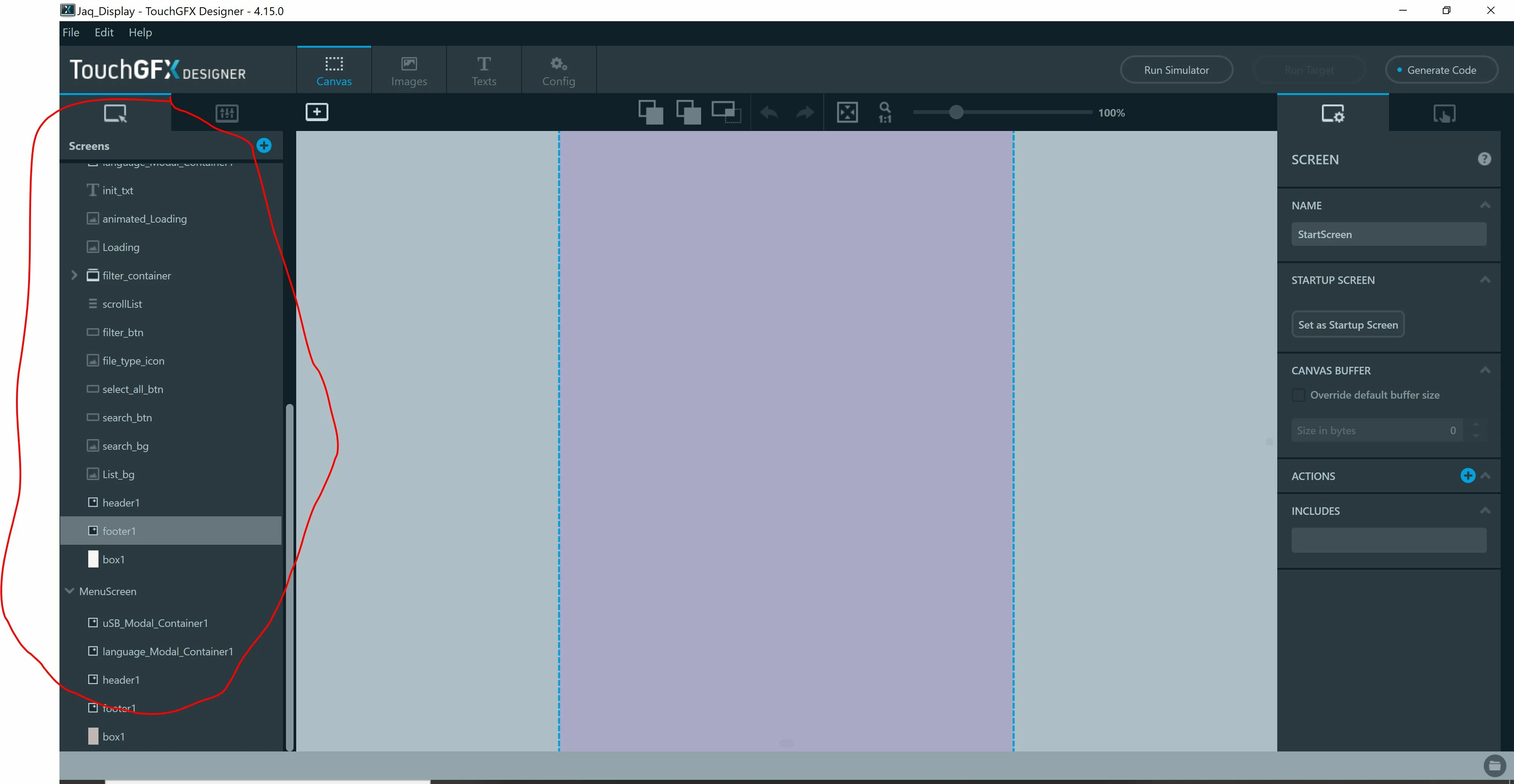
0693W000005BuDmQAK.jpgIf I expand screens tab on left column and there are many widgets added to a screen or there are multiple screens which requires to scroll down that list then TouchGFX Designer 4.15 gets hanged when you reach at end. Only fix then is to kill this Designer.

As a workaround this bug, I had to group various widgets on a screen to different containers so that my over all list is small and I will then only expand the specific container I am currently working. The basic idea is that the list should not be expanded enough that it occupies the entire screen and you don't scroll down till end otherwise it hangs.

Please refer to attached image in which I have highlighted the menu I am referring to.

This topic has been closed for replies.

7 replies

Romain DIELEMAN
ST Employee
Nov 19, 2020 8:14 AM UTC

Hi,

Thank you very much for reporting this. What do you mean exactly by "hang" ? Around how many widgets did you encounter this? (so that i can try to reproduce that error)

Could you maybe share your project ?

/Romain

VShet.2
VShet.2Author
Associate III
Nov 19, 2020 9:12 AM UTC

Hi,

I am not sure if I can share the project or not. But I created another dummy project to reproduce the issue and have attached it. In order to see these issue you need to have at least 2 screen and add any widget in any screen. Add widgets till that list is big enough so that you have to scroll down to see the last widget. Once you reach the end in scrolling down the list, Designer gets hanged. What I mean by hang is it will not reply to any clicks not even to close it. I need to use Task manager on my windows PC to kill the Designer App. Also, in Task manager I can see that Designer is using like 20-30% of my CPU.

I am guessing that in this scenario when you scroll down at the end of list it gets stuck in some loop or something which is using large amount of CPU and its stops responding to any clicks.

Please find the attached sample project.

Romain DIELEMAN
ST Employee
Nov 20, 2020 12:27 PM UTC

Hi,

I actually just faced it right now in one of my project as well. I have made the team aware and created a bug task.

Thank you again for reporting this.

/Romain

GPa.1
Associate II
Jul 26, 2021 12:26 PM UTC

Hi,

I know this bug it was fixed in the old versions, but for the new TouchGFX 4.17.0 appear it again: when you scroll down the left side menu for the containers (long list of containers) the Designer doesn't work anymore, i have to close the designer with the Task Manager and restart it.

Regards

SGK
Associate
Apr 5, 2023 5:52 AM UTC

I am using version 4.19.1, and I still deal with the same issue and it makes it harder to work with the designer when it hangs and does not respond....I even tried it with the latest version but still the same issue, if I add many containers and bitmaps, the touchgfx tends to not respond and only want to close it is by force stopping it through task manager.

Osman SOYKURT
ST Technical Moderator
Apr 11, 2023 11:53 AM UTC

Hello SGK,

Could you check which scale you use in your Windows display settings?


_legacyfs_online_stmicro_images_0693W00000bhreDQAQ.pngI do remember it was related to smthg with this value. Using 100% should be ok, but 125% causes the issue.

I'm talking for versions of Designer below 4.20.0 because it's supposed to be resolved since 4.20.0.

/Osman

ST Software Developer | TouchGFX
Osman SOYKURT
ST Technical Moderator
Apr 11, 2023 11:41 AM UTC

Hello,

This issue has been resolved in TouchgFX Designer since version 4.20.0 as mentioned in the changelog :

  • Fixed dropdowns not responding to keyboard input to navigate to a desired item.

I checked again with the latest current version (4.21.3), and I couldn't reproduce the issue.

/Osman

ST Software Developer | TouchGFX