Get ready for the STM32 Summit 2026 | Online, November 3
Explore the latest updates on the STM32Cube ecosystem and more.
Most recent activity
This September update marks the second incremental update since the prerelease was published in May. #1 STM32Cube for Visual Studio Code becomes STM32CubeIDE for Visual Studio CodeThe STM32Cube for Visual Studio Code environment is still in its early stages. To ensure clarity and consistency between ST-developed IDEs within the STM32Cube ecosystem, we are renaming it STM32CubeIDE for Visual Studio Code. #2 Semi-hosting for ST-LINK GDB serverThe semi-hosting support can be enabled in three modes: Console mode – allowing users to have I/O console interaction with the target All mode – (console + file) allowing users to write data also from the target to a file on the host The ST DAP adds a new set of attributes to enable and configure semi-hosting. This addition into the DAP comes with a minimal TCP/IP console allowing developers to interact with the target when using the Console mode: #3 Attach to remote debug serverAttach debug is a recent feature available in previous versions. Th
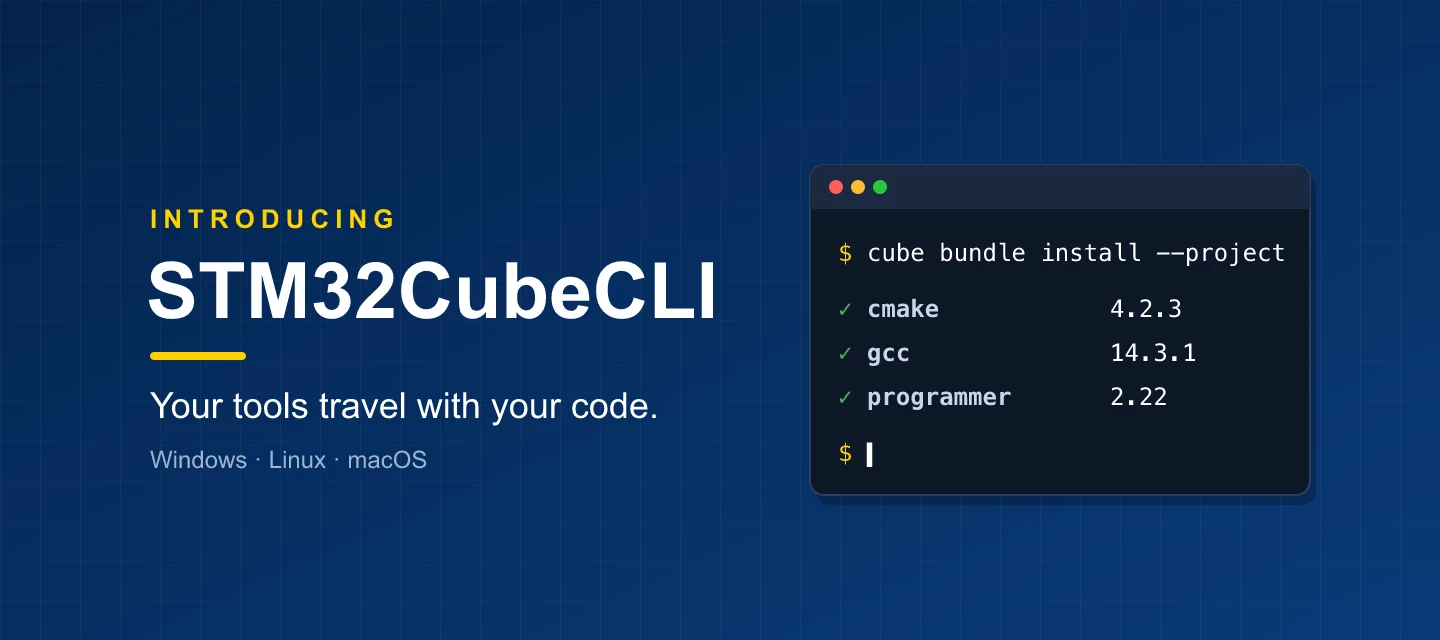
If you use STM32CubeIDE for Visual Studio Code, you have already used STM32CubeCLI. Since April 2025 it has installed and updated the tools behind the extension, and since March 2026 it does the same for STM32CubeMX2. Now it is available on its own: one cube command to install, build, flash and debug from any terminal or CI runner, on Windows, Linux and macOS.The idea is simple: your tools travel with your code. What is STM32CubeCLI?STM32CubeCLI brings together three things:The `cube` command: one consistent way to call STM32Cube tools, such as cube cmake, cube programmer or cube stlink-gdbserver. The bundle manager: installs, updates and pins tool versions from ST’s public online registry. No login, no hunting for downloads. Bundles: the tools themselves: GCC, CMake, Ninja, STM32CubeProgrammer, ST-LINK GDB server and more. Get started in 30 secondsInstall on Windows (PowerShell):irm https://developer.st.com/bundles/install/install.ps1 | iexInstall on macOS or Linux:curl -fsSL https:/
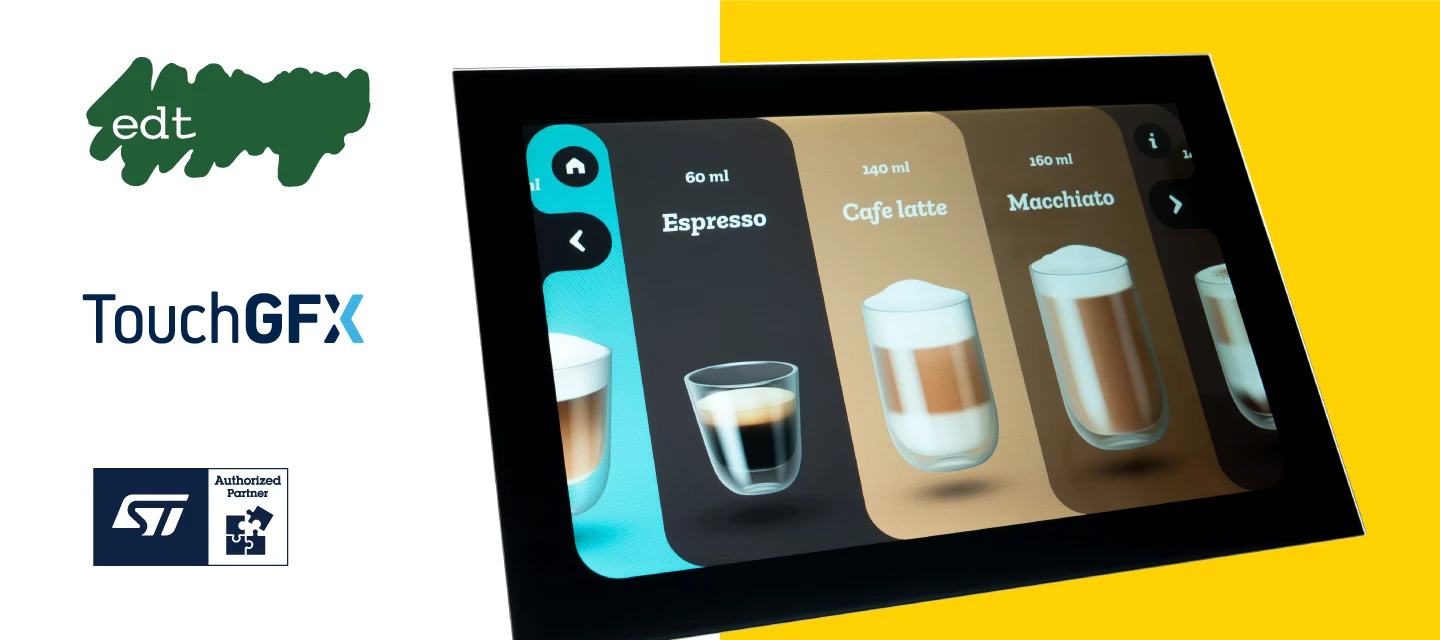
EDT’s Smart Embedded Display helps developers build modern embedded GUIs faster with STM32 microcontrollers and TouchGFX. By combining the display, touch, processing, memory, power, and software stack in one ready-to-integrate module, it makes it easier to move from concept to prototype. Why developers can build fasterA pre-integrated UMI module instead of separate display, touch, MCU, memory, and power components to qualify individually. STM32U5 or STM32H7 performance for graphics-focused embedded applications. TouchGFX supports designing custom screens, interactions, and application-specific GUIs. Evaluation kits for each form factor to speed up proof of concept work and BSP bring-up. Local technical support teams in Europe and Asia What is included in the module?The EDT Smart Embedded Display combines the hardware and software foundation needed to add a modern graphical interface to embedded products. The modules are built around STM32U5 and STM32H7 microcontrollers targeting graph
Engineering and validation teams building automated test infrastructure have a simple challenge. Automated flashing has traditionally meant relying on a general-purpose x86 PC to run the programming tool.But for a dedicated process that needs to run the same way thousands of times, a more purpose-built approach can make a difference. This is where our ST partner, Blue Clover, comes in.Blue Clover builds the Production Line Tool (PLT), an Arm Linux device that connects to PLTcloud for remote orchestration. One PLT sits at each test station, and PLTcloud coordinates the fleet across a customer’s line.PLT works alongside Test Agent, a second Arm Linux device purpose-built to host third-party software directly at the point of test. It replaces the general-purpose x86 PC with something simpler and more reliable, built for exactly this job.Because much of the hardware Blue Clover and its customers build is based on STM32 microcontrollers, including the STM32L0 Cat.5 family, STM32CubeProgramm
TouchGFX 4.27.0 brings major feature updates to improve performance on high-resolution user interfaces, reduce the flash footprint of frame-based animations, and provide more flexibility for assets stored in external flash. What’s new in TouchGFX 4.27.0Hybrid double buffering for user interfacesa new framebuffer strategy which combines two full framebuffers in external RAM with a smaller rendering blocks in internal SRAM.TouchGFX renders invalidated regions in smaller internal-memory blocks, then copies them to the full framebuffer. This reduces external RAM read/write access, improves blending efficiency, and helps save bandwidth on high-resolution applications.Watch the reference demo of TouchGFX 1280x800 hybrid framebuffer demo: link Delta compressed animation:TouchGFX now analyzes frame-to-frame differences in a bitmap sequence and stores only the regions that change as delta frames. This process is performed at compile time, so there is no runtime overhead.This can significantly r
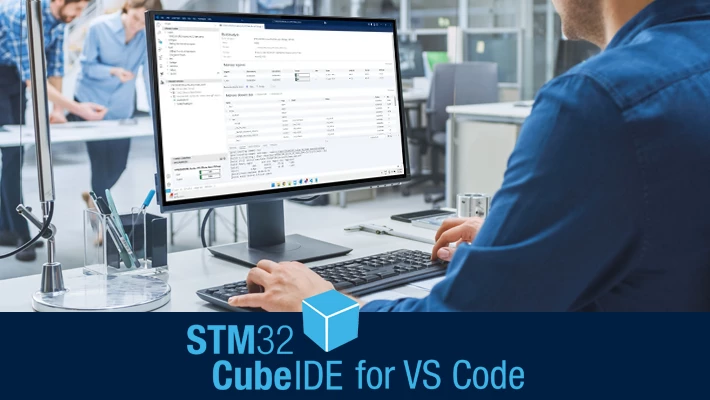
Since May, we have been offering a prerelease version (3.x) of the STM32CubeIDE for Visual Studio Code extensions. This version gave early adopters access to the latest features and improvements. These enhancements have now been merged into the official release version (2.x), marking a key milestone in the deployment of STM32CubeIDE for Visual Studio Code. What is changing for developers? Release tracks are merged: the prerelease, which is version 3.x of our extensions, is merged back into the 2.x release track. Moving forward, all developers will enjoy one single 3.x version, integrating all extensions and main packages. Automatic user migration: all VS Code users previously working with the 2.x release track will migrate to the 3.x version of our extensions. We have replaced the complete tool architecture, but we expect minimal end-user disruption. Transition to VS Code extension pack: developers previously relying on the 2x version, and who used to have a single STM32 for Visual Stu
Native Raspberry Pi support is coming to STM32CubeProgrammer, and it’s driven by your feedback. With STM32CubeProgrammer v2.23, scheduled for June 2026, ST will introduce a Linux Arm 64-bit package available on st.com, enabling STM32 programming directly from Raspberry Pi platforms. This new package allows you to fully leverage 64-bit Raspberry Pi platforms, including: Standard models (flagship) series: from Raspberry Pi 3B to Raspberry Pi 5. Zero (compact form factor) series: Raspberry Pi Zero 2 W. Compute models (industrial & embedded) series: from Raspberry Pi CM3 to Raspberry Pi CM5. What will be supported? This first Raspberry Pi release supports all STM32 devices and core programming features: Internal and external flash programming OTP programming Option bytes configuration RDP regression with password (for supported products) This provides a reliable way to program STM32 devices using a Raspberry Pi–based setup. Interfaces and connectivity All existing STM32CubeProgramm
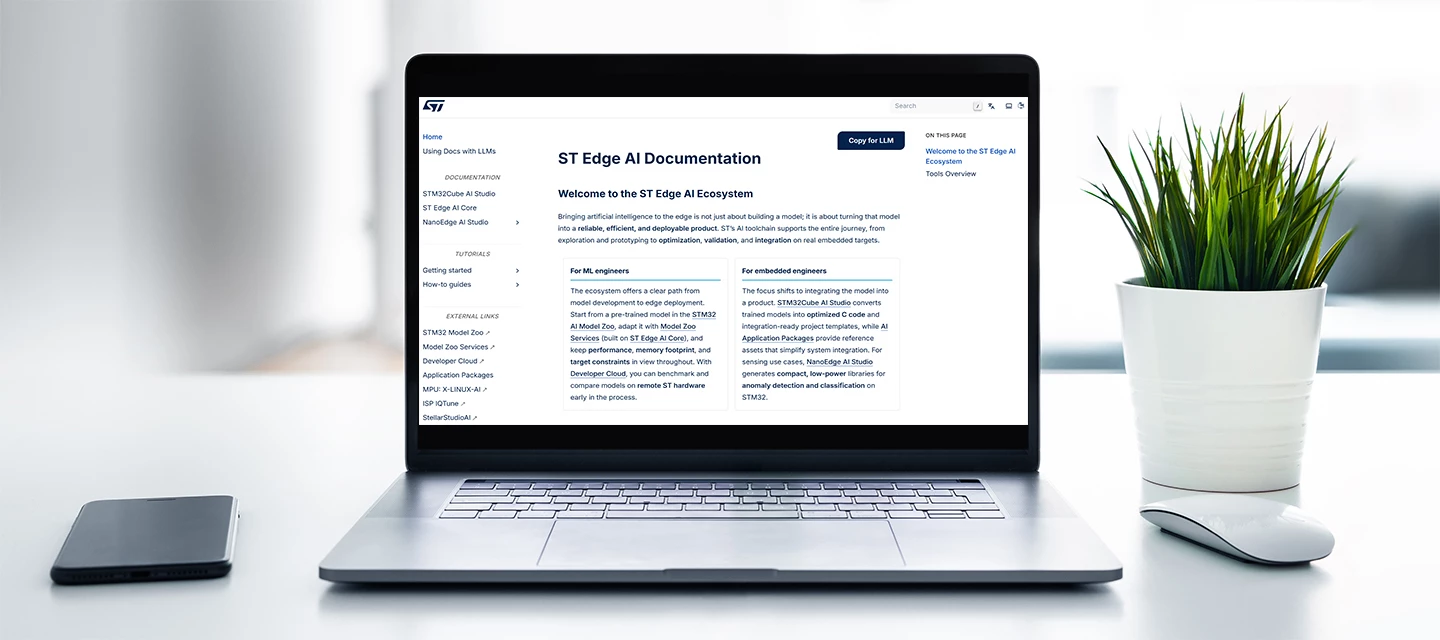
If you’re building AI-powered applications on STM32, you can now access all the ST Edge AI documentation you need from one place: ST Edge AI Documentation.The new documentation hub brings together reference material, how-to guides, and tutorials that were previously spread across separate tool pages and older wiki articles.Instead of jumping between sources, you can start from one entry point.Key benefits:Find answers faster: search across ST Edge AI tools from one place instead of checking multiple pages. Follow complete workflows: use new tutorials that walk you through end-to-end development steps that were not previously documented in one flow. Work with the right version: access documentation that stays aligned with the tool releases it supports. Use AI assistants more reliably: the Copy for LLM option lets you provide the actual documentation pages to an AI assistant, helping it answer from the source rather than guessing. Keep your focus on development: the hub is dedicated to o
The latest STM32Cube embedded software updates help developers start faster on new STM32 devices, reuse ready-to-run examples, and check software security information directly in each package.The release set includes expanded device support, refreshed middleware, updated examples, and maintenance fixes across the STM32Cube portfolio.Bring up new STM32 devices and boards faster Add audio to STM32CubeN6 video-encoding applications with OPUS Check the security level of STM32Cube software components What is new in STM32Cube embedded software? New STM32U3 and STM32H5 product linesSTM32Cube now supports STM32H533/H543, STM32U335xx/STM32U345xx, and STM32U356xx/STM32U366xx devices.Developers also get BSP support and examples for the STM32U366E-DK discovery kit and NUCLEO-U366RE-Q, NUCLEO-U345RC-Q, and NUCLEO-H533RE boards. Delivery of OPUS middleware in STM32CubeN6 packageSTM32CubeN6 v1.4.0 adds the OPUS open-source middleware stack, helping developers combine H.264 video encoding with option
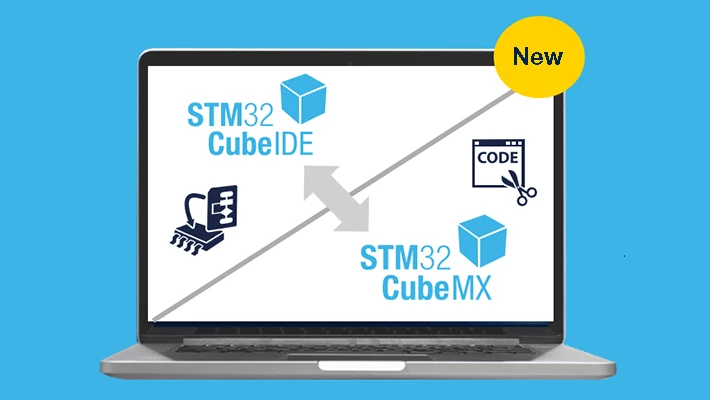
Article updated on December 11, 2025. STM32CubeIDE 2.0.0 is now available. Here is a summary of the main updates for developers. Support for new products: STM32WBA, STM32N6, STM32H5, and STM32WL3x series are now supported in STM32CubeIDE 2.0.0 Expanded board support: now compatible with NUCLEO-WL3RKB1 and NUCLEO-WL3KB3 boards. Login changes: the login requirement has been removed. An optional update notification service will be introduced in a future release. Toolchain improvements: easier installation and use of the ST LLVM-based toolchain for Arm, directly through the STM32CubeIDE GUI. STM32CubeMX is no longer integrated within STM32CubeIDE: it is now available exclusively as a standalone tool. Why separate STM32CubeMX and STM32CubeIDE? The integration of STM32CubeMX within STM32CubeIDE was not widely valued by users, yet it required significant development an
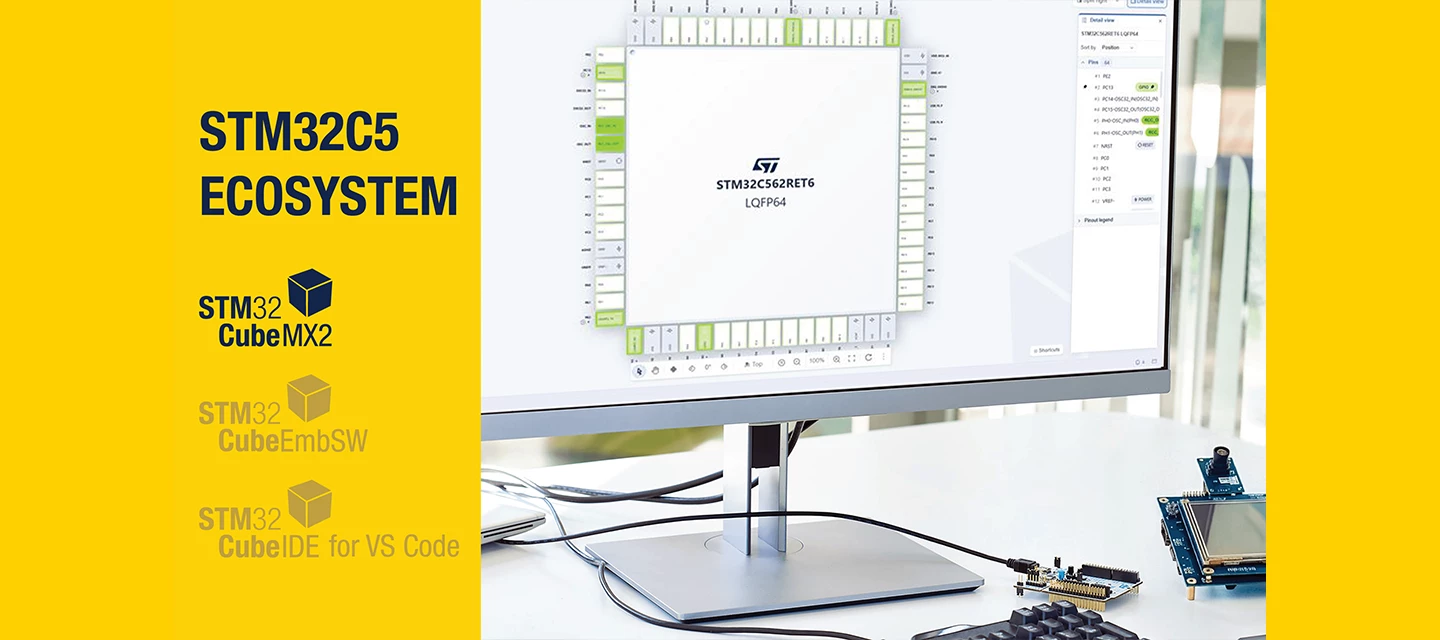
IntroductionBuilding on the solid foundation of STM32CubeMX, STM32CubeMX2 takes the STM32 development experience to the next level. It enhances proven functionalities and introduces new features to deliver greater efficiency, flexibility, and innovation from its very first release.Coexistence with STM32CubeMX: STM32CubeMX and STM32CubeMX2 will coexist. STM32CubeMX2 is introduced for new STM32 series, starting with STM32C5. Future ready workflows: STM32CubeMX2 continues to streamline existing workflows while opening the door to more advanced capabilities. Active evolution: ST will keep enhancing STM32CubeMX2 with regular fixes and new features over time.live code preview for faster prototypingThe new live code preview in STM32CubeMX2 accelerates prototyping for developers who use STM32CubeMX as a code snippet generator:No need to generate full projects Get the initialization code directly in the STM32CubeMX2 live code preview window, ready to paste into your existing project. Instant fe
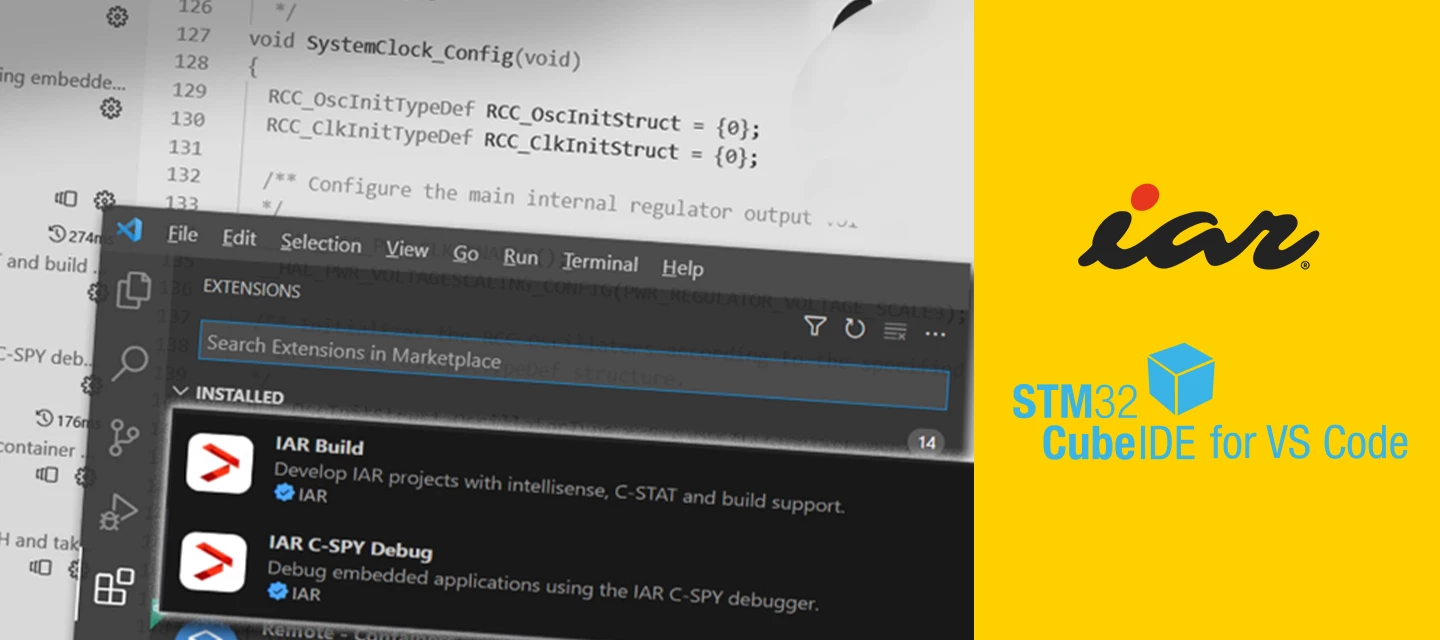
Getting started with advanced STM32 debugging in VS Code with IAR C-SPYDebugging embedded systems gets harder as projects grow.At some point, breakpoints and variable windows stop being enough. You need to see how your application behaves over time, track down fast bugs, inspect registers in context, and measure what your code is really doing.If you are building STM32 projects in VS Code, you can do that without leaving your workflow.STM32Cube for VS Code brings together C/C++ editing, CMake and Ninja builds, Git, and one-click debugging. It also helps teams stay flexible across IDEs and operating systems while keeping CI/CD workflows consistent.Once your STM32 project is running in VS Code, the IAR C-SPY Debug extension adds a professional-grade analysis layer that scales with project complexity. C-SPY is IAR’s advanced debugging and analysis engine for embedded systems.If you are new to STM32Cube for VS Code, start with ST official guides:Create projects with the STM32 VS Code extens
STM32Cube AI Studio is now available as ST’s new standalone environment for optimizing, validating, and deploying AI models on STM32 MCUs. Evolving from the X-CUBE-AI legacy, it brings a unified workflow, improved performance evaluation, and a modern user experience designed for both embedded engineers and AI developers. What’s new for developers A stronger foundation for embedded AI Built on the trusted X-CUBE-AI legacy to ensure consistent, reliable embedded AI performance Based on ST Edge AI Core technology for aligned performance across the STM32 AI toolchain Separates embedded and AI tasks to reduce project complexity Modern, intuitive UI for smoother, faster development New capabilities for embedded model optimization, validation & acceleration Detailed model performance reports, including latency and memory usage Experiment comparison tools
The March 2026 release of STM32CubeIDE for Visual Studio Code is a key part of the STM32C5 series launch and the wider evolution of the STM32Cube ecosystem. Together with the new STM32CubeMX2 configuration tool and the updated STM32CubeIDE and STM32CubeIDE for VS Code integrations, this release is designed to provide seamless development experience for the next generation of STM32 MCUs.ST thanks the developer community for their feedback and patience as the team continues to build tools for VS Code. Highlights of the March 2026 updateSTM32 View update: faster access to tools and resources in VS CodeThe latest STM32 View update introduces new shortcuts that help developers launch tools and find documentation more efficiently. New shortcuts allow you to:Launch STM32CubeMX2 Start STM32CubeMX2 directly from VS Code for faster project configuration.Import STM32Cube examples Bring STM32Cube example projects into VS Code in just a few clicks.Limitation: only single-core‑ STM32CubeIDE/Eclipse
STM32CubeIDE 2.1.0 brings broader device support, smoother workflows, and faster builds so you can develop and debug STM32 projects more efficiently. Key updates and benefitsBroader MCU support for new designsSupport for the STM32C5 series and additional microcontrollers in the STM32WBA2, STM32WL5 dual-core, STM32H5, STM32U3, and STM32F7 series, enabling you to adopt the latest STM32 products without changing tools. Auto-refresh of Project ExplorerThe Project Explorer now automatically updates when files in the workspace change.This removes the need to manually refresh after code regeneration (for example with standalone STM32CubeMX), improving interoperability and saving development time. CMake presets supportSTM32CubeIDE now supports CMake presets, the modern interface between IDEs or CI systems and build systems.This makes it easier to import existing CMake-based codebases into STM32CubeIDE, streamline CI integration, and work smoothly with STM32CubeMX2 exports that use CMake inste
STMicroelectronics has released new versions in STM32Cube ecosystem, expanding STM32CubeMX support to more STM32 products and enabling configuration of innovative on‑chip IP for smarter, more efficient embedded designs. The new release brings STM32CubeMX support for the latest STM32H5, STM32U3, and STM32WBA2 devices, helping developers quickly start new designs and reuse existing workflows across a growing STM32 portfolio. STM32Cube v1.22 also adds configuration support for two advanced peripherals on selected STM32 devices: PLAy (Programmable Logic Array) provides a small, configurable logic fabric on‑chip, ideal for custom glue logic, simple state machines, and deterministic event detection. By wiring internal events and external GPIO signals directly into PLAy, applications can react in hardware with cycle‑accurate timing, offloading the CPU and often eliminating external logic components. The PLAy is supported on latest STM32H5E4/5F4 and STM32H5E5/5F5 product lines
STM32CubeProgrammer v2.22 further strengthens ST’s all‑in‑one programming and provisioning tool with support for new STM32 devices, enhanced security features, and productivity improvements. New STM32 support Developers can now use STM32CubeProgrammer to program and provision the latest STM32 devices, ensuring rapid ramp‑up on new projects: Newly supported STM32 lines: STM32H5 STM32WBA2x STM32C5 STM32U3 This reinforces STM32CubeProgrammer as a single tool covering all STM32 lines and packages, available as GUI, CLI, and C API, and supporting all key interfaces (JTAG/SWD, UART, USB, CAN, I²C, SPI) on Windows, Linux, and macOS. New features for faster and more efficient workflows Export Memory MCU Map (GUI)A new “Export Memory MCU Map” feature simplifies the dump of device memory maps (option bytes, OTP, internal and external Flash) into HEX output files, making it easier to analyze, archive, and reuse programming configurations across projects and production flows. D
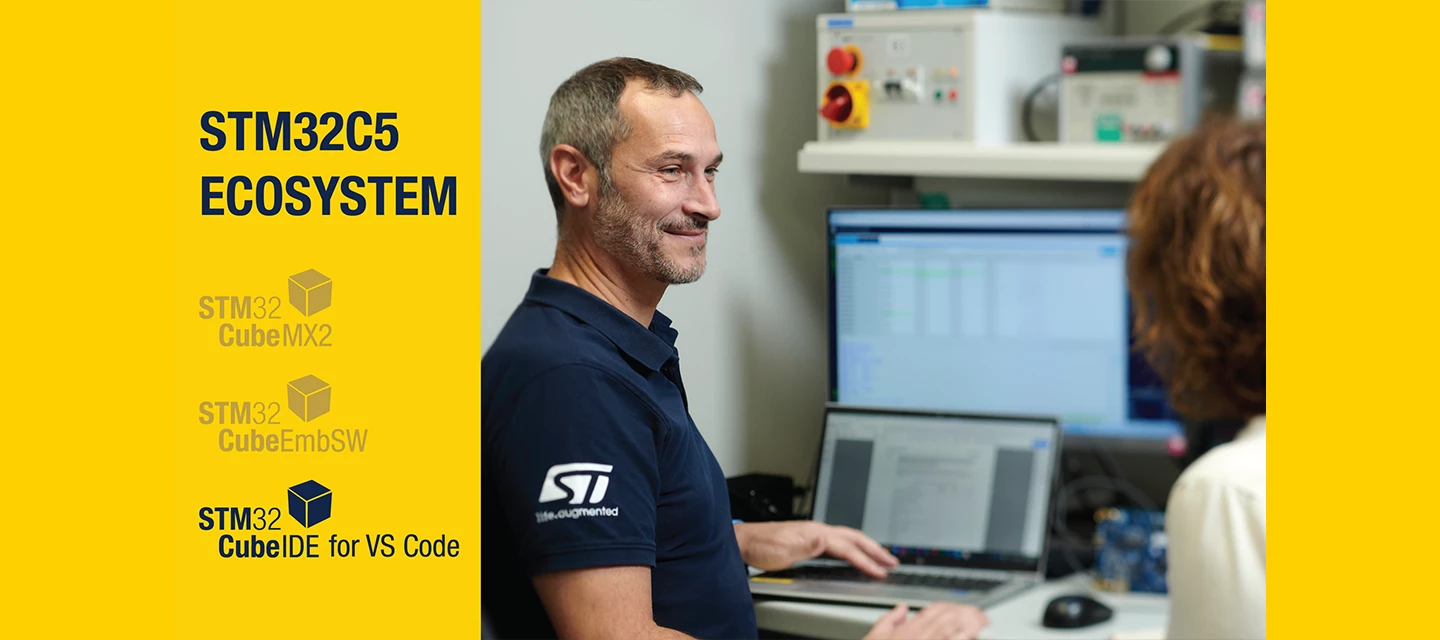
With the introduction of the STM32C5 series, we’re rolling out a next‑gen STM32Cube foundation designed to boost your productivity and unlock even more performance from STM32 MCUs. You keep the STM32Cube ecosystem you know – same concepts, same user flow – but under the hood we’re rebuilding key layers to scale with upcoming STM32 series and developer expectations. Core focus areas: STM32 HAL2 (new optimized hardware abstraction layer) STM32CubeMX2 (revamped init & code generation) STM32CubeIDE for VS Code (new free IDE option) All new STM32 series starting with STM32C5 will benefit from this upgraded foundation.All existing STM32 series remain fully supported by current STM32Cube components, which will continue to be maintained over time. Why a new foundation for STM32Cube? The first STM32Cube architecture dates back to 2014 and has continuously evolved to follow the growth of the STM32 portfolio.
The STM32Cube embedded software ecosystem is continuously updated to support the latest STM32 microcontrollers and on-chip innovations.The latest STM32Cube releases add expanded device coverage, support for new IPs, updated middleware, and numerous quality improvements, helping developers: Integrate new STM32 MCUs more quickly Prototype with HSP and PLAY without starting from scratch Reuse code across projects and shorten time‑to‑market What’s new in STM32Cube Embedded Software? PLAY support on STM32H5 – custom logic without FPGA complexity The Programmable Logic Array (PLAY) lets developers implement custom logic circuits and state machines directly on STM32H5, avoiding external logic devices or FPGAs. PLAY uses look‑up tables with multiple inputs to create flexible logical functions for a wide range of use cases. With STM32CubeH5 v1.6.0, developers get everything needed to quickly try and adopt PLAY: HAL driver for PLAY Familiar HAL interface to configure and control PLAY No need
We are pleased to share some exciting developments in STM32Cube that will enhance your development experience and unlock the rich features of STM32 microcontrollers even further. Transition to FreeRTOS and enhanced middleware offeringsWe are moving back to FreeRTOS™ as the main kernel, integrating it with USBX, FileX, and LWIP. This strategic shift will help us build a consistent middleware offering, set to be introduced before the end of this year. Notably, USBX and FileX will be available in both bare metal and RTOS-agnostic versions, providing greater flexibility and adaptability for your projects.In parallel, we continue our investment in supporting leading open-source frameworks. Launch of STM32Cube version 3 for Visual Studio CodeWe are thrilled to announce the release of STM32Cube for VS Code, marking version 3 of the existing STM32 VS Code extension. This substantial upgrade is built on a new modular foundation, enabling you to selectively choose features and manage updates and
STM32Cube embedded software for the STM32C5 series introduces an upgrade of drivers and tools to help you design faster, smaller, and more robust products. Core software stackSTM32Cube for STM32C5 is built around:New software drivers with two levels of hardware abstraction: HAL2 (HAL v2.x) LL (Low‑Layer) APIs RTOS support Middleware components Utilities Part drivers / BSPThis stack lets you:Leverage STM32 hardware features and performance with HAL2 to differentiate your product. Accelerate development with the new STM32 Example Library, giving quick access to hundreds of examples for your STM32 device. Reduce cost by reusing STM32Cube components free of charge under user‑friendly license terms. HAL2: next‑generation hardware abstraction layerWhile keeping the same programming model as STM32 HAL (HAL v1.x) for easy porting, the STM32 HAL2 driver brings the following enhancements:Lower footprint Improved intuitiveness and usability Finer service granularity Better integration with
Motor-control software has been released to simplify enhancing drives with AI for optimization and predictive maintenance, ready to load on the EVLSPIN32G4-ACT evaluation board and start exploring. The FP-IND-MCAI1 function pack helps designers navigate the workflow and tools for implementing smart capabilities in industrial drives and servos, home appliances, robotics, and diverse types of actuators. The software includes a sample application to drive a low-voltage three-phase brushless motor with field-oriented control (FOC), HAL and board-specific drivers, and a machine-learning (ML) solution for motor-behavior classification. The ML model is preconfigured to identify normal, high-vibration, and unstable motor conditions. Providing a convenient hardware platform, the EVLSPIN32G4-ACT drives 3-phase brushless DC motors up to 250W and provides connections for a vibration-sensing module such as the STEVAL-C34KAT1 or STWIN.box multi-sensor kit. Users can parameterize and interact with th
ST announces the release of TouchGFX 4.26.0, an update that brings a range of enhancements and fixes, designed to improve development workflows and application performance. Below is a detailed overview of the key updates included in this release. User interface improvements This version introduces several minor but valuable user interface (UI) enhancements aimed at making everyday tasks more intuitive and efficient. These improvements address common developer needs and help reduce repetitive actions. Notable examples include: Copying typographies: you can now more easily duplicate typography settings, saving time when working with multiple text elements that share styles. Reordering and cloning interactions: the process of organizing and replicating interactions within your UI projects has been streamlined, allowing for quicker adjustments and better project management. Clang compiler support TouchGFX 4.26.0 introduces support for the Clang C++ compi
The content of this blog article has been provided by arm Keil. Using STM32 devices with Keil Studio for Visual Studio CodeKeil Studio, Arm's latest IDE, integrates embedded development tools directly into Visual Studio Code. As the successor to µVision, it offers modern features including seamless industry tool integration, version control, and a CLI for CI workflows.Being part of Arm Keil MDK 6, Keil Studio provides comprehensive support for Cortex-M based microcontrollers, including the extensive STM32 family from STMicroelectronics. It combines the reliability and maturity of the Arm Compiler and extensive device support, with the flexibility and extensibility of Visual Studio Code. Get startedGetting started with Keil Studio is straightforward using the Create New Solution dialog in the CMSIS view. Select your STM32 board or device to access board-specific examples or templates for starting from scratch (with STM32CubeMX support). By default, the required tools and packs are insta
At the STM32 Summit, we announced STM32 Sidekick, an AI-powered tool that promises to accelerate productivity, helping developers spend less time searching and more time innovating.This brand-new AI agent assists engineers in efficiently locating relevant technical information, obtaining concise summaries of complex topics, and discovering documentation that might have previously gone unnoticed. It operates seamlessly within the community environment, delivering results in record time and ensuring availability 24/7in a self-sufficient manner.STM32 Sidekick is trained exclusively on official STM32 datasheets, reference manuals, user manuals, application notes, wiki entries, and community knowledge base articles.Here is a closer look at what STM32 Sidekick offers, how to maximize its benefits, and why it is worth integrating into your development workflow.What STM32 Sidekick offers Personalized suggestions: when you submit a query, STM32 Sidekick analyzes the context and recommends offi
Already have an account? Login
Enter your E-mail address. We'll send you an e-mail with instructions to reset your password.










![[Coming June 2026] Raspberry Pi support for STM32CubeProgrammer](https://uploads-eu-west-1.insided.com/stmicroelectronics-en/attachment/8ccb37e3-3cad-6e10-8310-66b8f8c2f2b1.jpg "[Coming June 2026] Raspberry Pi support for STM32CubeProgrammer")