Question
Using FatFS with JPEG Codec and show on LCD Panel
Hi,
I`m trying to read the SDCard using FatFS and Decode the JPEG file then show on LCD, but I face some problem on it.
I reference the JPEG_DecodingUsingFs_DMA in STM32Cube_FW_H7_V1.5.0, and the detail code down below.
uint32_t JPEG_Decode_DMA(JPEG_HandleTypeDef *hjpeg, FIL *file, uint32_t DestAddress)
{
 uint32_t i;

 pFile = file;
 FrameBufferAddress = DestAddress;

 /* Read from JPG file and fill input buffers */
 for(i = 0; i < NB_INPUT_DATA_BUFFERS; i++)
 {
 if(f_read (pFile, Jpeg_IN_BufferTab[i].DataBuffer , CHUNK_SIZE_IN, (UINT*)(&Jpeg_IN_BufferTab[i].DataBufferSize)) == FR_OK)
 {
 Jpeg_IN_BufferTab[i].State = JPEG_BUFFER_FULL;
 }
 else
 {
 Error_Handler();
 }
 }

 /* Start JPEG decoding with DMA method */

 HAL_JPEG_Decode_DMA(hjpeg ,Jpeg_IN_BufferTab[0].DataBuffer ,Jpeg_IN_BufferTab[0].DataBufferSize ,(uint8_t *)FrameBufferAddress ,CHUNK_SIZE_OUT);

 return 0;
}
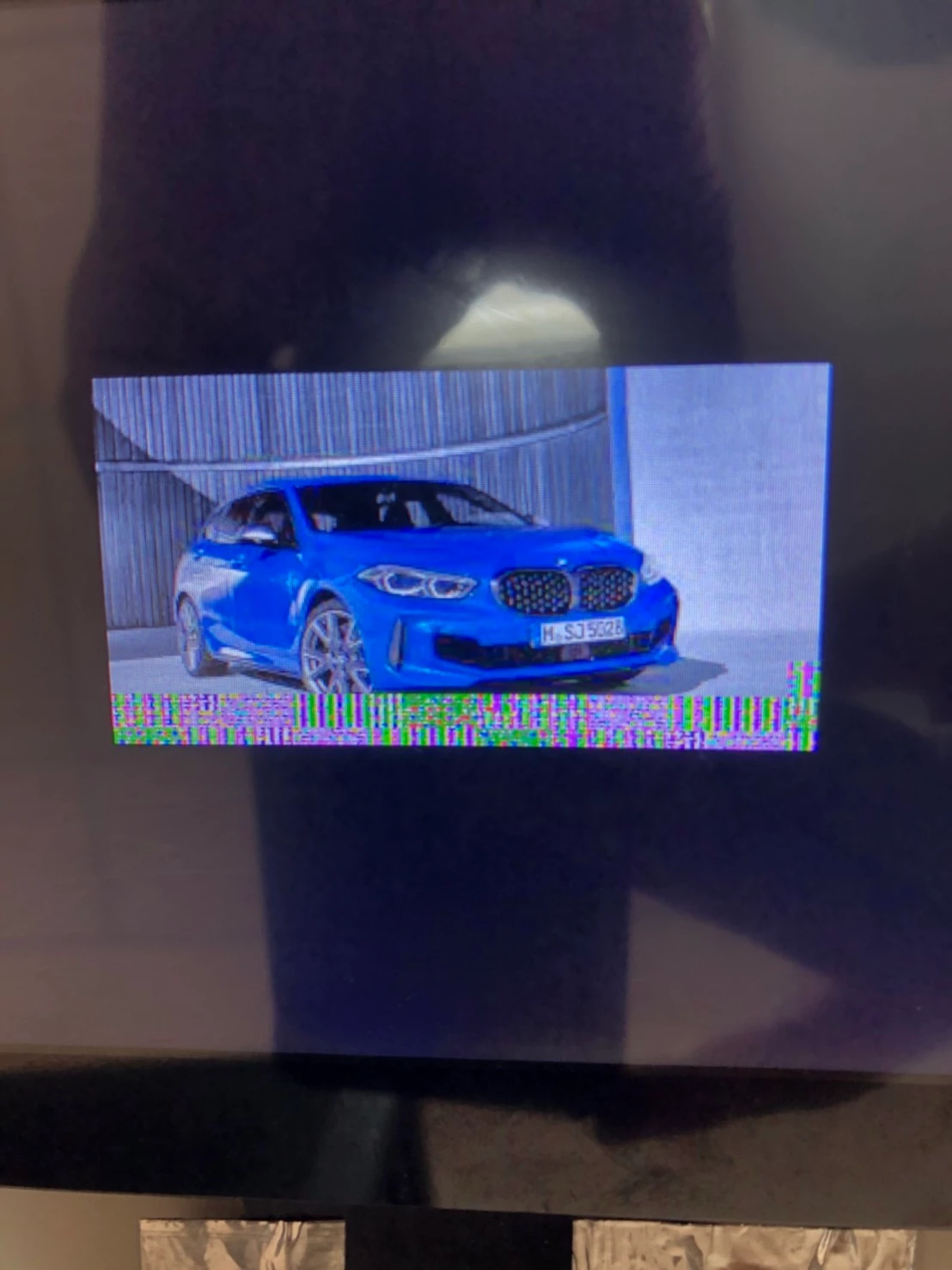
But it can`t show all pixels on the screen only a part of them,like limited by some parameters.
This is a official code from CubeMX.
Is there anyone can help to solve or similar experience can share?
Thank you!