

STM32CubeIDE: Missing/Blank Tabs With Hi-Res Screen
When I move my cursor over the document tabs in CueIDE the tabs go blank and sometimes disappear. Please see video.
I have done the following to get Eclipse to work on my pc:
Compatibility settings to scale menu and toolbar to reasonable size -
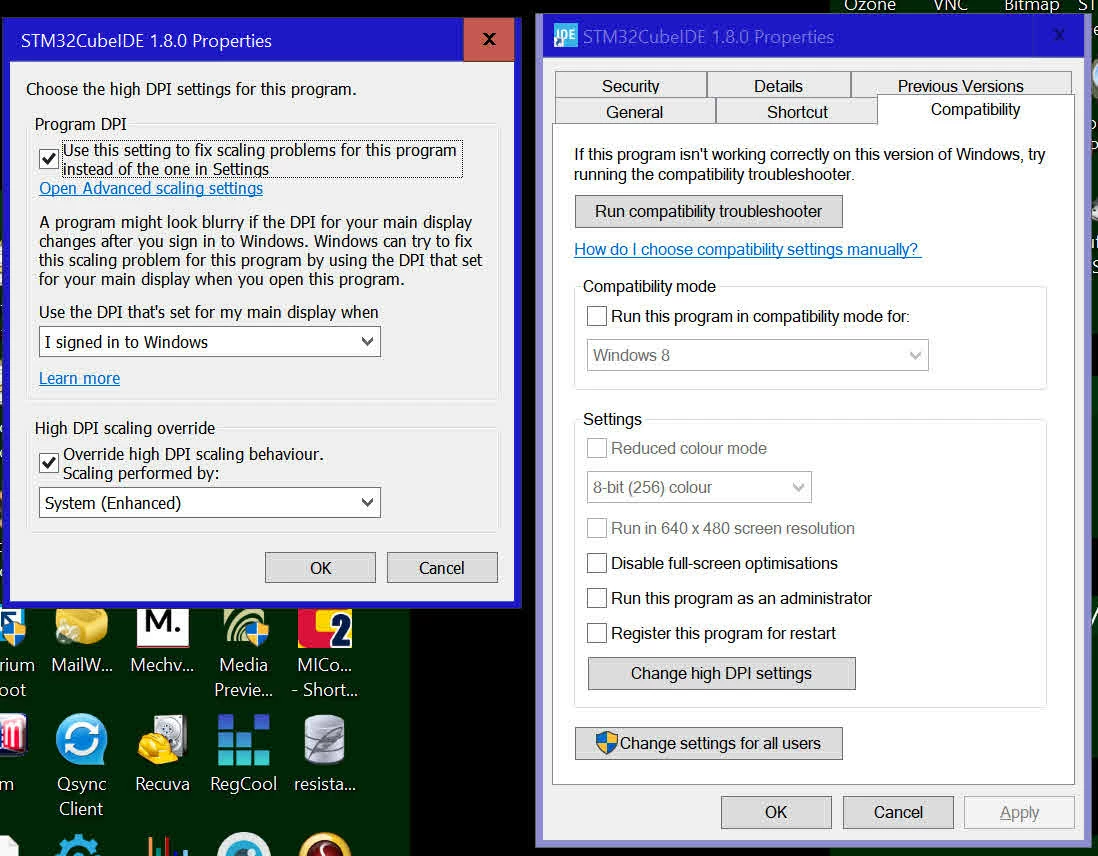
The relevant details of my PC are:
Operating System
Windows 10 Professional (x64) Version 1511 (build
10586.318)
Install Language: English (United States)
System Locale: English (Australia)
Installed: 10/05/2016 7:26:20 AM
Servicing Branch: Current Branch (CB)
Boot Mode: Legacy BIOS in UEFI (Secure Boot not
supported)
Processor a
3.00 gigahertz Intel Core i7-5960X
512 kilobyte primary memory cache
2048 kilobyte secondary memory cache
20480 kilobyte tertiary memory cache
64-bit ready
Multi-core (8 total)
Hyper-threaded (16 total)
Main Circuit Board b
Board: ASRock X99 Extreme6/3.1
Serial Number: M80-57009900064
Bus Clock: 100 megahertz
UEFI: American Megatrends Inc. P1.20 12/17/2015
Display
NVIDIA GeForce GTX 980 Ti [Display adapter] (2x) May 2009)
LCD Screens 2 X 3840 X 2160 @ 30 Hz
I am running CubeIDE 1.8.0
This problem used to happen occasionally with 1.7, but it is chronic with 1.8.0. I desn't happen if you don't change the default compatibility mode settings, but the icons end up extremely small.
I do not seem to have any problems with other software running on my screens.
Any ideas on how to fix?
Best regards
Rob