Turn on suggestions
Auto-suggest helps you quickly narrow down your search results by suggesting possible matches as you type.
Showing results for
- STMicroelectronics Community
- STM32 MPUs
- STM32 MPUs Products and hardware related
- STM32MP157C-DK2 Modify, rebuild and reload a firmw...
Options
- Subscribe to RSS Feed
- Mark Topic as New
- Mark Topic as Read
- Float this Topic for Current User
- Bookmark
- Subscribe
- Mute
- Printer Friendly Page
STM32MP157C-DK2 Modify, rebuild and reload a firmware CM4 example

Options
- Mark as New
- Bookmark
- Subscribe
- Mute
- Subscribe to RSS Feed
- Permalink
- Email to a Friend
- Report Inappropriate Content
2019-07-30 7:44 PM
Hello, I trying to make the example in: https://wiki.st.com/stm32mpu/wiki/Getting_started/STM32MP1_boards/STM32MP157C-DK2/Develop_on_Arm%C2%AE_Cortex%C2%AE-M4/Modify,_rebuild_and_reload_a_firmware
but after SSH password window (here i put root in password) I get another window (attached), I don't know what pass i need to put, root don't work. (192.168.1.6 is my board ip).
Thanks.
Labels:
- Labels:
-
STM32MP15 lines
This discussion is locked. Please start a new topic to ask your question.
3 REPLIES 3

Options
- Mark as New
- Bookmark
- Subscribe
- Mute
- Subscribe to RSS Feed
- Permalink
- Email to a Friend
- Report Inappropriate Content
2019-07-31 12:59 AM
Did you enter 'root' at both User and Password on the first SSH windows ? Sound strange to have edgar@192.168.1.6, should be root@192.168.1.6
Maybe have a look also to https://wiki.st.com/stm32mpu/wiki/How_to_perform_ssh_connection
In order to give better visibility on the answered topics, please click on 'Accept as Solution' on the reply which solved your issue or answered your question.
Tip of the day: Try Sidekick STM32 AI agent, see here
Tip of the day: Try Sidekick STM32 AI agent, see here
Options
- Mark as New
- Bookmark
- Subscribe
- Mute
- Subscribe to RSS Feed
- Permalink
- Email to a Friend
- Report Inappropriate Content
2019-07-31 1:01 PM
Hello, I used your link and I get:
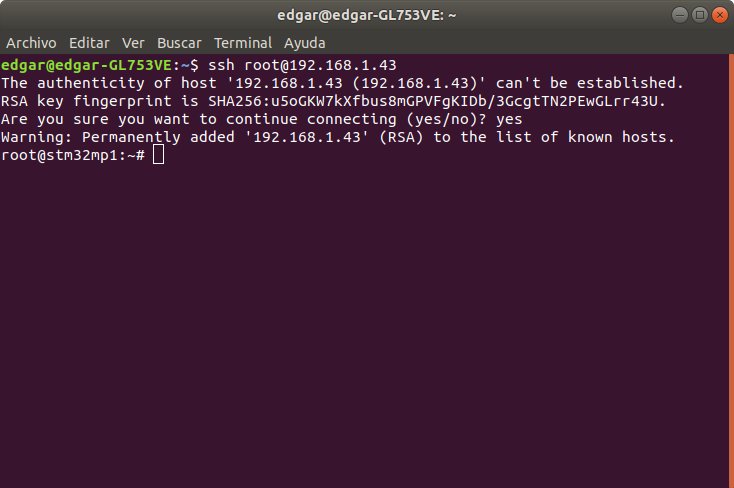
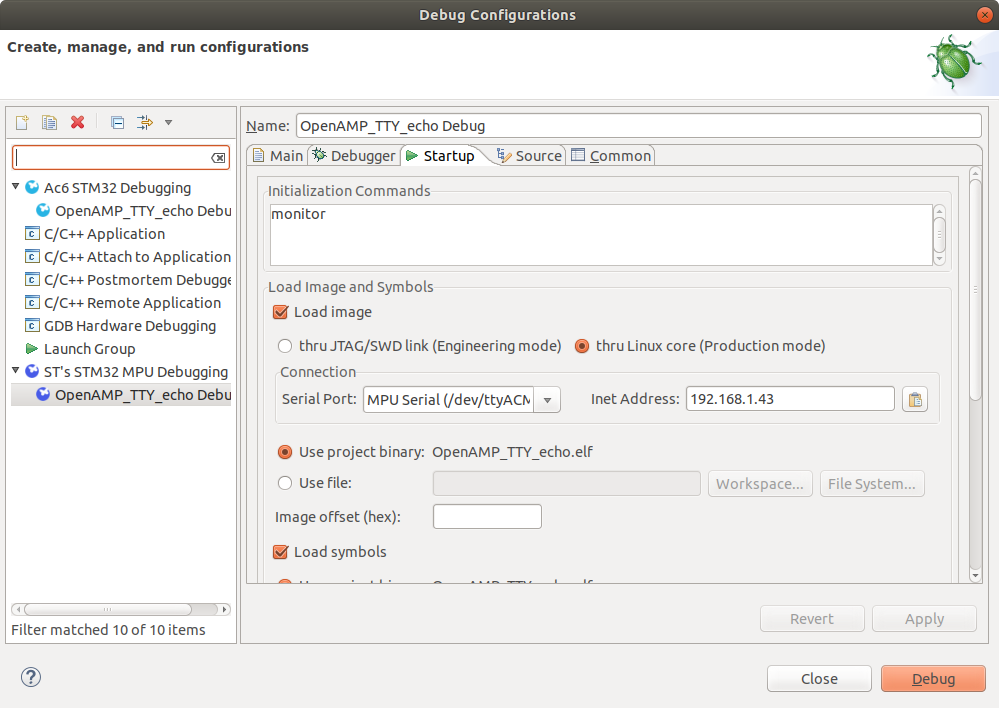
Next I in workbench my debug configuration is:
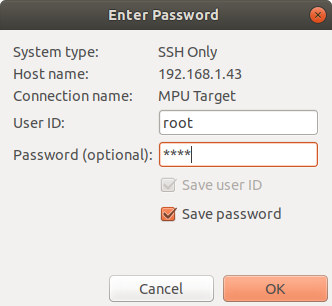
I next dialog: user and pass are: root
For last I get one more dialog:
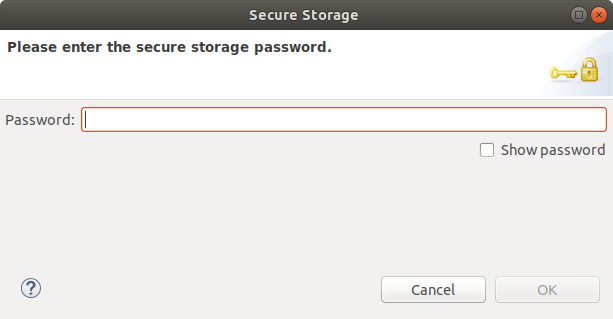

What should i put here?, if I click in CANCEL the debug session fail.
Thanks
Options
- Mark as New
- Bookmark
- Subscribe
- Mute
- Subscribe to RSS Feed
- Permalink
- Email to a Friend
- Report Inappropriate Content
2019-08-05 3:21 AM
Secure storage is an Eclipse feature (System Workbench for STM32 is based on Eclipse)
To deactivate Secure storage, please do following steps :
- Windows->preferences->then type "secure storage"
- In the Contents tab, select [Default Secure Storage].
- Click Delete.
- Let Eclipse restart.
About login/password, you should use "root" as login but with no password

Related Content
- STM32MP257D custom board DDR4 bring-up: read training failure after CA/RxEn/WL pass in STM32 MPUs Products and hardware related
- stm32mp157fad dts config and kernel start in STM32 MPUs Products and hardware related
- Cannot Start SWD Debugging on STM32MP135 in STM32CubeIDE in STM32 MPUs Products and hardware related
- stm32mp157fad Kernel Phase Error Analysis in STM32 MPUs Embedded software and solutions
- How to import, build and debug secure project for Cortex-M33 in STM32CubeIDE for M33-TD flavor? in STM32 MPUs Embedded software and solutions