


How to generate a one second interrupt using an STM32 timer
Introduction
Many applications require a periodic interrupt that serves as a time base for triggering tasks, adding delays, or tracking elapsed time. This article explains how to configure an STM32 timer to generate an interrupt every second. You can modify parameters to achieve other periodic rates.
1. Prerequisites
Hardware
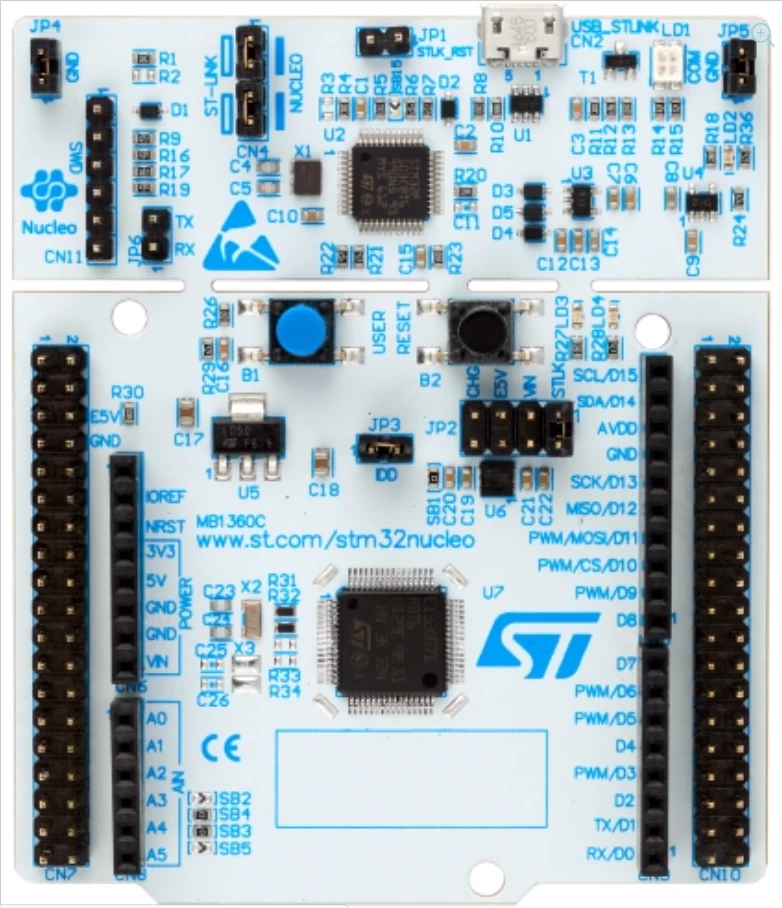
-
Micro USB cable used to power the Nucleo board from a host machine and to load the code into the STM32.
Software
2. Theory
In this article, a general-purpose STM32 timer is used to generate an interrupt every second. The SysTick timer or the real-time clock (RTC) could be used for this purpose. However, this article uses a simple timer, TIM3, in an STM32G0 microcontroller. TIM3 is one of several timers embedded in STM32 microcontrollers.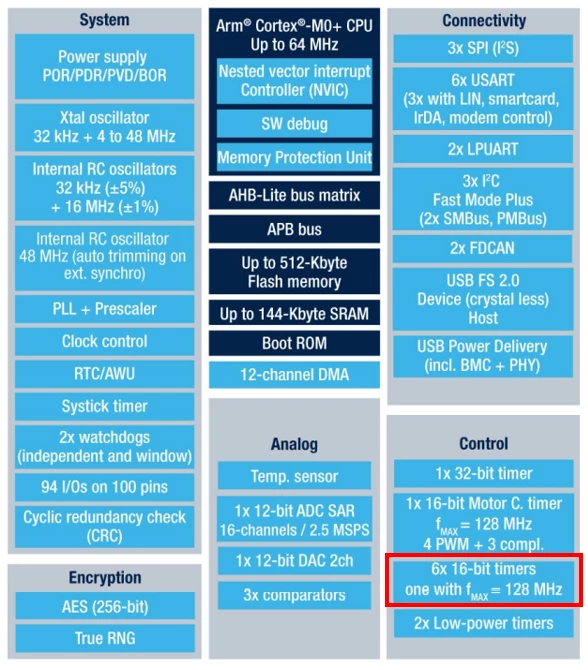
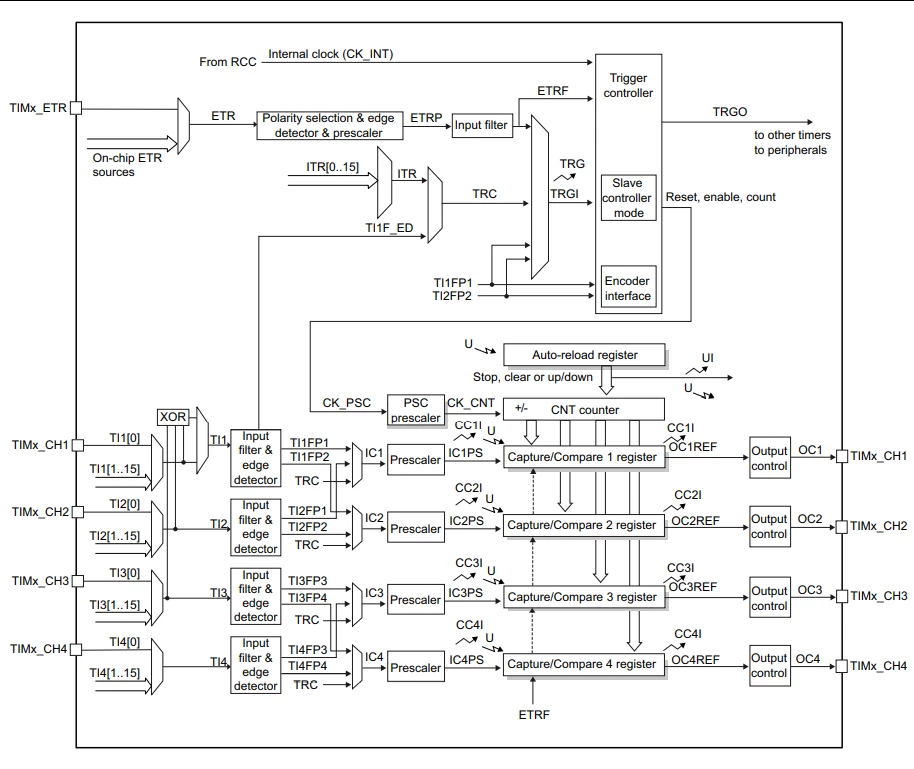
TIM3 contains many components as shown in the following block diagram. While the timer supports a number of functions and features, only a subset is needed to generate a periodic one second interrupt. The following components of the timer block are used and configured for this example:
- Input clock (clock source for the timer): This clock, called Internal clock (CK_INT), comes from the RCC (Reset and Clock Control) block and is prescaled from the peripheral clock (APB) which is prescaled from the AHB clock.
- Prescaler input clock, CK_PSC, comes from the Trigger controller and is the same as the input clock
- PSC prescaler divides its input clock, CK_PSC, and outputs it as CK_CNT
- CK_CNT is the input clock to the CNT counter that is used to increment it
- Auto-reload register (ARR) is loaded with the value that the counter increments to. When the value is reached, an update interrupt is generated, the counter is cleared and restarts counting again. The value loaded into the ARR determines the periodic rate of the timer interrupts.
In this part we will review the various calculations necessary to configure TIM3 to generate an interrupt every second.
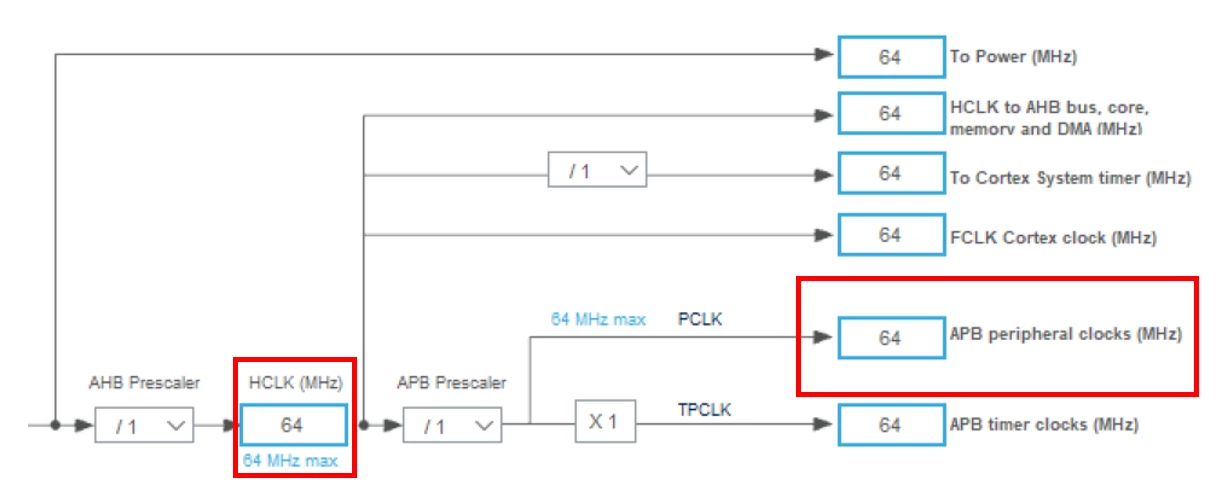
First, the TIM3 input clock (TIM3CLK) is set to the APB1 clock (PCLK1), and the APB1 prescaler is set to 1.
Therefore, TIM3CLK = PCLK1, and PCLK1 = HCLK.
As a result, TIM3CLK = HCLK = system core clock.
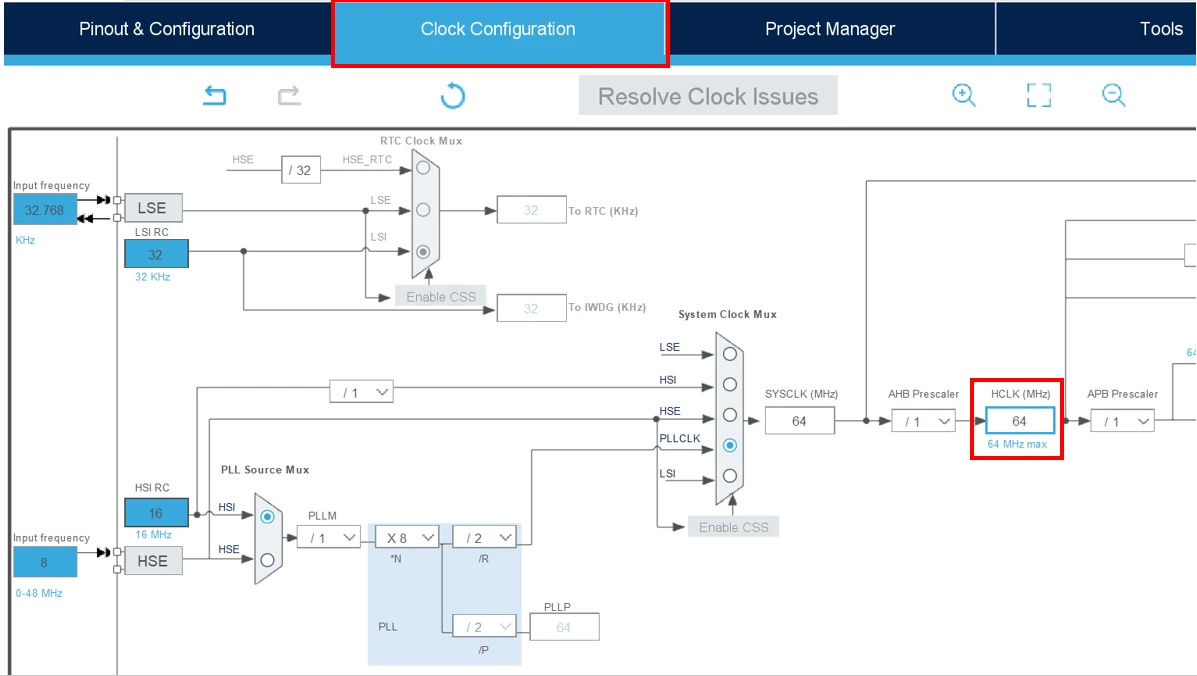
In this example, the STM32G0 runs at its maximum speed of 64 MHz.
Therefore, SystemCoreClock is set to 64 MHz.
To obtain a TIM3 counter clock of 10 kHz, calculate the prescaler as follows:
Prescaler = (TIM3CLK / TIM3 counter clock) - 1
Prescaler = (SystemCoreClock / 10 kHz) - 1 = (64 MHz / 10 kHz) - 1 = 6400 - 1 = 6399
Set the TIM3 ARR (auto-reload register) value, which is the period, to 10000 - 1.
The update rate is calculated as TIM3 counter clock / (period + 1) = 1 Hz. This configuration generates an interrupt every second.
Do not be confused by the 'minus one' in the configuration values for the prescaler and the period. Because these are divisors of the input frequency, they must be greater than 0. This is ensured by adding 1 to any of these user settings. Note that in STM32CubeMX, and also in code, you can input the desired value as an expression for better readability, for example, enter '6400 - 1' in the prescaler instead of '6399'. However, this is a matter of preference.
When the counter value reaches the auto-reload register value, the TIM update interrupt is generated. In the handler routine, pin PA5 (connected to LED4 on the Nucleo board NUCLEO-G070RB) toggles.
Now that the necessary configuration values are calculated, follow these steps to generate the code for the timer to trigger an interrupt every second.
3. Steps
- Open STM32CubeIDE
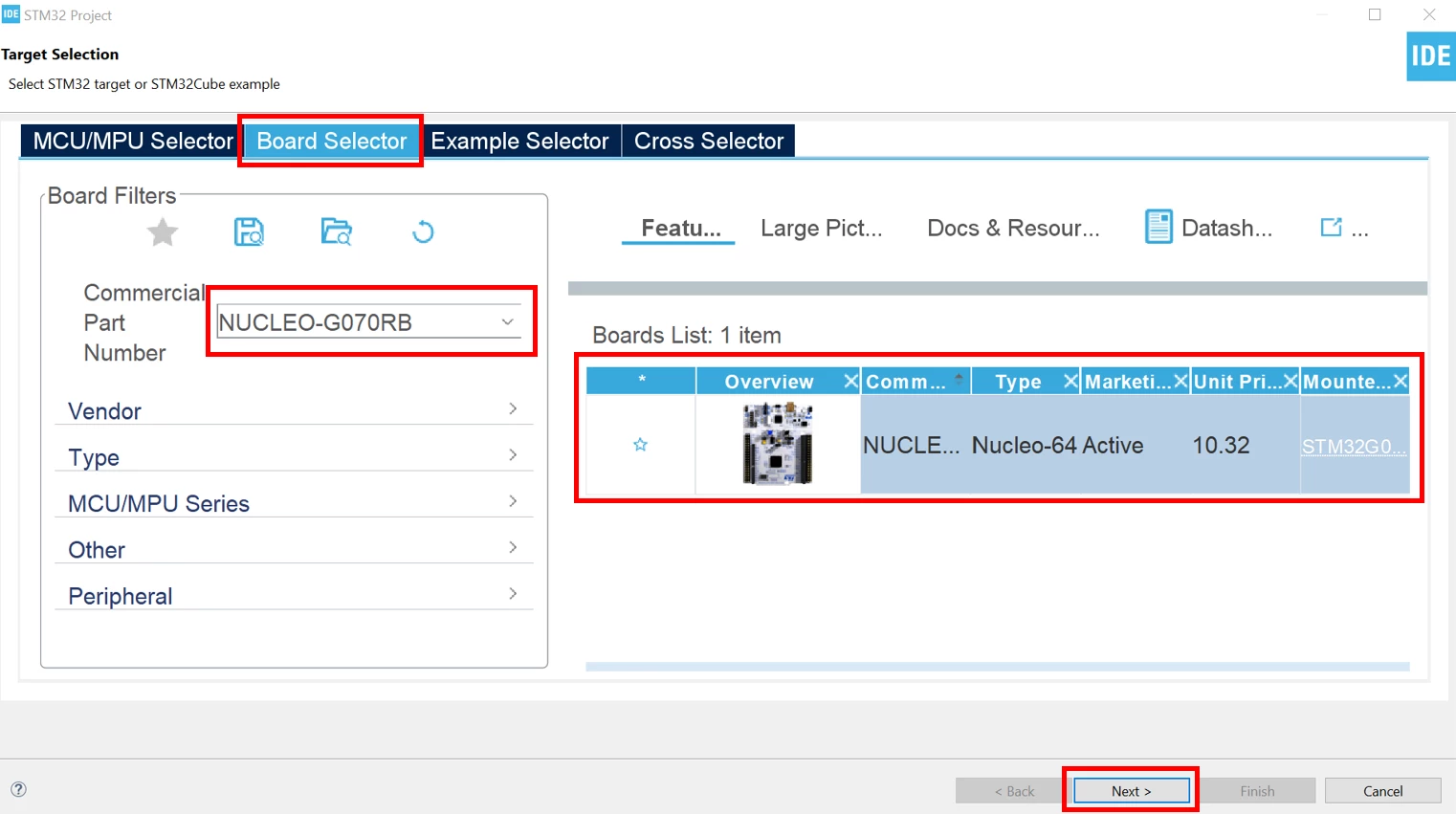
- Create a new project using the NUCLEO-G070RB board
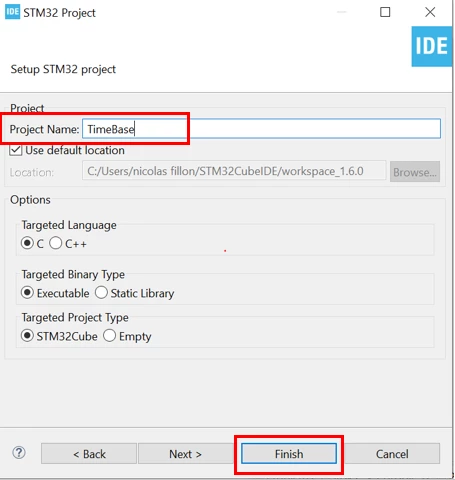
- Give a name to the project
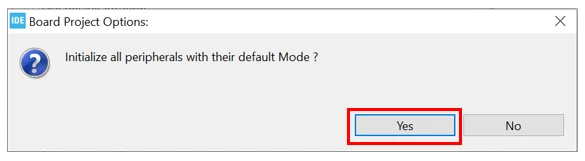
- Initialize all peripherals with their default settings
- Set the System Clock frequency
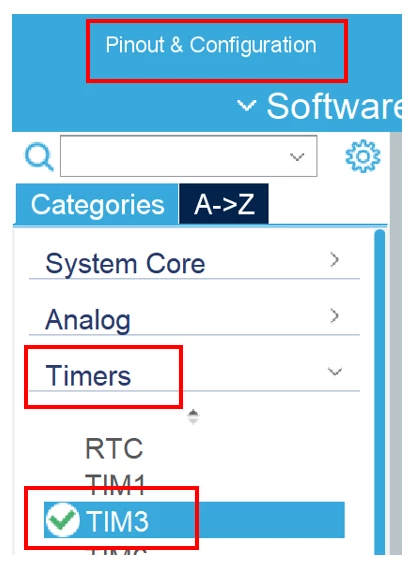
- Select TIM3
You will find TIM3 in the Pinout & Configuration Tab of the STM32CubeIDE under “Timers”.
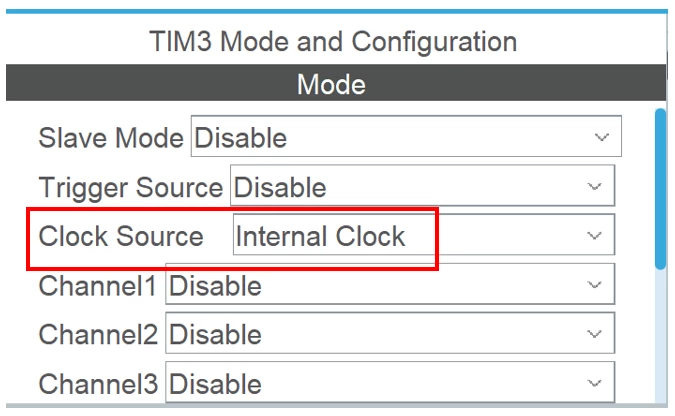
- Select internal clock as clock source for TIM3:
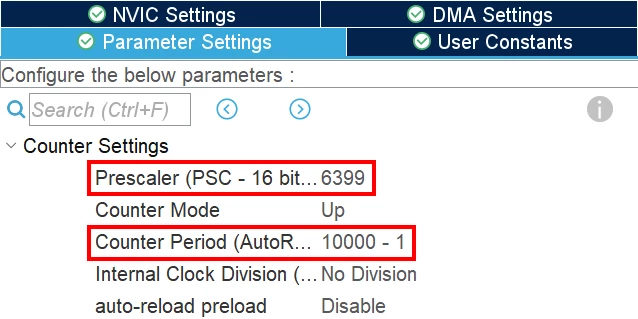
- Configure TIM3
Set the prescaler to 6399.
Set the counter period to 9999.
Alternatively, use the expression form 6400 - 1 for the prescaler and 10000 - 1 for the counter period. The figure below shows both options.
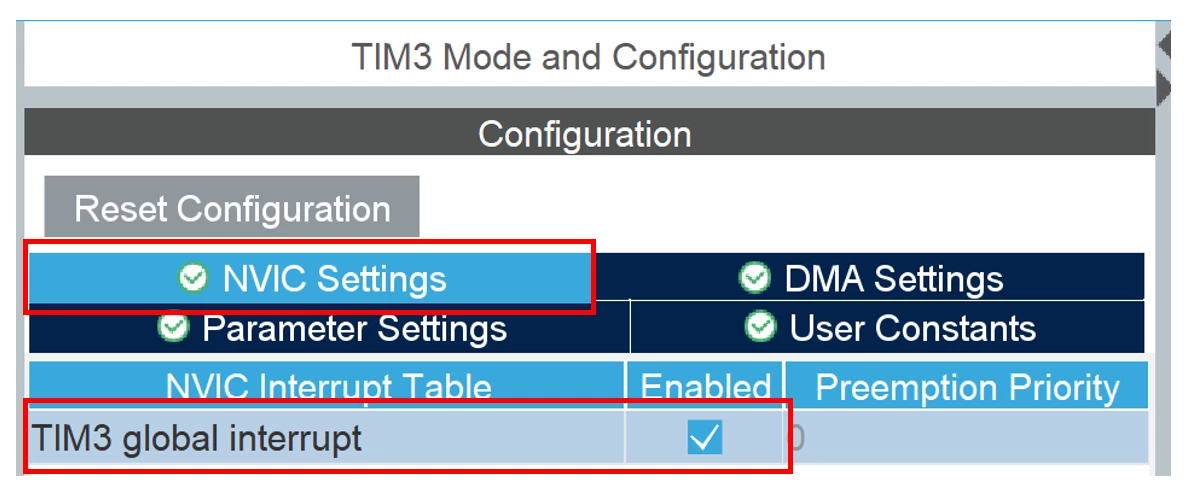
- Enable TIM3 global interrupts
- Generate Code
- Add code to toggle the LED
/* USER CODE BEGIN 2 */
 if (HAL_TIM_Base_Start_IT(&htim3) != HAL_OK)
 {
 /* Starting Error */
 Error_Handler();
 }
 /* USER CODE END 2 */
In stm32g0xx_it.c, add the following code in TIM3_IRQHandler (timer 3 Interrupt Service Request) which will toggle the LED:
 /* USER CODE BEGIN TIM3_IRQn 1 */
 HAL_GPIO_TogglePin(LED_GREEN_GPIO_Port, LED_GREEN_Pin);
 /* USER CODE END TIM3_IRQn 1 */
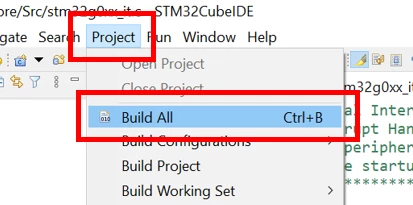
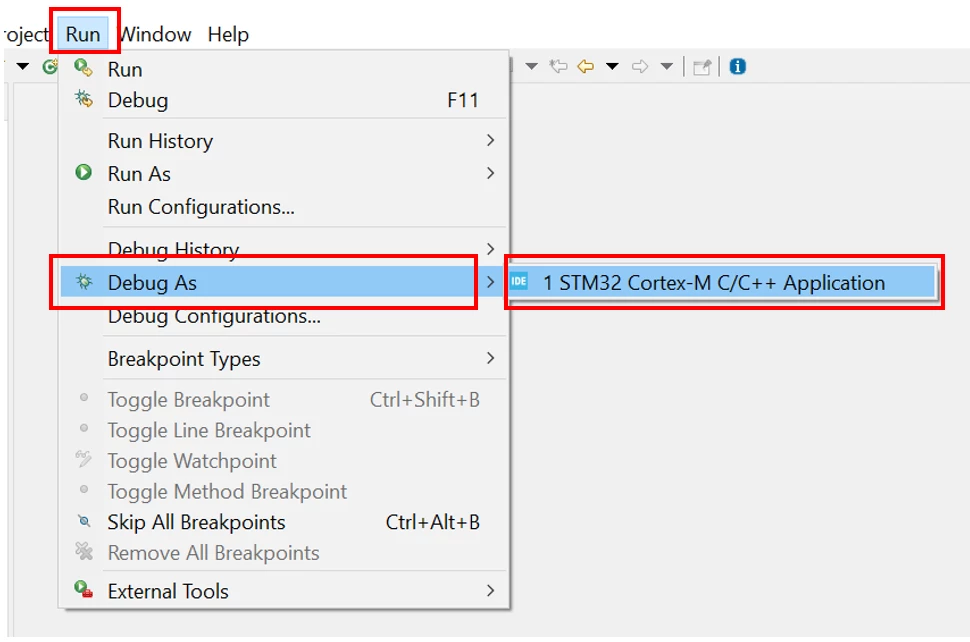
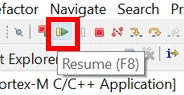
- Build the project, enter debug mode and run the code
4. Related links
STM32G0x0 advanced Arm®-based 32-bit MCUs - Reference manual
STM32CubeIDE - Integrated Development Environment for STM32 - STMicroelectronics