Turn on suggestions
Auto-suggest helps you quickly narrow down your search results by suggesting possible matches as you type.
Showing results for
- STMicroelectronics Community
- Automotive and Transportation
- Automotive MCUs
- StellarStudio 9.0.0 officially pushed (Compliant f...
Options
- Subscribe to RSS Feed
- Mark Topic as New
- Mark Topic as Read
- Float this Topic for Current User
- Bookmark
- Subscribe
- Mute
- Printer Friendly Page
StellarStudio 9.0.0 officially pushed (Compliant for Java21 and eclipse 202512)

Options
- Mark as New
- Bookmark
- Subscribe
- Mute
- Subscribe to RSS Feed
- Permalink
- Email to a Friend
- Report Inappropriate Content
2026-02-13 7:11 AM - edited 2026-02-13 7:12 AM
For your information, StellarStudio 9.0.0-LEDS has been finalized and pushed for the environments. (Windows, MacOS, Linux)
This version is based on Eclipse 202512 and CDT 12.3.0, with standalone tools using Java 21.
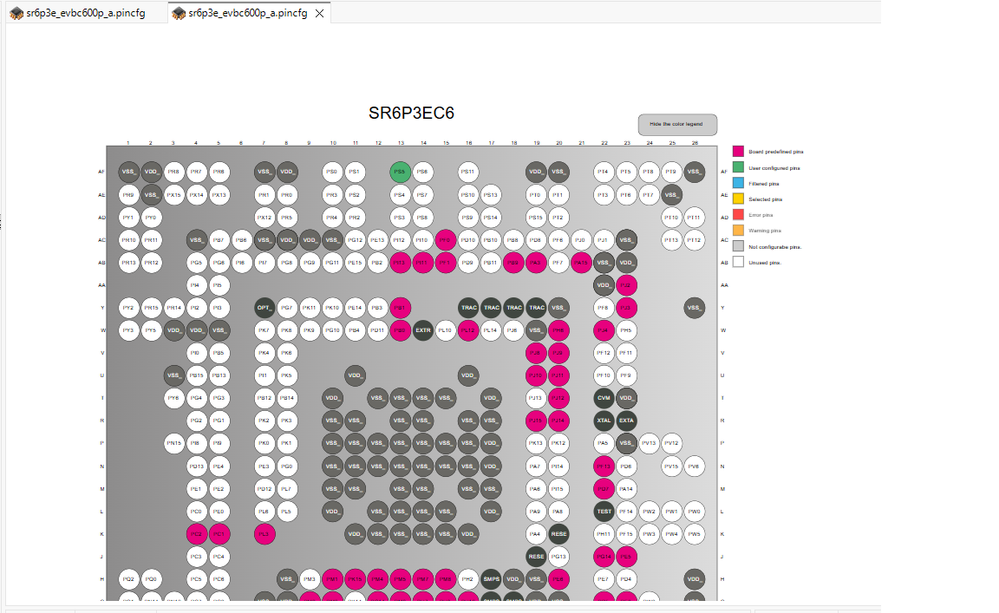
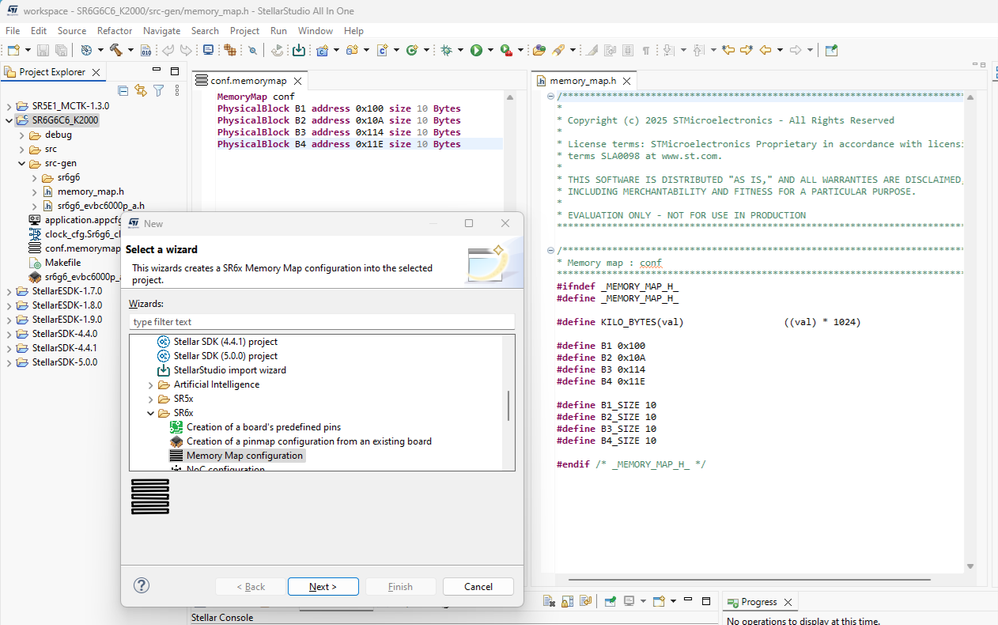
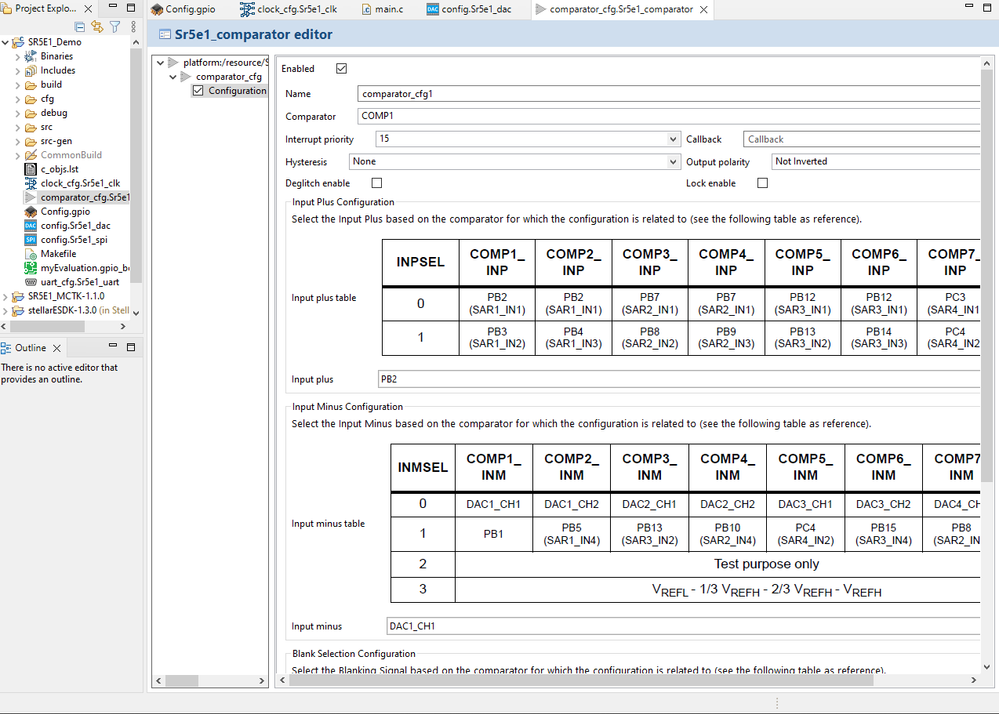
- StellarStudio Pinmap Configurator (SR5E1, SR6P3, SR6P3E, SR6P6, SR6P7G7 , SR6P7, SR6G7 and SR6G6)
- StellarStudio Noc Configurator (SR6P7G7, SR6G6 , SR6P3 and SR6G7)
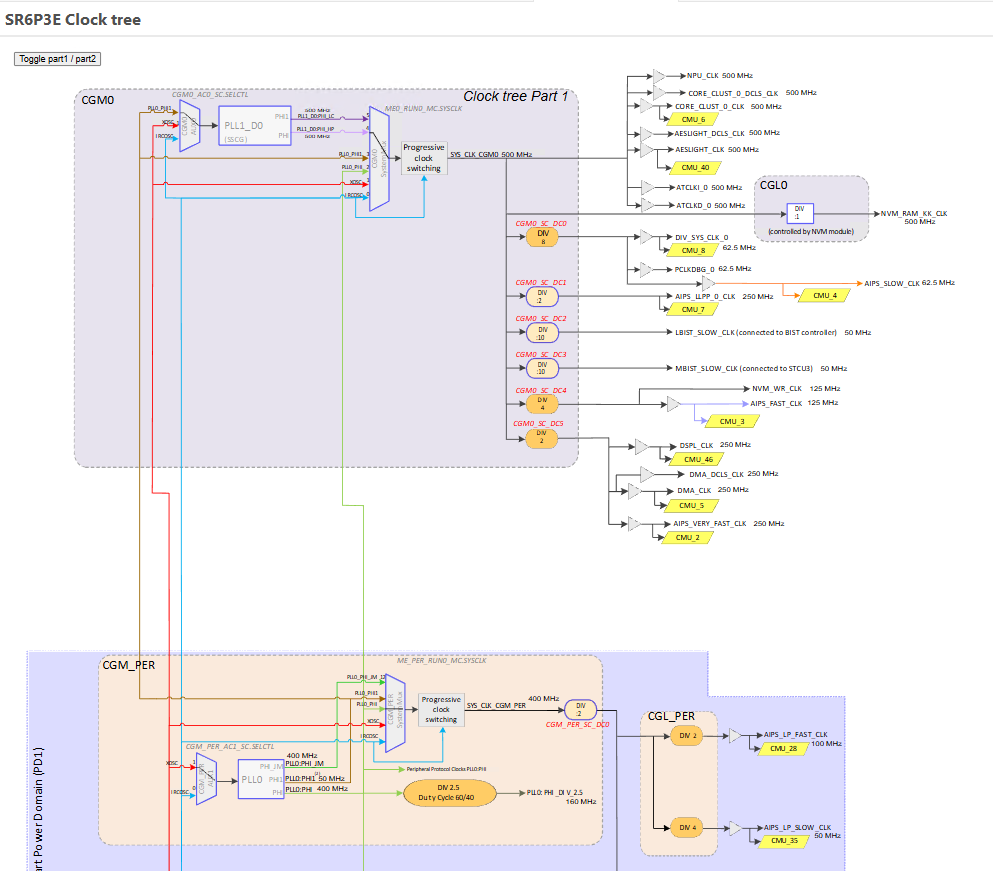
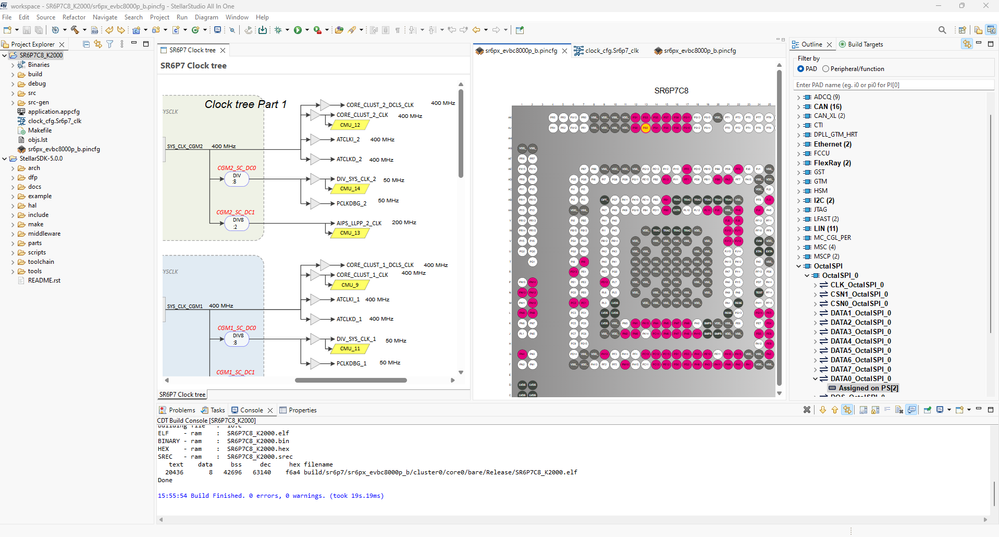
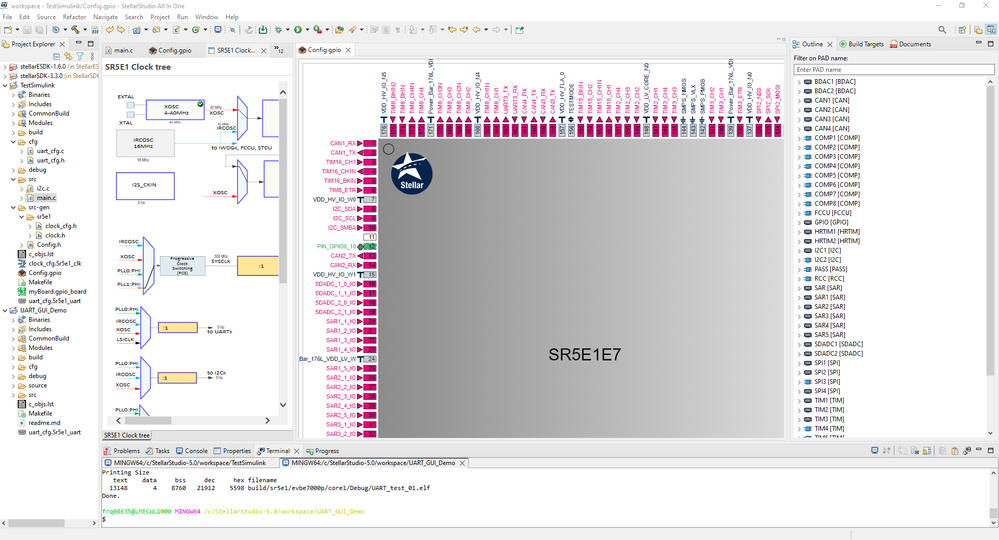
- StellarStudio Clocktree Configurator (SR5E1, SR6P3, SR6P3E, SR6P6, SR6P7G7 , SR6P7, SR6G7 and SR6G6)
- StellarStudio Power Conso Configurator (SR5E1 , SR6G6, SR6P7G7)
What's new in this release ?
StellarStudio 9.0.0-LEDS version is officially pushed. (Windows, MacOS, Linux) based on eclipse 202512 and the version CDT 12.3.0 with standalone tools (Java 21)
9.0.0 Common part:
- Updated module versions
- New starting Splash Screen
SR5E1 device
SR5E1 public device:
9.0.0 Initial part:
· Fixed "Is it possible to display the system clock?"
SR6 P and G devices
SR6 restricted devices (On demand, contact our sales office):
9.0.0 Initial part:
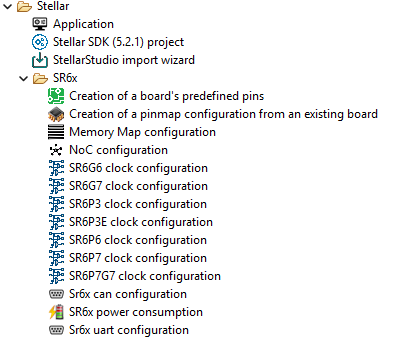
- Integrated new Stellar SDK 5.2.1
- Ported all SR6x demos to new Stellar SDK 5.2.1
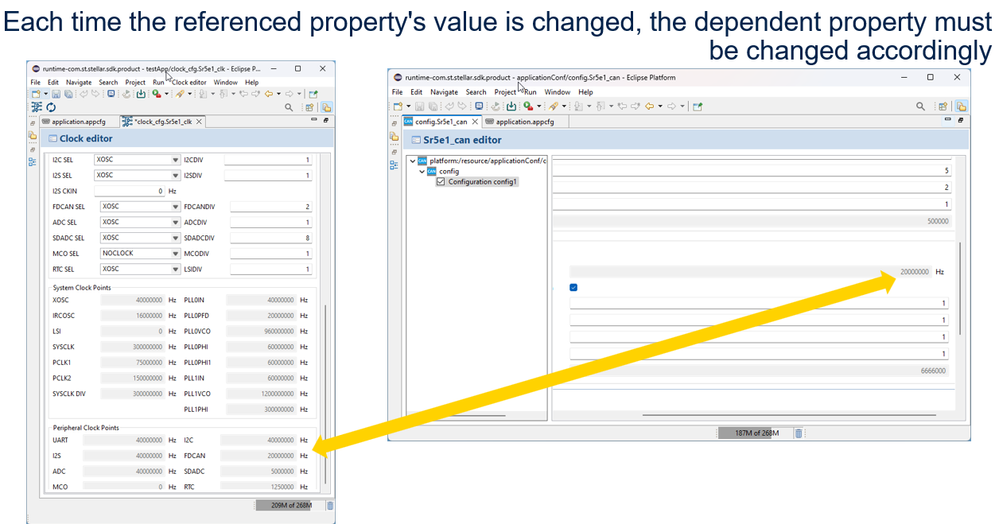
- New SR6x CAN GUI support
- Fixed "SR6 clocktree red color not updated when CAN value is wrong"
- Fixed "SR6 clocktree limit CAN clock to fixed frequencies"
- Fixed "all SR6 devices should require CAN GUI"
- Fixed "indexing do not work on imported SR6 demos"
- Fixed "selecting one device, obtaining other demos"
- Fixed "when selecting one device line, obtain other demos"
- Fixed "SR6 AI console empty after analyze or generate"
- Fixed "SR6 wrong CAN clock error message"
- Fixed "SR6x limit FlexRay input to 80 MHz"
- Fixed "Update of family filter when the filter product line is set to All lines in Application Wizard"
- Fixed "Compile CAN canR52_Can2Can with default config"
- Fixed "Compile PowerME meDrunSpStbyDrun_Automatic with default config"
- Fixed "Compile CANXS canxs_Basic_Loopback with default config"
- Fixed "Compile PowerME meDrunSpStbyDrun with default config"
- Fixed "Compile PowerME meStop_Automatic with default config"
G6:
- Fixed "Why is the programming time for StellarLink so long?"
- Fixed "project name is not be listed after import as project"
P3:
- Added SR6x CAN GUI Demo
- Added NoC configuration support
- Fixed "P3 AUX7 do not support PHI_LLC input"
P6:
- Fixed "long to program a large elf file"
P3E:
- Added P3E pinmap support
- Added P3E clocktree support
- Added new SR6P3EC6_saradcConversion demo
- Added new SR6P3EC6_FreeRTOS_ping demo
- Added new SR6P3EC6_canTxRx demo
- Added new SR6P3EC6_canxsTxRx demo
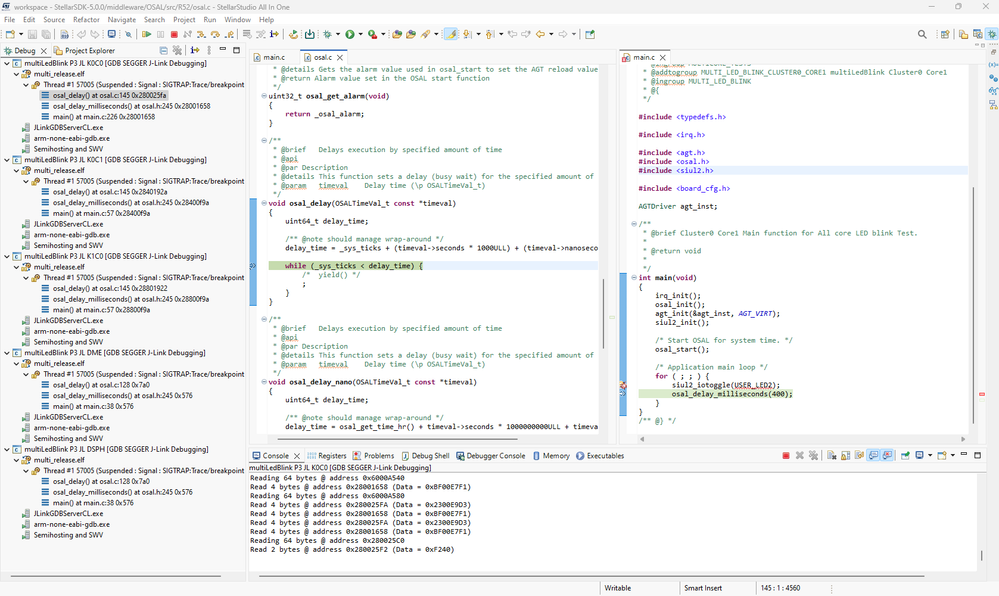
- Added new SR6P3EC6_multiLedBlink demo
- Added new SR6P3EC6_K2000 demo
- Fixed "P3E check CAN_XS clock is 160 MHz"
- Fixed "P3E wrong colors in peripheral graph"
9.0.0 Known Limitations:
- StellarLink probe does not support yet the debug of SR6P3E device
- J-Link probe does not support yet the debug of SR6P3E device
9.0.0 Release Installation
- Public update sites for SR5x
https://common.srxstudio.org/ (Core/Debug)
https://contrib.srxstudio.org/ (Motorcontrol / AI)
https://sr5.srxstudio.org/ (SR5x ESDK/Tools)
- Restricted update sites for SR6x
https://sr6.srxstudio.org/ (SR6x SSDK/Tools) (secured update site for alpha customers)
- Full/Light [Linux/MacOs] : is available on codex (on demand)
- Update from StellarStudio 8.X.0 by using bookmarks-eclipse-202512.xml
Solved! Go to Solution.
Labels:
- Labels:
-
Stellar Automotive MCUs
1 ACCEPTED SOLUTION
Accepted Solutions
Options
- Mark as New
- Bookmark
- Subscribe
- Mute
- Subscribe to RSS Feed
- Permalink
- Email to a Friend
- Report Inappropriate Content
2026-03-09 7:59 AM
1 REPLY 1
Options
- Mark as New
- Bookmark
- Subscribe
- Mute
- Subscribe to RSS Feed
- Permalink
- Email to a Friend
- Report Inappropriate Content
2026-03-09 7:59 AM
Resources : StellarStudio | Software - STMicroelectronics

Related Content
- StellarStudio 8.0.0 officially pushed (Compliant for Java21 and eclipse 202506) in Automotive MCUs
- StellarStudio 7.2.0 officially pushed (Compliant for Java21 and eclipse 202412) in Automotive MCUs
- StellarStudio 7.1.0 officially pushed (Compliant for Java21 and eclipse 202409) in Automotive MCUs
- StellarStudio 6.0.0 officially pushed in Automotive MCUs