


How to view histogram data on VL53L7CH and VL53L8CH
- 2 replies
- 3242 views
We often receive questions on the ST Community regarding the histogram data on these products.
The following article is written to assist you in viewing histogram data on your VL53L7CH and VL53L8CH sensors.
To view your histogram data, use the STSW-IMG043 GUI Package provided on the VL53L8CH product page.
This package is supported on the Windows operating system.
Note: You must have a myST account to download the software. If you are a registered community user, you already have a myST account. If you do not have an account, visit this page to create one.
On this page visualized on the image below, you can find a link to the STSW-IMG043 package under the "Imaging Software" section. This package provides you with a GUI that can view histogram data. To view other features of the package, read the user manual inside the package or check the end of this article. 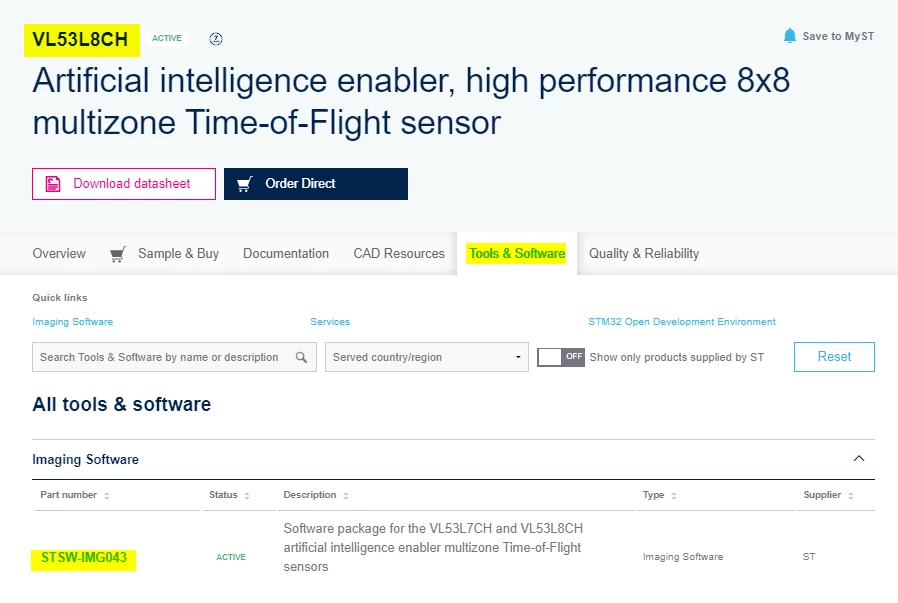
After clicking on the STSW-IMG043 package, you are redirected to the specific STSW-IMG043_EVK package that you can download.
Navigate to the bottom of the webpage, the package is available under the "Get Software" section.
The image below highlights the package you need:
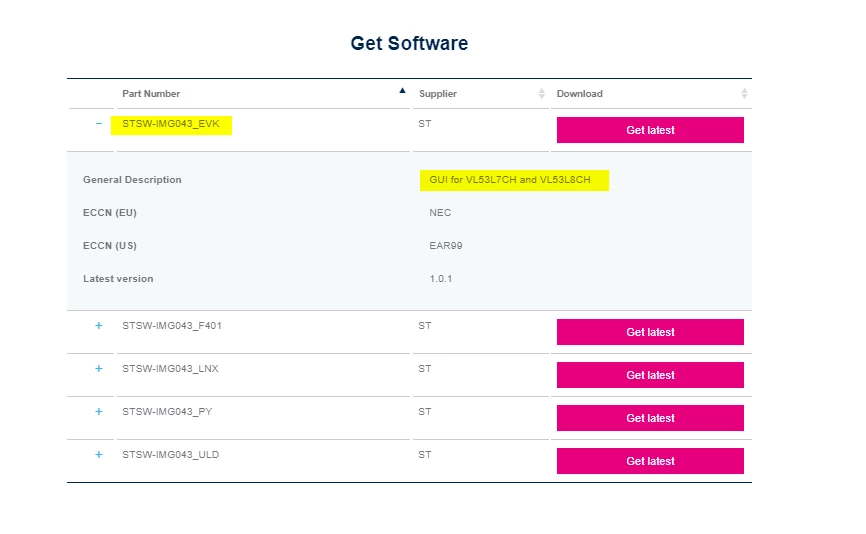
Once you have downloaded the package, you will find a .pdf user manual inside titled "MZ-AI-EVK_UserManual".
The package also provides the following range of capabilities:
- Capture of data logs for subsequent offline processing
- View previously captured data logs and editing of embedded ground truth data
- Custom configuration of the VL53L7CH and VL53L8CH sensors.
Related links
- VL53L8CH product page software download section:
https://www.st.com/en/imaging-and-photonics-solutions/vl53l8ch.html#tools-software - STSW-IMG043_EVK GUI software package for VL53L7CH and VL53L8CH:
https://www.st.com/en/embedded-software/stsw-img043.html#st-get-software - myST account creation:
https://www.st.com/content/st_com/en/user-registration.html - Databrief (DB0547) on the STSW-IMG043 software package:
https://www.st.com/resource/en/data_brief/stsw-img043.pdf