Rodo
Senior
July 2, 2026
Question

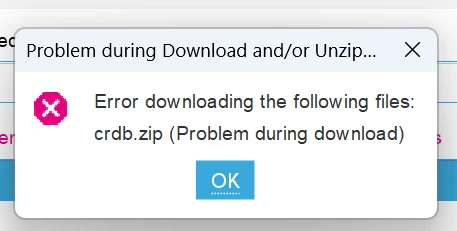
STM32CubeIDE v 1.19.0 error downloading crdb.zip?

  • July 2, 2026
  • 9 replies
  • 993 views

Hi all,

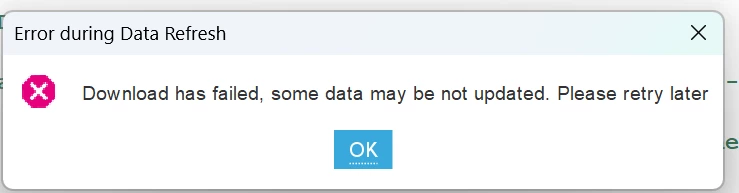
I know there is a newer version of this (v2.2) but I'm still on the old one. I can click the ok button on the "Download has failed, some data may be not updated. Please retry later" window and the target selector shows up but the project I make (TestH7A3VIT6) for STM32H7A3VIT6 has an exclamation point on a triangle in it.

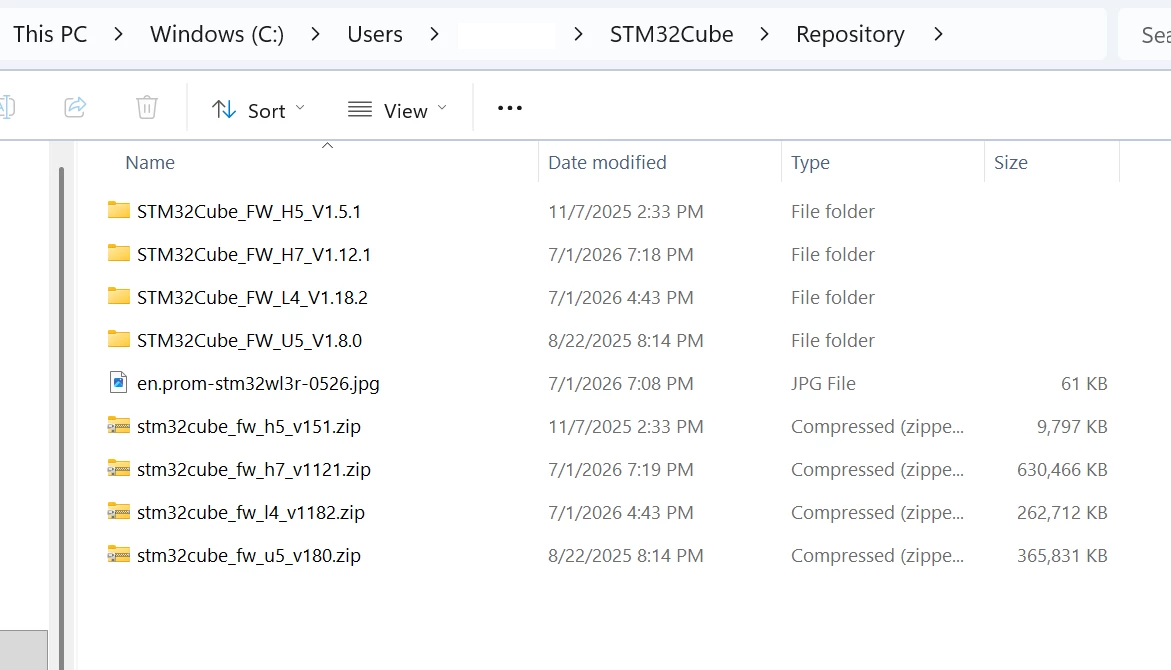
BTW I'm using this in my windows 11 laptop and there is no crdb.zip in the repository folder.

So is STM32CubeIDE 1.19.0 too old and not supported anymore? I'm trying to avoid some of the early bugs in STM32CubeIDE v 2.x.

Thanks
 

9 replies

Visitor II
July 2, 2026

Hi everyone,

I'm experiencing the exact same issue as described above on STM32CubeMX6.16.0 at my environment.

As a workaround, I tried manually downloading crdb.zip in the browser, following the steps described in this thread, but the request just times out as well.

Could this mean the server hosting crdb.zip is currently down? 

Thanks in advance for any info.

Rodo
RodoAuthor
Senior
July 2, 2026

I just downloaded and installed STM32CubeMX 6.18.0 and after I click on “ACCESS TO MCU SLECTOR” I get the same error. It looks like the server has a problem. I wonder if me picking “Install for all user” instead of the recommended “for me” has anything to do with it? Anyhow … I’m glad is not STM32CubeIDE v1.19.0. Hope they fix it soon… thanks.

Explorer
July 4, 2026

I haven't turned on this machine for a week. The network works fine, I didn't update and I'm getting this error too. I updated on my other machine (at work) and thought something happened then. But no, because this error is also happening on this machine.
The fact that this problem has been going on for 3 days is pretty sad. Because fixing this isn't rocket science, it could be fixed in two minutes if there was a will to do it. (sorry Google translator)

Visitor II
July 6, 2026

I am having the same issue on Ubunutu noble(24.04) , STM32CubeIDE ver 1.19 . I tried to download the files via terminal using curl. I tested two seperate networks + one time with vpn but it seems like I couldn’t connect to server the files are supposed to be downloaded from. Please lmk if you find a solution.   


Visitor
July 6, 2026

Same issue here and my STLink v2 no longer uploads code with keil uVision5…. Somehow the update also enshitified my projects on any machine connected to the internet..


I had to revert back to my offline rig… there seems to be a big issue.. somehow its corrupting drivers as well 


Rodo
RodoAuthor
Senior
July 10, 2026

Any STM employee monitoring this? It’s been a week and the problem still there and no comment from STM!!

Ghofrane GSOURI
ST Technical Moderator
July 10, 2026

Hello all,

A workaround has been shared in the following Link:

Workaround for file download error: crdb.zip (Problem during download) | Community

THX

Ghofrane

To give better visibility on the answered topics, please click on Accept as Solution on the reply which solved your issue or answered your question.
Rodo
RodoAuthor
Senior
July 10, 2026

This is a band-aid, not a fix.… when will the issue be fixed?

Explorer
July 10, 2026

Alexander the Great's case with the Gordian knot, don't refresh!

Visitor II
July 14, 2026

This looks more like an outdated download endpoint or repository issue than a Windows 11 problem. Since crdb.zip is missing, CubeIDE 1.19 cannot complete the device database update, which likely causes the warning on the STM32H7A3VIT6 target.

You could try clearing the CubeIDE update cache, checking the proxy/firewall settings, and restarting the IDE. However, if ST no longer serves that file to older releases, the practical solution is to install the latest CubeIDE version while keeping v1.19 separately for existing projects. Back up the workspace before importing or upgrading any project.

Code Expert