


StickySolved
Workaround for file download error: crdb.zip (Problem during download)
An issue has been identified in which STM32CubeMX displays a download error pop-up during data updates.
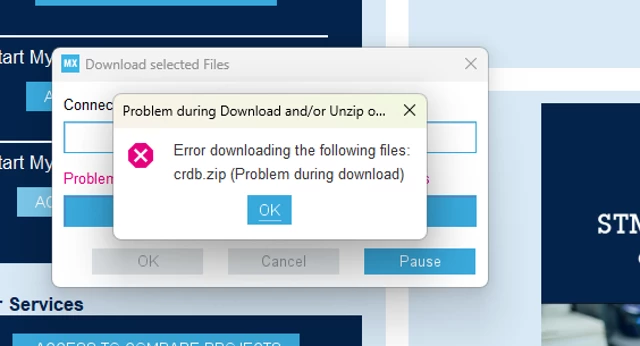
This issue does not prevent STM32CubeMX from working properly. To continue:
Click OK twice.
After these steps, STM32CubeMX can operate normally.
If this pop-up affects your workflow, disable the Auto-Refresh feature:
In Help → Connection and Updates, select No Auto- Refresh at Application start.
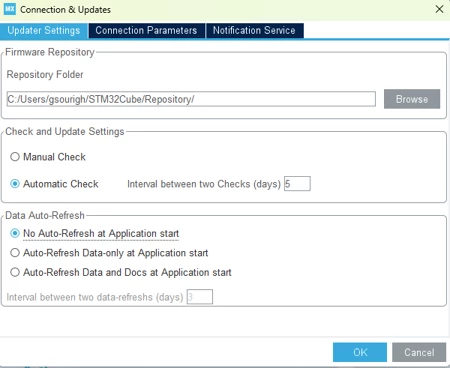
Please note that if Auto-Refresh is disabled, STM32CubeMX uses the local cube-finder-db.zip file and does not retrieve updates automatically.
If needed, manually update the data:
Help → Refresh Data
A fix is in progress in a future version.