


How to use STM32CubeProgrammer to access the USART bootloader on an STM32
In this knowledge article, we use the NUCLEO-H743ZI as our STM32 reference board to show you how to leverage the STM32CubeProgrammer GUI to access the target USART bootloader.
Every STM32 MCU comes preprogrammed with a system memory bootloader stored in the internal boot ROM (system memory). Its main purpose is to download the application program to the internal flash memory through one of the available serial peripherals (for example, USART, CAN, USB DFU, I2C, and SPI). To verify which peripheral interfaces support the activation of the bootloader, the communication protocol and respective command set and sequence, please review AN2606 (STM32 microcontroller system memory boot mode).
STM32CubeProgrammer is an all-in-one software tool for programming STM32 products, compatible across multiple operating systems, and available in both graphical user interface (GUI) and command-line interface (CLI) versions. It's an easy to use and efficient application for reading, writing, and verifying device memory through both the JTAG and SWD debug interfaces and bootloader interfaces (for example, USART, CAN, USB DFU, I2C, and SPI). It is recommended to always use the newest version of STM32CubeProgrammer.
Step 1. Locate your STM32 device in AN2606. This reveals the activation pattern that you need to apply, the various available bootloader interfaces for your device and the hardware resources required by the bootloader.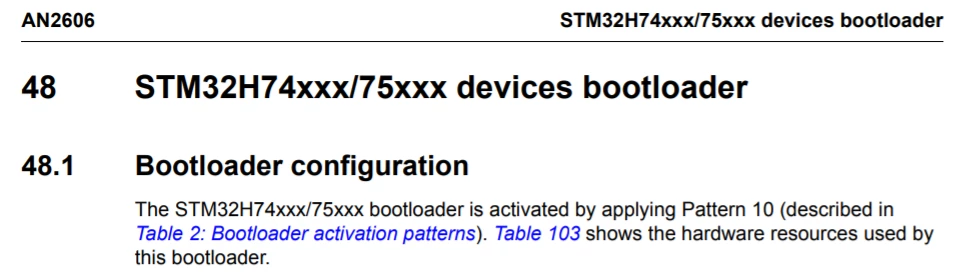
Step 2. Locate the pattern denoted in your target MCU's bootloader configuration description and in the bootloader activation patterns table. Note that if there are multiple options for a pattern, you may select any option of your choice to apply.
In our example case, we must use pattern 10.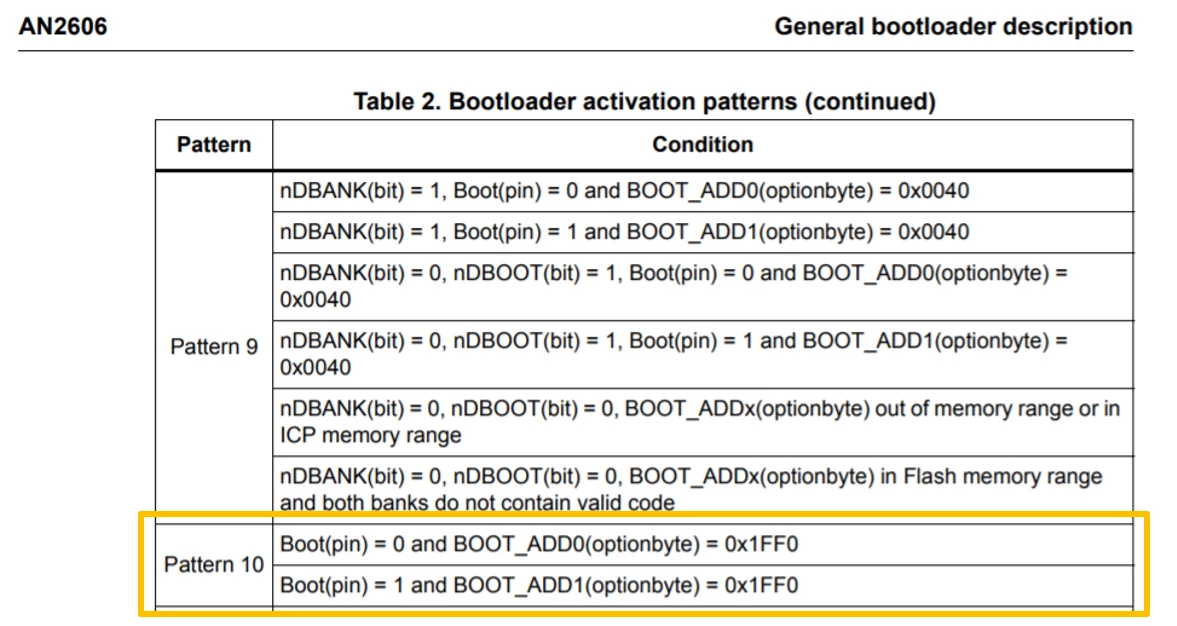
Step 3. As pattern 10 has two options, we select the second pattern 10 option: Boot(pin) = 1 and BOOT_ADD1(optionbyte) = 0x1FF0. On my NUCLEO-H743ZI, I have verified that the BOOT_ADD1 in the MCU's option bytes is set to 0x1FF0 using STM32CubeProgrammer and have connected the BOOT0 pin (located on CN11) to VDD.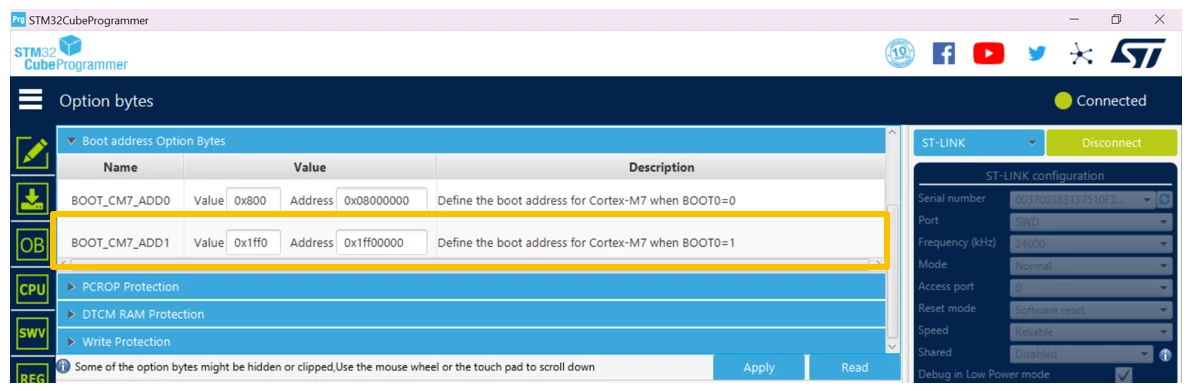
Step 4. As each STM32 is unique, there may be multiple USARTs to select from to launch the USART bootloader. This information is found in the appropriate STM32's configuration in system memory boot mode table.
In our example case, we have the choice to select launching the USART bootloader on USART1 via pins PA9/PA10 or PB14/PB15, USART2 via pins PA2/PA3 or USART3 via PB10/PB11.
In this example, we move forward with selecting USART1 (PA9/PA10).
Step 5. As we are using the NUCLEO-H743ZI, we need to make some additional connections.
This step is extremely critical when using the NUCLEO-H743ZI to launch the USART bootloader as this step establishes the connection between the ST-LINK's virtual com port and the STM32H743's USART1 pin. This connection allows the required 0x7F command to be properly received to launch the USART bootloader.
In our case T_VCP_TX (connected to STLK_VCP_TX) is on pin PD8 and T_VCP_RX (connected to STLK_VCP_RX) pin is on PD9. Therefore, on our NUCLEO-H743ZI we connect PD8 to PA9 (USART1_TX) and PD9 to PA10 (USART1_RX).
Note: If you are using another STM32 board, you need to verify if the USART you've selected is directly connected to the ST-LINK's virtual com port Tx and Rx dedicated pins.
Step 6. Locate the ST-LINK USB port (CN1) on your board and attach the board to your host machine with a USB cable.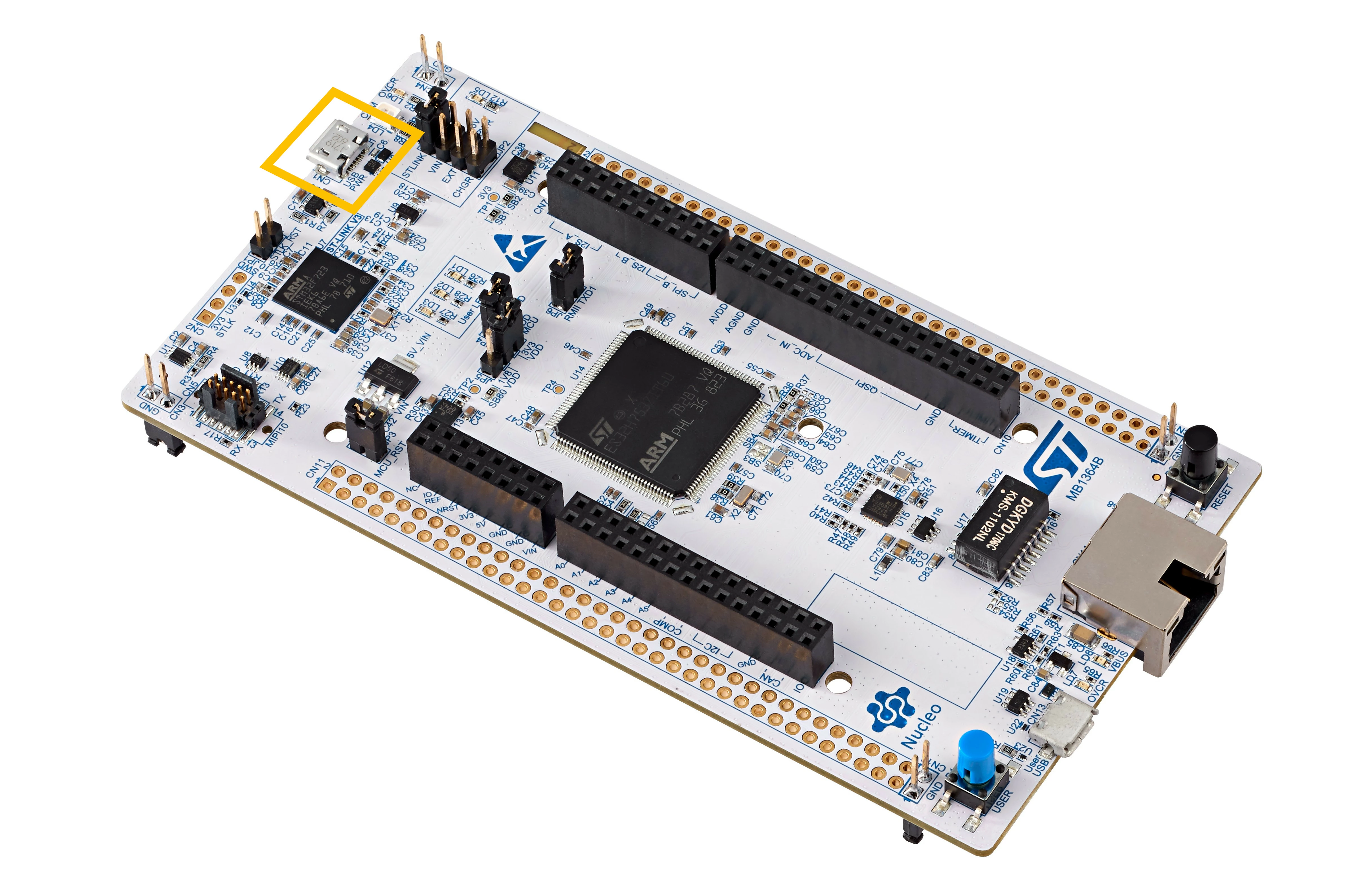
Select the UART connectivity option in STM32CubeProgrammer and make sure that you are selecting the appropriate COM port of the target MCU. 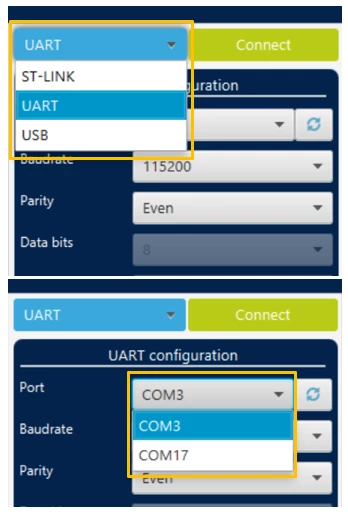
Step 7. Click on the ‘Connect’ icon. Congratulations! We have successfully leveraged STM32CubeProgrammer to launch our NUCLEO-H743ZI's USART bootloader. 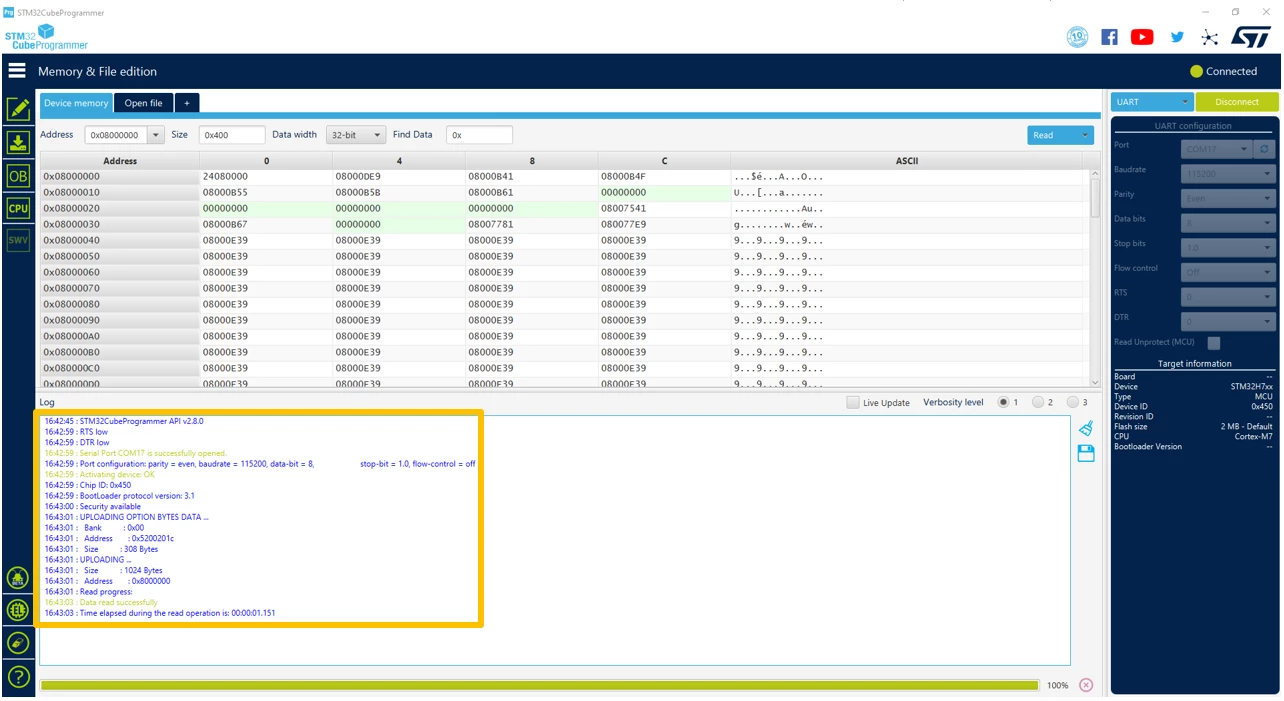
The STM32CubeProgrammer GUI is functional in many ways, some of the things you can do include but are not limited to:
- Reading from / writing to flash memory and RAM.
- Reading / programming the device's option bytes.
- Checking CPU register contents.