


How to use the IRQ callback with STM32CubeMX2 and HAL2
Summary
This article provides a step-by-step guide to configure interrupt requests (IRQs) in STM32CubeMX2. It describes the location of related functions. The NUCLEO-C562RE board is used as an example.
- Summary
- Introduction
- Prerequisites
- 1. STM32CubeMX2 project creation and basic setup
- 1.1 Project creation
- 1.2 Pinout and configuration
- 2. Changes in IRQ handler function location
- 3. Where to locate the IRQ callbacks
- 4. How to generate IRQ custom callback handlers
- Validation
- Conclusion
- Related links
Introduction
Interrupt request (IRQ) handlers are functions that manage hardware interrupt requests at the system level. With the transition to the new HAL2 framework, the locations of these handler functions and their weak callback functions have changed.
This article compares the previous and current locations of IRQ handlers and weak callback functions. It also explains how to enable or disable their generation.
Prerequisites
Ensure that you have installed:
- STM32CubeMX2
- The latest STM32C5 HAL2 driver
- STM32CubeIDE extension for Visual Studio Code
The hardware used in this tutorial is the NUCLEO-C562RE board.
1. STM32CubeMX2 project creation and basic setup
Follow these steps to create an application project for the NUCLEO-C562RE board. This exercise creates a simple USART IRQ and EXTI IRQ application.
1.1 Project creation
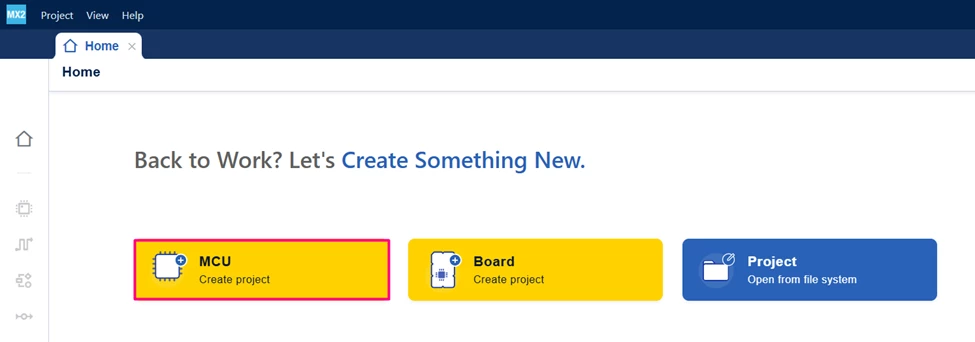
Open STM32CubeMX2. On the Home page, click the [MCU square] to create a new project.
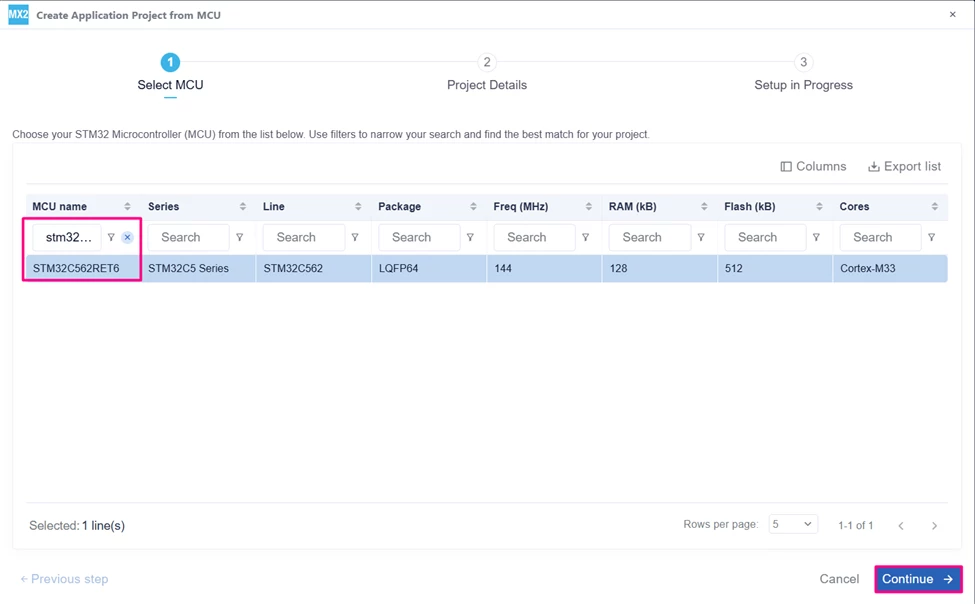
In the search field under MCU name, enter STM32C562RE and select your board. Click [Continue].
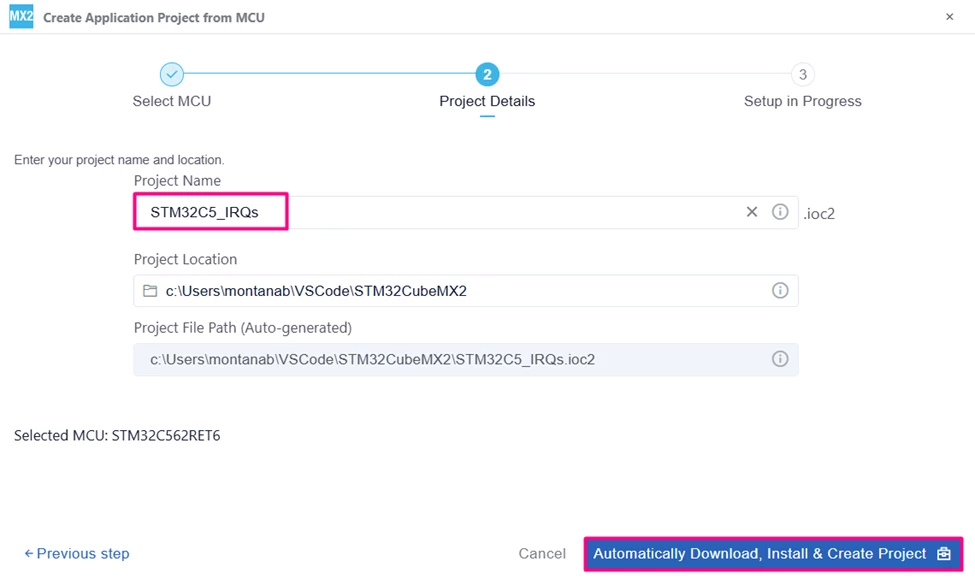
Enter your project name and location. Click [Automatically Download, Install & Create Project] to finish project creation.
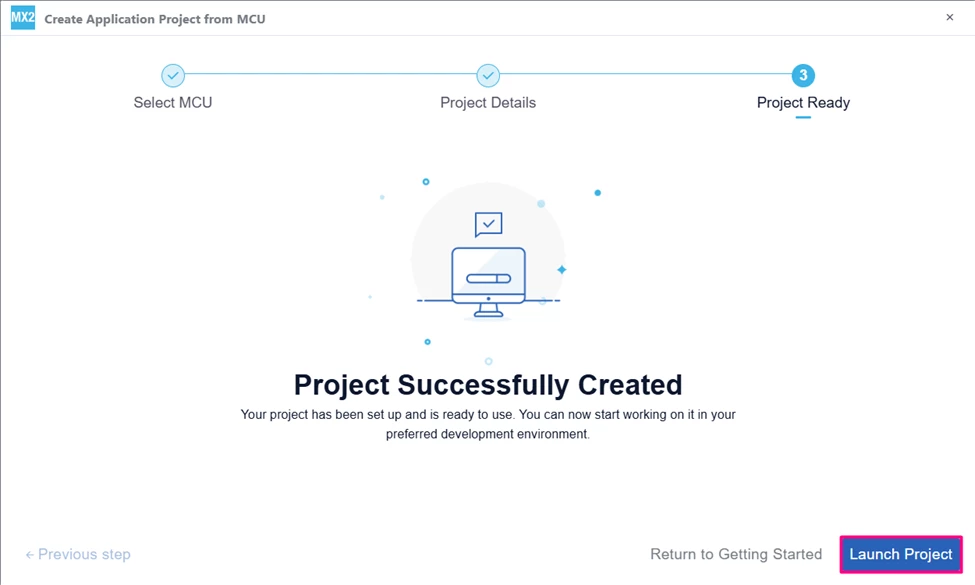
Select [Launch Project] to start.
1.2 Pinout and configuration
In STM32CubeMX2, go to the "Peripherals" section, then click "Connectivity". Enable the UART by selecting the [Async] mode.
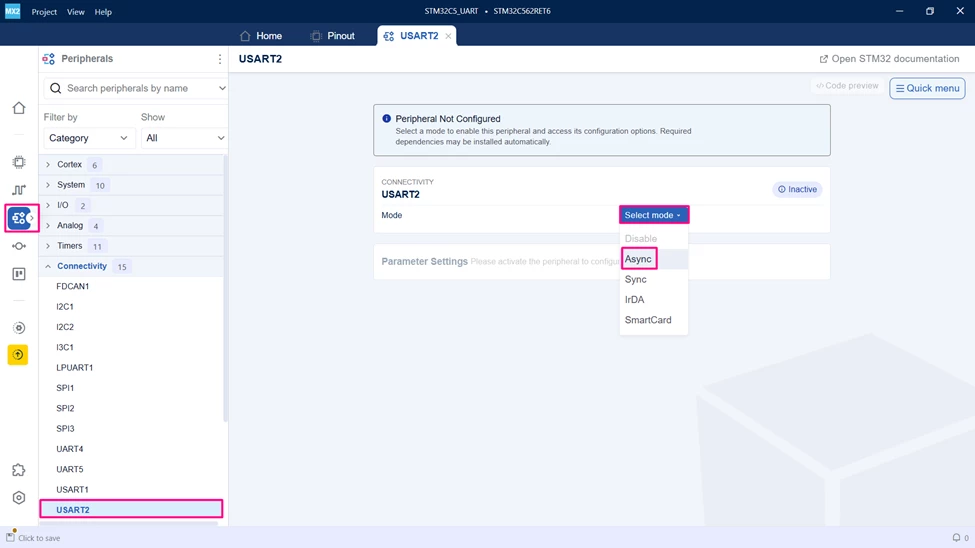
Configure the USART2 peripheral as shown in the figure.
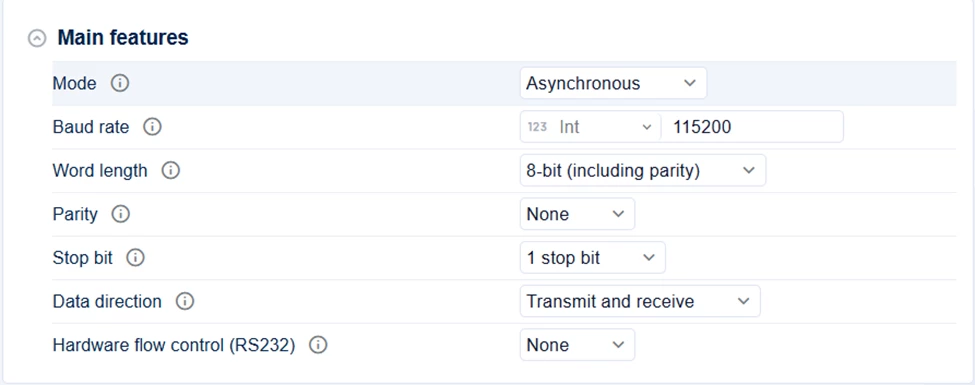
The VCOM bridge available on the NUCLEO board uses USART2_TX and USART2_RX associated with PA2 and PA3. These might not be the default pins selected. To change the GPIOs used, scroll down and change the GPIO Tx/Rx pins.
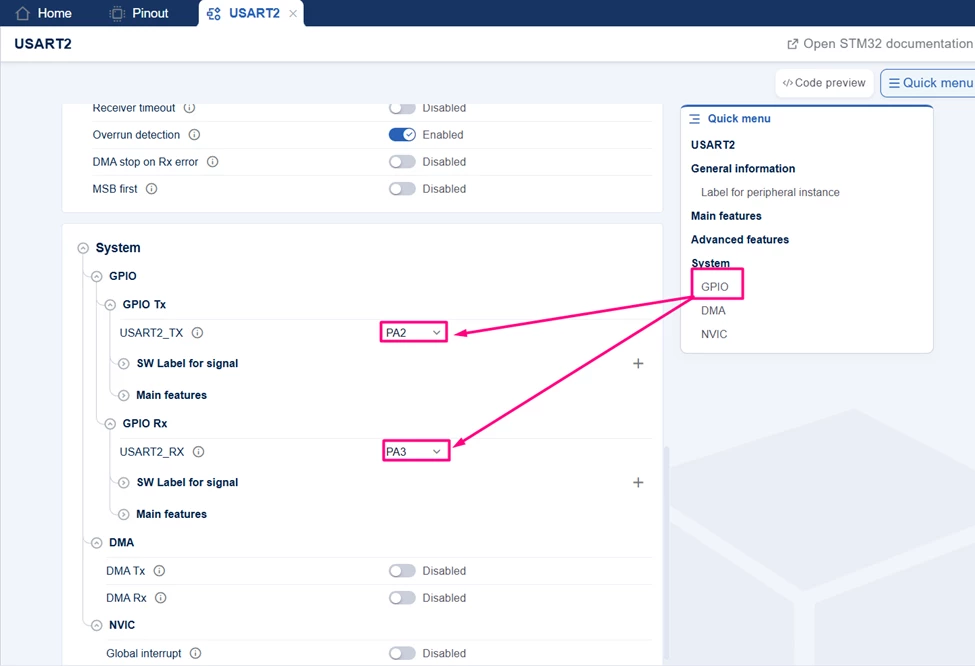
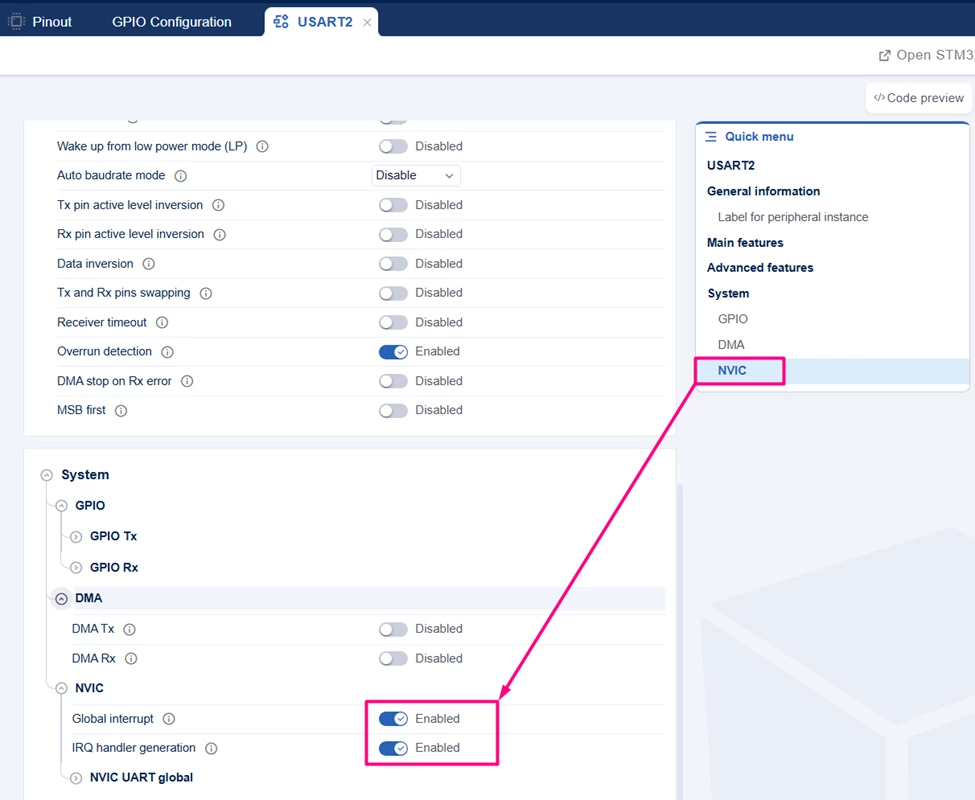
Add the USART interrupt by using the NVIC on the quick menu.
The PC13 is connected to the on-board push button. Click on the engine to configure the EXTI on that pin.
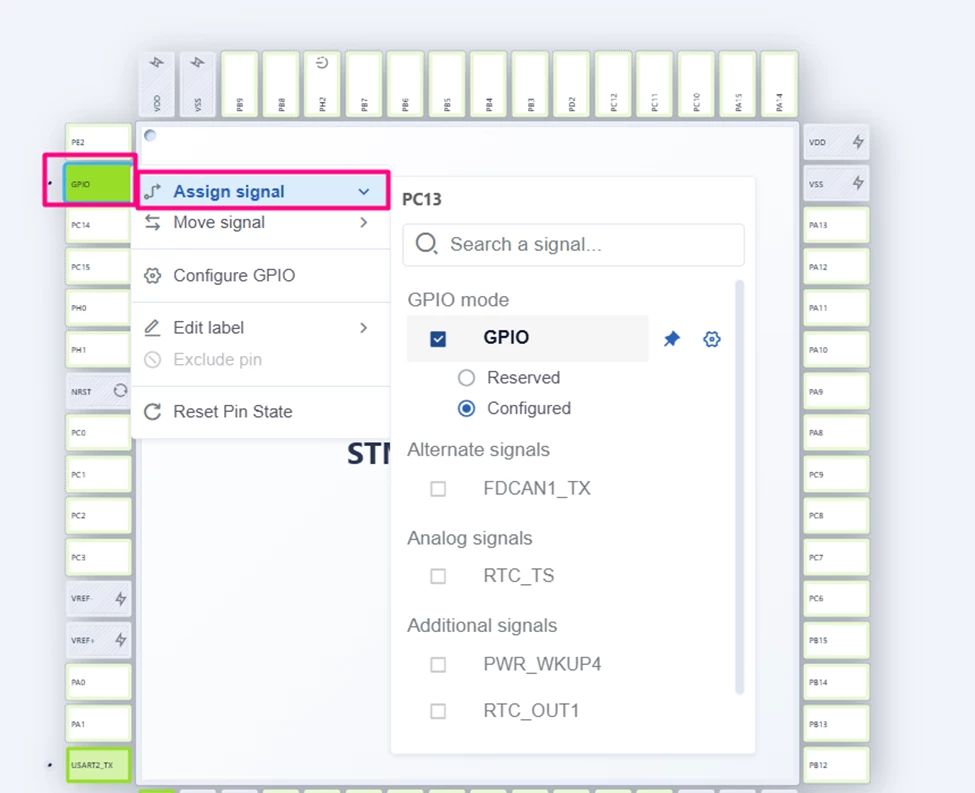
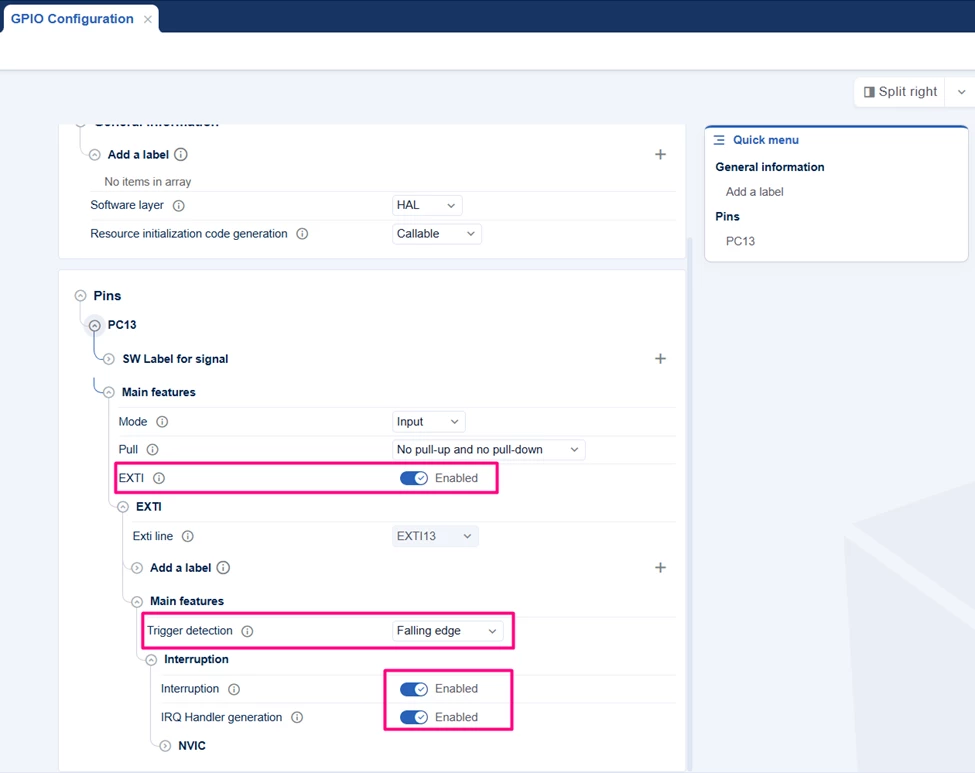
Generate the code and open the project in Visual Studio Code.
2. Changes in IRQ handler function location
In HAL2, interrupt request handlers are organized so that each enabled peripheral’s IRQ is placed in a dedicated file. This improves code modularity and facilitates analysis through the code preview feature.
The following section compares the previous and current organization. The example uses two IRQs: one related to the EXTI13 line, associated with the NUCLEO-C562RE board GPIO push button, and one related to UART2 interruption, associated with the VCOM port created by the on-board STLINK.
Previously, all IRQ handlers were placed in a single file, generically called the stm32xyz_it.c file.
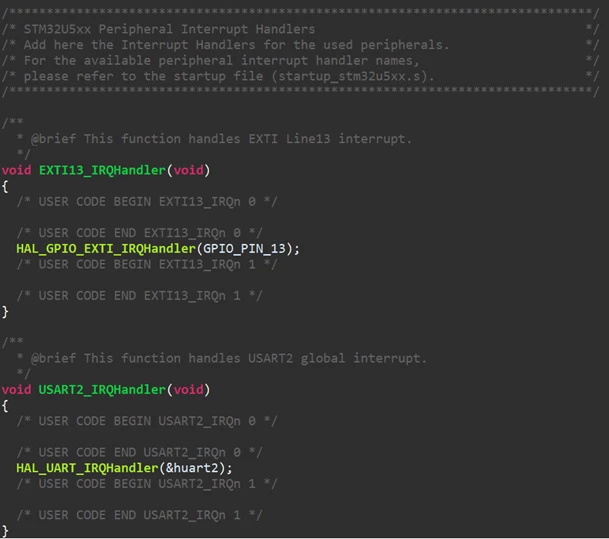
In HAL2, they are placed in their respective peripheral files inside the generated/hal/ folder. Each peripheral automatically gets its own file upon creation, which is also the default location of the callbacks.
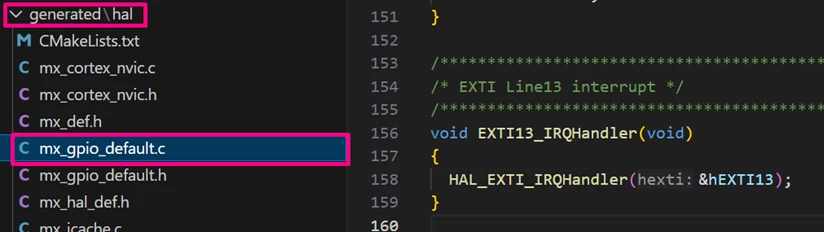

3. Where to locate the IRQ callbacks
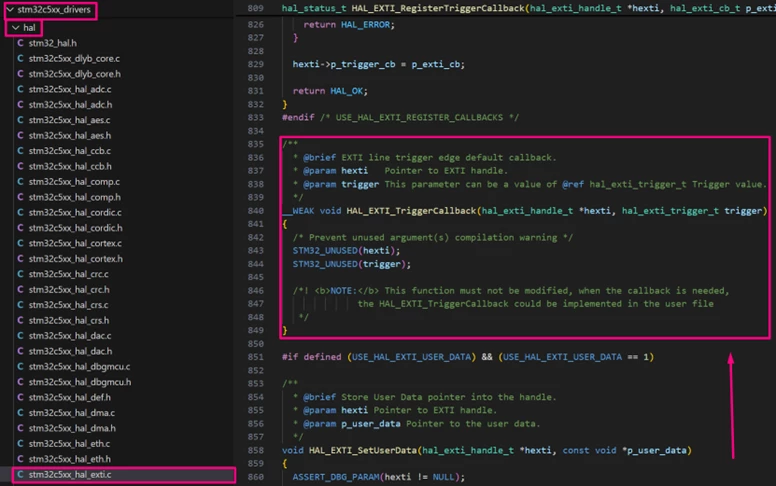
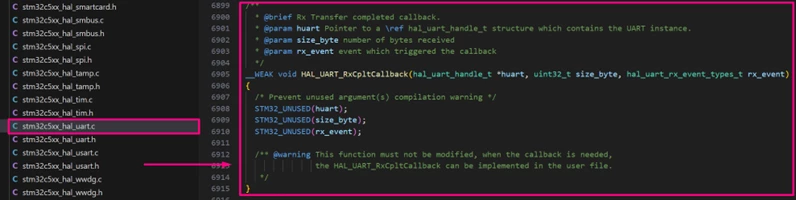
The weak callback functions are still located in the Driver folder, but now the folder has a slightly different name, generically called the stm32xyz_drivers/hal directory. All peripheral driver files contain their respective callbacks, all declared as weak functions.
A notable change is that the EXTI weak functions are now in the stm32xyz_hal_exti.c file instead of the stm32xyz_hal_gpio.c file, as in the previous HAL. This change is logical, since not all EXTI are associated with GPIO usage.
4. How to generate IRQ custom callback handlers
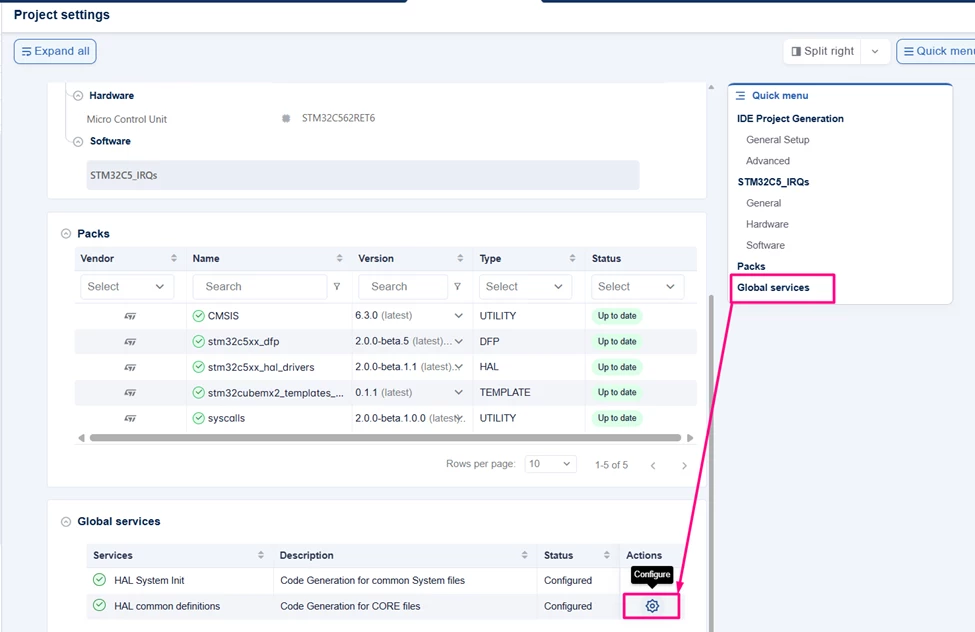
To generate the custom IRQ callback handler in STM32CubeMX2, go to the "Project settings" tab, click [Global services] via "Quick menu", and then the [gear] under Actions.
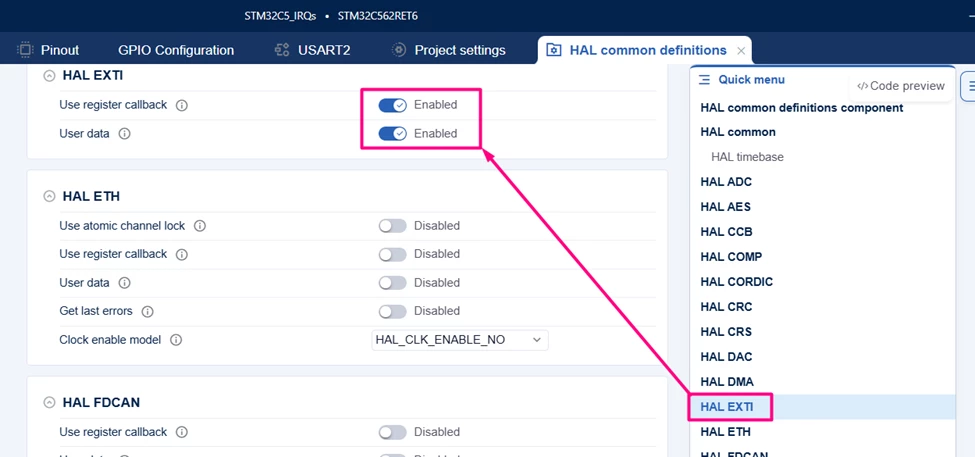
Use the quick menu to locate the peripheral, in this case, the USART2 and EXTI, and enable the Use register callback and User data.
Upon code regeneration, it is now possible to use the HAL2 function to register the desired callback. For the EXTI, use the following function:
HAL_EXTI_RegisterTriggerCallback(mx_gpio_default_exti13_gethandle(), &UserDetectedExtiCallback);The code for the EXTI portion is as follows:
/**
 ******************************************************************************
 * file : main.c
 * brief : Main program body
 * Calls target system initialization then loop in main.
 ******************************************************************************
 *
 * Copyright (c) 2025 STMicroelectronics.
 * All rights reserved.
 *
 * This software is licensed under terms that can be found in the LICENSE file
 * in the root directory of this software component.
 * If no LICENSE file comes with this software, it is provided AS-IS.
 *
 ******************************************************************************
 */
/* Includes ------------------------------------------------------------------*/
#include "main.h"

/* Private typedef -----------------------------------------------------------*/
/* Private define ------------------------------------------------------------*/
/* Private macro -------------------------------------------------------------*/
/* Private variables ---------------------------------------------------------*/
volatile uint8_t ExtiDetected = 0;
/* Private functions prototype -----------------------------------------------*/
void UserDetectedExtiCallback(hal_exti_handle_t *hexti, hal_exti_trigger_t trigger)
{
 STM32_UNUSED(trigger);
 ExtiDetected = 1;
}
/**
 * brief: The application entry point.
 * retval: none but we specify int to comply with C99 standard
 */
int main(void)
{
 /** System Init: this code placed in targets folder initializes your system.
 * It calls the initialization (and sets the initial configuration) of the peripherals.
 * You can use STM32CubeMX to generate and call this code or not in this project.
 * It also contains the HAL initialization and the initial clock configuration.
 */
 if (mx_system_init() != SYSTEM_OK)
 {
 return (-1);
 }
 else
 {
 /*
 * You can start your application code here
 */
 HAL_EXTI_RegisterTriggerCallback(mx_gpio_default_exti13_gethandle(), &UserDetectedExtiCallback);
 mx_cortex_nvic_init(); // Initialize the NVIC
 HAL_EXTI_Enable(mx_gpio_default_exti13_gethandle(),HAL_EXTI_MODE_INTERRUPT); // Enable the EXTI13 interrupt

 while (1) {}
 }
} /* end main */
Validation
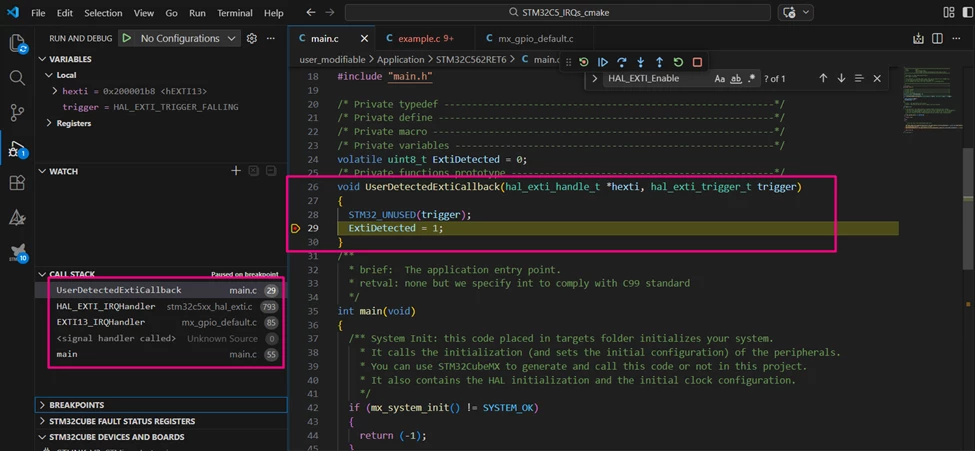
Enter in debug mode and place the breakpoint in the created callback. It is also possible to check the call stack.
Conclusion
This article outlines the key changes and procedures for configuring IRQs in STM32CubeMX2, focusing on the NUCLEO-C562RE board. The transition to HAL2 introduces a more modular organization by placing IRQ handlers in peripheral-specific files, improving code clarity and maintainability. By following the steps to enable IRQ handler generation and understanding the new callback locations, developers can efficiently manage hardware interrupts in their projects.