

How to set NVIC priority with STM32CubeMX2
Summary
- Summary
- Introduction
- Prerequisites
- 1. Project setup
- 1.1 Project creation
- 1.2 EXTI configuration
- 1.3 How to enable custom callbacks
- 2. Generate code
- 3. Configuring the project in Visual Studio Code
- 4. Code
- 5. Validation
- Conclusion
- Related links
This article provides a step-by-step guide to configure the NVIC (nested vector interrupt controller) priority table in STM32CubeMX2. The tutorial uses the NUCLEO-C562RE board as a reference.
Introduction
The NVIC provides a fast response to interrupt requests, allowing an application to serve incoming events quickly. When an interrupt is served and a new request with higher priority arrives, the new exception can preempt the current one. However, when an interrupt request with lower or equal priority is raised during execution of an interrupt handler, it becomes pending. The knowledge of how to configure NVIC priority thus is essential for predictable and efficient interrupt handling in embedded systems.
This article explains how to change NVIC priorities in STM32CubeMX2 and provides an example to demonstrate the behavior of interrupts with different priorities.
Prerequisites
Install the following tools:
- STM32CubeMX2
- The latest STM32C5 HAL2 driver
- STM32CubeIDE extension for Visual Studio Code
The hardware used in this tutorial is the NUCLEO-C562RE board.
1. Project setup
1.1 Project creation
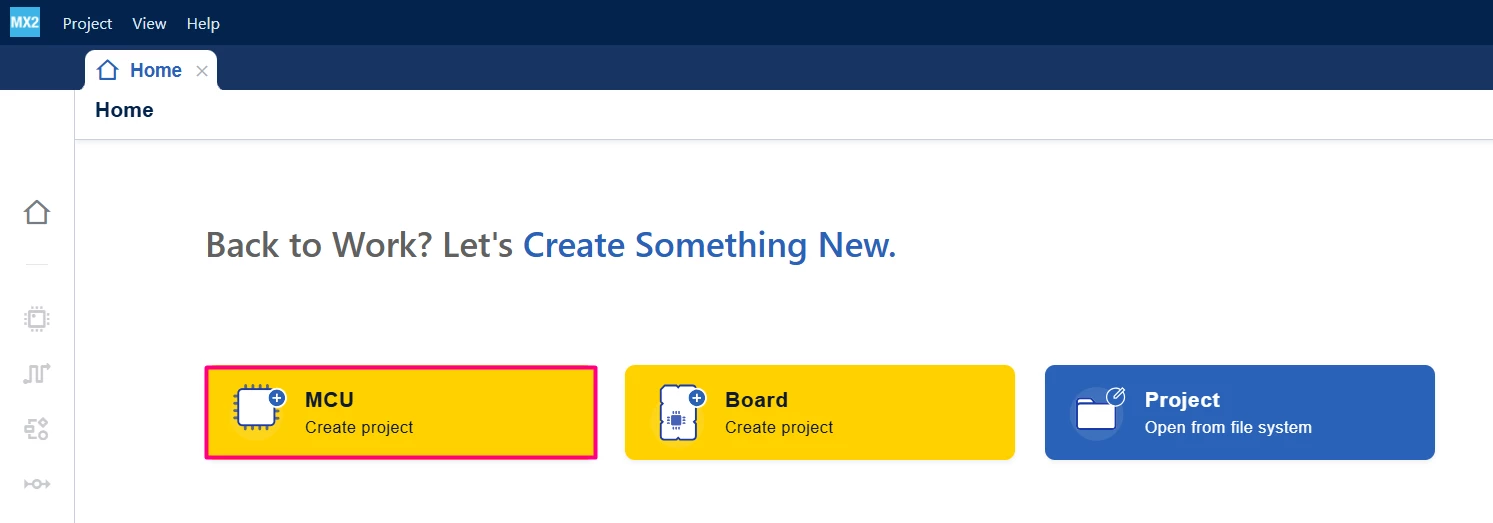
Open STM32CubeMX2. On the Home page, click the MCU square to create a new project.
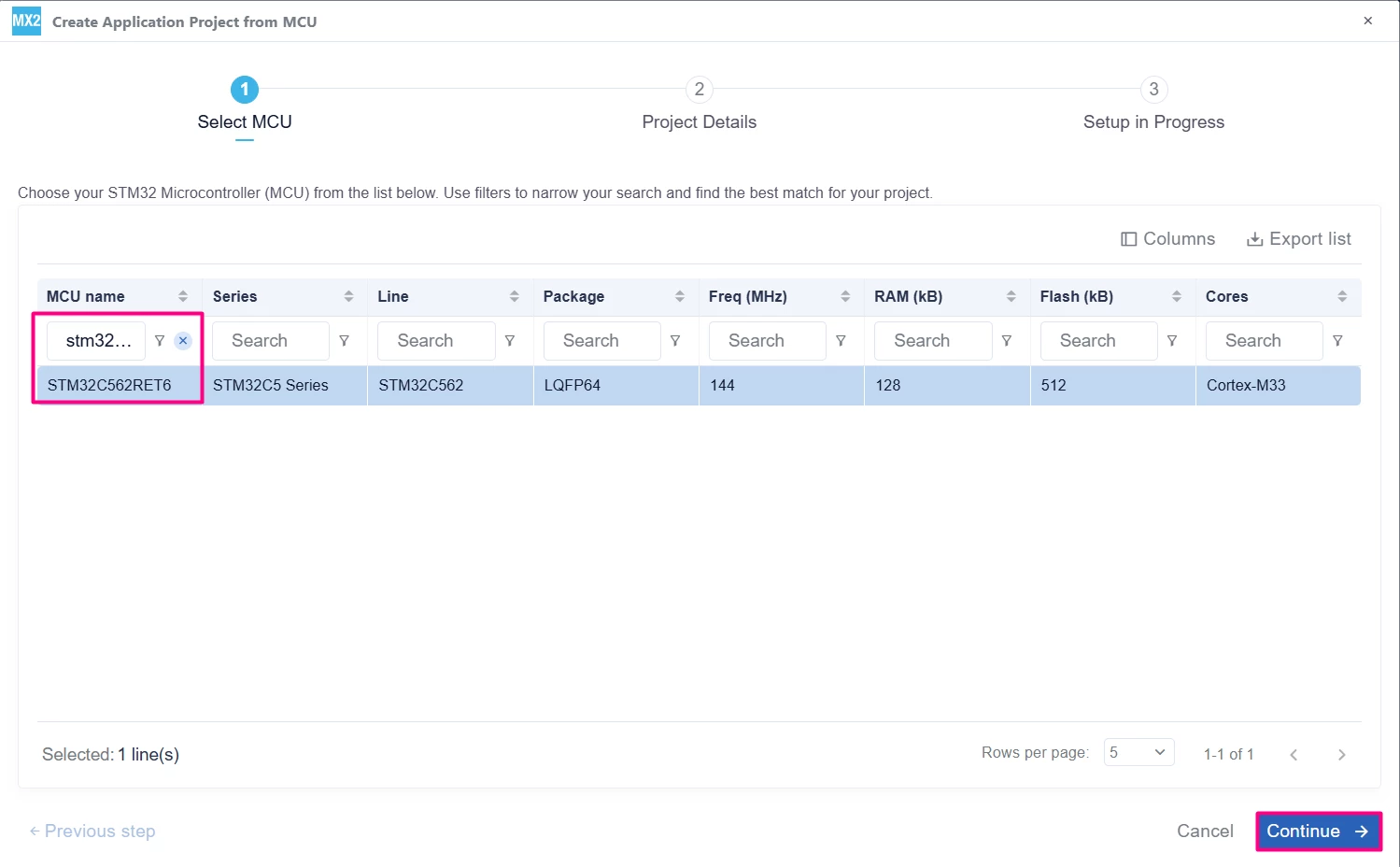
In the search field under MCU name, enter STM32C562RE and select the MCU. Click Continue.
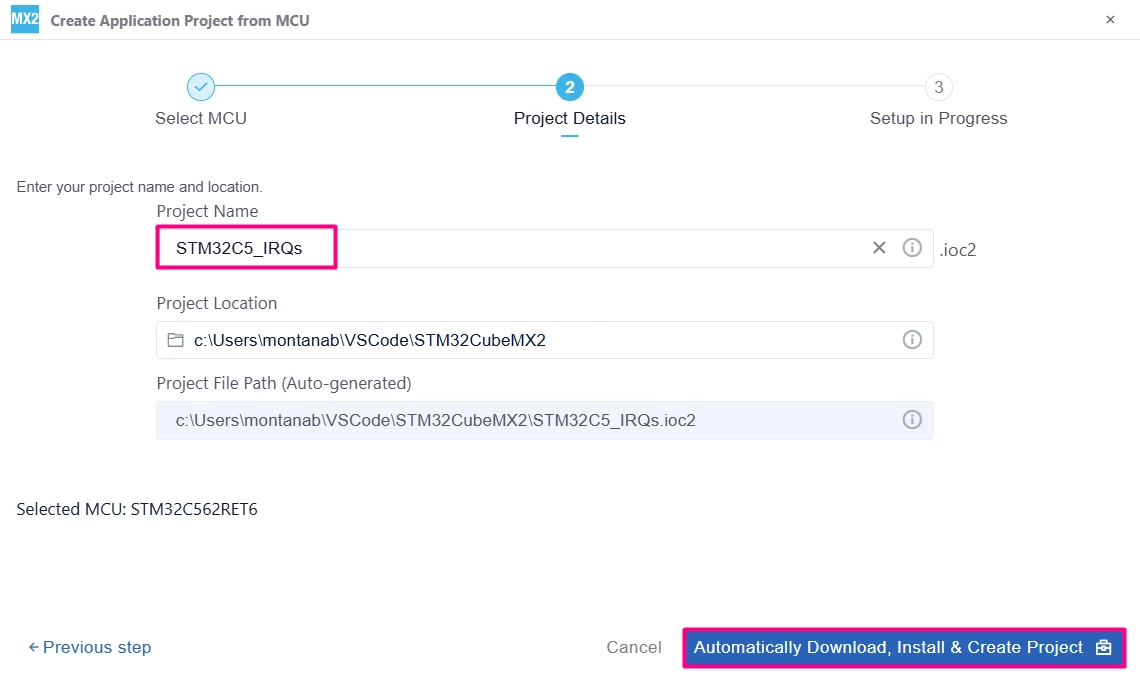
- Set the Project Name and Project Location.
- Continue with [Automatically Download, Install & Create Project].
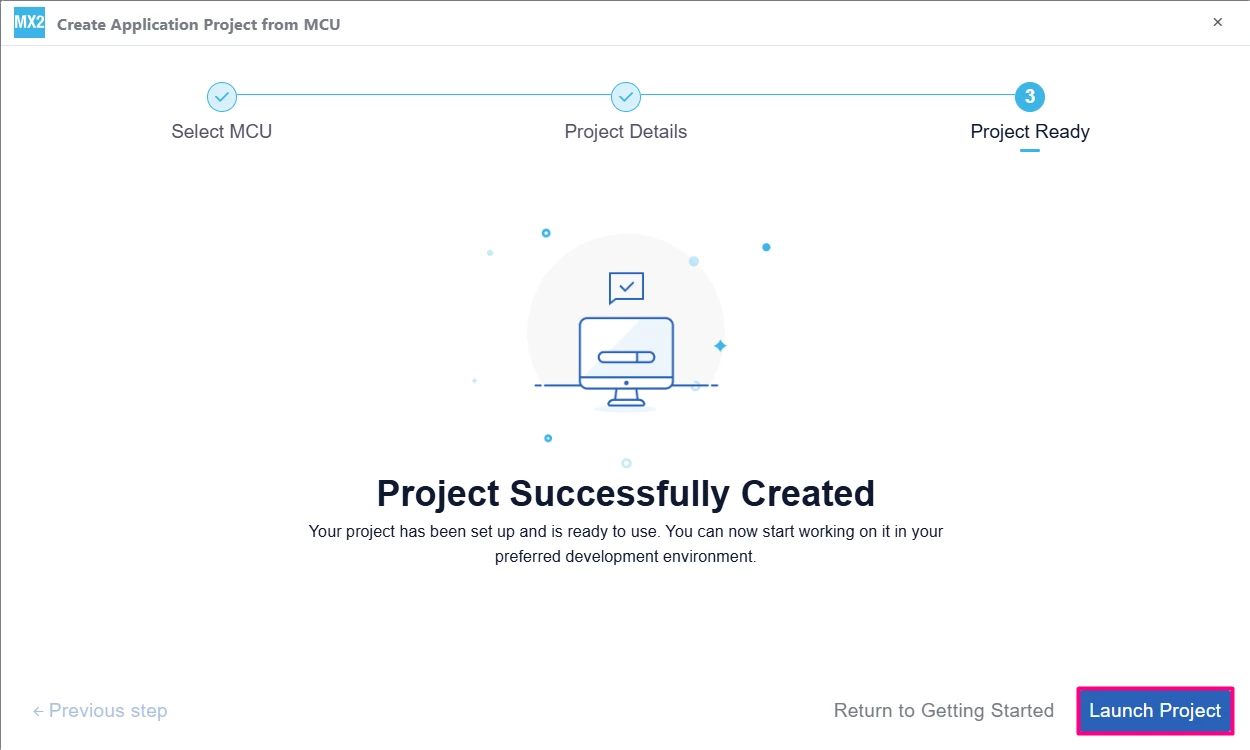
- Select [Launch Project] to start.
1.2 EXTI configuration
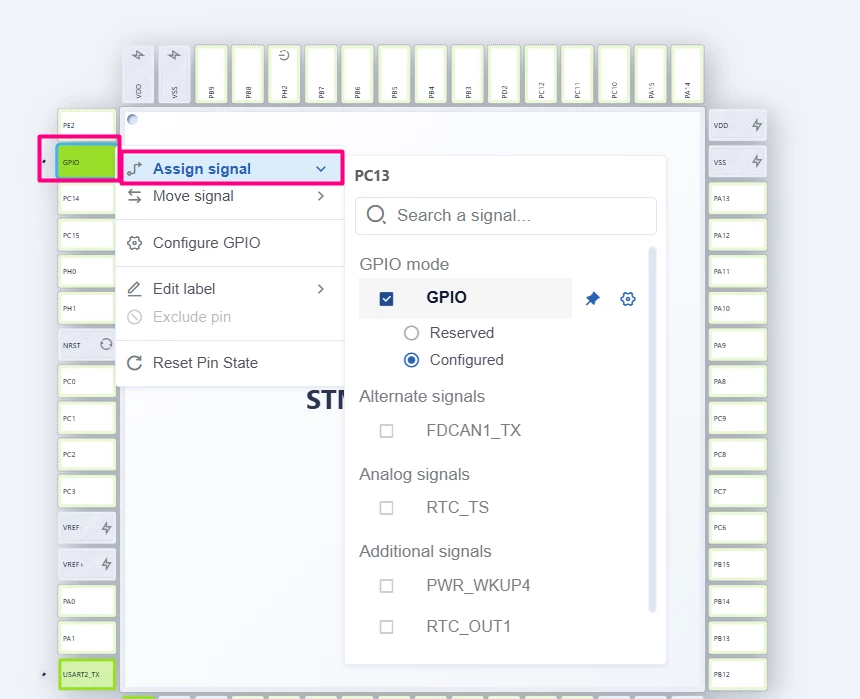
The PC13 is connected to the on-board push button. Click on the engine to configure the EXTI on that pin.
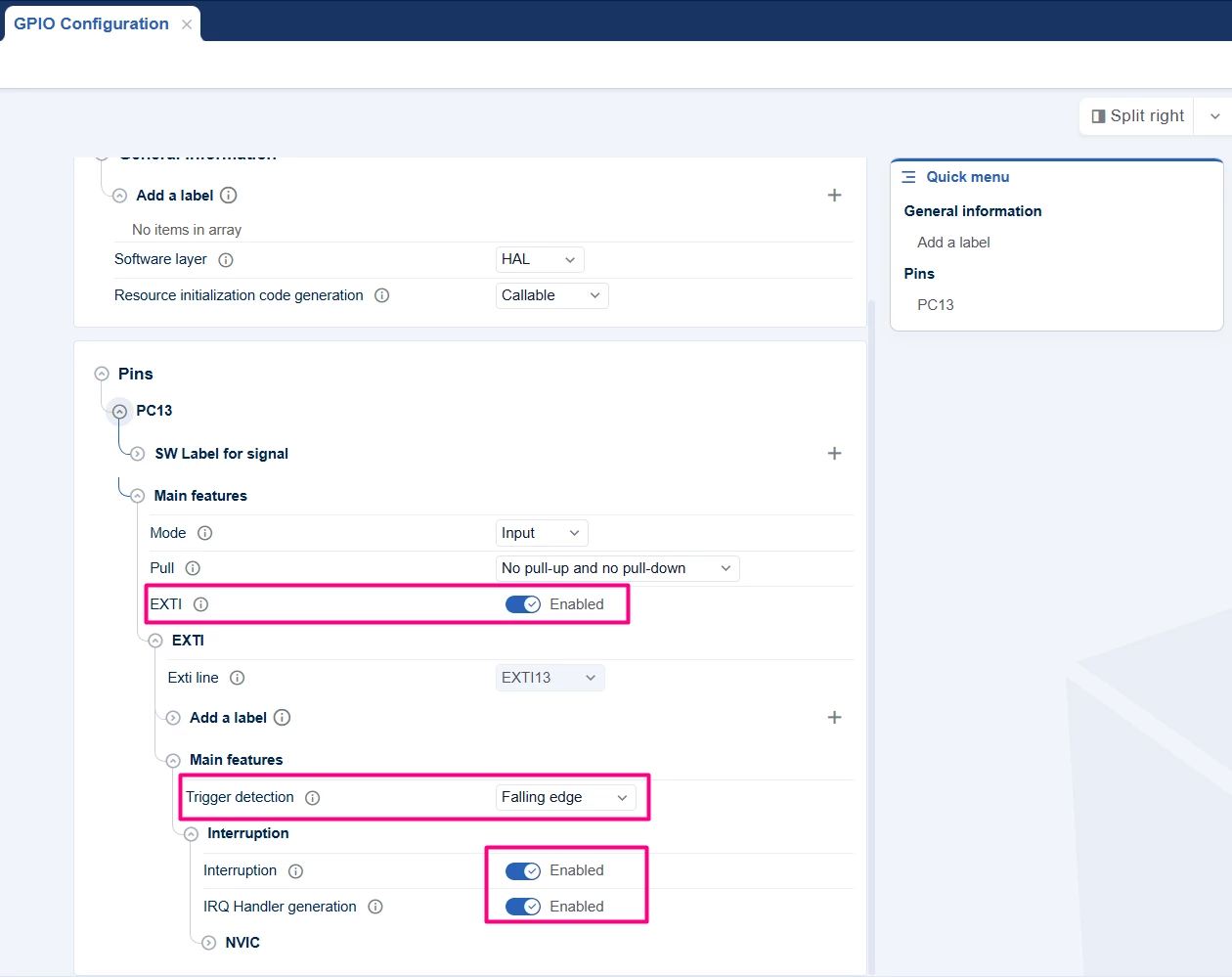
In the GPIO Configuration tab, add the EXTI for falling edge and enable the interrupt.
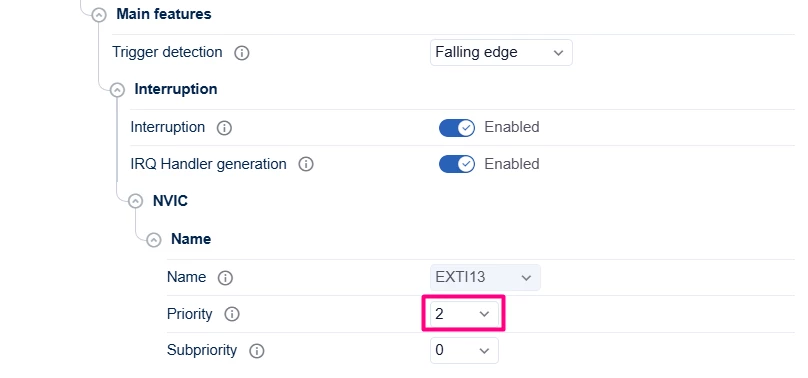
Expand the "NVIC" and change the [Priority] to 2.
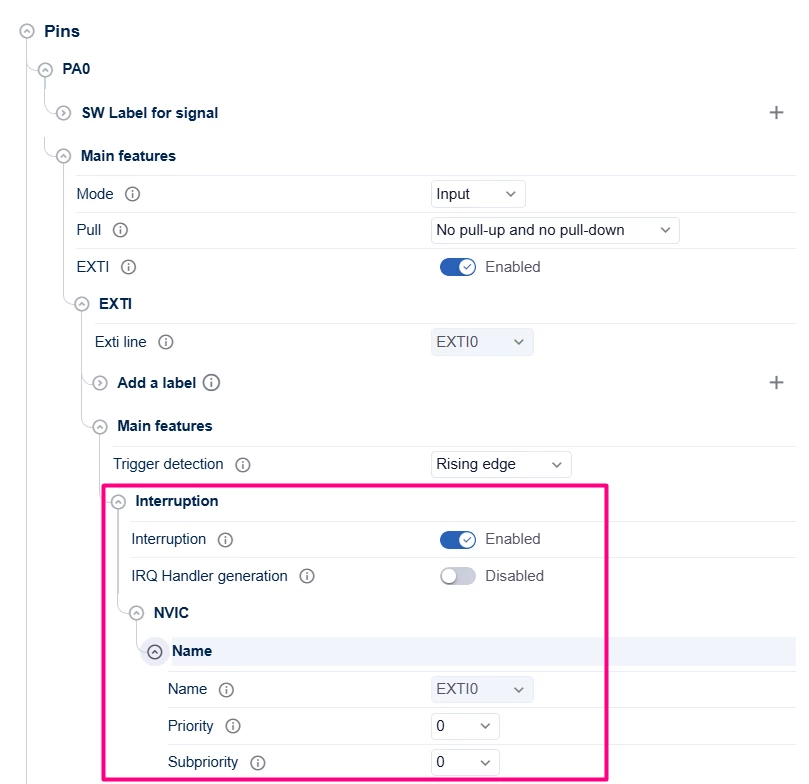
Perform the same actions for the pin PA0, however, do not enable [IRQ Handler generation] and maintain the NVIC [Priority as 0]. In Cortex®-M based systems, the greater the priority number, the less the execution priority of the interruption. This means that in this example, EXTI0 is of higher priority than EXTI13.
1.3 How to enable custom callbacks
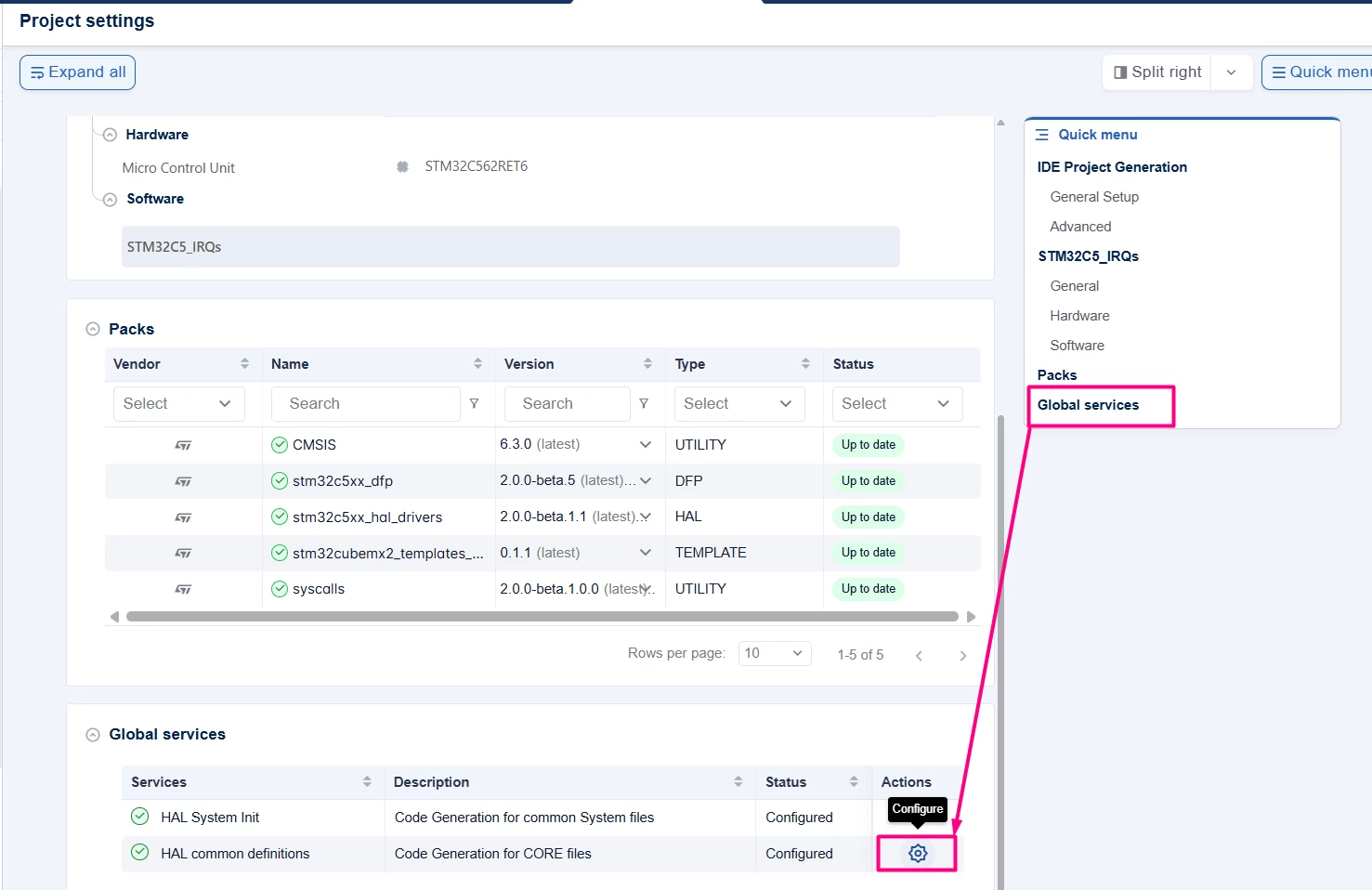
To generate the custom IRQ callback handler in STM32CubeMX2, go to the "Project settings" tab, click in the Global services via Quick menu and then the gear on the Actions.
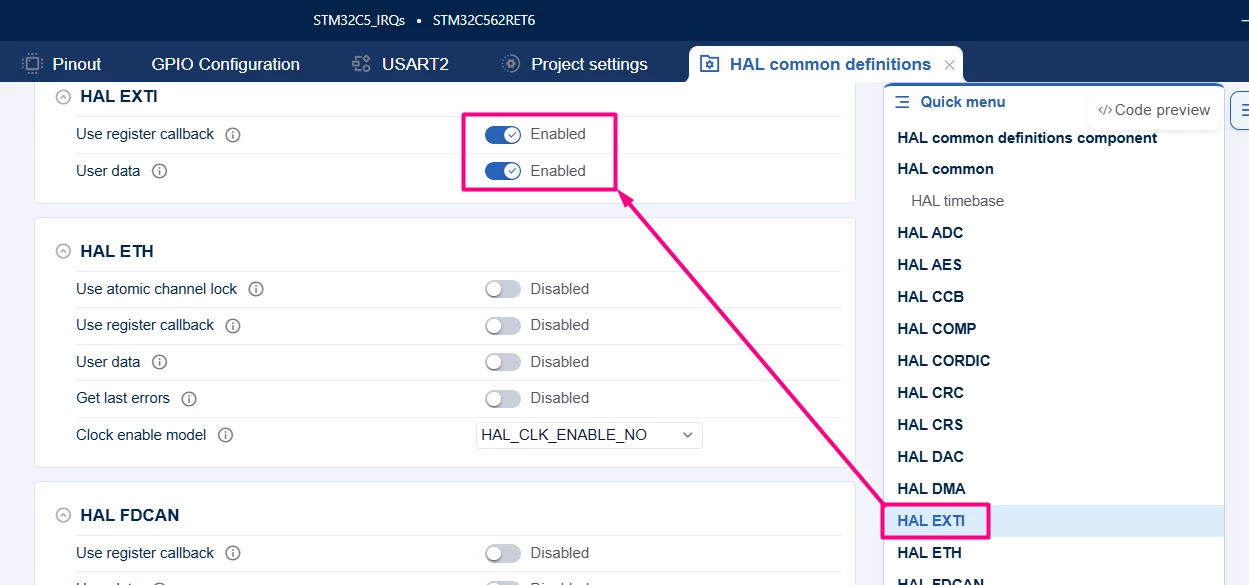
Use the quick menu to locate the EXTI and enable the Use register callback and User data.
2. Generate code
To generate the code:
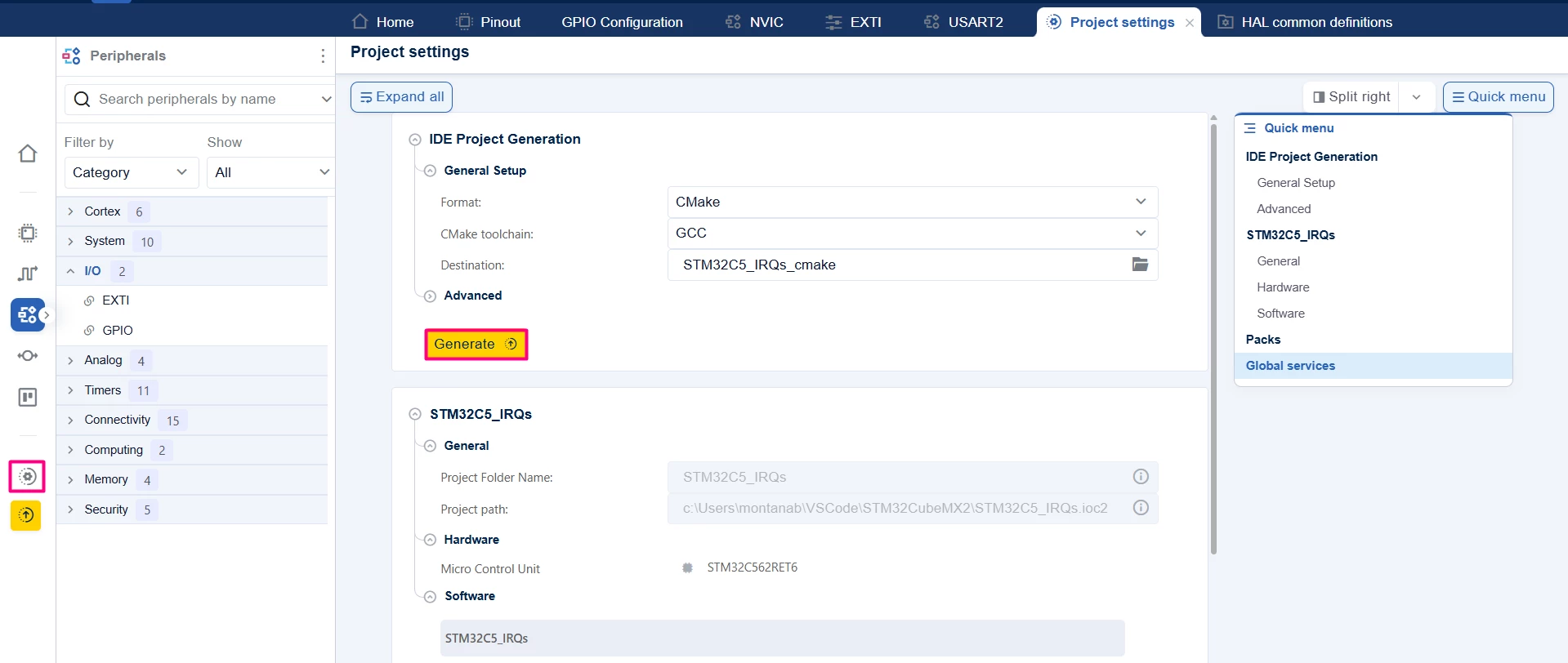
- Click on the [Project settings] icon and select the desired IDE.
- Click the [Generate] button.
3. Configuring the project in Visual Studio Code
Open Visual Studio Code and open the project folder.
If prompted, select the configuration. If not prompted, press Ctrl+Shift+P, type CMake: Select Configure Preset, and choose the debug configuration.

4. Code
After generating the project in STM32CubeMX2 and opening the project in VS Code, we can use the following code to test how NVIC priority works.
The proposed example sets two interrupts:
- A button external interrupt (EXTI13) with priority 2
- A software interrupt in EXTI0 with a priority of 0
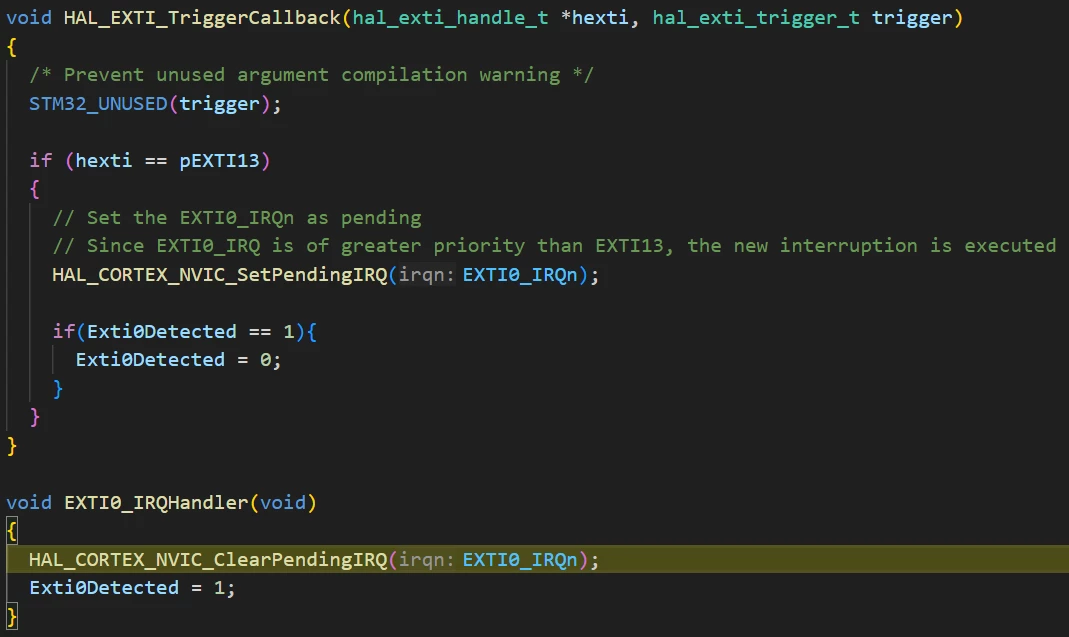
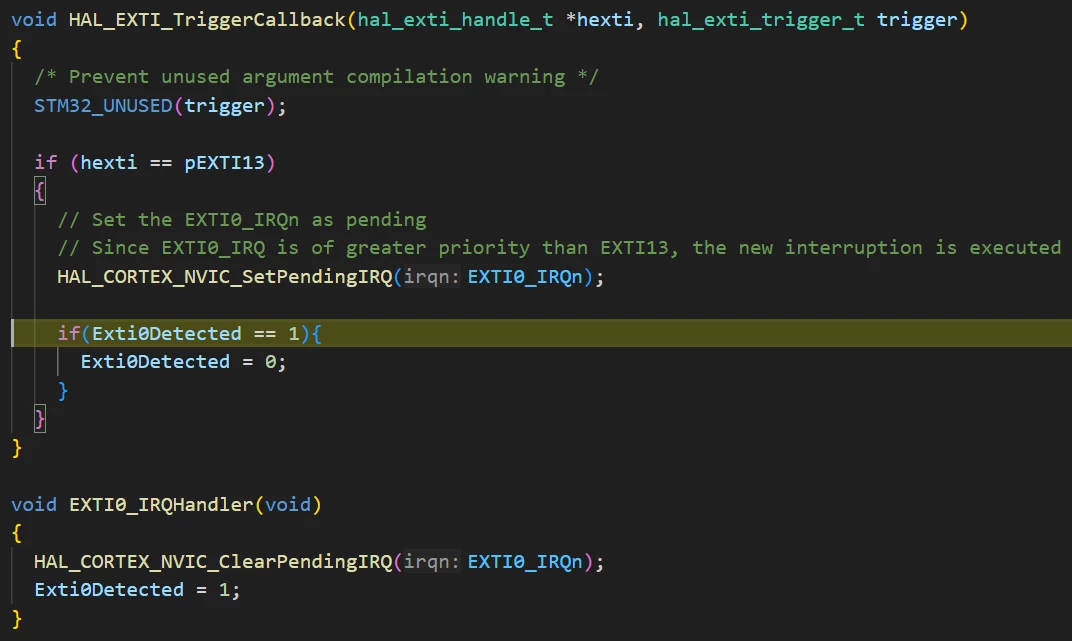
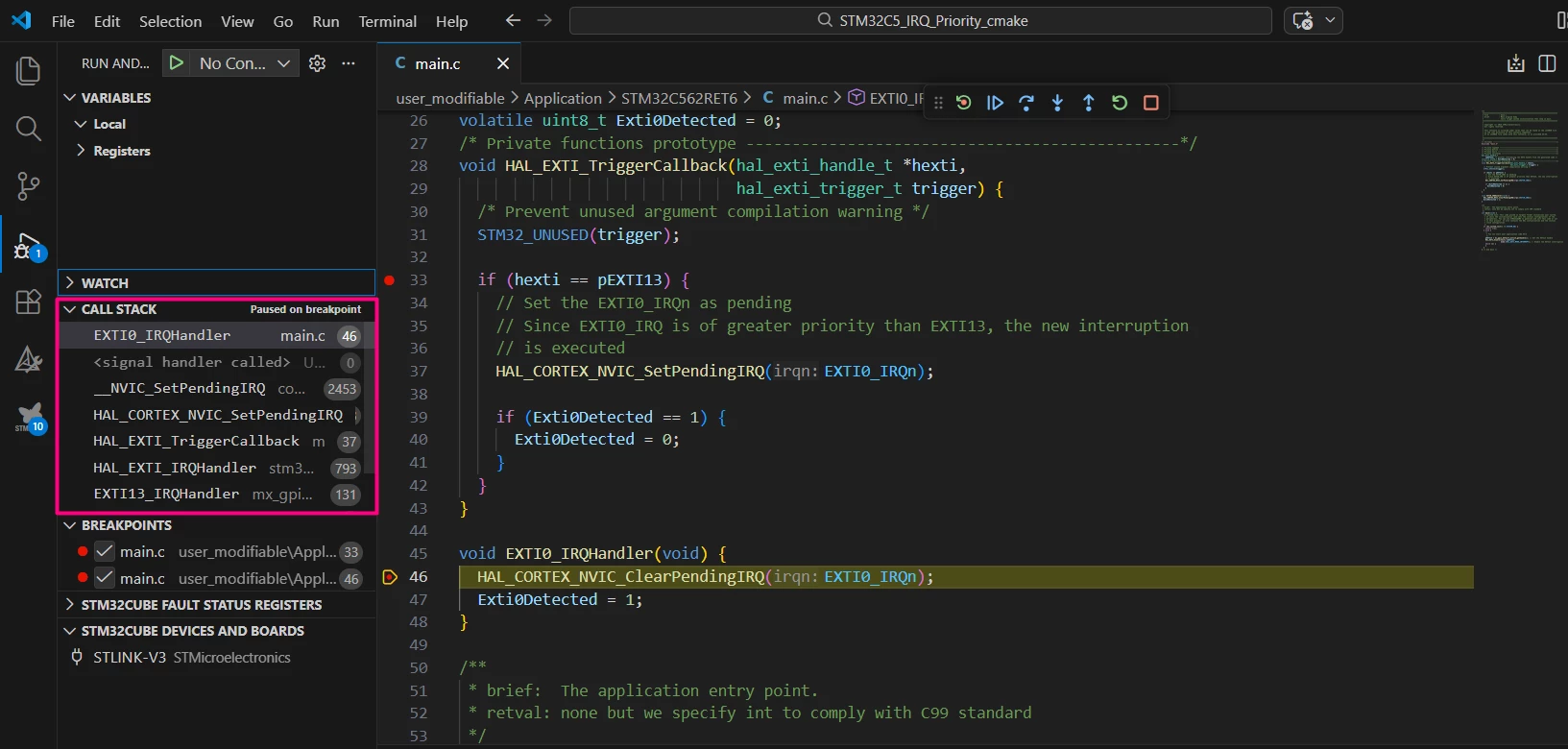
When the user button is pressed, the EXTI13 interrupt is called, inside the callback function a command will force EXTI0 to become pending. Since EXTI0 has a higher priority than EXTI13, EXTI0 is called and, after being served, the context is restored and EXTI13 is completed.
Entire main.c file:
/**
 ******************************************************************************
 * file : main.c
 * brief : Main program body
 * Calls target system initialization then loop in main.
 ******************************************************************************
 *
 * Copyright (c) 2025 STMicroelectronics.
 * All rights reserved.
 *
 * This software is licensed under terms that can be found in the LICENSE file
 * in the root directory of this software component.
 * If no LICENSE file comes with this software, it is provided AS-IS.
 *
 ******************************************************************************
 */
/* Includes ------------------------------------------------------------------*/
#include "main.h"

/* Private typedef -----------------------------------------------------------*/
/* Private define ------------------------------------------------------------*/
/* Private macro -------------------------------------------------------------*/
/* Private variables ---------------------------------------------------------*/
hal_exti_handle_t
 *pEXTI13; /* pointer referencing the EXTI handle from the generated code */
volatile uint8_t Exti0Detected = 0;
/* Private functions prototype -----------------------------------------------*/
void HAL_EXTI_TriggerCallback(hal_exti_handle_t *hexti,
 hal_exti_trigger_t trigger) {
 /* Prevent unused argument compilation warning */
 STM32_UNUSED(trigger);

 if (hexti == pEXTI13) {
 // Set the EXTI0_IRQn as pending
 // Since EXTI0_IRQ is of greater priority than EXTI13, the new interruption
 // is executed
 HAL_CORTEX_NVIC_SetPendingIRQ(EXTI0_IRQn);

 if (Exti0Detected == 1) {
 Exti0Detected = 0;
 }
 }
}

void EXTI0_IRQHandler(void) {
 HAL_CORTEX_NVIC_ClearPendingIRQ(EXTI0_IRQn);
 Exti0Detected = 1;
}

/**
 * brief: The application entry point.
 * retval: none but we specify int to comply with C99 standard
 */
int main(void) {
 /** System Init: this code placed in targets folder initializes your system.
 * It calls the initialization (and sets the initial configuration) of the
 * peripherals. You can use STM32CubeMX to generate and call this code or not
 * in this project. It also contains the HAL initialization and the initial
 * clock configuration.
 */
 if (mx_system_init() != SYSTEM_OK) {
 return (-1);
 } else {
 /*
 * You can start your application code here
 */
 pEXTI13 = mx_gpio_default_exti13_gethandle(); // Get the EXTI13 handle
 HAL_EXTI_Enable(pEXTI13,
 HAL_EXTI_MODE_INTERRUPT); // Enable the EXTI13 interruption
 while (1) {
 }
 }
} /* end main */
5. Validation
Build the project and start a debug session. The code should run without errors or warnings. It is recommended to set breakpoints inside the HAL_EXTI_TriggerCallback function before the pending interrupt command and after it, inside the EXTI0_IRQHandler function to visualize the execution flow.
After the user button is pressed, the EXTI callback is triggered, as shown in the screenshot below.
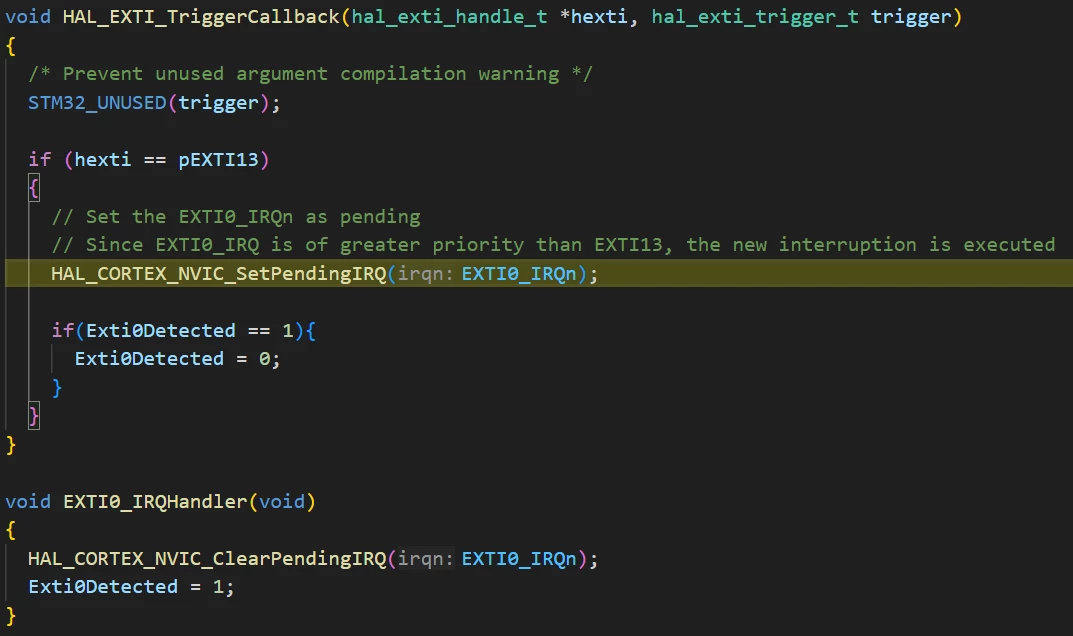
After the NVIC function sets the interrupt from EXTI0 as pending, the program immediately switches context for the EXTI_IRQHandler function.
After the EXTI0 interrupt finishes executing, the program restores the previous context to the EXTI13 callback in the point where it stopped and continues execution as normal.
The call stack gives a clear view of the events order.
Conclusion
This article demonstrates how to configure NVIC priorities in STM32CubeMX2 using the NUCLEO-C562RE board. Proper NVIC configuration ensures that interrupts are handled according to their priority, enabling responsive and efficient hardware interaction. By following these steps, developers can manage asynchronous events such as external interrupts effectively.
