
2025-11-18 9:49 PM
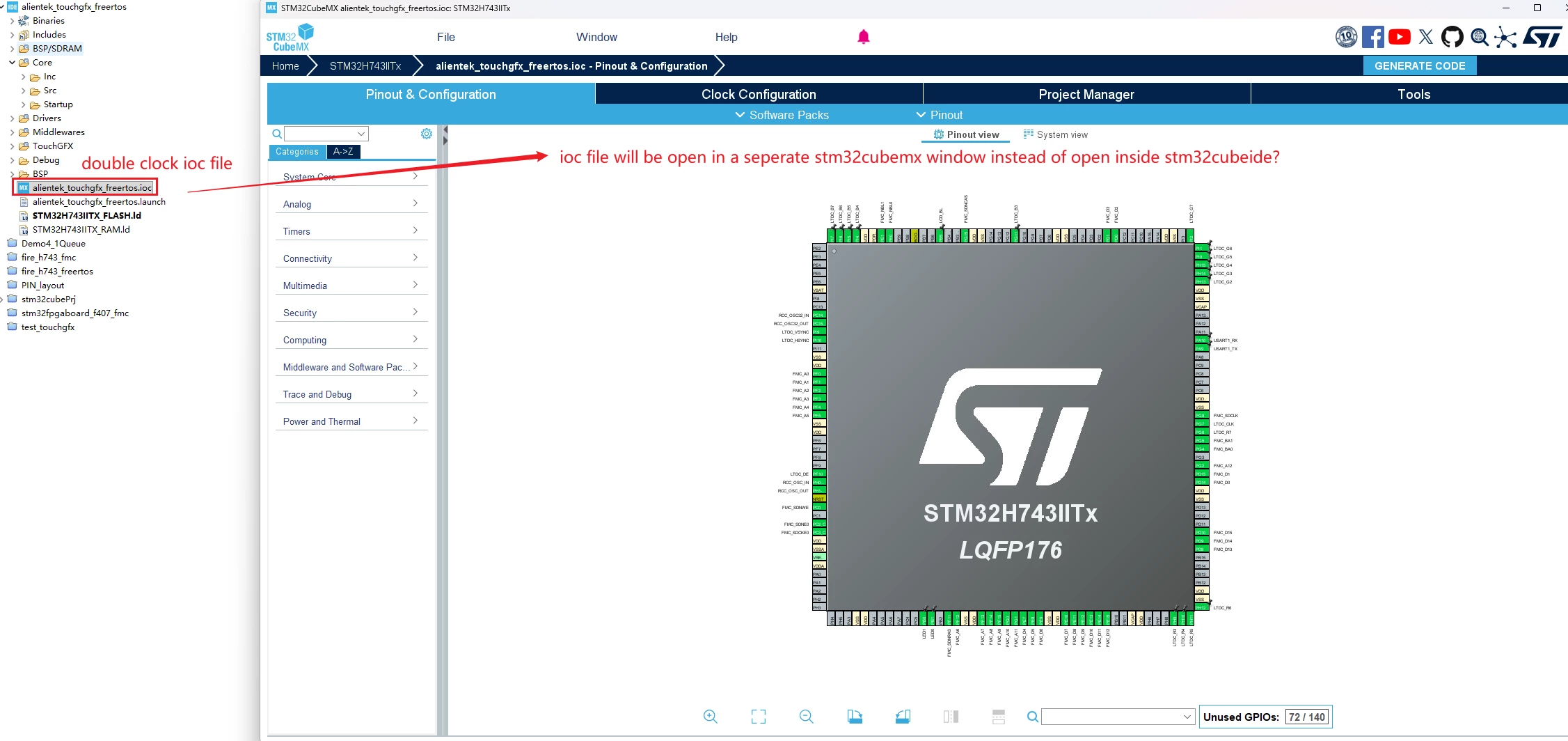
I do not know what happened. If I double-click ioc file, it used to open inside CubeIDE. But now it will open inside another separated cubemx window. I may have changed some settings by mistake.
How to change the settings back so I can open ioc file inside CubeIDE?
Solved! Go to Solution.
2025-11-18 11:08 PM
On the STM32CubIDE V2.0.0, the STM32CubeMX plug-in has been removed. So, the .ioc file is opened out of the STM32CubeIDE on the standalone version of the STM32CubeMX.
Best Regards.
II
2025-11-18 10:25 PM
Did you update to CubeIDE 2.0?
2025-11-18 11:08 PM
On the STM32CubIDE V2.0.0, the STM32CubeMX plug-in has been removed. So, the .ioc file is opened out of the STM32CubeIDE on the standalone version of the STM32CubeMX.
Best Regards.
II
2025-11-18 11:50 PM
Understood. I have already updated to STM32CubIDE V2.0.0. and this is the reason. Thanks.
2025-11-18 11:50 PM
Yes, now I knew the reason.
2026-04-10 4:40 AM
Is there any chance this functionality will be added agian in the future?
I found it pretty useful.
Can users "re-add" it via plug ins manually? Or are there some issues with newer versions now?
2026-04-10 5:32 AM
@Proxi wrote:Is there any chance this functionality will be added agian in the future?
I found it pretty useful.
ST gave clear motivation:
https://community.st.com/t5/stm32cubeide-mcus/stm32cubeide-2-0-release-early-heads-up/td-p/810967
integration leads to heavy/poor performance, stability issues across OSes and monolithic updates
Updateability: Offering the possibility to use any version of STM32CubeIDE with any version of STM32CubeMX. Separating STM32CubeMX and STM32CubeIDE allows developers to update each tool independently, lowering risks and increasing flexibility.
For me having 2 dedicated tools has an advantage. I have 2 screens or an ultrawide screen and I used MX and IDE side by side. It also helps separating the workflow of configuring hardware and writing application code.
2026-04-10 5:59 AM
Thanks for the links and the explanation!