ST Employee
June 27, 2023

How to regress from RDP level 2 to RDP level 0 on the STM32U5 series

  • June 27, 2023
  • 25 replies
  • 17031 views

Summary

This article allows the process to regress from RDP 2 to RDP 0 on the STM32U5 series.

This example uses the STM32U5 Nucleo board with STM32U5A5ZJT6Q and STM32CubeProgrammer V2.13.
Note:

To regress from RDP2 to RDP0, you must be sure that your password has been defined in OEM2KEY. Otherwise, case regression is not possible. 

1. How to define an OEM password

To define an OEM2 password, you must do the following:

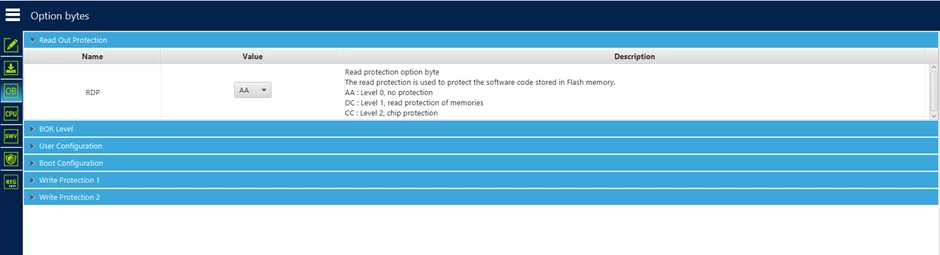
           1.Check if your sample is on RDP level 0 (no protection).

 
DianePOMABIA_11-1687166346156.png       
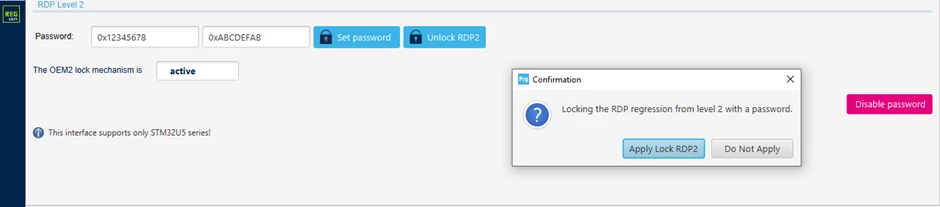
          2. In the "secure programming" menu, define your password.
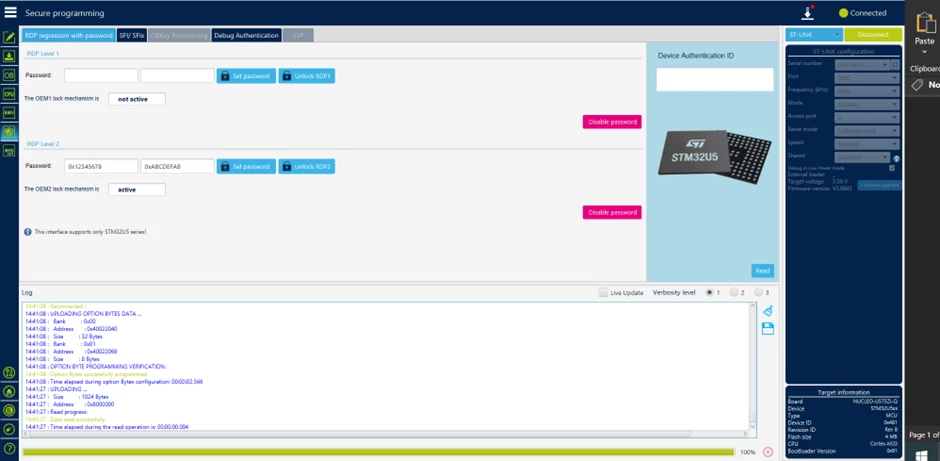
 
DianePOMABIA_12-1687166411203.png
  3. Click on "set password" and after on "apply lock RDP2."
DianePOMABIA_14-1687166508811.png
 
At this point, you are sure that the OEM2Key is correctly defined.


2. How to take the RDP from level 0 to level 2

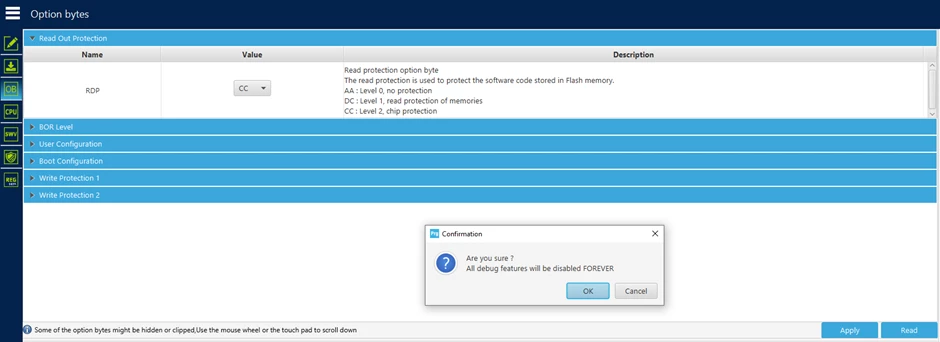
1. In the "read out protection" menu, select the value “CC" then click on apply.
DianePOMABIA_15-1687166557851.png

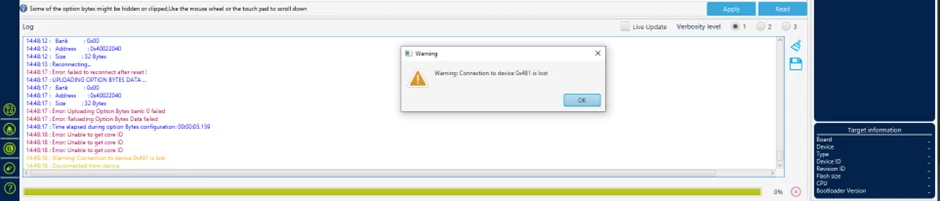
After clicking on "ok" you will lose your connection with STLINK. This is normal behavior.

DianePOMABIA_16-1687166608972.png

3. How to regress from RDP level 2 to level 0

Go back to the "secure programming" menu:

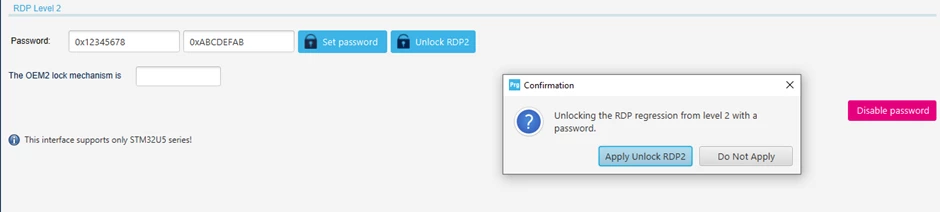
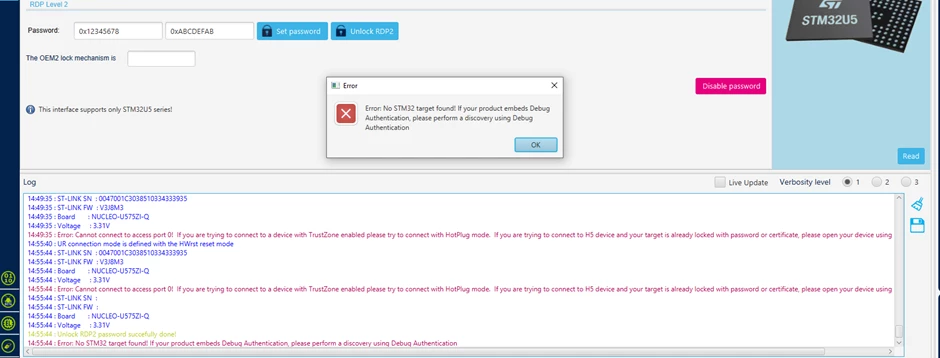
1. Click on "Unlock RDP2" and after on "Apply unlock RDP2."
DianePOMABIA_17-1687166657124.png
 
You receive an error message but in your log window, you can read "Unlock RDP2 password successfully done."
 
DianePOMABIA_18-1687166696045.png
 
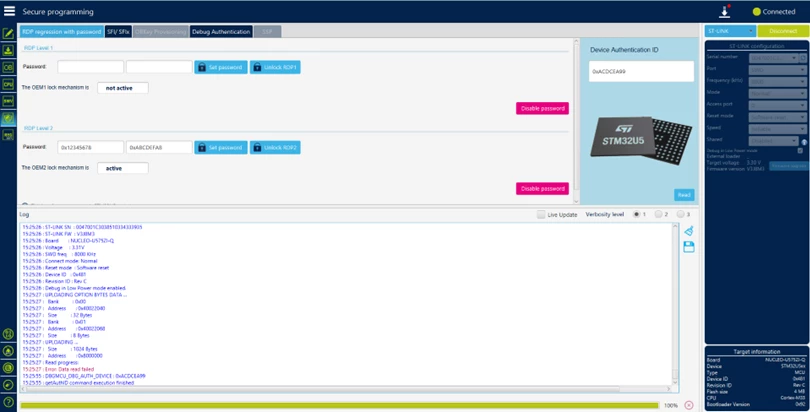
2. After clicking on "ok" reconnect your card with STLINK, then check the device authentication ID by clicking on "Read."
 
DianePOMABIA_20-1687166740110.png
 
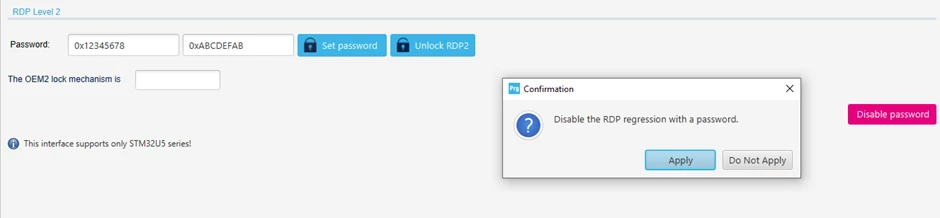
3. Disable the RDP regression with a password.
 
DianePOMABIA_21-1687166775555.png
 
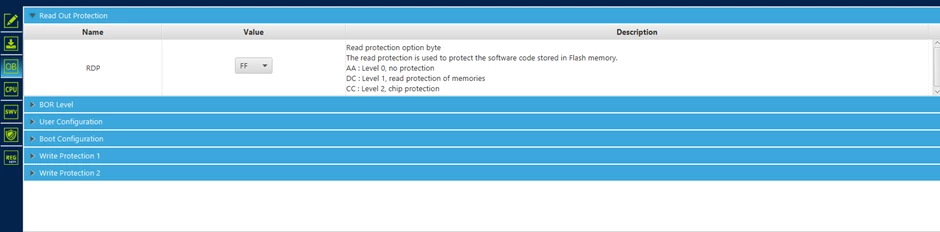
4. Go back to the "Read Out Protection" menu and check the value of the RDP. 
 
DianePOMABIA_22-1687166804803.png
 
5. Change the RDP value to “AA” then click on apply.
 
 
DianePOMABIA_23-1687166831869.png

You have correctly downgraded the RDP from level 2 to level 0.

25 replies

RCana.2
Associate
June 28, 2023

Does this also work with keyed RDP level 1?

ST Employee
June 30, 2023

Hello @RCana.2,

The process is the same for RDP Level 1.

Just be sure your password has been defined in OEM1KEY.

Regards

DianeP 

Associate III
July 14, 2023

<Just be sure your password has been defined in OEM1KEY>

What about if I forget the OEM1KEY? Is there some recovery for that chip (fully erased, of course) or I should throw it in the bin?

ST Employee
July 17, 2023

Hello @Manuel Ferrero 

By default you can always regress from RDP Level 1 to Level 0. The interest of defining the OEM1KEY is to add additional protection to the part by preventing regression (in the event of an attack for example). This is the difference with level 2 regression where simple regression is blocked if you do not have the key.If you have activated RDP Level 2 without having defined OEM2KEY, you will no longer be able to do the regression because Device Closed.

Regards

Diane

Associate III
July 17, 2023

So if I lose the OEM2KEY I can throw the chip in the trash?

ST Employee
July 17, 2023

@Manuel Ferrero What do you mean by losing the OEM2KEY? you haven't defined it?

Associate III
July 17, 2023

I was under the impression I did it, but at the moment I can't unlock the chip, so I assume I did something wrong in the process.

So now I cannot perform the regression and I can't understand if this chip is bricked or there is something I can to to recover it.

I am experimenting on the whole process and it's not a big deal if I have to trash one chip, the important thing for me is to really understand how this works and be able to reproduce a precise list of steps to achive protection after production phase.

ST Employee
July 17, 2023

@Manuel Ferrero 

I understand. This article gives the procedure to be sure to correctly configure our part in order to be able to do the regression. It was reproduced on our side on several pieces before publication. By following all the steps in order you should be able to have a part that can do the regression.

Regards

Diane

Associate III
July 18, 2023

@Diane POMABIA can you confirm that now I don't have any chance to recover the chip? Even by some hardware pin and even by factory restoring the chip?

I don't care to loose all the memory, I would like to recover the whole board without unsoldering the micro and replace it.

ST Employee
July 18, 2023

@Manuel Ferrero Once your part in RDP 2 without OEM2KEY. you can no longer reprogram or regress either by hardware or software.

Regards

Diane