2026-03-16 8:12 AM - last edited on 2026-03-16 8:19 AM by Andrew Neil
Hello,
I’ve recently started using ST products and the IDE with CubeMX, which is why I’m asking for your help. I’ve just begun developing a communication system using a Nucleo H743ZI2; my goal is to set up a UART and a CAN bus.
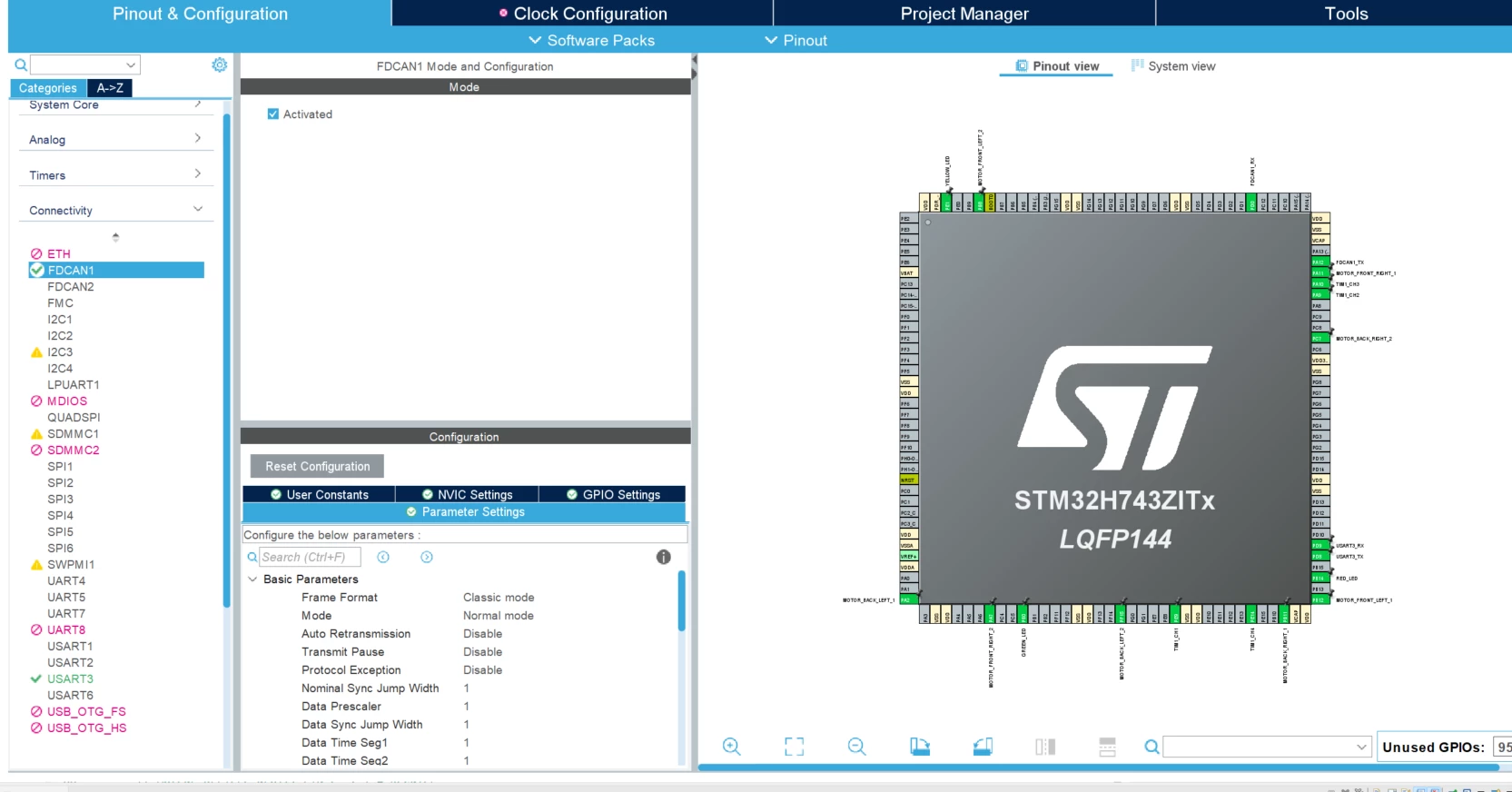
The UART is done; I used DMA access to optimize it. However, when I try to enable the CAN bus in Cube MX, I run into a problem with the clock configuration related to the bus.
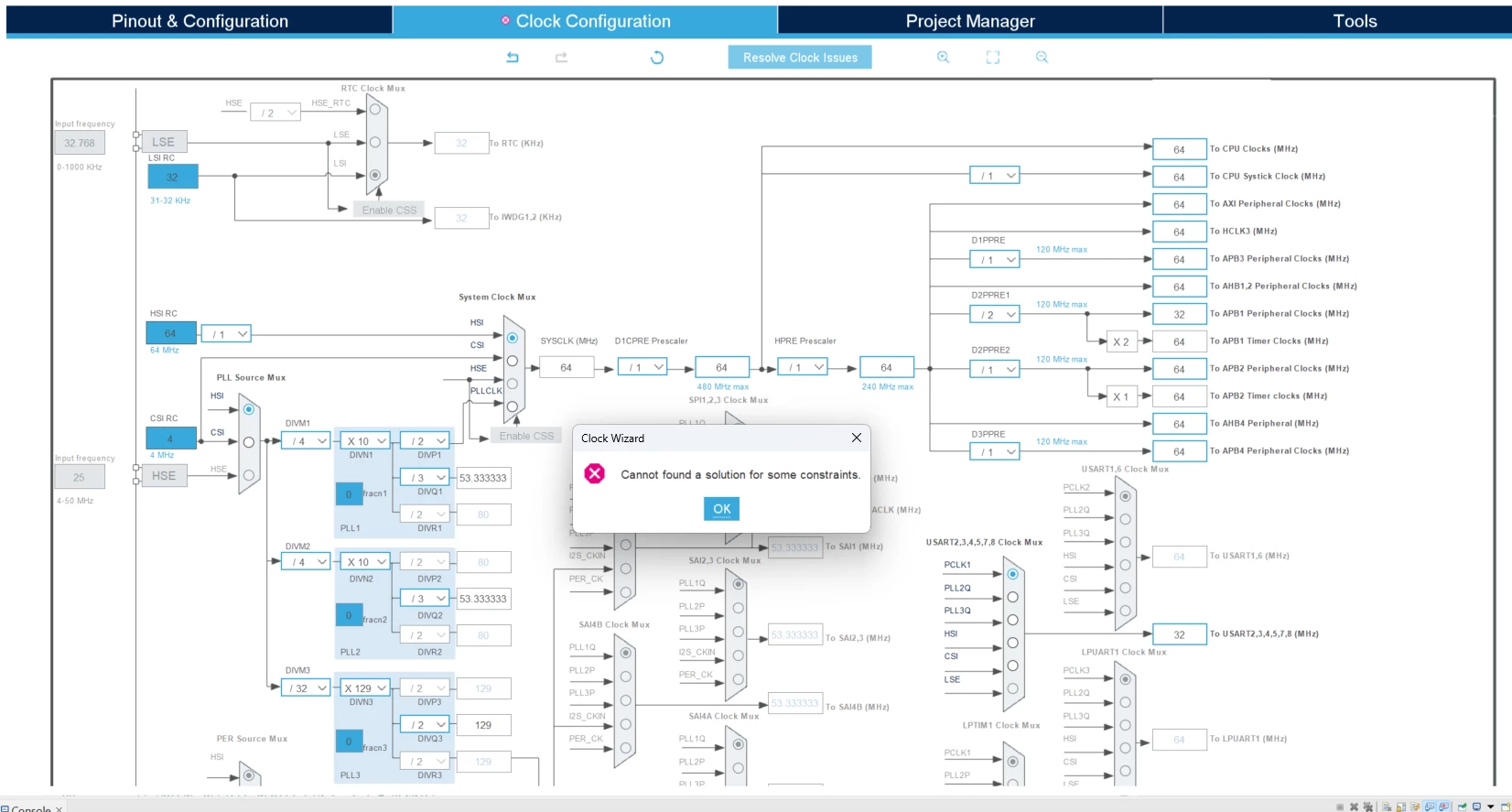
When I use the “Resolve Clock Issues” function, I get the error: “Cannot find a solution for some constraints.”
Does anyone have any ideas to help me solve this problem?
Thank you in advance, and have a great day,
Solved! Go to Solution.
2026-03-16 8:19 AM - edited 2026-03-16 8:23 AM
Hello @AmGo and welcome to the ST community,
What system clock you are trying to set? from the screenshot the system clock source is generated directly from HSI. Not possible to find other value for system clock other than 64MHz. You need to select PLL source for that.
For CAN communication you need to use HSE with a crystal or any other precise clock source.
In the case of Nucleo-H743 use HSE in bypass mode, so the clock source is generated by the ST-link. But for that you need to ensure that STLINK-MCO is generated from the HSE STLINK module. Please read this article: How to use STLINK-V3 MCO output on Nucleo boards as a precise clock source for STM32
2026-03-16 8:16 AM
It wants a more precise clock source. Use HSE.
2026-03-16 8:19 AM - edited 2026-03-16 8:23 AM
Hello @AmGo and welcome to the ST community,
What system clock you are trying to set? from the screenshot the system clock source is generated directly from HSI. Not possible to find other value for system clock other than 64MHz. You need to select PLL source for that.
For CAN communication you need to use HSE with a crystal or any other precise clock source.
In the case of Nucleo-H743 use HSE in bypass mode, so the clock source is generated by the ST-link. But for that you need to ensure that STLINK-MCO is generated from the HSE STLINK module. Please read this article: How to use STLINK-V3 MCO output on Nucleo boards as a precise clock source for STM32
2026-03-16 8:19 AM
Hello,
Thanks for the quick response. Do I need to enable it under “Bypass Clock Source” ?
2026-03-16 8:22 AM - edited 2026-03-17 12:20 AM
@AmGo wrote:
Hello,
Do I need to enable it under “Bypass Clock Source” ?
For that board, indeed, as I said in my previous post.
Also, please refer to this article: STM32 FDCAN running at 8 Mb/s on NUCLEO boards especially the section 1. FDCAN clock configuration.
2026-03-16 8:27 AM
All right, I thought I’d read that I was supposed to use the HSE clock, but I wasn’t sure.
If I enable the HSE clock, will that change my UART’s clock?
Sorry for all these questions
2026-03-16 9:54 AM - edited 2026-03-16 9:55 AM
@AmGo wrote:
If I enable the HSE clock, will that change my UART’s clock?
That depends on your UART clock source you've selected.
For example for USART1:
If HSI, LSE, or CSI has been selected for USART1, that will not impact the clock source of USART. But the change doesn't matter if you are using CubeMx which will do the configuration for you.
2026-03-17 6:16 AM
Hello,
I was able to follow your tutorial “How to use STLINK-V3 MCO output on Nucleo boards as a precise clock source for STM32”.
However, some points are still unclear to me. I don't quite understand the purpose of the 5MHz input frequency. Also, when I use “Resolve Clock Issues,” my board’s frequency jumps to 75 MHz. Is it possible to set it back to 64 MHz like before ? I haven’t been able to do that. If so, I’ll need to change all my prescaler and ARR values for my timers.
I’m sorry for all these questions, but I hate implementing changes without understanding them.
Thank you in advance,
2026-03-17 6:19 AM
UPDATE : I managed to set my board's clock speed to 64 MHz. However, I'd still like to understand what impact this 5 MHz difference has and what it corresponds to : Is it the clock speed generated by my ST-Link ?
2026-03-17 6:27 AM - edited 2026-03-17 6:31 AM
Hello,
@AmGo wrote:
However, some points are still unclear to me. I don't quite understand the purpose of the 5MHz input frequency.
The answer is in the article itself:
5MHz was the only option generated by the ST-LINK module based on a crystal while avoiding the decimals.
This is what you need to configure in your case (even I don't know why you specifically choosing 64MHz as system clock):
In RCC menu, select Bypass Clock source:
Hope it's clear now.