Wrong Baudrate for UART at NUCLEO-H563ZI with MX
Is there any way to correctly specify the baud rate for different UARTs in STM32CubeMX?
I am currently using: STM32CubeMX V6.17.0 with STM32Cube_FW_H5_V1.6.0
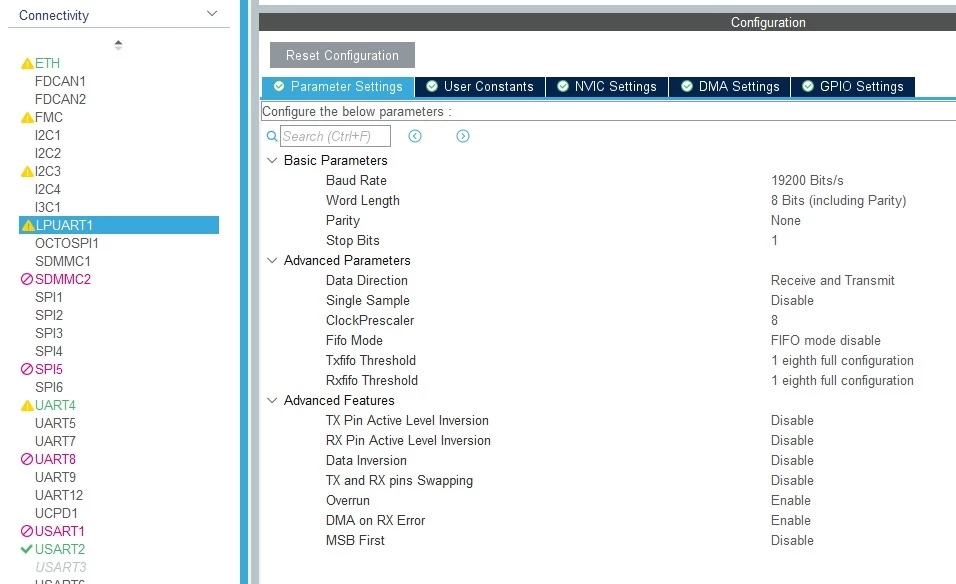
I wanted to set the baud rate to 9600 for LPUART1, UART4, and USART2.
However, this isn't working; all three UARTs are outputting the same incorrect baud rate based on the calculated divider.
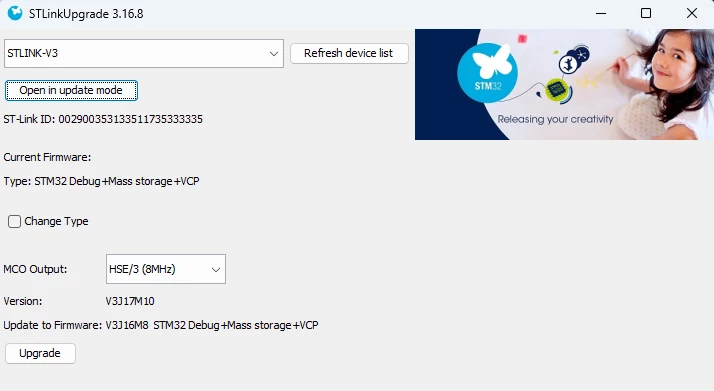
Instead of 9600 baud, transmission occurs at 3075 baud (a factor of 3.12195121951219512195:1 too slow).
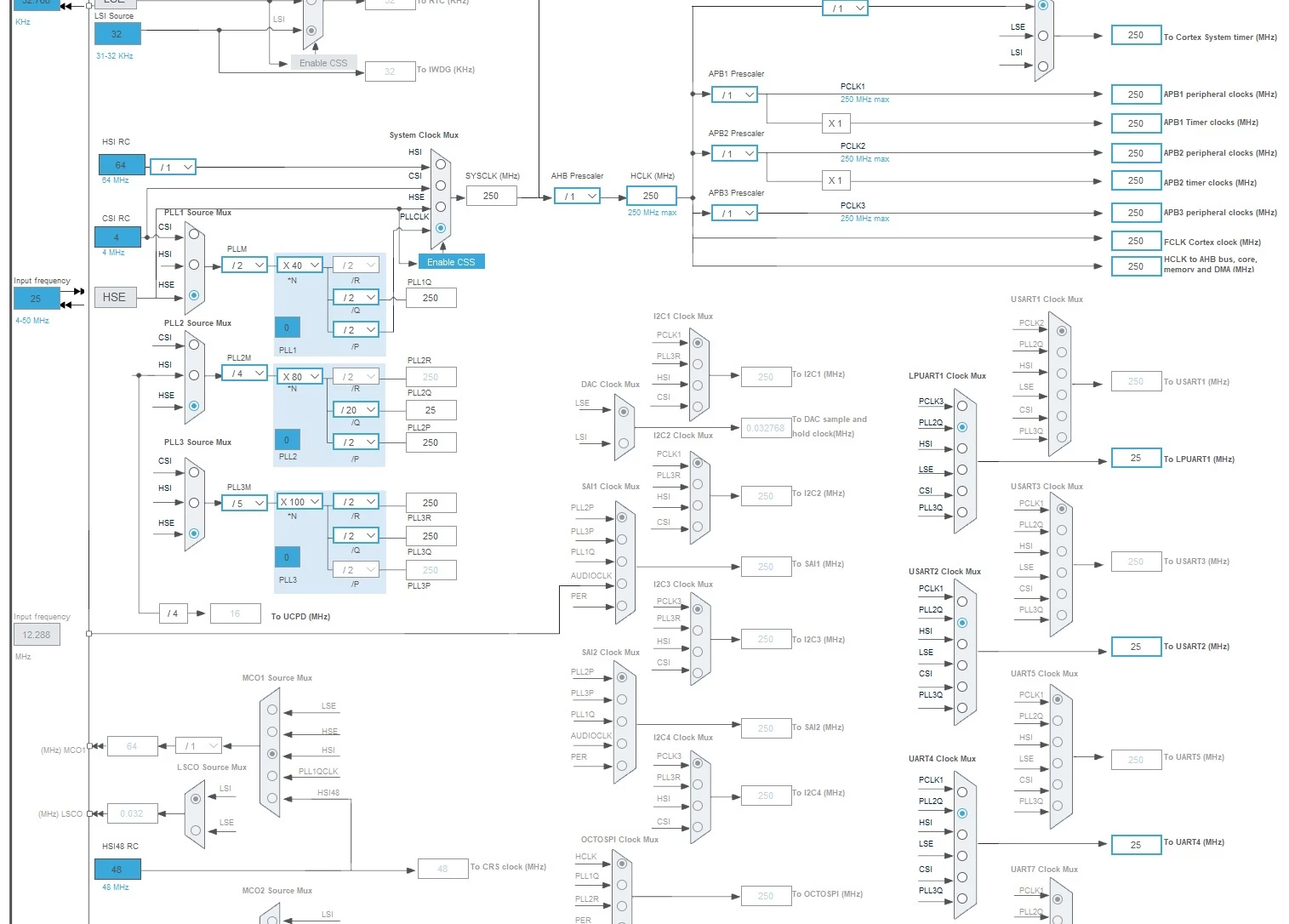
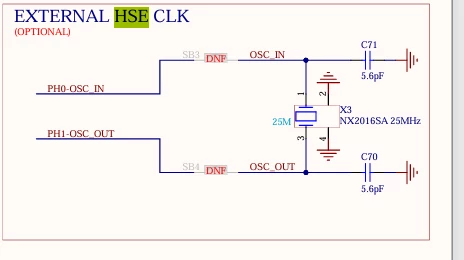
The external 25 MHz HSE oscillator is used as the clock source (original from the Nucleo Board).
PLL2Q is used as the clock source for each of the UARTs.
I have already tried the following:
- Updating STM32CubeMX,
- Updating STM32Cube_FW_H5,
- Changing the UART clock from 250 MHz to 25 MHz and 5 MHz,
- Changing the baud rate from 9600 to 19200.
When I initialize the UARTs at 19200, they all transmit at 6150 baud.
The project was previously built using MX V6.16 and STM32Cube_FW_H5_V1.5.0/V1.5.1, but the problem persisted.
Does anyone know how to correctly set the baud rate in MX?
UART initialization:
 MX_LPUART1_UART_Init();
 MX_UART4_Init();
 MX_USART2_UART_Init();
PLL-Init:
void PeriphCommonClock_Config(void)
{
  RCC_PeriphCLKInitTypeDef PeriphClkInitStruct = {0};

  /** Initializes the peripherals clock
  */
  PeriphClkInitStruct.PeriphClockSelection = RCC_PERIPHCLK_USART2|RCC_PERIPHCLK_UART4
                              |RCC_PERIPHCLK_LPUART1;
  PeriphClkInitStruct.PLL2.PLL2Source = RCC_PLL2_SOURCE_HSE;
  PeriphClkInitStruct.PLL2.PLL2M = 4;
  PeriphClkInitStruct.PLL2.PLL2N = 80;
  PeriphClkInitStruct.PLL2.PLL2P = 2;
  PeriphClkInitStruct.PLL2.PLL2Q = 20;
  PeriphClkInitStruct.PLL2.PLL2R = 2;
  PeriphClkInitStruct.PLL2.PLL2RGE = RCC_PLL2_VCIRANGE_2;
  PeriphClkInitStruct.PLL2.PLL2VCOSEL = RCC_PLL2_VCORANGE_WIDE;
  PeriphClkInitStruct.PLL2.PLL2FRACN = 0;
  PeriphClkInitStruct.PLL2.PLL2ClockOut = RCC_PLL2_DIVQ;
  PeriphClkInitStruct.Usart2ClockSelection = RCC_USART2CLKSOURCE_PLL2Q;
  PeriphClkInitStruct.Uart4ClockSelection = RCC_UART4CLKSOURCE_PLL2Q;
  PeriphClkInitStruct.Lpuart1ClockSelection = RCC_LPUART1CLKSOURCE_PLL2Q;
  if (HAL_RCCEx_PeriphCLKConfig(&PeriphClkInitStruct) != HAL_OK)
  {
    Error_Handler();
  }
}