Visitor II
Dec 23, 2025 10:16 AM UTC
Solved

Where is the target board selector in 2.0.0

Hello

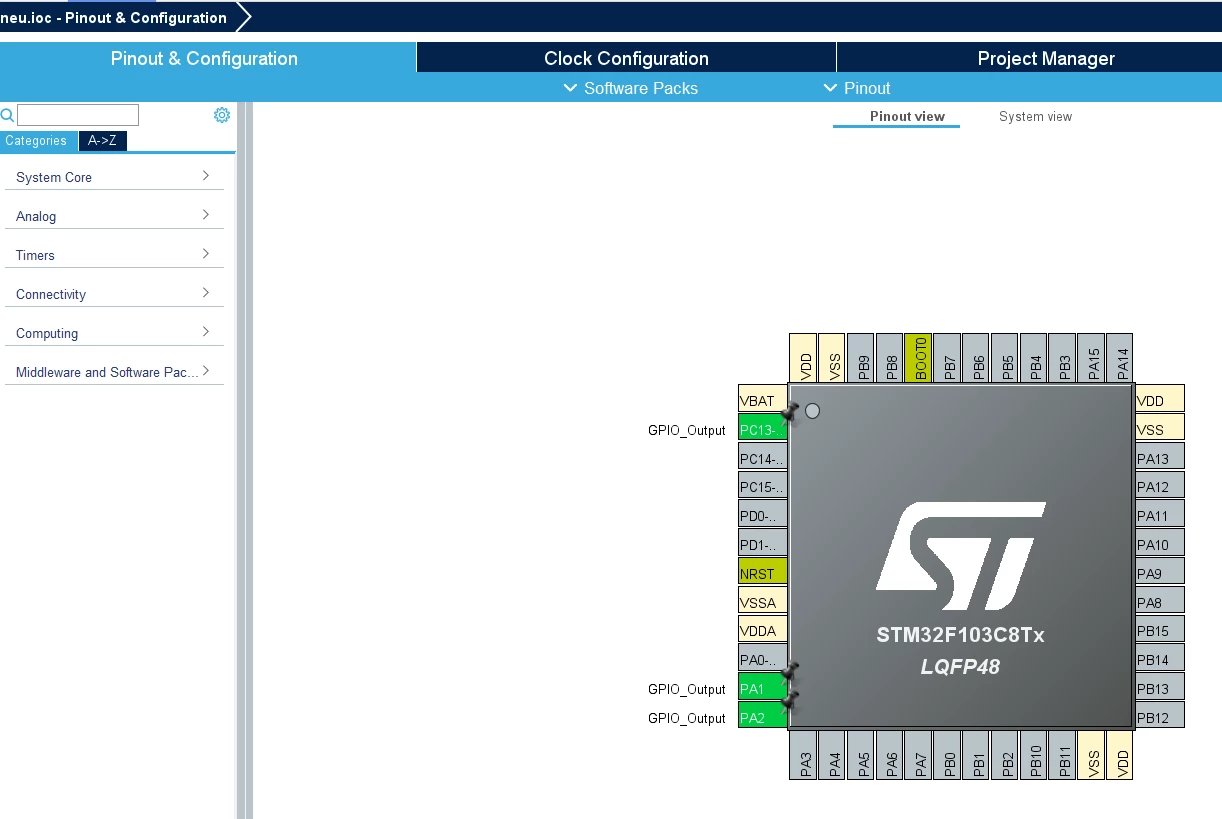
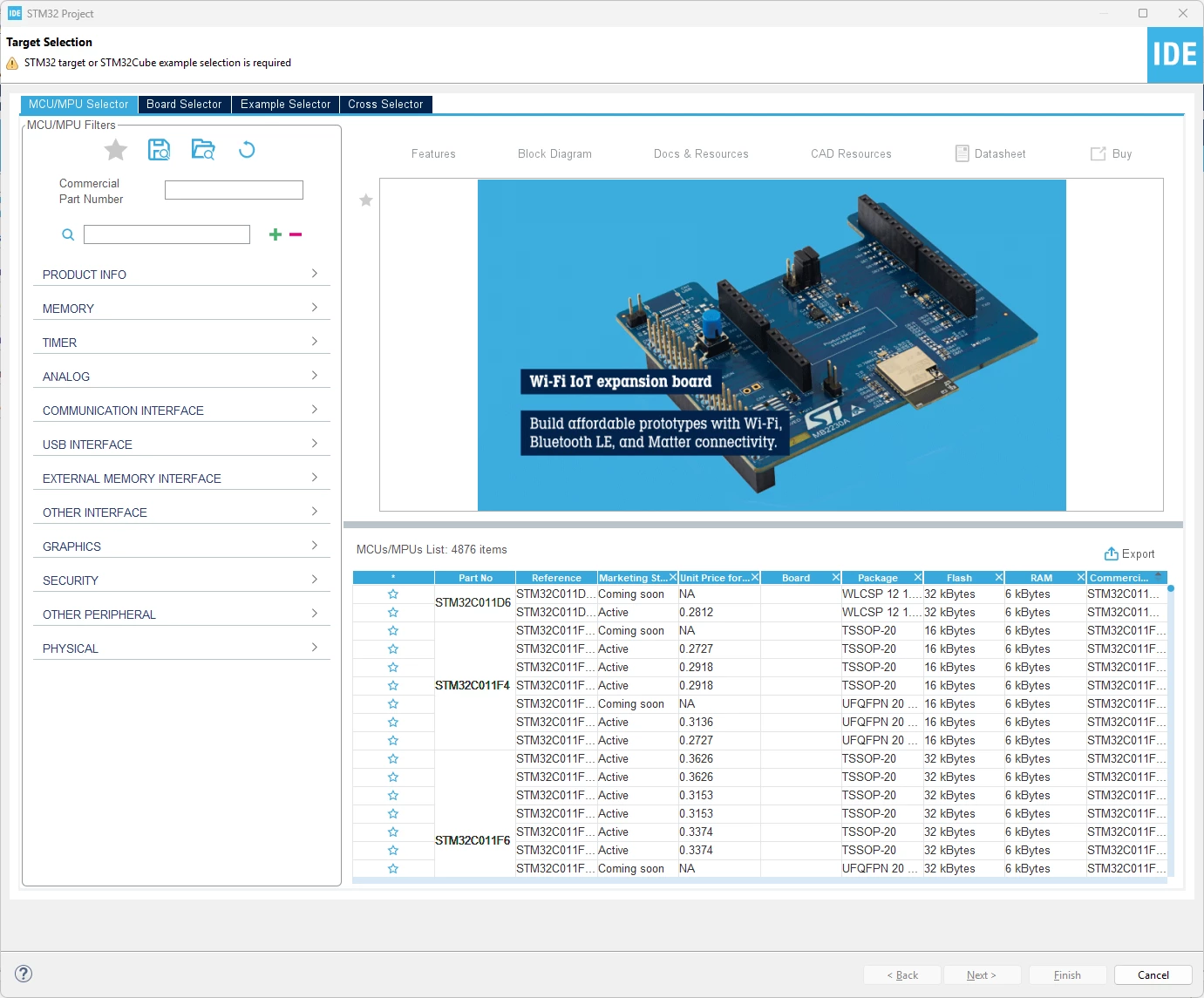
If I use CubeIDE 1.19.0 there was a target board selector after starting a new project. In 2.0.0 I can not find it. Slso the GPIO config.

What happens?
 

Screenshot 2025-12-23 111358.png

Screenshot 2025-12-23 111432.png


Ghofrane GSOURI
Ghofrane GSOURIBest answer
ST Technical Moderator
Dec 23, 2025 10:18 AM UTC

Hello @blafusel 

In the latest release , STM32CubeMX is no more integrated in STM32CubeIDE 2.0.0 

For more details , please check this STM32CubeIDE 2.0.0 released

 To download CubeMX standalone please use this LINK 

THX

Ghofrane

To give better visibility on the answered topics, please click on Accept as Solution on the reply which solved your issue or answered your question.

8 replies

Ghofrane GSOURI
Ghofrane GSOURIBest answer
ST Technical Moderator
Dec 23, 2025 10:18 AM UTC

Hello @blafusel 

In the latest release , STM32CubeMX is no more integrated in STM32CubeIDE 2.0.0 

For more details , please check this STM32CubeIDE 2.0.0 released

 To download CubeMX standalone please use this LINK 

THX

Ghofrane

To give better visibility on the answered topics, please click on Accept as Solution on the reply which solved your issue or answered your question.
Andrew Neil
Super User
Dec 23, 2025 11:08 AM UTC

As @Ghofrane GSOURI already said, this is no longer integrated in the IDE - you need to use the standalone CubeMX tool.

See: STM32CubeIDE 2.0.0 New workflow tutorial


For explanation & discussion, see: IDE Version 2.0.0 - why remove MX ?

A complex system that works is invariably found to have evolved from a simple system that worked.A complex system designed from scratch never works and cannot be patched up to make it work.
mƎALLEm
ST Technical Moderator
Dec 23, 2025 12:52 PM UTC

@Andrew Neil wrote:

See: STM32CubeIDE 2.0.0 New workflow tutorial


@blafusel  in couple of words, you need to create your project and generate the code in CubeMx (stand alone version) and built it in CubeIDE.

To give better visibility on the answered topics, please click "Best answer" on the reply which solved your issue or answered your question.
Visitor II
Dec 30, 2025 9:07 AM UTC

Strange. First it was integrated and now not. Well. I use 1.19.


BTW: What means "IOC" in context of the graphical editor?

mƎALLEm
ST Technical Moderator
Dec 30, 2025 10:57 AM UTC

@blafusel1 wrote:

BTW: What means "IOC" in context of the graphical editor?


ioc file means the STM32CubeMx file in your project directory:

mALLEm_0-1767092250874.png


To give better visibility on the answered topics, please click "Best answer" on the reply which solved your issue or answered your question.
Visitor II
Dec 30, 2025 12:32 PM UTC

I want to know what for the abbreviation or the letters of "IOC" are 

Andrew Neil
Super User
Dec 30, 2025 12:38 PM UTC

They don't necessarily have to stand for anything.

I guess it could be "I/O Configuration" ...

And what does "MX" stand for ... ?

A complex system that works is invariably found to have evolved from a simple system that worked.A complex system designed from scratch never works and cannot be patched up to make it work.
mƎALLEm
ST Technical Moderator
Dec 30, 2025 12:50 PM UTC

I don't know for IOC naming but for MX historically came from Micro-eXplorer tool (the father of CubeMx):

mALLEm_0-1767107481240.png

https://www.st.com/resource/en/data_brief/microxplorer.pdf

To give better visibility on the answered topics, please click "Best answer" on the reply which solved your issue or answered your question.