
Visitor II
July 10, 2026
Solved

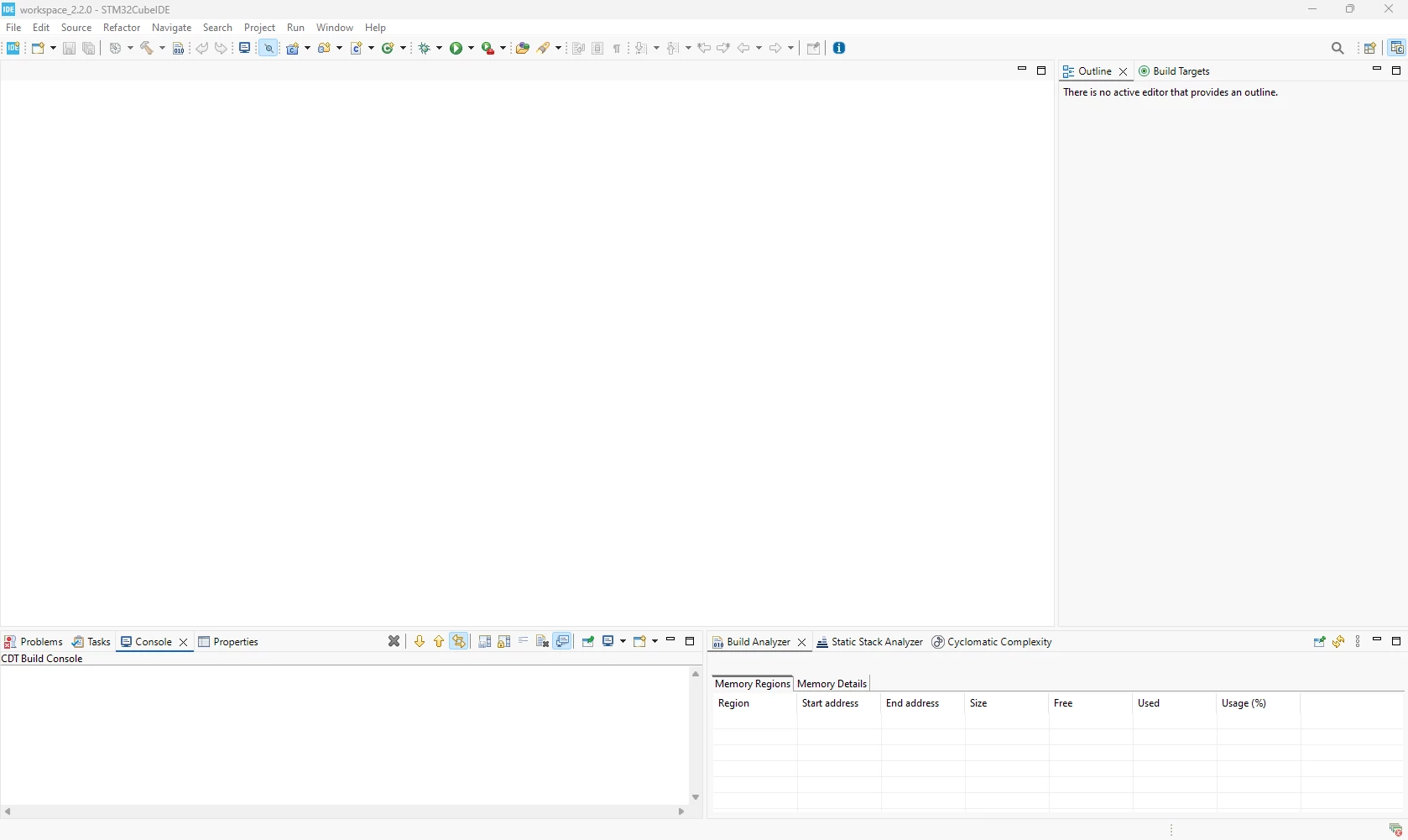
Where do I go to actually write my code.

  • July 10, 2026
  • 3 replies
  • 71 views

I have created a project and none of the options on my screen seem to do anything. All im trying to do is compile a simple code on STM32CubeIDE and flash a board using the STM32CubePRG software.
 

Best answer by Andrew Neil

Welcome to the forum

Please see How to write your question to maximize your chances to find a solution for best results.


I have created a project 

Please give a detailed description of how you did that - did you follow the workflow mentioned by ​@mƎALLEm ?

What versions of the tools are you using, and on what platform ?


compile a simple code on STM32CubeIDE and flash a board using the STM32CubePRG software

Note that you can do the programming from within CubeIDE - should don’t need to use the separate CubeProtgrammer app.


UM2553: STM32CubeIDE quick start guide

UM2609: STM32CubeIDE user guide

Introduction to STM32CubeIDE - Wiki


ST’s YouTube channel:

https://www.youtube.com/@stmicroelectronics/search?query=STM32CubeIDE

(Note that some of these may be before the separation of CubeMX from CubeIDE)

3 replies

Pavel A.
July 10, 2026

Do Window→ Perspective->Open...→ C++.

If the projects pane and the editor pane won’t show up,  Window→ Perspective->Reset perspective should help. 


mƎALLEm
ST Technical Moderator
July 10, 2026

STM32CubeIDE 2.0.0 workflow tutorial / 2. New workflow with STM32CubeIDE

To give better visibility on the answered topics, please click "Best answer" on the reply which solved your issue or answered your question.
Andrew Neil
Andrew NeilBest answer
Super User
July 11, 2026

Welcome to the forum

Please see How to write your question to maximize your chances to find a solution for best results.


I have created a project 

Please give a detailed description of how you did that - did you follow the workflow mentioned by ​@mƎALLEm ?

What versions of the tools are you using, and on what platform ?


compile a simple code on STM32CubeIDE and flash a board using the STM32CubePRG software

Note that you can do the programming from within CubeIDE - should don’t need to use the separate CubeProtgrammer app.


UM2553: STM32CubeIDE quick start guide

UM2609: STM32CubeIDE user guide

Introduction to STM32CubeIDE - Wiki


ST’s YouTube channel:

https://www.youtube.com/@stmicroelectronics/search?query=STM32CubeIDE

(Note that some of these may be before the separation of CubeMX from CubeIDE)

A complex system that works is invariably found to have evolved from a simple system that worked.A complex system designed from scratch never works and cannot be patched up to make it work.

