Associate II
August 22, 2026
Solved

Unable to import examples which stm32 provided for reference .
  • August 22, 2026
  • 18 replies
  • 101 views

d8abeb2d-1160-0047-a792-2fac2b402929.png

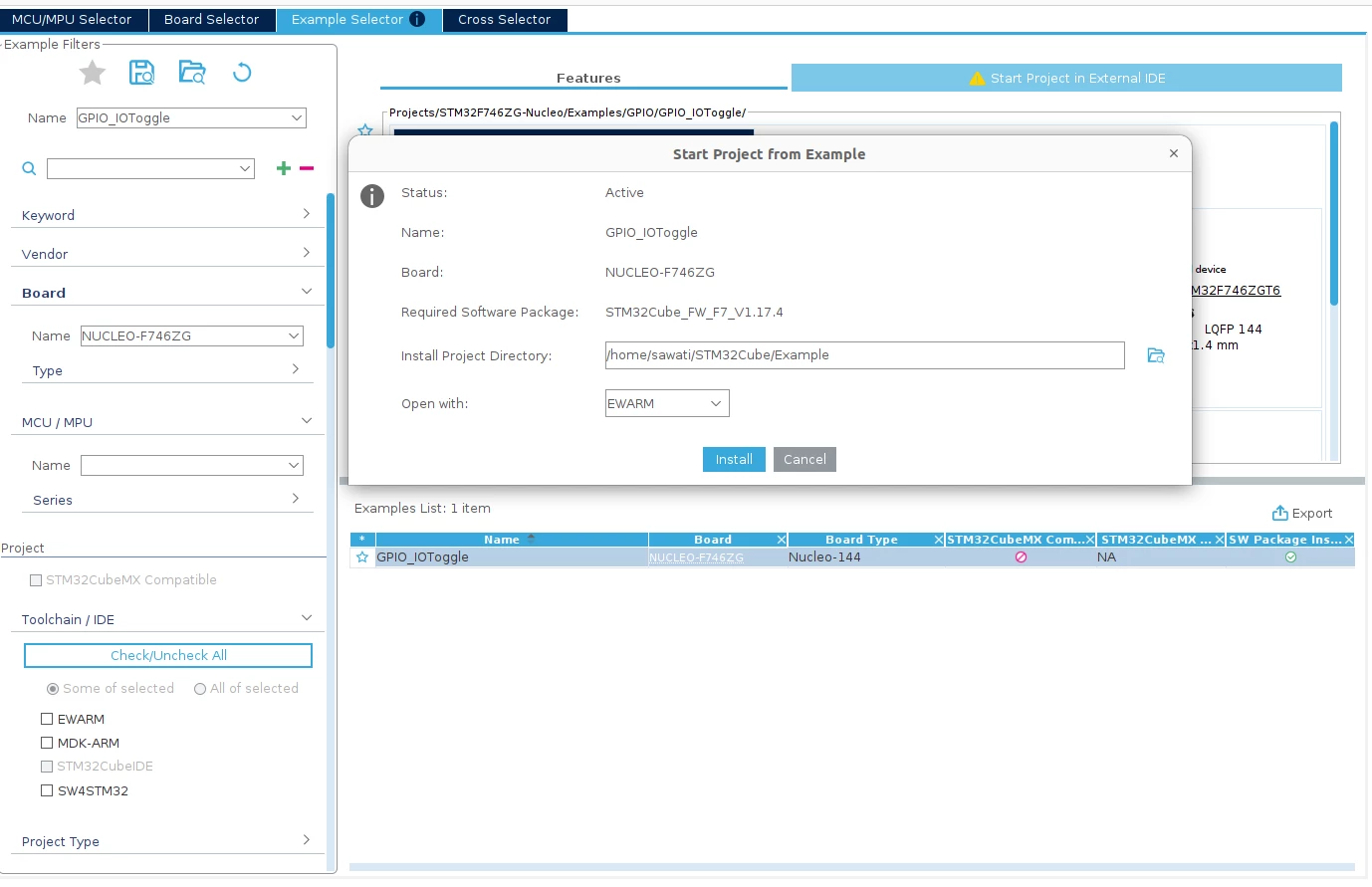
Above image you can see in toolchain option STM32IDE is disable . also i am facimng issure i =n import examples which stm32 provided for reference . you can also refer my shared video.
Best answer by Mahmoud Ben Romdhane

Hello  @shreya_awati  

Open STM32CubeIDE 2.1.1.

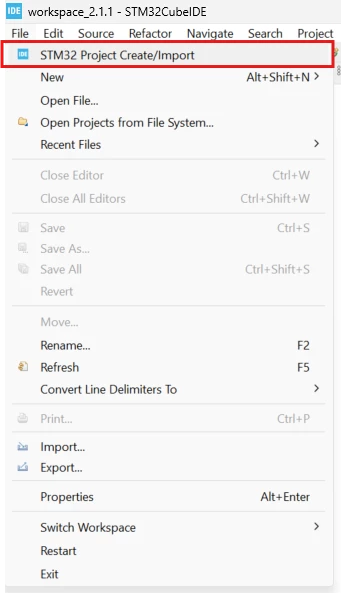
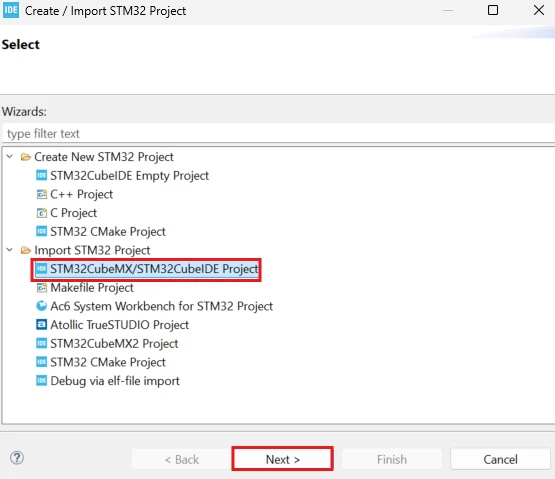
Right Click on File, then click on STM32 Project Create/Import : 

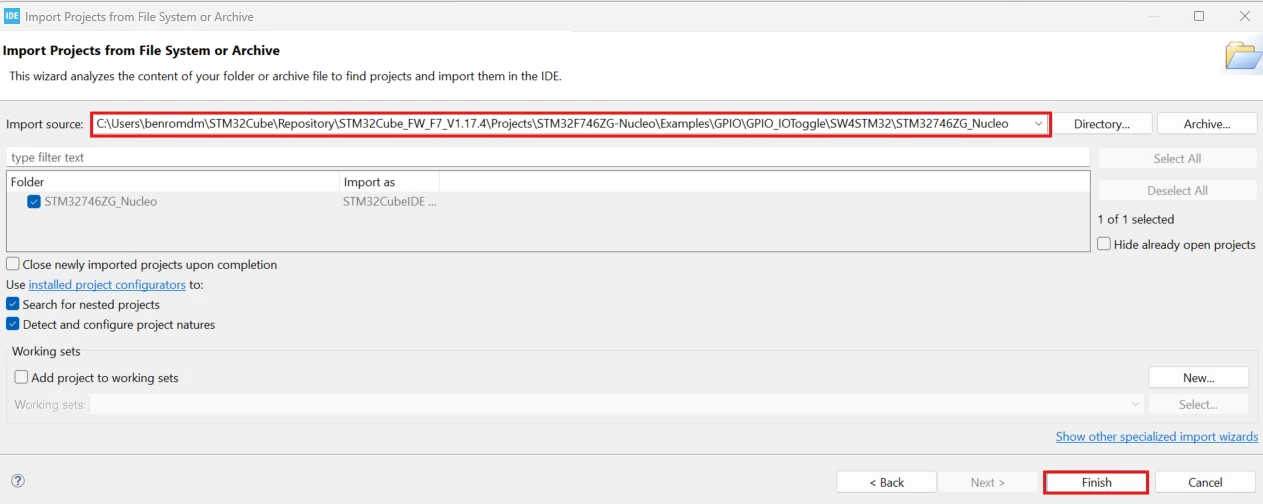
448e8a5e-3a48-efa1-cec1-e356b8c07034.png

03455759-5907-b8ba-de56-10ffd753f4b4.png

d7c14fa7-48fe-6d6e-7222-89f2edfd2846.png

Thanks.

Mahmoud


18 replies

Associate II
August 22, 2026

For only GPIO example is working


other not able to import 

/home/sawati/STM32Cube/Repository/STM32Cube_FW_F7_V1.17.4/Projects/STM32F746ZG-Nucleo/Examples/ADC/ADC_RegularConversion_Interrupt/SW4STM32/STM32746ZG_Nucleo

9b942b1b-76c7-0375-c91e-37e2ea6b383b.png


Associate II
August 22, 2026

I import GPIO toggle example , after that i am trying to import another example but it is not showing build option . directly it is showing run option . Then i deleted gpio example and tried to import another example then is is showing build option . 

how can i resolve this issue ??

Pavel A.
August 24, 2026

This is because both ADC and GPIO projects have the same name “STM32746ZG_Nucleo”.

Eclipse doesn’t allow two projects with same name in one workspace. Rename the other project or create a new empty workspace for the DMA.