Associate II
March 29, 2024
Solved

STM32L4A6 LSE can't be configured in Clock configuration page

  • March 29, 2024
  • 4 replies
  • 5287 views

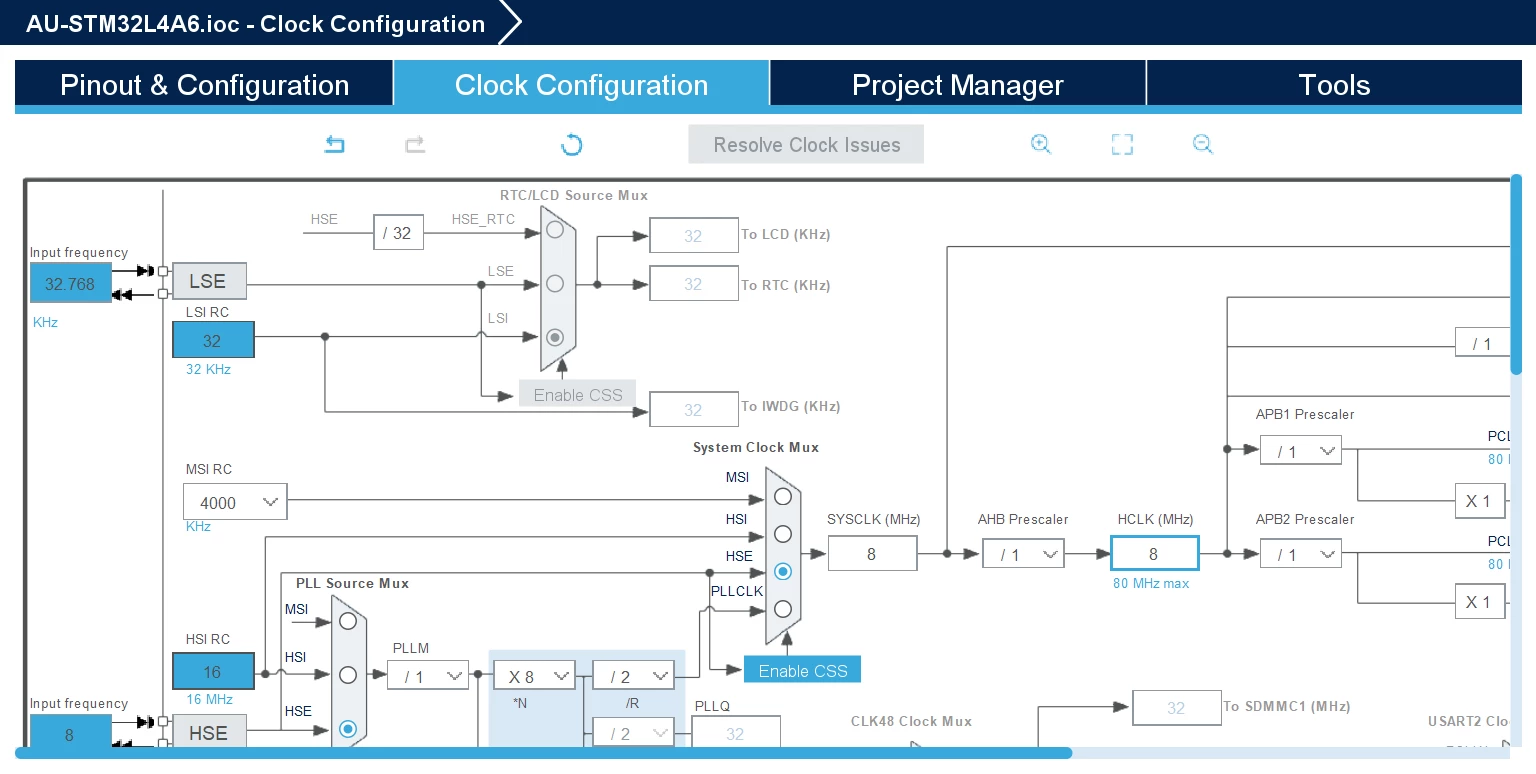
i setup the STM32L4A6RGTx ioc, and try to configure LSE, but can't becinfugred in Clock configuration page.

it was set to grey.

whether anybody knows the reason?

CUBEIDE 1.13.2

MX 6.9.2-RC4
 

Owenlu_0-1711675638772.png


    This topic has been closed for replies.
    Best answer by Imen.D

    It works for me using latest release of CubeMx version 6.11.0. Please try with this version and keep me informed about your progress.

    You must activate either RTC or LCD.

    ImenD_0-1711701676906.png


    4 replies

    Technical Moderator
    March 29, 2024

    Hello @Owenlu ,

    How have you configured the LSE clock source in the Pinout and configuration tab?

    Please follow this FAQ with step-by-step to properly configure LSE:


    In order to give better visibility on the answered topics, please click on 'Best answer' on the reply which solved your issue or answered your question. Thanks
    OwenluAuthor
    Associate II
    March 29, 2024

    i did follow the guideline above. the problems not fixed

    LSE still can't be configured and in grey color

    Owenlu_1-1711700232727.png


    Owenlu_0-1711700187965.png


    OwenluAuthor
    Associate II
    March 29, 2024
    Imen.DBest answer
    Technical Moderator
    March 29, 2024

    It works for me using latest release of CubeMx version 6.11.0. Please try with this version and keep me informed about your progress.

    You must activate either RTC or LCD.

    ImenD_0-1711701676906.png


    In order to give better visibility on the answered topics, please click on 'Best answer' on the reply which solved your issue or answered your question. Thanks