H??el.19
Associate
September 7, 2019
Question

Pressing the button brings up the project screen ? I need to help

  • September 7, 2019
  • 17 replies
  • 9400 views

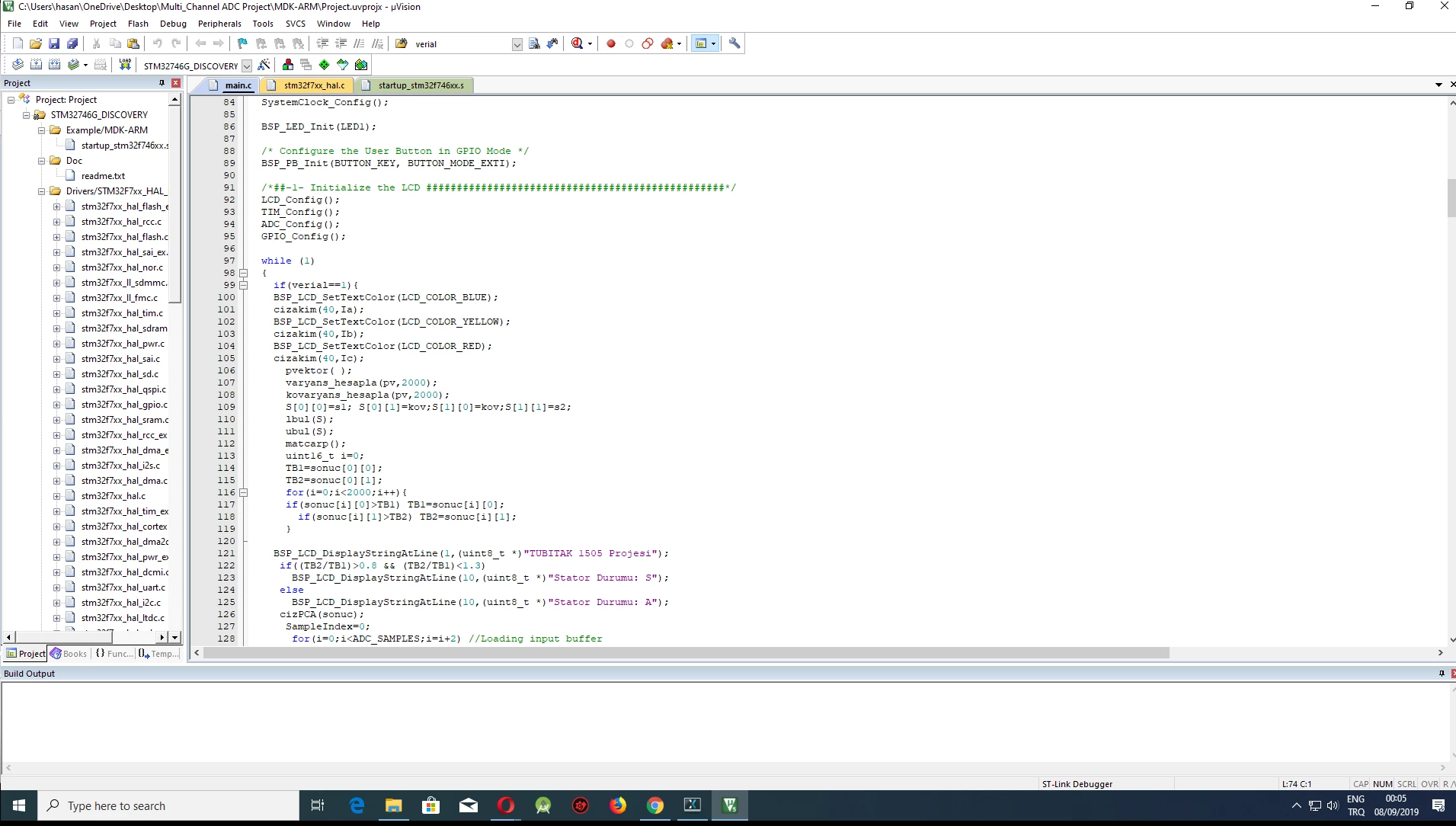
I uploaded the project in this image to stmf746g-disco This project has no interface0690X00000AQt0SQAT.jpg
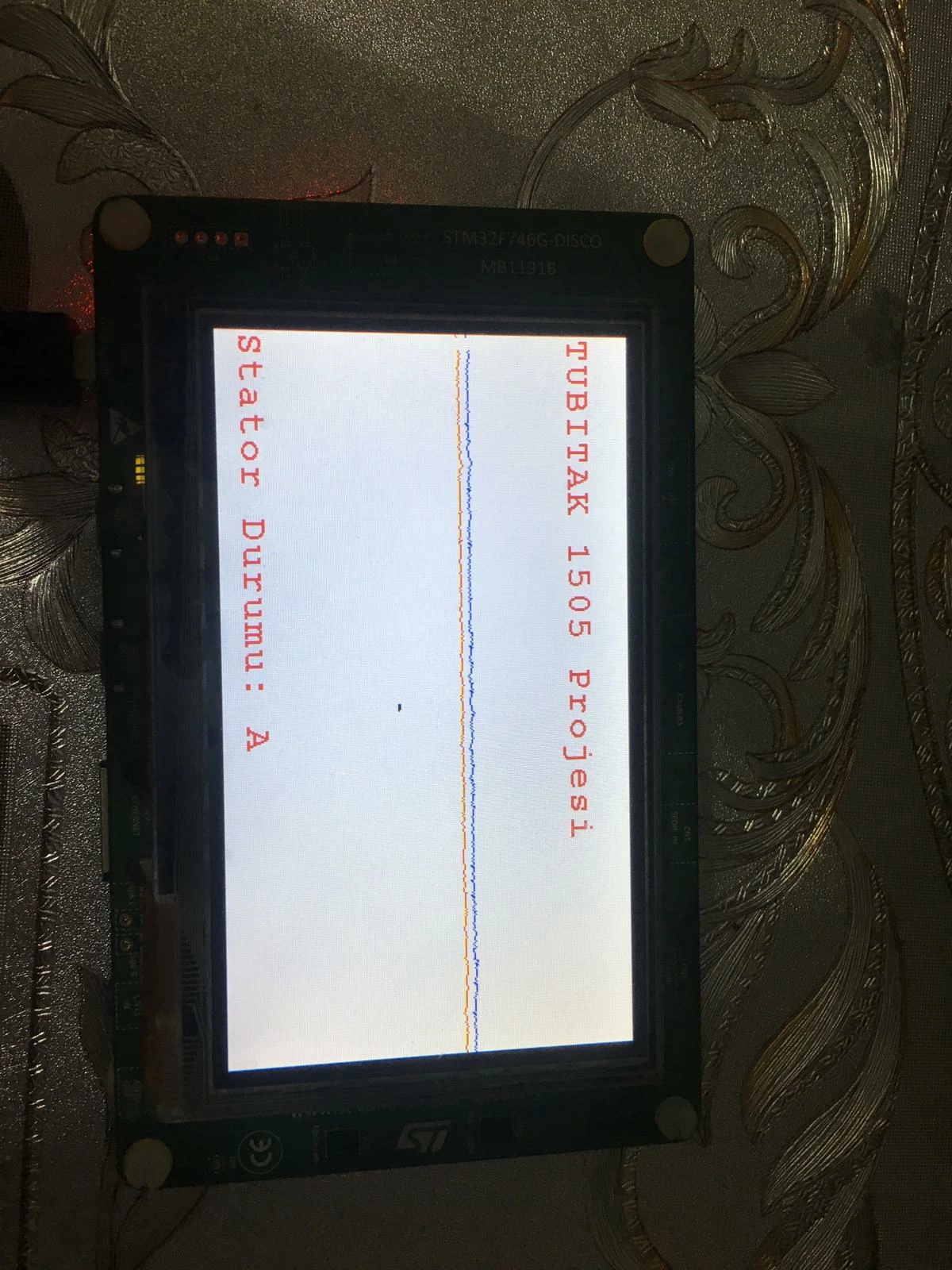
keil file of the project is here

0690X00000AQt2TQAT.png

then I made a simple interface using touchgfx

The problem is how do I integrate the interface code with my real project?

I've seen something like this done by doing some research and watching videos and I've tried
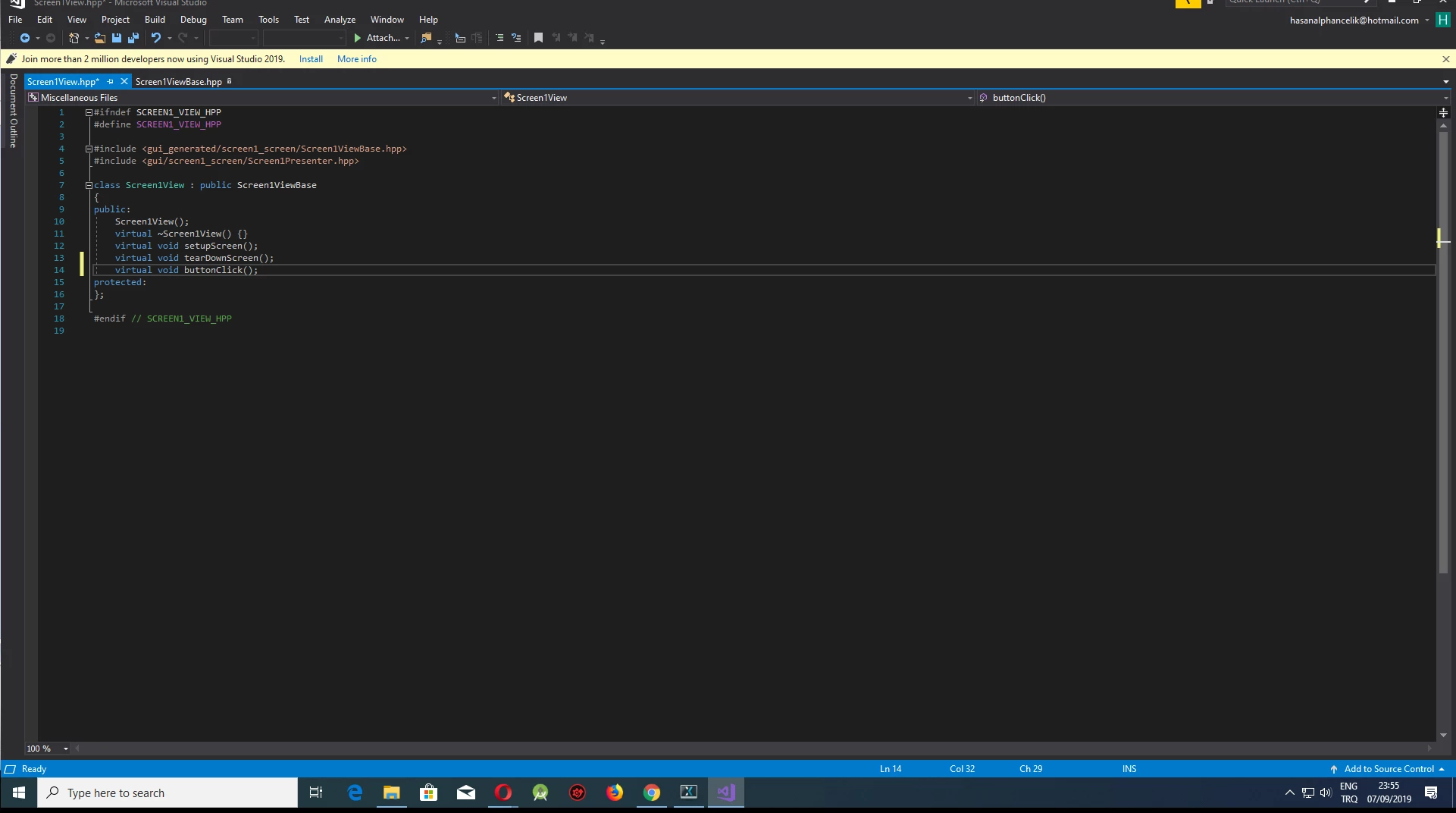
0690X00000AQt2YQAT.png

here I created a variable called "buttonclicked"
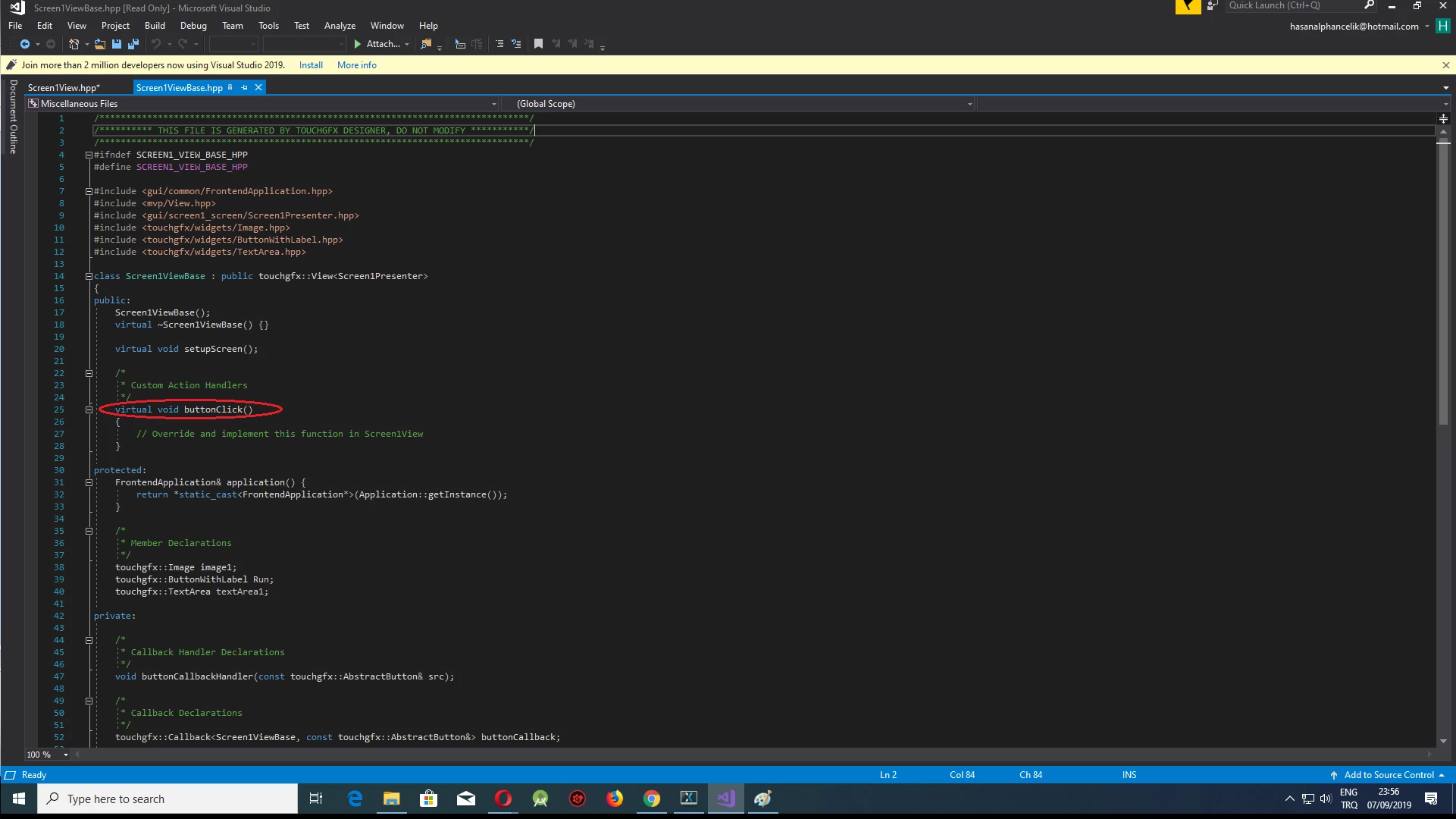
0690X00000AQt2dQAD.png

here already touch gfx has created their own
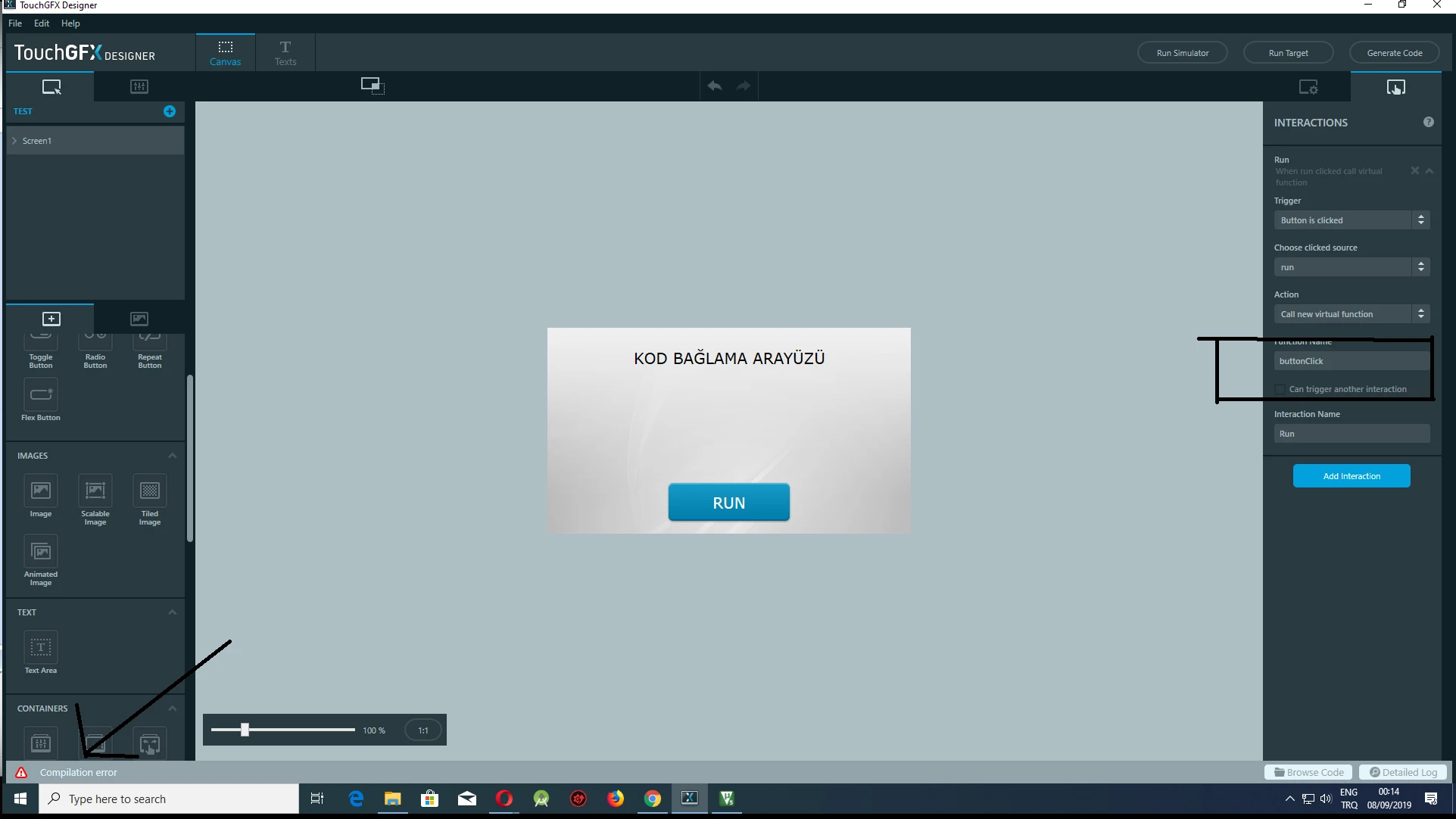
0690X00000AQt2iQAD.png

I'm getting an error here

and most importantly, I do not know how to do this after correcting the error

even if this error is resolved, I don't know how to integrate the next steps

need your help thank you.

in short, how do I integrate my project that I use to draw a wave in my keil project into touch gfx

When I press the RUN button, I want it to bring up the screen in the first image

This topic has been closed for replies.

17 replies

Martin KJELDSEN
Principal III
September 9, 2019

Hi Hasan,

First of all, could you share the "detailed log" ? You'll find the button for it in the bottom right part of the designer.

Are you saying that the first two images in this post is not touchgfx and now you want to integrate this project?

/Martin

H??el.19
H??el.19Author
Associate
September 9, 2019

these two separate projects were created with a touch of gfx only the interface was coded in the other keiller when coding on keils tubitak 1505 how to manage the project in this way I want to see where you listen to the signal when I press the button

Martin KJELDSEN
Principal III
September 9, 2019

Can you please share your log? We can start by inspecting your compilation error.

/Martin

H??el.19
H??el.19Author
Associate
September 9, 2019

so far I have only tried a simple interface and tried to call a normal function

I couldn't integrate it because the multi adc project was too big

H??el.19
H??el.19Author
Associate
September 9, 2019

0690X00000AQtioQAD.png

screen in multi adc project

0690X00000AQt0SQAT.jpg

interface files I created using touch gfx = TUBITAK1505

I want the screen of the multi adc project when I press the button on the interface I prepared using touch gx

Martin KJELDSEN
Principal III
September 9, 2019

You'll have to implement your ADC project interface in the TouchGFX designer.

Did you watch the video on integrating signals from hardware into your UI? It's a sticky in the top of this forum.

/Martin

H??el.19
H??el.19Author
Associate
September 9, 2019

yes I watched and applied the video but I did not succeed

H??el.19
H??el.19Author
Associate
September 9, 2019

The files in the multi adc project are quite large and I couldn't integrate them in any way.

Martin KJELDSEN
Principal III
September 9, 2019

What do you mean by that? why couldn't you integrate them and in which ways? Please be more specific or we'll be writing back and forth the whole day :) And i think we both have other things to do.

Martin KJELDSEN
Principal III
September 9, 2019

What didn't you succeed with? It would be helpful if you listed everything you tried and everything you couldn't do. In theory, the two projects should be relatively easy to integrate. But you must create your GUI from the ADC project in TouchGFX.

/Martin

Martin KJELDSEN
Principal III
September 9, 2019

Or is it so complex (i've only seen a screenshot) that this is not feasible?

/Martin