H??el.19
Associate
September 7, 2019
Question

Pressing the button brings up the project screen ? I need to help

  • September 7, 2019
  • 26 replies
  • 9516 views

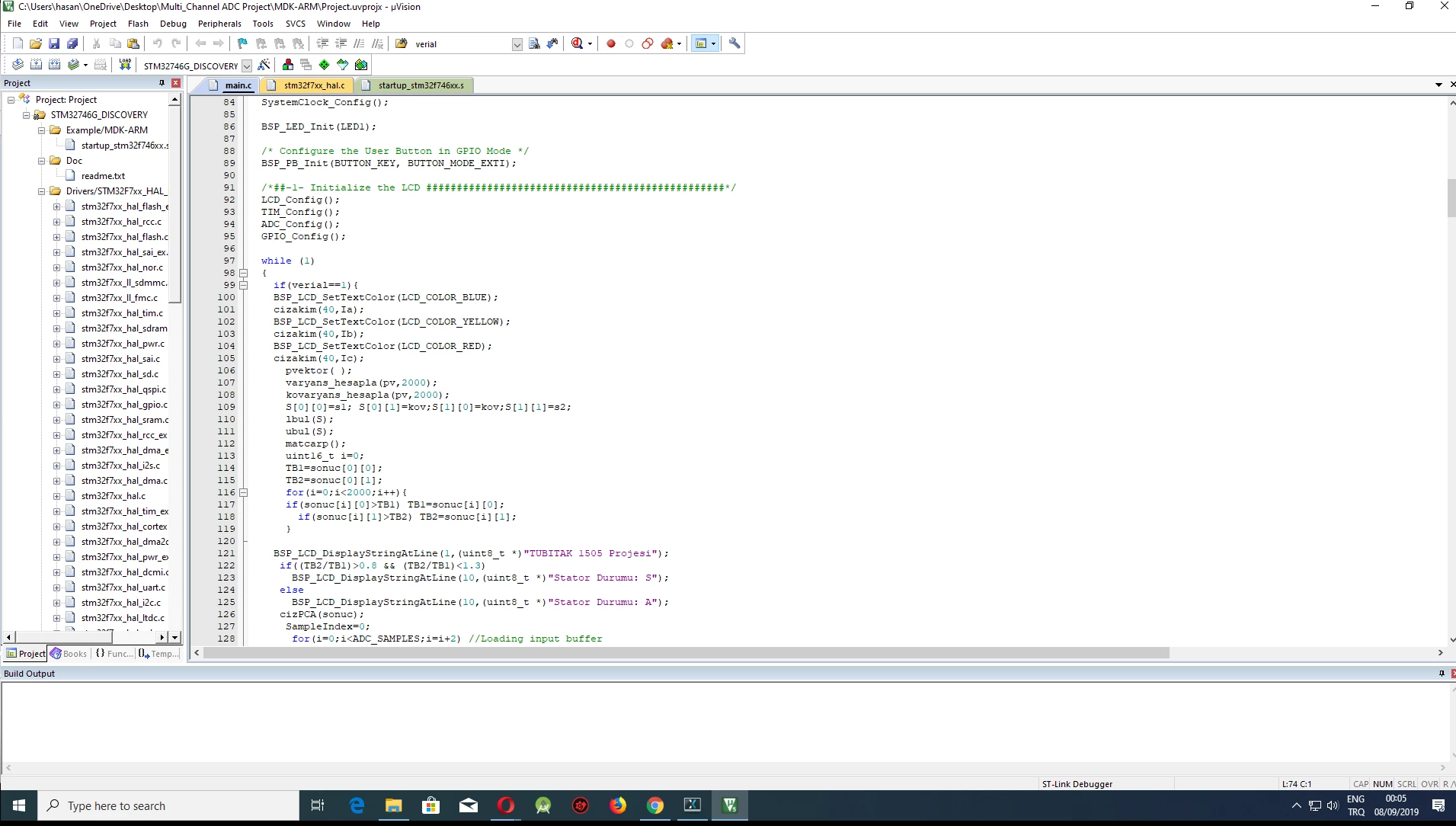
I uploaded the project in this image to stmf746g-disco This project has no interface0690X00000AQt0SQAT.jpg
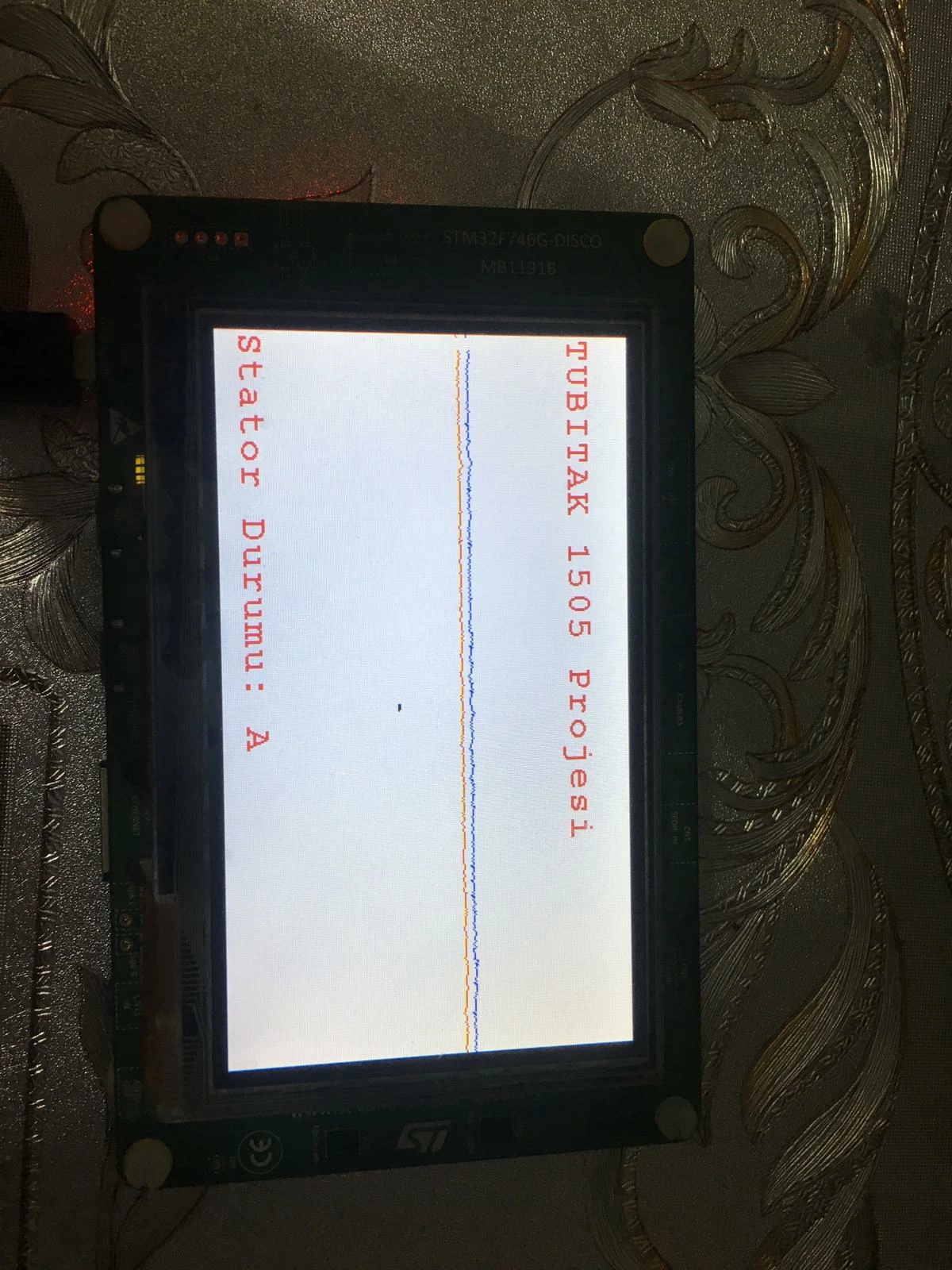
keil file of the project is here

0690X00000AQt2TQAT.png

then I made a simple interface using touchgfx

The problem is how do I integrate the interface code with my real project?

I've seen something like this done by doing some research and watching videos and I've tried
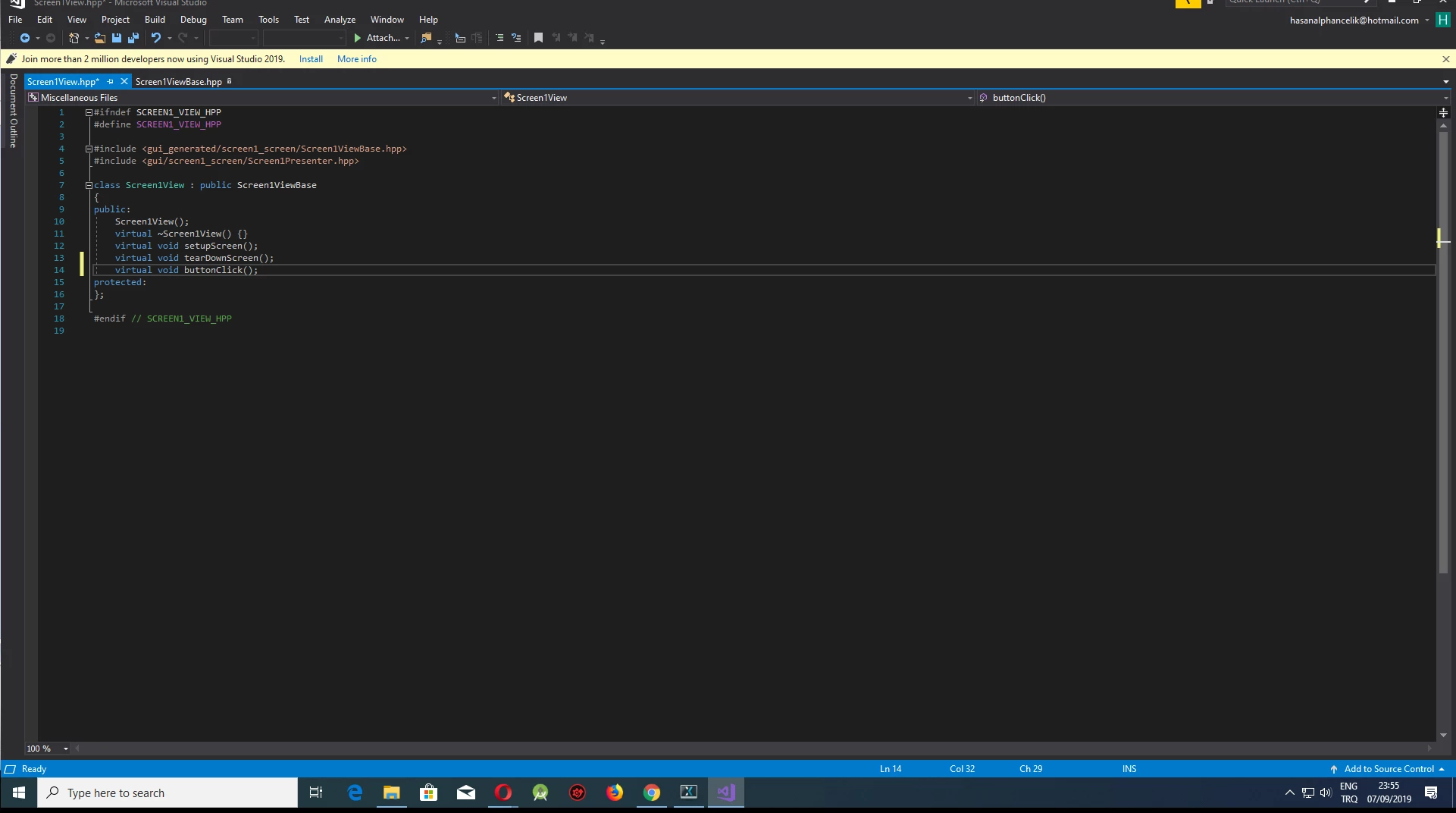
0690X00000AQt2YQAT.png

here I created a variable called "buttonclicked"
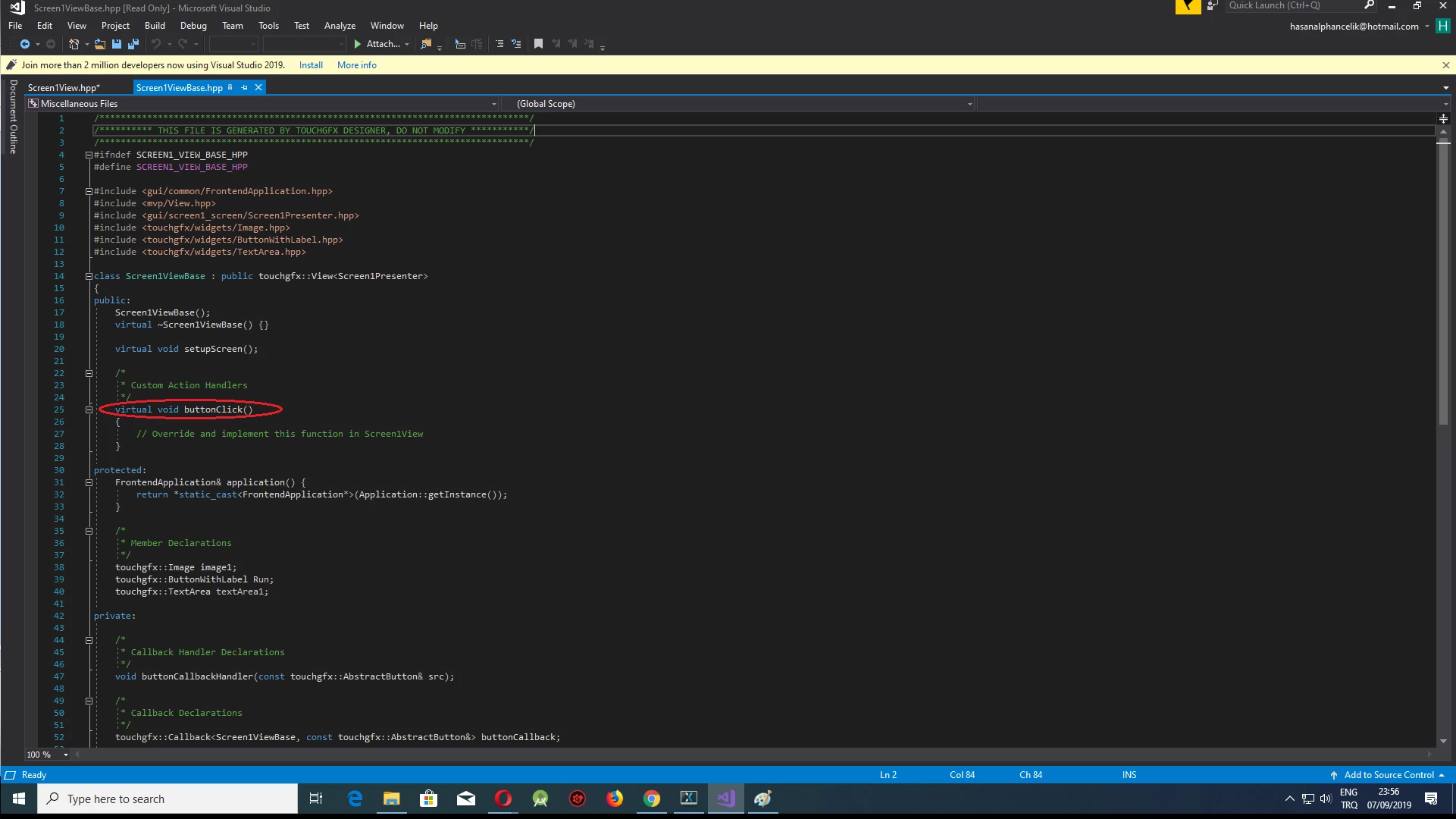
0690X00000AQt2dQAD.png

here already touch gfx has created their own
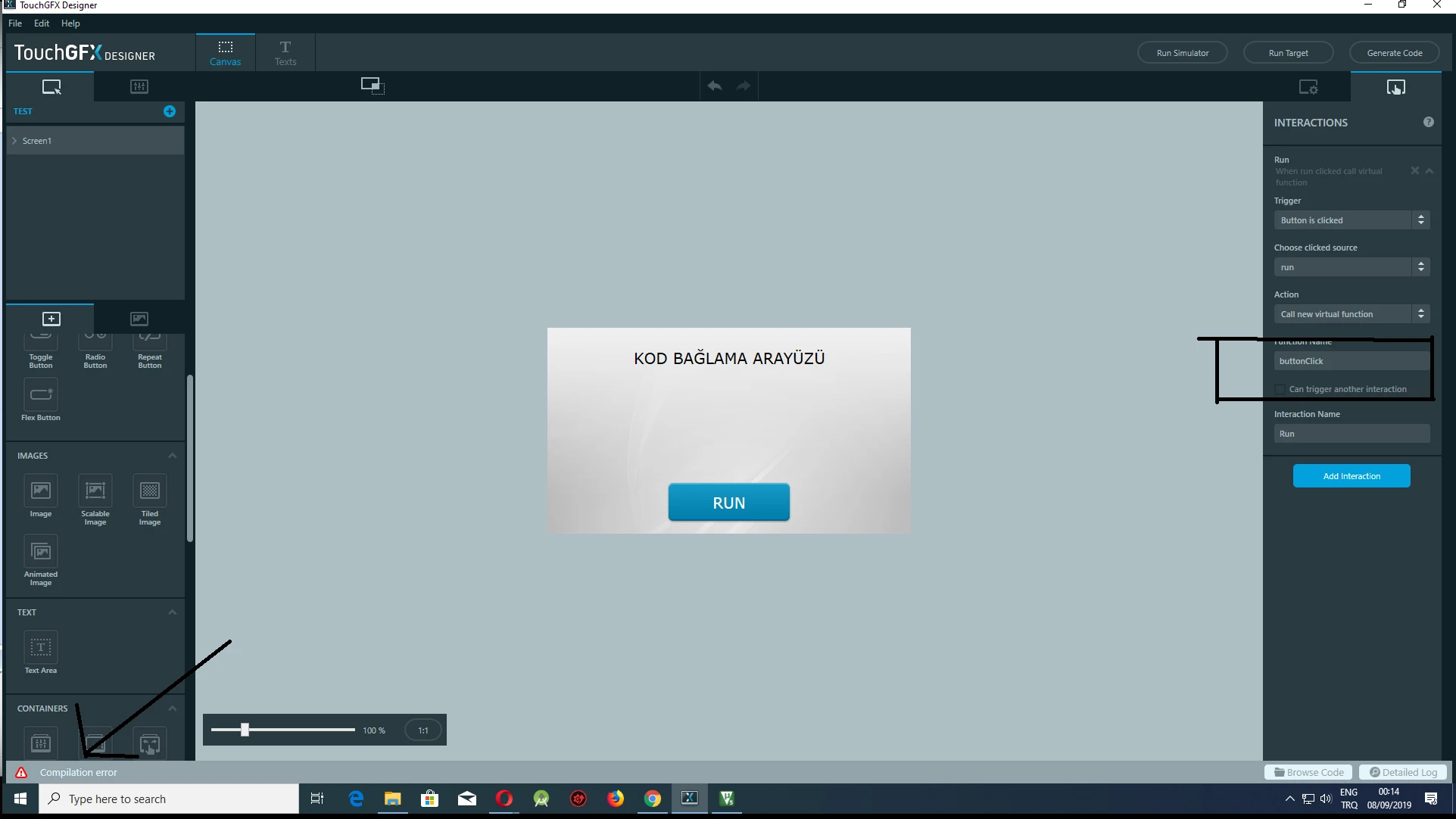
0690X00000AQt2iQAD.png

I'm getting an error here

and most importantly, I do not know how to do this after correcting the error

even if this error is resolved, I don't know how to integrate the next steps

need your help thank you.

in short, how do I integrate my project that I use to draw a wave in my keil project into touch gfx

When I press the RUN button, I want it to bring up the screen in the first image

This topic has been closed for replies.

26 replies

H??el.19
H??el.19Author
Associate
September 9, 2019

click a new touchgfx from multi adc file

Martin KJELDSEN
Principal III
September 9, 2019

What does this mean? Try to rephrase it or be more specific.

H??el.19
H??el.19Author
Associate
September 9, 2019

is it possible to create an interface using a new touchgfx in my existing project?

Martin KJELDSEN
Principal III
September 9, 2019

Sure. What's going on here is that you've probably got some tasks that read from the ADC and something that renders something to the screen (How are you generating this gui?). The problem is combining the two gui-solutions - Integrating with the hardware is the easy part.

So, if you could re-create the ADC projecg gui in TouchGFX, that would make things a lot easier.

/Martin

H??el.19.75
Associate II
September 9, 2019

I just encoded the interface in the multi adc project with the help of keil

0690X00000AQtrCQAT.png

H??el.19.75
Associate II
September 9, 2019

my goal in general is to take me to the interface when I press the RUN button

H??el.19.75
Associate II
September 9, 2019

the objects I have created in the multi adc project are different from the interface I have created with the classes touchh gfx I can't integrate them with each other

what I want to say is how do I incorporate these two projects into each other when I press the run button I want to see the signals on the screen

Martin KJELDSEN
Principal III
September 9, 2019

I honestly don't know what "take me to the interface" means. So, it seems you're using native ST functions to render things on screen. I'll help you re-create this interface in TouchGFX, when it's so simple. How about that? You're just displaying some text and lines - Why not do this in TouchGFX? This will make integration with your ADC backend code more seamless and integrated - And you can use the ADC data for other TouchGFX screens if you like.

/Martin

H??el.19.75
Associate II
September 9, 2019

I need to write c code to the function I created here but how do I write c code here? because folder is .cpp0690X00000AQv0AQAT.png

H??el.19.75
Associate II
September 9, 2019

So what I want to say above is that it has a very simple expression.

When I press the button I want me to open the main project page

this screen but

touch gfx projects are saved as .cpp, but my project is written in .c

Martin KJELDSEN
Principal III
September 10, 2019

c and c++ can coexist. If you're not willing to create your application in TouchGFX you may be able to program both applications separately onto the board, and when you press a button then have your program counter jump to the old application, and vice versa if you want to go back to TouchGFX.

H??el.19.75
Associate II
September 10, 2019

thank you very much how can i do this