


Martin KJELDSEN
Principal III
January 8, 2020
Question

OFFICIAL RELEASE: X-CUBE-TOUCHGFX v4.13.0

  • January 8, 2020
  • 162 replies
  • 69425 views

Goodmorning everyone!

With the release of CubeMX 5.5.0 we've removed TouchGFX from the Middleware section of CubeMX and are now offering TouchGFX configuration through an X-CUBE.

The X-CUBE pack contains the following:

  1. TouchGFX Designer .msi, as per usual
  2. TouchGFX Generator - A tool through "additional software" for creating your TouchGFX HAL based on CubeMX settings.

CubeMX is a tool for configuring your MCU.

CubeMX is not a tool for completely configuring peripherals like touch controllers and external memories.

TouchGFX Generator (new since 4,13) is a CubeMX extension that can generate all or parts of your TouchGFX HAL Layer based partially on settings taken from your MCU configuration in CubeMX.

TouchGFX Generator (new since 4,13) is not a tool that provides complete configurations for touch controllers, external memories, etc. It only generates the TouchGFX HAL - Rendering strategies, acceleration strategies, etc.

TouchGFX Designer is a tool that can supply you with application templates for existing stm32 display kits. We are working on getting all of them updated to use the new Generator.

Please read the following guides for instructions on how to install the new TouchGFX X-CUBE and how to use the TouchGFX Generator to develop your TouchGFX HAL:

From now on it is the X-CUBE that receives a version bump, bumping the version of both tools contained within.

A few application templates already support the new TouchGFX Generator (and thus CubeMX 5.5.0), with lots more to come. One of our main priorities is to get the rest of the application templates ported to use the TouchGFX Generator,

  • STM32H7BI-DK v.3.0.0 (uploaded)
  • STM32F746-DISCO v.3.0.0 (uploaded)
  • STM32F769I-DISCO v.3.0.0 (uploaded)
  • STM32H750B-DK v3.0.0 (uploaded)
  • STM32F750-DK v3.0.0 (in progress)
  • STM32L4R9-DISCO v3.0.0 (in progress)
  • STM32L4P5-DISCO v3.0.0 (in progress)
  • STM32H743-EVAL v3.0.0 (In progress)

Generally, any application template that supports the Generator/CubeMX 5.5.0 will be major version 3.
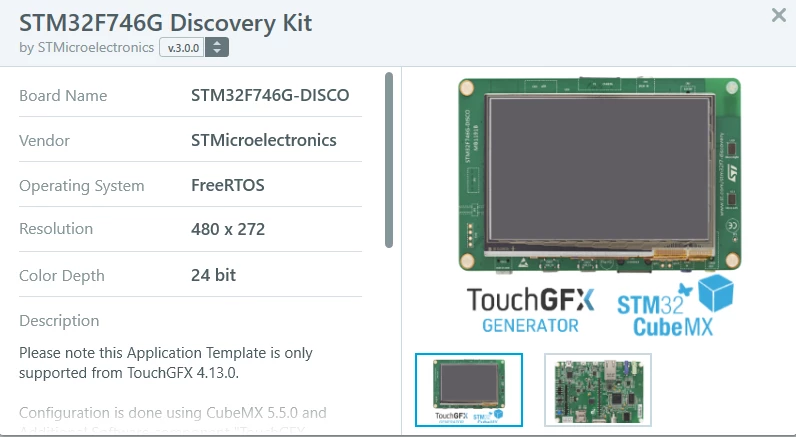
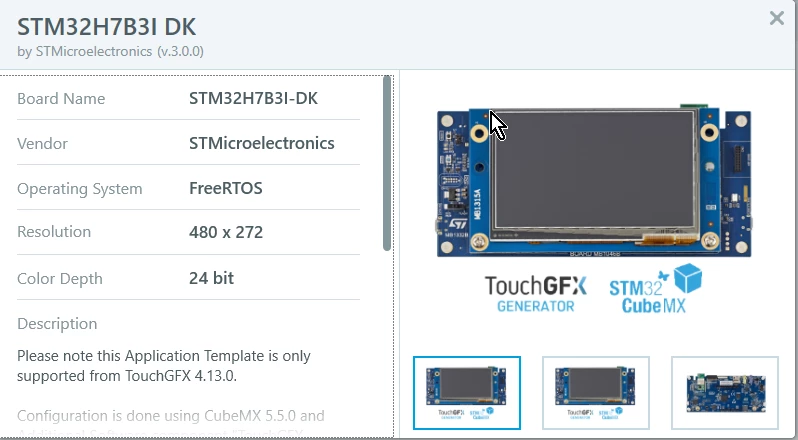
0690X00000BviXRQAZ.png 

0690X00000BviXWQAZ.png

Let me know here if you have any questions or face any issues! We're eager to see how this works for everyone.

Now that we are officially live with X-CUBE-TOUCHGFX we'll continue working on improving documentation, offering support and updating the current application templates you can find through the designer.

Aside from that i'll do my best to catch up on this community, something i've had to neglect a bit because of the new Generator.

Best regards,

TouchGFX Generator Team

This topic has been closed for replies.

162 replies

Martin KJELDSEN
Principal III
January 17, 2020

I'll have to get back to you after the weekend, guys (or perhaps sometime during).

/Martin

zul-a
Visitor II
January 21, 2020

Hi @Martin KJELDSEN​  Would you please get back to me on this.

Regards

Martin KJELDSEN
Principal III
January 21, 2020

Hi,

First glance It looks like you haven't pressed "Generate code" from the touchgfx designer. I need to know more about which process you went through to get these errors.

Karl Yamashita
Principal
January 20, 2020

I'm running into the same issue where I generate the code from CubeMX as scottSD wrote and I get a black screen. I also used CubeIDE to start a project as well with the same black screen. I attached a video of my steps.

Also in the video I am trying to find the V3 template but it is not available. If i start a new project then i can select V3 template but then TouchGFX saves it in it's default folder and it is not part of the CubeIDE project. Is there something that i could be possibly be doing wrong?

If a reply has proven helpful, click on Accept as Solution so that it'll show at top of the post.CAN Jammer an open source CAN bus hacking toolCANableV3 Open Source
Martin KJELDSEN
Principal III
January 22, 2020

The V3 template may not be available yet for your board - we're working harrrrrrrd to get everything done asap :)

Black screen/white screen - Is your framebuffer memory set up right? CubeMX can't help you configure timings of your external ram. Did you do any debugging? What's the application doing? Can you break in setupScreen() of one of your views?

/Martin

Sba.1
Visitor II
January 20, 2020

Hi.

how much time will it take to make other TouchGFX designer application templates support the TouchGFX Generator?

Martin KJELDSEN
Principal III
January 21, 2020

It takes a while :) We're working as fast as we can, STM32F769i-DISCO is coming up soon, working on H750-DK now. In theory it's easy since we already wrote the code using just Cube FW drivers (older versions, sometimes much older), but now we need all that code to be generated by CubeMX, in pretty much exactly the same way offering the same performance, etc,

It's a big job.

/Martin

Sba.1
Visitor II
January 20, 2020

Hi!

how much time will it take to make other TouchGFX designer application templates support the TouchGFX Generator?

Adrian1
Associate II
January 20, 2020

Hi,

When can we expect templates for another boards ?

Adrian

Martin KJELDSEN
Principal III
January 21, 2020

We're just working our way through them. No set dates, other than ASAP =) STM32F769i-DISCO (v 3.0) is up, STM32H750-DK being worked on

ADusi
Associate II
January 21, 2020

Okay, thanks ;)

MPhil.1
Visitor II
January 20, 2020

What is the time frame for the STM32F469-Discovery template? I am in the middle of a project using this board and I am stuck because I did the update before knowing these changes.

HP_it
Senior II
January 21, 2020

on a side-note: you can download the old versions of TouchGFX and CubeIDE and continue your work there. at the download page you can just select which (previous) version you'd like to get.

Kasun Dinesh
Associate III
January 21, 2020

Hi,

I use the .ioc file in STM32F746-DISCO v.3.0.0 project, import it to CUBE IDE and used the option to create a project form ioc file. But even i compiled and run in in stm32f746 board, nothing happens. Any reason for this, or whats the fix. My end goal is to make it compatible with a display of 800x480.

Martin KJELDSEN
Principal III
January 21, 2020

Can you elaborate on "nothing happens" ? :)

Kasun Dinesh
Associate III
January 22, 2020

Nothing comes to display. I created a gui in touchgfx. Build it using new cubeide but when I run it, nothing comes to the display. ​there are no errors or hard faults comes when running.

Karl Yamashita
Principal
January 21, 2020

So i tried another approach to getting a working project going. Before when generating code in TouchGFX it only did it for EWARM. But now i see it generates for STM32CubeIDE and Keil. So i used your V3 template for the STM32F746G-DISC0 kit but still no success in getting a gui to show on the LCD. All i get now is a white screen. In the attached video you can see the QUADSPI section has no code, so no resources are being generated when compiled.

If a reply has proven helpful, click on Accept as Solution so that it'll show at top of the post.CAN Jammer an open source CAN bus hacking toolCANableV3 Open Source
Martin KJELDSEN
Principal III
January 21, 2020

I'll check it out tomorrow.

Martin KJELDSEN
Principal III
January 21, 2020

Just to give everyone an update on Eyals issue here which we solved offline.

CubeMX in 32-bit mode (and/or a 32-bit java version) will cause CubeMX project generation to silently fail (aside from some project generation errors in the log) for CubeIDE projects.

So, make sure you have 64-bit versions all around (CubeMX and Java) and you should be fine.

/Martin

scottSD
Senior III
January 22, 2020

@Martin KJELDSEN​ 

I assume when one installs the 64 bit version of Stm32CubeIDE (1.2.0) 64 bit version of CubmeMX (5.5.0) is included?

Martin KJELDSEN
Principal III
January 23, 2020

I would assume so - I'm not sure about Java version, though.

HP_it
Senior II
January 23, 2020

For anyone interested I have made a video on how to do a custom board implementation:

https://www.youtube.com/watch?v=o42r4xXOnbo

HP_it
Senior II
January 24, 2020

Getting the TouchController to work is NOT exactly like the old videos. Please see my response to the post here:

https://community.st.com/s/question/0D50X0000C0yG0rSQE/where-did-the-touch-driver-code-go?t=1579889494947