


Martin KJELDSEN
Principal III
January 8, 2020
Question

OFFICIAL RELEASE: X-CUBE-TOUCHGFX v4.13.0

  • January 8, 2020
  • 162 replies
  • 69451 views

Goodmorning everyone!

With the release of CubeMX 5.5.0 we've removed TouchGFX from the Middleware section of CubeMX and are now offering TouchGFX configuration through an X-CUBE.

The X-CUBE pack contains the following:

  1. TouchGFX Designer .msi, as per usual
  2. TouchGFX Generator - A tool through "additional software" for creating your TouchGFX HAL based on CubeMX settings.

CubeMX is a tool for configuring your MCU.

CubeMX is not a tool for completely configuring peripherals like touch controllers and external memories.

TouchGFX Generator (new since 4,13) is a CubeMX extension that can generate all or parts of your TouchGFX HAL Layer based partially on settings taken from your MCU configuration in CubeMX.

TouchGFX Generator (new since 4,13) is not a tool that provides complete configurations for touch controllers, external memories, etc. It only generates the TouchGFX HAL - Rendering strategies, acceleration strategies, etc.

TouchGFX Designer is a tool that can supply you with application templates for existing stm32 display kits. We are working on getting all of them updated to use the new Generator.

Please read the following guides for instructions on how to install the new TouchGFX X-CUBE and how to use the TouchGFX Generator to develop your TouchGFX HAL:

From now on it is the X-CUBE that receives a version bump, bumping the version of both tools contained within.

A few application templates already support the new TouchGFX Generator (and thus CubeMX 5.5.0), with lots more to come. One of our main priorities is to get the rest of the application templates ported to use the TouchGFX Generator,

  • STM32H7BI-DK v.3.0.0 (uploaded)
  • STM32F746-DISCO v.3.0.0 (uploaded)
  • STM32F769I-DISCO v.3.0.0 (uploaded)
  • STM32H750B-DK v3.0.0 (uploaded)
  • STM32F750-DK v3.0.0 (in progress)
  • STM32L4R9-DISCO v3.0.0 (in progress)
  • STM32L4P5-DISCO v3.0.0 (in progress)
  • STM32H743-EVAL v3.0.0 (In progress)

Generally, any application template that supports the Generator/CubeMX 5.5.0 will be major version 3.
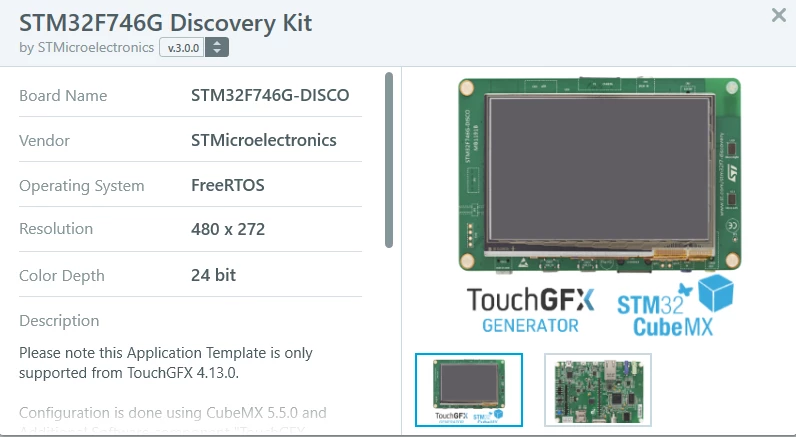
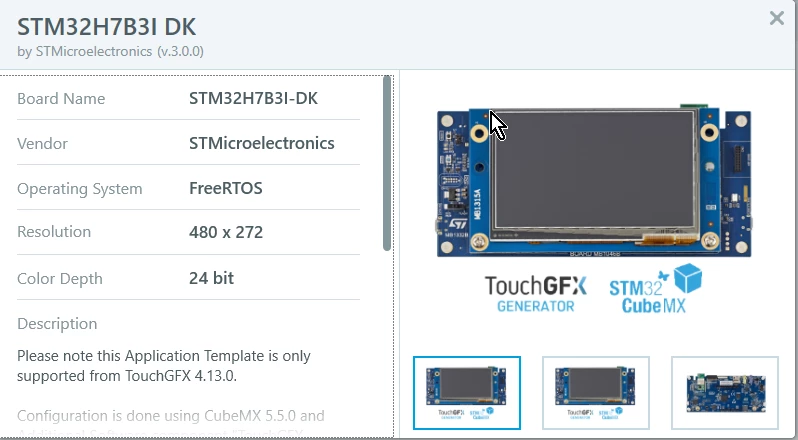
0690X00000BviXRQAZ.png 

0690X00000BviXWQAZ.png

Let me know here if you have any questions or face any issues! We're eager to see how this works for everyone.

Now that we are officially live with X-CUBE-TOUCHGFX we'll continue working on improving documentation, offering support and updating the current application templates you can find through the designer.

Aside from that i'll do my best to catch up on this community, something i've had to neglect a bit because of the new Generator.

Best regards,

TouchGFX Generator Team

This topic has been closed for replies.

162 replies

Asantos
Associate III
January 9, 2020

Martin,

I have the STM32F746G discovery board and the STM32H743I-EVAL board. Is there a step by step tutorial of how to generate a simple TouchGFX project for one of this boads?

Is it now possible to generate a TouchGFX projects without using RTOS?

Martin KJELDSEN
Principal III
January 10, 2020

Yes it is! It's an option from the Generator to not use one, use cmsis v1 or v2 configured from CubeMX, or a custom os. You'll get an OSWrapper that does not use any RTOS primitives.

For your boards - Are you just looking to get started? The 746G-DISCO application templace V3 from the designer already supports the Generator and has an ioc file that can be opened in CubeMX 5.5 - H743 doesn't yet, but you can still try it out from the designer! :)

/Martin

Asantos
Associate III
January 10, 2020

Martin,

Yes, I'm looking to get started.

My first challenge is that my office PC does not have internet directly, only by virtual machine. So I can't install the templates online. Can I download and install the templates offline?

Asantos
Associate III
January 10, 2020

Martin,

I want the templates of the STM32F746G discovery board and for the STM32H743I-EVAL board.

And I will need directions of how to manually install it in the TouchGFX Designer.

Thanks

Ari

scottSD
Senior III
January 10, 2020

How many of the issues with using STM32CubeIDE 1.1.0 and TouchGFX 4.12.3 exist in STM32CubeIDE 1.2 and TouchGFX 4.13.0?

I am attempting to compile a project and have a number of similar errors that I saw in the previous version.

A little bit of changing in the TouchGFX Generator did remove the errors.

I know there were a number of steps required to get STM32CubeIDE and TouchGFX to play nice together in the previous version. Are these steps (or something similar) necessary for the new versions?

scottSD
Senior III
January 10, 2020

I am attempting to setup a very simple project using the STMF746G-Discovery in STM32CubeIDE 1.2 and TouchGFX 4.13.0. All it has on the screen is a box set to a color other than black. The project simulates fine in the TouchGFX Simulator but when running on the target, all I am getting is a black screen.

I don't know if this is what is causing my issue on the target, but when going to the TouchGFX Generator I had an issue in the Dependencies area:

0690X00000Bvs2xQAB.png

I compared the LTDC settings with previous projects (using STM32CubeIDE 1.1.0 and TouchGFX 4.12.3) and they are the same with the Blending Factors being set to "Alpha constant x Pixel Alpha". If I change them to "Alpha constant", the warning in the TouchGFX Generator goes away.

But could this be causing my target to no have anything on the display?

Adding an edit to this post: Apparently this is not an issue, but for information purposes only.

Bob Bailey
Senior
January 10, 2020

Keep track of any pitfalls along the way. I have not changed to the new version yet because I worry about hitting snags like this. Someone (ST?) should publish a full project that will open, compile, and load on the discovery boards instead of making the "hello world" process take all darn day.

(rant over)

Are you sure the backlight is on? that makes the screen really black on these boards, when my project won't run the screen is usually white (if the backlight is on)

Bob

Martin KJELDSEN
Principal III
January 13, 2020

If you'd read my posts and the documentation therein you'd know that application templates already exist that have these "full projects".

HP_it
Senior II
January 12, 2020

At first I was positive - some errors would be weeded out but this it turning south real quick..

First, adding the 'additional software' is not very obvious so I'm glad that someone else took that bullet before me..

Next, Why on gods green earth don't you initialize the default settings to something you know would work?

Like ' Interface' when you're on the 746-Disco board you would always use LTDC right? and double buffer and ChromArt - well, maybe not always but for your first application you would do this.

this is intentionally Raising the bar for newcomer - hardly a smart move by ST..

I'm currently stuck with this error from the 4.13.0 designer

2020-01-12 20:19:59,293 [1] INFO TouchGFXDesigner.App: Logging configured
2020-01-12 20:19:59,539 [1] INFO TouchGFXDesigner.Main.MainWindow: Application started
2020-01-12 20:19:59,539 [1] INFO TouchGFXDesigner.Main.MainWindow: Username: HP
2020-01-12 20:19:59,539 [1] INFO TouchGFXDesigner.Main.MainWindow: Designer version: 4.13.0
2020-01-12 20:19:59,539 [1] INFO TouchGFXDesigner.Main.MainWindow: Designer installation path: C:\TouchGFX\4.13.0\designer
2020-01-12 20:19:59,539 [1] INFO TouchGFXDesigner.Main.MainWindow: Windows version: Microsoft Windows NT 10.0.18363.0
2020-01-12 20:19:59,539 [1] INFO TouchGFXDesigner.Main.MainWindow: Current culture: en-DK
2020-01-12 20:19:59,539 [1] INFO TouchGFXDesigner.Main.MainWindow: Current culture time seperator: .
2020-01-12 20:19:59,539 [1] INFO TouchGFXDesigner.Main.MainWindow: Current culture date seperator: /
2020-01-12 20:19:59,539 [1] INFO TouchGFXDesigner.Main.MainWindow: Installed .NET version(s): v4 (Client 4.8.03752 Full 4.8.03752 ) v4.0 (Client 4.0.0.0 ) 
2020-01-12 20:20:02,699 [1] ERROR TouchGFXDomainModel.LoadSave.LoadSave: String was not recognized as a valid DateTime.
System.FormatException: String was not recognized as a valid DateTime.
 at System.DateTimeParse.Parse(String s, DateTimeFormatInfo dtfi, DateTimeStyles styles)
 at NPOI.SS.Util.SimpleDateFormat.ParseObject(String source, Int32 pos)
 at NPOI.OpenXml4Net.OPC.Internal.PackagePropertiesPart.SetDateValue(String s)
 at NPOI.OpenXml4Net.OPC.Internal.PackagePropertiesPart.SetCreatedProperty(String created)
 at NPOI.OpenXml4Net.OPC.Internal.Unmarshallers.PackagePropertiesUnmarshaller.Unmarshall(UnmarshallContext context, Stream in1)
 at NPOI.OpenXml4Net.OPC.OPCPackage.GetParts()
 at NPOI.OpenXml4Net.OPC.OPCPackage.Open(Stream in1)
 at NPOI.SS.UserModel.WorkbookFactory.Create(Stream inputStream)
 at TouchGFXDomainModel.LoadSave.Excel.ExcelFile.ReadWorkBook(String path)
 at TouchGFXDomainModel.LoadSave.Excel.ExcelReader.ReadWorkbook(String file, List`1 fonts)
 at TouchGFXDomainModel.LoadSave.Excel.TextDB.ReadFromExcelFile(String path)
 at TouchGFXDomainModel.LoadSave.Serial.FromSerial.Convert(SerialApplication a)
 at TouchGFXDomainModel.LoadSave.Serial.FromSerial.Convert(SerialModel m)
 at TouchGFXDomainModel.LoadSave.LoadSave.LoadDotTouchgfx(String filename)
 at TouchGFXDomainModel.LoadSave.LoadSave.Load(String filename)
2020-01-12 20:20:06,040 [7] INFO TouchGFXPackages.FileDownloader: Take operation was canceled. IsCancellationRequested=True
2020-01-12 20:20:06,040 [10] INFO TouchGFXPackages.FileDownloader: Take operation was canceled. IsCancellationRequested=True
2020-01-12 20:20:06,040 [8] INFO TouchGFXPackages.FileDownloader: Take operation was canceled. IsCancellationRequested=True
2020-01-12 20:20:06,041 [9] INFO TouchGFXPackages.FileDownloader: Take operation was canceled. IsCancellationRequested=True
2020-01-12 20:20:06,041 [11] INFO TouchGFXPackages.FileDownloader: Take operation was canceled. IsCancellationRequested=True
2020-01-12 20:20:06,056 [1] INFO TouchGFXDesigner.Main.MainWindow: Application closed

HP_it
Senior II
January 12, 2020

okay, I just have to say this - this is a ***********.. I managed to get a compiling project going but along the way I have seen a lot of weird errors..

Why do I have to change my language to english in regional settings? that doesn't make much sense..

I'll repeat my comment from above on why cubeMX don't initialize to some useful default values.. Under 'Display' I have to set 'Interface', 'Framebuffer Strategy' and 'Buffer location'

Under 'Driver' it's all of them

Wasn't it supposed to be easier?

Also, it's mentioned somewhere that you should remove 'generate under root' and switch to 'adwanced'. When I'm generating code in CubeIDE those options are greyed out and not available...

Xu_it
Associate II
January 13, 2020

Hi @Martin KJELDSEN​ 

I successfully downloaded the STM32 Discovery OoB Demo using touchGFX designer 4.13.0, but it cannot be simulated. Why is this?

0690X00000Bvt62QAB.png0690X00000Bvt67QAB.png

Stathis
Associate
January 15, 2020

Martin,

1.I start with TouchGFX Designer choose STM32f746G V3.0, "import" a gui (swipe container example) and "Generate Code". CubeMX file and Stm32CubeIDE project generated.

2. Connect the STM32F746G-Disco evaluation board and click "Run Target" everything was fine, the gui runs on the board.

3. Import the generated project in Stm32CubeIDE (1.2.0) or Stm32CubeIDE (1.1.0) and build, an error apears : " make: *** No rule to make target

C:/TouchGFXProjects/MyApplication_3/TouchGFX/gui/src/logoargbbilinear127qspi_screen/LogoARGBBilinear127QSPIPresenter.cpp', needed by

'Application/User/gui/LogoARGBBilinear127QSPIPresenter.o'. Stop."

I exclude all these files that produce this error from build ( these where files of graphics that are not used in the selected gui) .

Build again and there are no more errors.

4. Trying to debug and get the following error : Break at address "0xf3af4804" with no debug information available, or outside of program code.

And on the console the following info :

Download verified successfully

(Read)Failed determine breakpoint type

Error! Failed to read target status

Debugger connection lost.

Shutting down...

It happens on both Stm32CubeIDE (1.2.0) and (1.1.0)

Your help will be appreciated.

SKim.1761
Associate II
January 17, 2020

I am mac user and I am using stm32cubeide

I installed packages about every stuff but touchgfx is no offering mac version..

what should i do

Martin KJELDSEN
Principal III
January 24, 2020

Nothing you can do on mac, sorry. TouchGFX designer is windows only currently.

/Martin

HHarj.1
Associate III
January 17, 2020

Is there currently any board which would work with the newest versions (or any versions) as intended. I mean that getting something else than black screen?

zul-a
Visitor II
January 17, 2020

​  Hi @Martin KJELDSEN​ Thanks for posting the update. I am having some issues with the project generation . I have done all the updates. STM32CUBEIDE, CUBEMX and Touchgfx are all on latest releases, Trying to generate the project for STM32F746 Disc board using STM32CUBEIDE with Touchgfx and I am getting the following errors. Your help in resolving this is much appreciated.

Regards

0690X00000Bw8hSQAR.png

0690X00000Bw8hhQAB.png