
Associate III
February 24, 2025
Solved

how to use the 'button is clicked' to show or hide the image ?

  • February 24, 2025
  • 5 replies
  • 2207 views

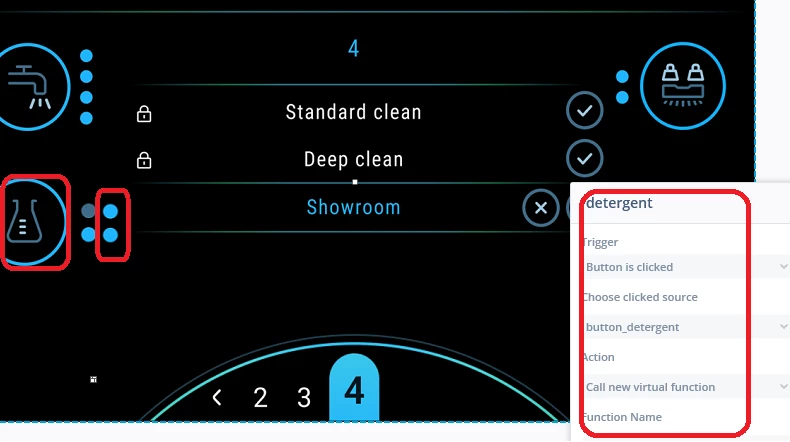
how to use the 'button is clicked' to show or hide the image ? who can provide the sample program to be reference .



miker_0-1740386272525.png


    This topic has been closed for replies.
    Best answer by GaetanGodart

    Hello @miker ,


    You can use the method setVisible to manage the visibility of your image and you can use the isVisible method to know if it is currently visible or not.

    Please find attached an example where clicking on a button toggle the visibility of an image.
    Note that the code is directly inside the interaction as I do "execute C++ code" instead of "Call new virtual function".


    I hope this helps!
    If this post answers your question, I invite you to select it as "best answer".


    Regards,

    5 replies

    GaetanGodart
    GaetanGodartBest answer
    ST Employee
    February 24, 2025

    Hello @miker ,


    You can use the method setVisible to manage the visibility of your image and you can use the isVisible method to know if it is currently visible or not.

    Please find attached an example where clicking on a button toggle the visibility of an image.
    Note that the code is directly inside the interaction as I do "execute C++ code" instead of "Call new virtual function".


    I hope this helps!
    If this post answers your question, I invite you to select it as "best answer".


    Regards,

    Gaetan GodartSoftware engineer at ST (TouchGFX)
    mikerAuthor
    Associate III
    February 24, 2025

    miker_0-1740389561236.png

    whether use the 'hide widget' to execute this function ?if yes, could you have any sample program to be provided ?

    GaetanGodart
    ST Employee
    February 24, 2025

    The "Hide widget" action will only allow you to hide the image, not to set it back to visible.
    Also, it doesn't allow you to use a condition like I did with "!isVisible(image1)".

    So if you want to hide and unhide a widget with only interaction, you will need 2 buttons, one to hide the image and another one to show the widget.

    Please find an example attached.


    Regards,

    Gaetan GodartSoftware engineer at ST (TouchGFX)
    mikerAuthor
    Associate III
    February 25, 2025

    i am a new comer for the TouchGFX, and now ,i want to click button '1' each time, then the image '2'/'3'/'4'/'5' can circularly be showed; so, when image '2/3/4/5' are overlapped together, the result is that small green circle is automatically increased and initial by press button '1'


    miker_0-1740467598576.png


    GaetanGodart
    ST Employee
    February 25, 2025

    Hello @miker ,


    Please, as Louis mentioned, only create a single thread per question.

    You stopped commenting on my answer in your previous thread .
    Did it help you?

    Let's continue the discussion on the previous post, I have merged both topics.


    Regards,

    Gaetan GodartSoftware engineer at ST (TouchGFX)
