

Solved
Gauge background and needle downsized on Designer
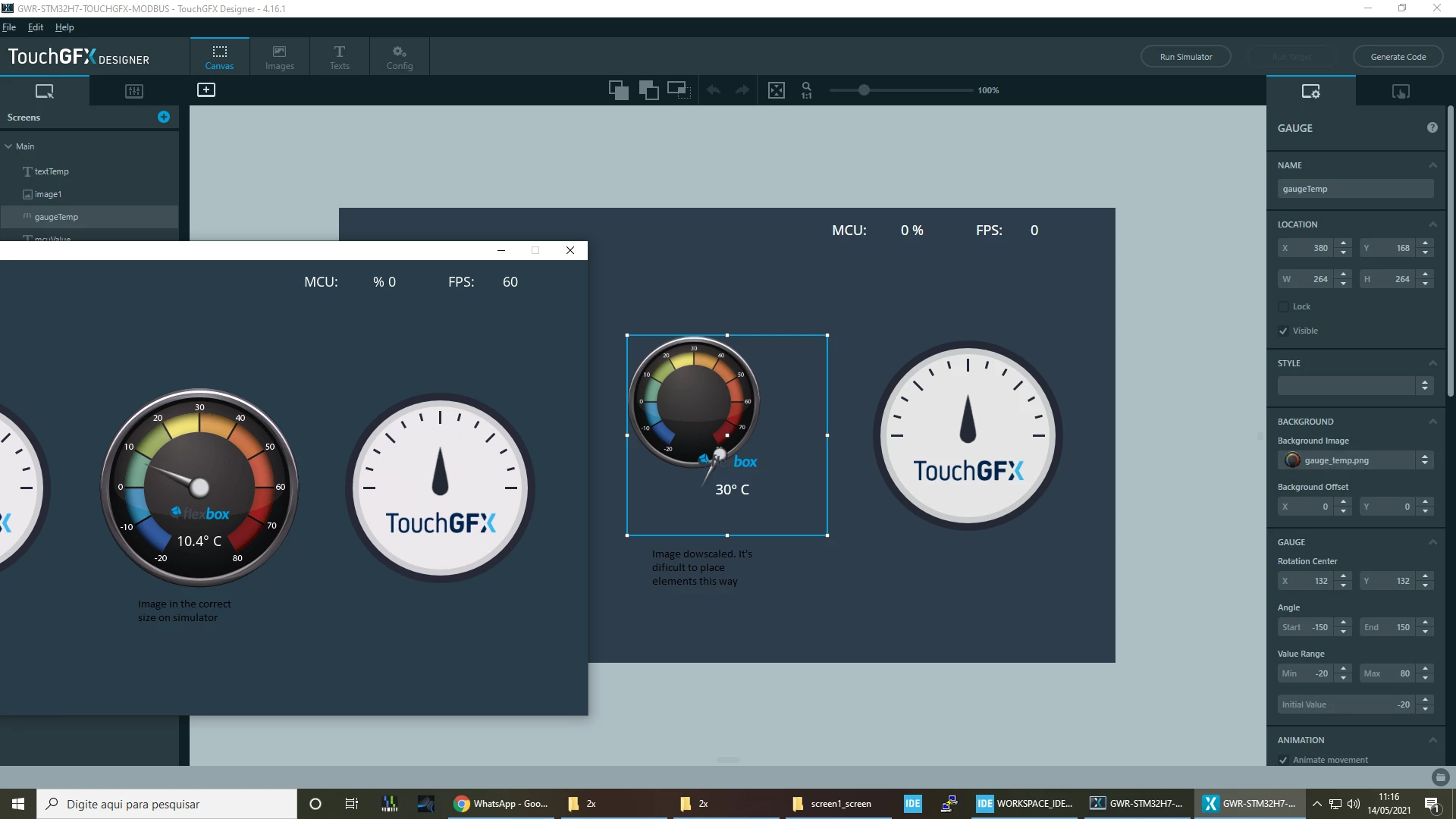
When I change the gauge background or the needle my custom image gets downsized on the Designer app difficulting the job of aligning and placing things. Is this a known bug?

When I change the gauge background or the needle my custom image gets downsized on the Designer app difficulting the job of aligning and placing things. Is this a known bug?
Enter your E-mail address. We'll send you an e-mail with instructions to reset your password.
