Zhi Pang
Associate II
November 23, 2018
Solved

Does CubeMX 5.0.0 Ready to Build a TouchGFX Project?

  • November 23, 2018
  • 58 replies
  • 11637 views

I upgraded my CubeMX to 5.0.0 and installed F4 1.22.0 firmware recently.

So, I tried to use CubeMX build a TouchGFX Project that use TrueSTUDIO as IDE.Since I was successful run a STemWin Project as my custom F429IGx board graphic solution.

In order to enable TouchGFX middleware in CubeMX, I activated and configured FreeRTOS, CRC, LTDC, DMA2D, TIM7 and FMC-SDRAM1.All setting were the same with my previous STemWin project, excepted in GRAPHICS I used TouchGFX as Graphics Framework. And then I generated code.

1. When opened the project, there were *.c , *.cpp , *.h and *.hpp files. But in C/C++ Build - Tool Setting , neither C++ Compiler and C++ Linker existed. So if I build the project under this settings, I will get a link error say something like main function undefined. Because main function is in main.cpp file and wound't be compile by GCC like other cpp files.

2. So I converted the project to C++ project, by using File - New - Convert to a C/C++ Project (Adds C/C++ nature) method. Now the C++ Compiler showed up and C++ Linker replaced C Linker.I built the project again, but a ton of error message like head files couldn't find show up. I fixed by copied and changed include path from C compiler directories to C++ compiler.But things not go well,some directories in Project Resources Manager's Includes still in grey which implicate those directories did not exist in that location.

3. Then I use TouchGFX Designer to generated a simple project which is only contains a single screen of a text and a background image.After code generation, I put the entire folder in TrueSTUDIO project's root. Now the "Includes" didn't has grey directories any more.I dragged all the cpp files which is generated by TouchGFX Designer into TrueSTUDIO project path [Application-User-TouchGFX-generated|gui].Things going in here is a bit out of my ability, since I am new in TouchGFX and new in mixin C(GCC) and C++(G++) code together.

4. I tried out lots of combination of Assembler, C Complier, C++ Complier, C++ Linker settings which mention in TouchGFX website.I can't describe all of them.The best result I can get is all c files compile into *.o successfully by GCC and all C++ files compile into *.o successfully by G++, but when executed

arm-atollic-eabi-g++ -o LC-MC001.elf *.o ...

command,which as we know is linking, tons of error show up.

d:/program files (x86)/atollic/truestudio for stm32 9.0.0/armtools/bin/../lib/gcc/arm-atollic-eabi/6.3.1/../../../../arm-atollic-eabi/bin/ld.exe: error: LC-MC001.elf uses VFP register arguments, Application\User\Core\main.o does not
d:/program files (x86)/atollic/truestudio for stm32 9.0.0/armtools/bin/../lib/gcc/arm-atollic-eabi/6.3.1/../../../../arm-atollic-eabi/bin/ld.exe: failed to merge target specific data of file Application\User\Core\main.o
d:/program files (x86)/atollic/truestudio for stm32 9.0.0/armtools/bin/../lib/gcc/arm-atollic-eabi/6.3.1/../../../../arm-atollic-eabi/bin/ld.exe: error: LC-MC001.elf uses VFP register arguments, Application\User\TouchGFX\generated\ApplicationFontProvider.o does not
d:/program files (x86)/atollic/truestudio for stm32 9.0.0/armtools/bin/../lib/gcc/arm-atollic-eabi/6.3.1/../../../../arm-atollic-eabi/bin/ld.exe: failed to merge target specific data of file Application\User\TouchGFX\generated\ApplicationFontProvider.o
...

5. The last information about this I can find is related to floating point implementation? I already tried to switch all implementation to HW or SW the same time.But no luck.

UPDATE

6. I switch Assembler, C compiler, C++ compiler, C++ Linker floating point option to Hardware implementation.And remove -mfloat-abi=softfp parameter which is recommend by this article:

https://touchgfx.zendesk.com/hc/en-us/articles/206116381-Using-other-IDEs-with-TouchGFX

So, after that, all of the processor will have a united floating point setting. Then put SysTick_Handler function back into stm32f4xx_it.c file. Finally, my project build without any error for the first time.

7. I download the program in my board. Sadly, I got this.0690X000006CSy2QAG.jpg
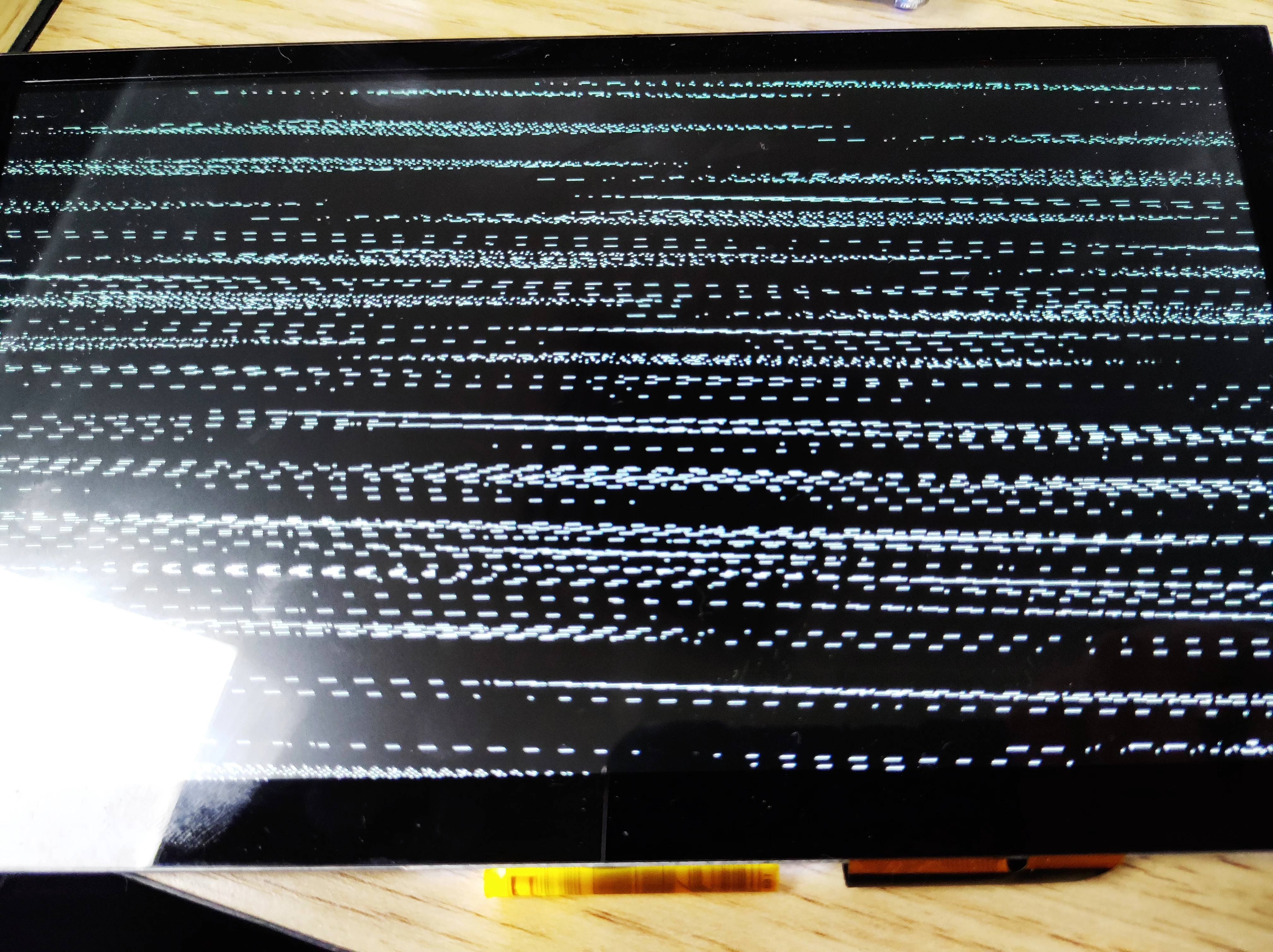
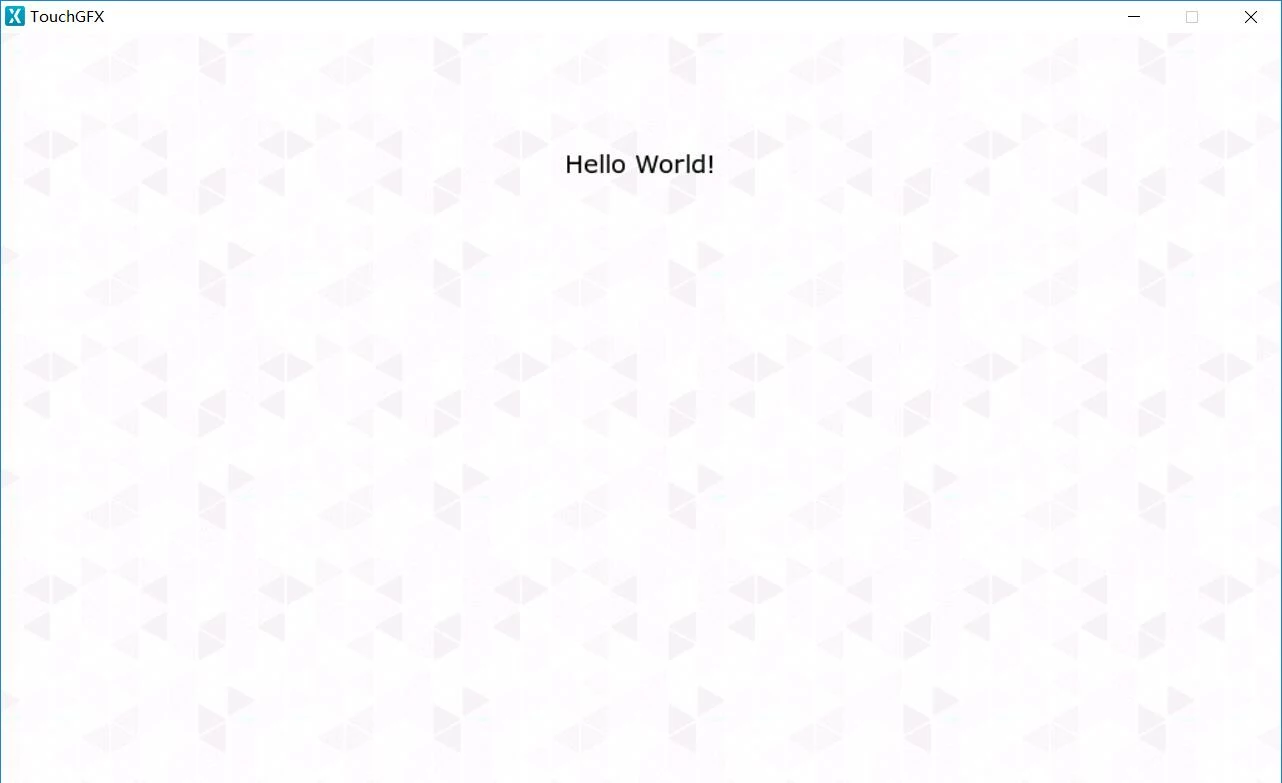
 And my original design is below.

0690X000006CSy7QAG.jpg

I will keep you update if any further information.

Thanks for your reading, I know it's a very long problem description.:face_with_tears_of_joy:

This topic has been closed for replies.
Best answer by Nawres GHARBI

Hi @Zhi Pang​ ,

After some investigations, it seems that there are some generation problems when using TrueStudio and TouchGFX.

I advice to switch to SW4STM32 until this issue is fixed.

We are sorry for the disturbance this issue may bring.

58 replies

urvil.suthar
Visitor II
December 3, 2018

Errors while compiling in file HALSDL2.c file, error generated for functions which are not present in the project folder:

..\Middlewares\ST\TouchGFX\touchgfx\framework\source\platform\hal\simulator\sdl2\HALSDL2.cpp:963:28: error: 'OpenClipboard' was not declared in this scope

    if (!OpenClipboard(NULL))

                           ^

..\Middlewares\ST\TouchGFX\touchgfx\framework\source\platform\hal\simulator\sdl2\HALSDL2.cpp:969:25: error: 'EmptyClipboard' was not declared in this scope

    if (!EmptyClipboard())

                        ^

many more in same file ...

I am sure, i made some mistake, but now i can't find out where it is.. (Followed the steps given by "Zhi Pang" the only change is, selected the board STM32F746G-Disco).

Clark Sann
Associate III
December 3, 2018

@BacteriusOROWCZAK​ I am using a STM32F746-DISCO board and SW4STM32. The STM32F746-DISCO portion of the article is only for IAR and I couldn't figure out how to make the instructions work for SW4STM32. Do you plan to make a version of the article for SW4STM32?

Nawres GHARBI
Nawres GHARBIBest answer
ST Technical Moderator
December 5, 2018

Hi @Zhi Pang​ ,

After some investigations, it seems that there are some generation problems when using TrueStudio and TouchGFX.

I advice to switch to SW4STM32 until this issue is fixed.

We are sorry for the disturbance this issue may bring.

Clark Sann
Associate III
December 5, 2018

I just tried to build a TouchGFX project for STM32F746-DISCO using SW4STM32. I followed the instructions of the tutorial as best as I could. I created a new simple GUI rather than importing an older TouchGFX GUI. Unfortunately it didn't build either.

I encountered the following error: C:/Users/Administrator/workspace/SW4STM32_TouchGFX_Test/Middlewares/ST/TouchGFX/touchgfx/framework/include/platform/hal/simulator/sdl2/HALSDL2.hpp:22:10: fatal error: SDL2/SDL_video.h: No such file or directory

 #include <SDL2/SDL_video.h>

I have attached my project file. Please let me know if I made and error in creating the project.

Nawres GHARBI
ST Technical Moderator
December 6, 2018

Hi @Clark Sann​ 

This is a GCC IDE constraint that doesn't accept long paths.

Try to get a shorter path for your project

As a test you can replace the "SDL2" folder under your include generated by STM32CubeMX

Clark Sann
Associate III
December 6, 2018

@Nawres GHARBI​ 

The path to the missing file (SDL2/SDL_video.h) is C:\Users\Administrator\workspace\Test\Middlewares\ST\TouchGFX\touchgfx\framework\include\platform\hal\simulator\sdl2\vendor\SDL2

That path is only 128 bytes. Isn't the windows limit 260 bytes?

I think the problem is that CubeMX did not put the correct include paths into the SW4STM32 project. When I add the above path to the list of include paths, the compiler is able to find the missing file.

However it still doesn't build because it then can't find <shellapi.h>. I can't fix this since this file is not included by CubeMX.

Nawres GHARBI
ST Technical Moderator
December 7, 2018

Hi @Clark Sann​ 

I moved all the SDL folder under include folder generated by STM32CubeMX and it compiles ok, How did you from your side.

For the Shellapi.h, as you generated an under root project all the files have been added to the project even if not needed.

Shellapi.h stands for a library used by windows to build interfaces on the simulator.

To avoid this issue please remove all the simulator generated files from the projects

Clark Sann
Associate III
December 7, 2018

@Nawres GHARBI​ 

I don't think the problem is with a long path. I was able to include the SDL2 folder by adding this path

"Middlewares/ST/TouchGFX/touchgfx/framework/include/platform/hal/simulator/sdl2/vendor/"

to the Project Properties -> C/C++ General -> Paths and Symbols. This keeps me from having to change the Middlewares/St/TouchGFX path structure.

I then deleted MyProject/TouchGFX/simulator. I found I could not delete other simulator folders located in Middleware/ST/TouchGFX because those files were needed for compilation of other non-simulator related files.

When I build now I get a LOT of errors. I will include my project.

Since you are able to get a project to build by relocating the SDL (or did you mean SDL2 folder?), please provide me more details on what you did. And also please tell me exactly what simulator generated files you deleted.

Thank you Nawres for your help. I feel I am close to being able to build my TouchGFX project. I have been trying to get it done for months.

PPiar
Visitor II
December 9, 2018

I have same issues with project generated by CubeMX 5.0 for STM32F746 discovery board. IAR project compiles just fine, but TrueStudio's isn't.

Once I'm adding TouchGfx into project, project must be manually converted from C to C++, all sorts of undefined symbols and simulator code which I think should be excluded from build. After few days of kung fu with TrueStudio, I gave up.

PPiar
Visitor II
December 9, 2018

on the other hand, STM32 Workbench project compiled almost out of box: I had to manually exclude source files for simulator from compilation:

Middlewares\ST\TouchGFX\touchgfx\framework\source\platform\hal\simulator\sdl2\*.cpp

TouchGFX\simulator\*.*

FSTKMARO
Associate II
December 13, 2018

Hi Nick, do you mind explaining briefly your workflow with workbench, cubemx and touchgfx? Thanks, I am stuck trying to get something to work on my 429 board. Thanks

PPiar
Visitor II
December 13, 2018
  1. generate project in STM32CubeMx ver. 5.0 using most recent version of FW SDK library
  2. turn on TouchGfx in Multimedia section
  3. configure to proper resolution of active video frame
  4. configure RESET for LCD (please check with board layout what is the option need to be chosen on 429)
  5. name and generate code for STM32 Workbench using Generate Code button
  6. go back to TouchGfx configuration tab and set Designer executable location on your HDD, click execute button and wait for Designer to start
  7. use block with border just to create minimal content
  8. save project and generate code
  9. run simulator to make sure there are no issues with compilation (you could see Compilation/Build log using button in bottom right corner)
  10. you need to close Designer otherwise CubeMx won't respond to your actions (I think this is the bug :) )
  11. generate code again using CubeMx and open project in STM32 Workbench
  12. you will need to exclude from build any SDL2*.cpp file: this belongs to simulator
  13. there is also emulator for touchscreen SDL2TouchController.cpp: exclude it from build

I think this is all.

I still have problem with getting nonGUI task to gain some time from scheduler: seems GUI task hogging it. I tried to increase defaultTask's priority but it did not help. I was thinking in meantime to make sure ChromART is activated but have not tried this yet. Just to make sure, I tried same project in IAR with same outcome: defaultTask is on hold.