Zhi Pang
Associate II
November 23, 2018
Solved

Does CubeMX 5.0.0 Ready to Build a TouchGFX Project?

  • November 23, 2018
  • 58 replies
  • 11637 views

I upgraded my CubeMX to 5.0.0 and installed F4 1.22.0 firmware recently.

So, I tried to use CubeMX build a TouchGFX Project that use TrueSTUDIO as IDE.Since I was successful run a STemWin Project as my custom F429IGx board graphic solution.

In order to enable TouchGFX middleware in CubeMX, I activated and configured FreeRTOS, CRC, LTDC, DMA2D, TIM7 and FMC-SDRAM1.All setting were the same with my previous STemWin project, excepted in GRAPHICS I used TouchGFX as Graphics Framework. And then I generated code.

1. When opened the project, there were *.c , *.cpp , *.h and *.hpp files. But in C/C++ Build - Tool Setting , neither C++ Compiler and C++ Linker existed. So if I build the project under this settings, I will get a link error say something like main function undefined. Because main function is in main.cpp file and wound't be compile by GCC like other cpp files.

2. So I converted the project to C++ project, by using File - New - Convert to a C/C++ Project (Adds C/C++ nature) method. Now the C++ Compiler showed up and C++ Linker replaced C Linker.I built the project again, but a ton of error message like head files couldn't find show up. I fixed by copied and changed include path from C compiler directories to C++ compiler.But things not go well,some directories in Project Resources Manager's Includes still in grey which implicate those directories did not exist in that location.

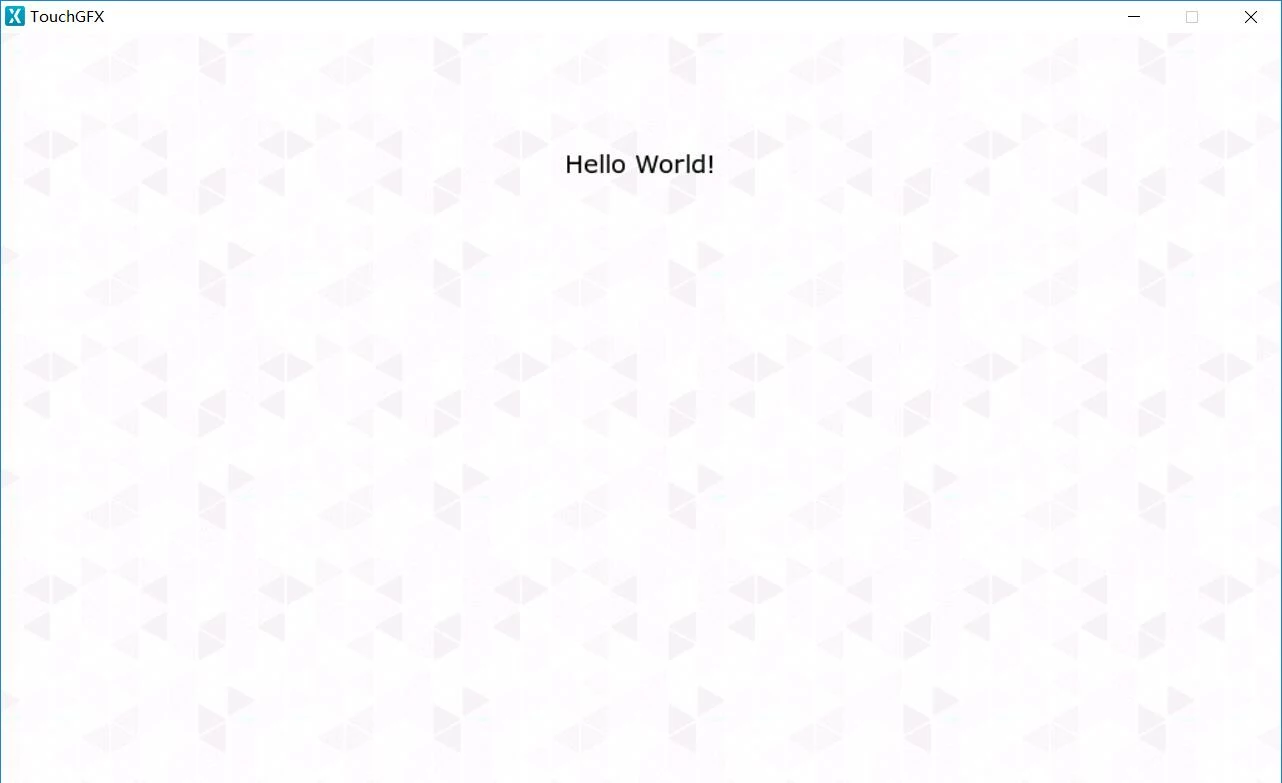
3. Then I use TouchGFX Designer to generated a simple project which is only contains a single screen of a text and a background image.After code generation, I put the entire folder in TrueSTUDIO project's root. Now the "Includes" didn't has grey directories any more.I dragged all the cpp files which is generated by TouchGFX Designer into TrueSTUDIO project path [Application-User-TouchGFX-generated|gui].Things going in here is a bit out of my ability, since I am new in TouchGFX and new in mixin C(GCC) and C++(G++) code together.

4. I tried out lots of combination of Assembler, C Complier, C++ Complier, C++ Linker settings which mention in TouchGFX website.I can't describe all of them.The best result I can get is all c files compile into *.o successfully by GCC and all C++ files compile into *.o successfully by G++, but when executed

arm-atollic-eabi-g++ -o LC-MC001.elf *.o ...

command,which as we know is linking, tons of error show up.

d:/program files (x86)/atollic/truestudio for stm32 9.0.0/armtools/bin/../lib/gcc/arm-atollic-eabi/6.3.1/../../../../arm-atollic-eabi/bin/ld.exe: error: LC-MC001.elf uses VFP register arguments, Application\User\Core\main.o does not
d:/program files (x86)/atollic/truestudio for stm32 9.0.0/armtools/bin/../lib/gcc/arm-atollic-eabi/6.3.1/../../../../arm-atollic-eabi/bin/ld.exe: failed to merge target specific data of file Application\User\Core\main.o
d:/program files (x86)/atollic/truestudio for stm32 9.0.0/armtools/bin/../lib/gcc/arm-atollic-eabi/6.3.1/../../../../arm-atollic-eabi/bin/ld.exe: error: LC-MC001.elf uses VFP register arguments, Application\User\TouchGFX\generated\ApplicationFontProvider.o does not
d:/program files (x86)/atollic/truestudio for stm32 9.0.0/armtools/bin/../lib/gcc/arm-atollic-eabi/6.3.1/../../../../arm-atollic-eabi/bin/ld.exe: failed to merge target specific data of file Application\User\TouchGFX\generated\ApplicationFontProvider.o
...

5. The last information about this I can find is related to floating point implementation? I already tried to switch all implementation to HW or SW the same time.But no luck.

UPDATE

6. I switch Assembler, C compiler, C++ compiler, C++ Linker floating point option to Hardware implementation.And remove -mfloat-abi=softfp parameter which is recommend by this article:

https://touchgfx.zendesk.com/hc/en-us/articles/206116381-Using-other-IDEs-with-TouchGFX

So, after that, all of the processor will have a united floating point setting. Then put SysTick_Handler function back into stm32f4xx_it.c file. Finally, my project build without any error for the first time.

7. I download the program in my board. Sadly, I got this.0690X000006CSy2QAG.jpg
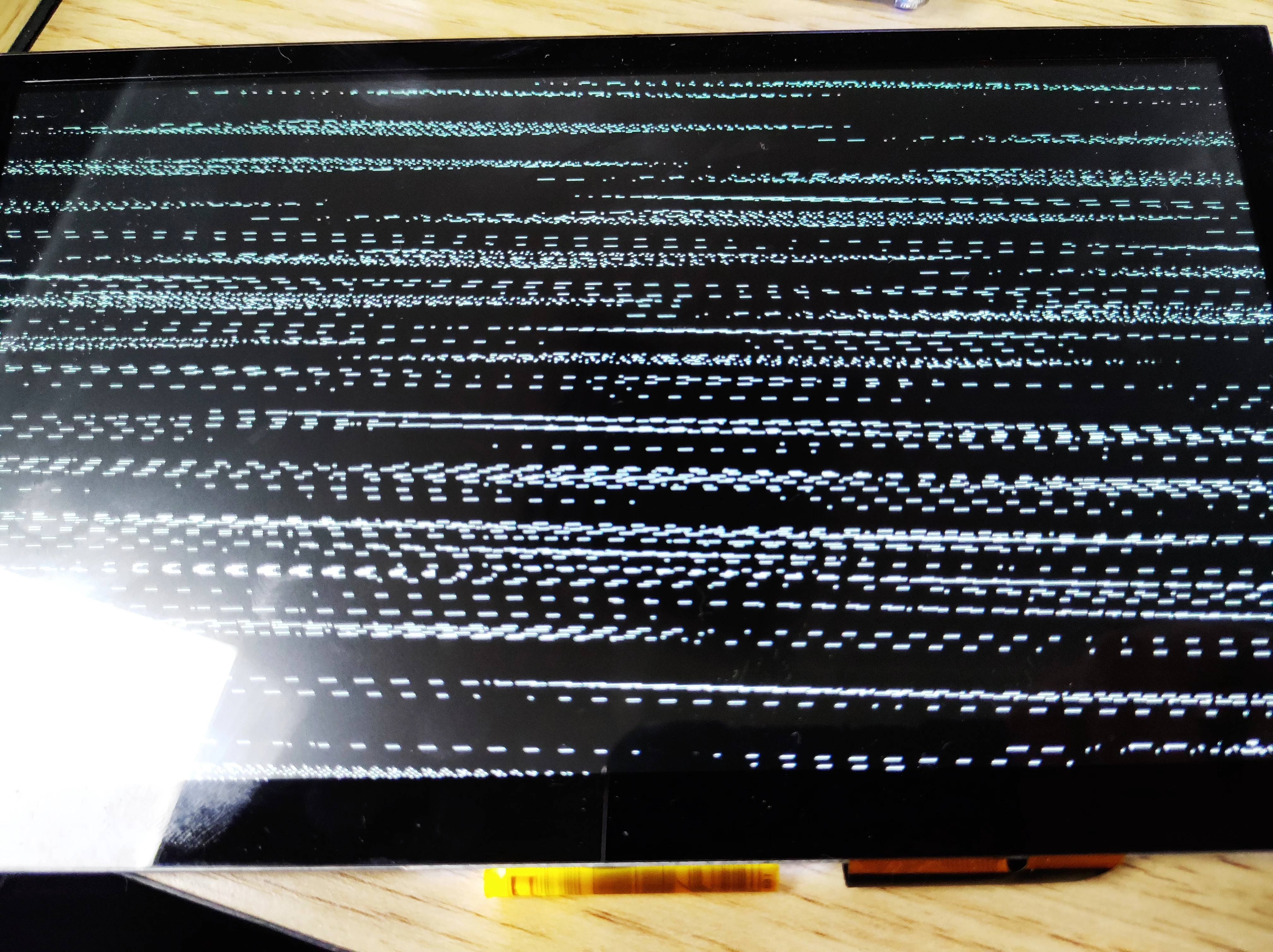
 And my original design is below.

0690X000006CSy7QAG.jpg

I will keep you update if any further information.

Thanks for your reading, I know it's a very long problem description.:face_with_tears_of_joy:

This topic has been closed for replies.
Best answer by Nawres GHARBI

Hi @Zhi Pang​ ,

After some investigations, it seems that there are some generation problems when using TrueStudio and TouchGFX.

I advice to switch to SW4STM32 until this issue is fixed.

We are sorry for the disturbance this issue may bring.

58 replies

Amel NASRI
ST Technical Moderator
November 23, 2018

Hi @Zhi Pang​ ,

The project generated by STM32CubeMX should compile successfully as is. Would you mind send your .ioc file to reproduce issue by our STM32CubeMX and TouchGFX experts?

Did you followed steps as described in UM1718: Tutorial 10: Using ST-TouchGFX framework?

Meanwhile, you can keep updating us with your findings :)

-Amel

To give better visibility on the answered topics, please click on "Best Answer" on the reply which solved your issue or answered your question.
Zhi Pang
Zhi PangAuthor
Associate II
November 23, 2018

Hi @Amel NASRI​ ,

Firstly, I have to admit that I never noticed UM1718 already update a new chapter:Tutorial 10. So basically, the article above is totally "my own idea".:grinning_face_with_sweat:

Now I am going to follow this tutorial step by step.

Here are some differences between my environment and the tutorial.

1.In the tutorial 10, CubeMX's GUI seems is an "old version" style. According to the software release note, the support of TouchGFX is start by v5.0.0, and I assume that is an internal version of CubeMX. So I just use what I can get, the v5.0.0.

2.After I configure pinout by my own, I move to Step 3. In the tutorial, the writer install a software called "ST-TouchGFX-4.9.4" in STM32Cube_FW_F4_V1.20.0 firmware package. I can only get F4 V1.22.0,and the "TouchGFX-4.10.0.msi" in it, which I already installed before.So I decided to "Repair" the designer by the *.msi, in case of I messed up something.

3.Then I linked the designer to GRAPHICS Configuration as the snapshot below.

0690X000006CT3gQAG.jpg4.If the code never been generated, the "Execute" button won't be able to click.That is another difference between with tutorial. So I just click the button, and move to Step 4. After some simple design, I encounter an error of code generation.

0690X000006CT3vQAG.jpg5.Then I opened the TrueSTUDIO project, the project structure look the same with the original problem mentioned.

6.After another tried, I the designer code generation error didn't occur.And the project now look like this.

0690X000006CT61QAG.jpgBut the C++ compile problem which mention in original problem still exist.

0690X000006CT66QAG.jpg

The *.ioc file which I used to follow the tutorial is attached.

Clark Sann
Associate III
November 25, 2018

I'm having a similar problem.

I am attempting to create a CubeMX project for SW4STM32 using a simple GUI created with TouchGFX Designer. When I do this I find that the guy-generated folder in Eclipse contains only place holder code. It does not contain the code that the TouchGFX designer created. In general I cannot figure out how to get the designer created code into the SW4STM32 project. I suspect it should happen automatically. That is probably the reason we have to click the Execute button in the TouchGFX part of CubeMX.

I notice other odd things.... when I create a new CubeMX project, the Execute button is initially grayed out. As far as I can tell, it doesn't not become active until I completely configure the project and click the Generate Code in CubeMX. But of course, at this point the code that was generated did not include any TouchGFX generated code, because the designer hasn't been run yet. So now that the Execute button is enabled, I click it and the Designer comes up.

Now there is a new problem. The designer comes up with a 320x240 pixel sized screen, which is not the proper size for my 32F756GDisco board. For this board, it should be 480x272. It appears that CubeMX did not properly configure the Designer with the required application template. I also just noticed that the TouchGFX tab in CubeMX contains the wrong screen size too. So it seems that CubeMX is not correctly setting the screen size for the selected board. It would be pointless to configure with this screen size so I have tried two things : 1) create a new TouchGFX project with only a button or a slider on it, and 2) use a previously created project. In both cases, the TouchGFX code is not included in my SW4STM32 project.

So, what are we to do to get the TouchGFX Designer code included in our SW4STM32 project? Incidentally, I have also tried this with Atollic TrueStudio and I get the same thing.

Another problem is that the location of the TouchGFX designer must be set each time a new CubeMX project is generated. Since the location of the Designer never changes, it would be good if you could save this setting somehow so it does not need to be set every time a new project is created.

UPDATE:

I found the solution to some of my problems. First of all, I found that I must manually configure the display size in the TouchGFX Parameter Settings tab of CubeMX. I should not have to do this, because in my case CubeMX knows the screen size of the board. However when I set the proper screen size of 480x272, that information is passed to the Designer and I am able to develop a simple screen with the proper screen size.

After the Designer creates the code and I exit from the Designer, should I press the Generate Code button in CubeMX again? It does not appear to make a difference.

Another question - A few months ago I created a TouchGFX project. I was never able to get it integrated into a SW4STM32 project. How can I use that old TouchGFX project with a new TouchGFX project developed using CubeMX project?

When I build now, I am getting three errors:

Description Resource Path Location Type

undefined reference to `hdma2d' stm32f7xx_it.c /TouchGFX_Test_Atollic/Core/Src line 230 C/C++ Problem

undefined reference to `hltdc' stm32f7xx_it.c /TouchGFX_Test_Atollic/Core/Src line 216 C/C++ Problem

undefined reference to `main' startup_stm32f746xx.s /TouchGFX_Test_Atollic/startup line 113 C/C++ Problem

Frankly it appears this version of CubeMX was rushed. UM1718 is for a different version of CubeMX. Additionally it spends time discussing the various peripherals required by TouchGFX. Why doesn't CubeMX just configure the peripherals correctly for us? Also the UM does not appear to show us how to create a project that builds.

I am eager to get TouchGFX working in my project so I would be happy to help you test this. If you need any testers, please let me know.

Clark

Zhi Pang
Zhi PangAuthor
Associate II
November 26, 2018

Hi Clark,

In my opinion, the CubeMX did not turn on the C++ compiler (G++) for you, so your IDE won't compile files which have cpp suffix.Including the main function which is wrote in main.cpp.

After all c files are compiler by GCC, the process move on and go to the link stage. Then the start file couldn't found main function and reported an error.

You can turn on C++ compiler by your own to fix this problem but more will come after.:grinning_face_with_sweat:

Nawres GHARBI
ST Technical Moderator
November 26, 2018

Hi @Zhi Pang​ ,

Could you please attach your project?

Are generating the project outside your TrueStudio workspace ?

Zhi Pang
Zhi PangAuthor
Associate II
November 27, 2018

Hi @Nawres GHARBI​ 

Here is my project which is strictly follow the tutorial 10. I haven't run any build operation in TrueSTUDIO and then compressed it for you.

I don't know what is "generating the project outside TrueSTUDIO workspace", if I disable the TouchGFX middleware and just use the same project to turn on and off LED by GPIO, it work fine.

Nawres GHARBI
ST Technical Moderator
November 27, 2018

Hi @Zhi Pang​ 

Could you please describe the steps that you have done to create this project

Is it an old TouchGFX project that has been migrated ?

Nawres GHARBI
ST Technical Moderator
November 27, 2018

Hi @Zhi Pang​ 

I finally got your issue, it seems that you have generated first with the option "under root" checked and then you unchecked it.

For any GCC project it is not recommended to do this as it may corrupt the project.

If it is the case please regenerate your project with the previous setting and it will be OK

Clark Sann
Associate III
November 27, 2018

Hello @Nawres GHARBI​ 

I am having similar problems building a TouchGFX project using TrueStudio and SW4STM32. I get errors similar to @Zhi Pang​ . I am trying to follow the instructions on tutorial 10, but that tutorial does not appear to be up to date. For example, it does not show how to enable the Execute button.

I will attach my zipped project in hopes you can use it to find what I am doing wrong. Thank you for your help! I am very eager to get my TouchGFX project to build so I can continue my development.

Clark

Zhi Pang
Zhi PangAuthor
Associate II
November 28, 2018

Hi @Nawres GHARBI​ ,

I'm no sure which step is wrong. Now I post every step I did and won't miss any detail. And hope it will help.

1 Start a new project with STM32F429IGTx.

​0690X000006CUrhQAG.jpg

2 Check the conditions that need to be enabled.

​0690X000006CUrrQAG.jpg

3 Enabled FreeRTOS and Enabled Config parameters - USE_APPLICATION_TASK_TAG.

​0690X000006CUrwQAG.jpg

4 Activated DMA2D and configure Parameter Settings.

0690X000006CUs1QAG.jpg5 Activated CRC.

0690X000006CUs6QAG.jpg6 Turn on FMC - SDRAM1, and configure settings base on my SDRAM Chip.

​0690X000006CUsGQAW.jpg

7 Turn on TIM1 and leave the settings by default.

​0690X000006CUsLQAW.jpg

8 Turn on LTDC and configure layer 0 - pixel format to RGB565. Leave Parameter Settings by default.

0690X000006CUsaQAG.jpg

9 Select TouchGFX as the Graphics Framework. Select LTDC as the Display Interface. Select the path of TouchGFX Designer 4.10.0 .

0690X000006CUsfQAG.jpg

10 Manage the clock configuration.

0690X000006CUskQAG.jpg

Clark Sann
Associate III
November 28, 2018

Hello @Zhi Pang​ 

I notice in your step 9, the Execute button is disabled. What are you doing to enable it?

Here is what I do:

Step 11. Fill in the Project Manager

Step 12. Click "Generate Code". At the end of generate code, press cancel. The button now is enabled.

Step 13. Click Execute. Use the Designer to design my GUI. I have not found any way to use a previously created GUI.

Step 14. Test GUI with simulator. Build code. Exit designer.

Step 14. Click "Generate Code" again and open TrueStudio or other development environment.

Step 15. Build and look at all the errors.

This is a weird procedure. I wish the tutorial was more helpful. It doesn't discuss how to get the Execute button to be enabled. Maybe there is a better way.

Zhi Pang
Zhi PangAuthor
Associate II
November 28, 2018

Hi @Clark Sann​ 

Please check my continued post.

Zhi Pang
Zhi PangAuthor
Associate II
November 28, 2018

Continue... @Nawres GHARBI​ 

11 Enter a project name and select TrueSTUDIO as the Toolchain / IDE. Leave other settings in Project Manager by default.

0690X000006CUspQAG.jpg

12 Set the debug type and Timebase Source in SYS.

0690X000006CUsuQAG.jpg

13 Click GENERATE CODE button and ignore the warning.

0690X000006CUszQAG.jpg

14 Waiting for the generating process complete the choose close.

0690X000006CUt4QAG.jpg

15 Click the Execute button to open TouchGFX Designer since it can be use after code generation.

0690X000006CUt9QAG.jpg 16 Drag a image and type a text in the TouchGFX Designer.

0690X000006CUtEQAW.jpg17 Clicke the Generate Code Button in the TouchGFX Designer. And then the status bar mention the process is complete.0690X000006CUtJQAW.jpg18 Open the Project file.

0690X000006CUtOQAW.jpg

19 Try to build the project. And the same error shows.

0690X000006CUtTQAW.jpg

20 The C++ Compiler and C++ Linker didn't come out.

0690X000006CUtYQAW.jpg

The whole project and screen shot are attached.

Nawres GHARBI
ST Technical Moderator
November 30, 2018

Hi @Zhi Pang​ 

Did you open the TouchGFX designer and generate the graphic project ?

Zhi Pang
Zhi PangAuthor
Associate II
November 30, 2018

Hi @Nawres GHARBI​ 

Yes, I did. I described these steps in this post step-15 to step-17.

You can see the screen shots.

Thomas Borowczak
ST Employee
December 3, 2018

​Hi @Zhi Pang​ 

This getting started document should answer your initial question "Does CubeMX 5.0.0 Ready to Build a TouchGFX Project?" :

https://touchgfx.zendesk.com/hc/en-us/articles/360020001492-Getting-Started-with-CubeMX-and-TouchGFX

Hope this helps

Zhi Pang
Zhi PangAuthor
Associate II
December 4, 2018

Hi @BacteriusOROWCZAK​ 

​

I read that document "Getting Started with CubeMX and TouchGFX

".The document mentioned two entry points, TouchGFX Designer and CubeMX. Since I don't have any ST's Discovery or Evaluation board, I wound like to use CubeMX with MCU Selector.

I have a PCB which include a STM32F429IGTx,a LCD display use RGB565 interface, a capacity touch screen use IIC interface, a 32 MBytes SDRAM. I can confirm this hardware solution can fulfill the graphic requirement. Because I successfully built the project with STemWin and display the content.

The first problem I met is that the code which is generated by CubeMX ​contain cpp files but TrueSTUDIO can't compile them.

The document doesn't cover information about use TrueSTUDIO as a toolchain, but only mention MDK-ARM and IAR EWARM. So I don't know which step I took is wrong.