Associate III
October 16, 2025
Solved

How to enable the STM32N657X0 dcache using the STM Cube IDE?

  • October 16, 2025
  • 2 replies
  • 729 views

Hello:

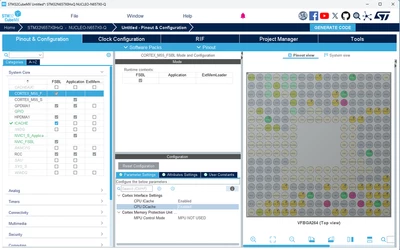
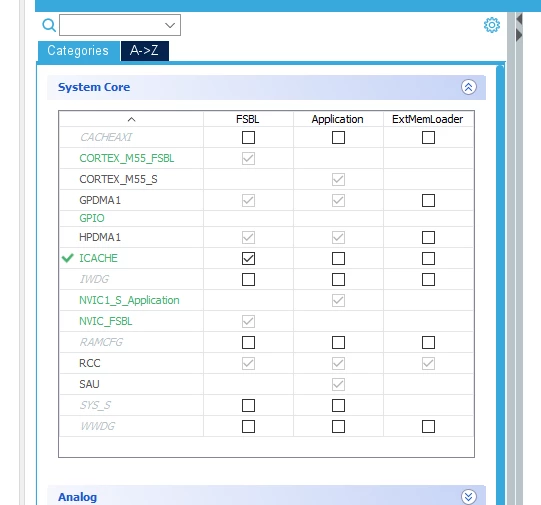
I think I have found how to enable the i-cache on the STM32N657X0 using the STM Cube IDE through using the Pinout & Configuration of the project. Two questions:


1. Is the icache actually enabled, or did I just made it available to be programmed?
2. How do I enable the dcache? I am using the NUCLEO-N657 development board.

If I need to enable them via a software routine, is there an example that I can use?

Thank you.

kag
kag_embedded_0-1760573458588.png


Best answer by Imen.D

Hello @kag_embedded 

Navigate to "Pinout & Configuration" > "System Core", and enable the CPU ICACHE and CPU DCACHE..

ImenD_0-1760593657539.png


I recommend you follow this article: How to build an AI application from scratch on the NUCLEO-N657X0-Q using STM32CubeMX.

2 replies

Imen.DBest answer
ST Technical Moderator
October 16, 2025

Hello @kag_embedded 

Navigate to "Pinout & Configuration" > "System Core", and enable the CPU ICACHE and CPU DCACHE..

ImenD_0-1760593657539.png


I recommend you follow this article: How to build an AI application from scratch on the NUCLEO-N657X0-Q using STM32CubeMX.

In order to give better visibility on the answered topics, please click on 'Best answer' on the reply which solved your issue or answered your question. Thanks
Associate III
October 16, 2025

Thank you.