Associate II
February 28, 2025
Solved

: Error: No STM32 target found!

  • February 28, 2025
  • 10 replies
  • 4802 views

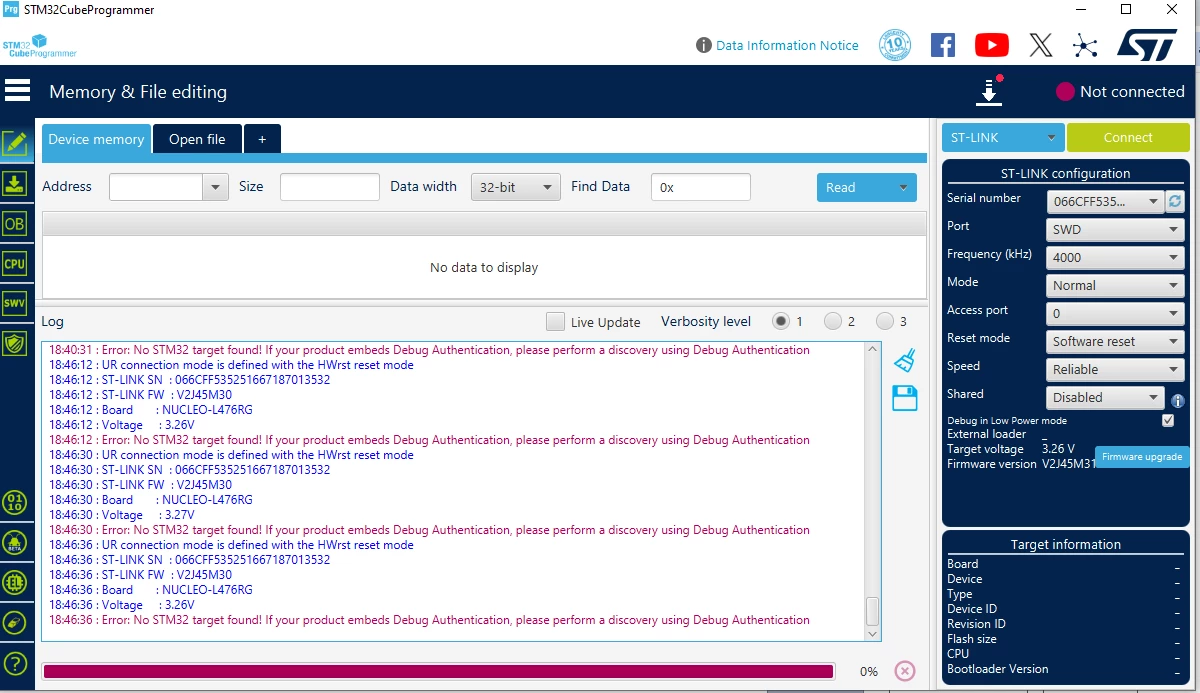
I designed my board using the STM32L476RGT6. However, when using the ST-Link via SWD, I get the following message:

Error: No STM32 target found! If your product embeds Debug Authentication, please perform a discovery using Debug Authentication.

I have checked all connections and voltages, and everything is correct, with the proper 3.3V values.

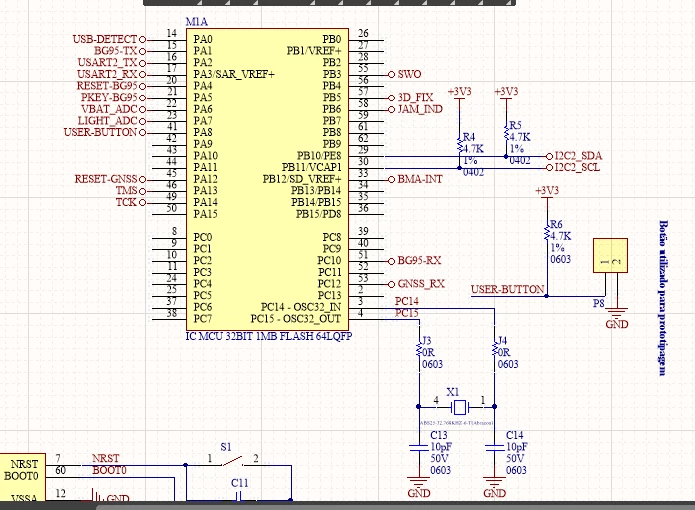
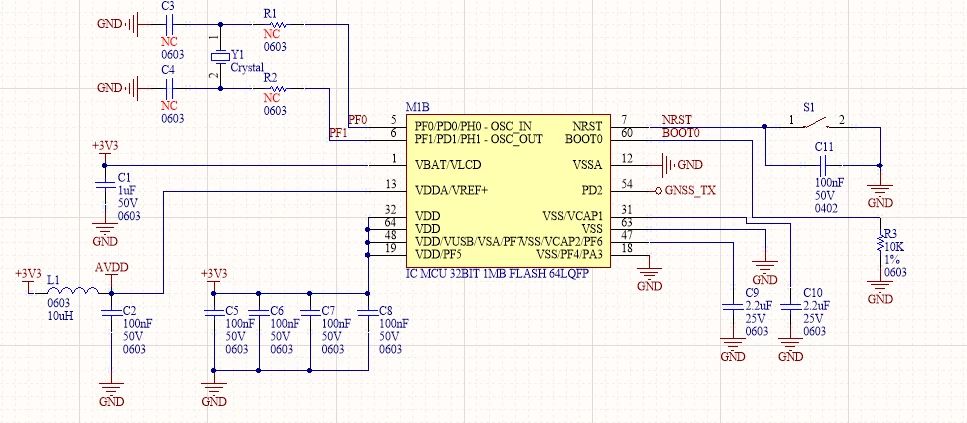
I am sending the schematic and a photo of the programmer.

Note: I did not solder the VCAP capacitors, and there is no voltage on these pins.
 

samuelbs_1-1740779406270.png

samuelbs_3-1740779421378.pngsamuelbs_4-1740779429009.png


This topic has been closed for replies.
Best answer by AScha.3

>VCAPs are jumpered to GND, as the datasheet states they are VSS.

I dont understand this.

VCAP pins must have no connection to GND. Only 2u2 (or 4u7) cer. capacitors ,

going from vcap.pin---2u2cap.---GND.

And sure: no short to GND on any VCAP.pin ?


10 replies

Lead II
March 1, 2025

Do you use an ST-LINK debugger?

Have you wired NRST also to debugger header?
The "UR connection mode" seems to mean: debugger wants to connected Under Reset (it wants to force a reset and connect). But if you do not populate NRST to debugger - maybe the reason.

A forum link with similar symptom:
https://community.st.com/t5/stm32cubeprogrammer-mcus/stlink-v2-not-recognizing-stm32cubeprogrammer-ur-connection-mode/td-p/581187


AScha.3
Super User
March 2, 2025

At first solder the vcap caps. And verify the voltage there, about 1.3 V . This is the CPU core supply - so the most important voltage to check.

If you feel a post has answered your question, please click on " Best Answer ".
samuelbsAuthor
Associate II
March 5, 2025

I measured 0V on the VCAP pins and a current consumption of 60mA (STM32L476RGT6 + LC76G), which I consider very high.

I am using the ST-Link from my Nucleo board, and when I reinsert the jumper, the STM32L4 on the Nucleo board works perfectly.

Additionally, I have already checked for possible shorts in the soldering or PCB and found none.

Could this be an issue with the MCU?

AScha.3
Super User
March 5, 2025

>0V on the VCAP pins

= core has no supply.

So check for any short on VCAP .


>Could this be an issue with the MCU?

If you didnt give 3v3 to vcap or something like that (static discharge) - cpu should be ok.

If you have another board, try it; to compare.

If you feel a post has answered your question, please click on " Best Answer ".