Associate III
July 11, 2026
Solved

Problem with STM32N6 Nucle USB Device CDC ACM

  • July 11, 2026
  • 5 replies
  • 213 views

Hi ST community 

I'm working on a simple application to get USB Device CDC ACM up and running. My goal is to make my STM32N6 Nucleo board detectable by my laptop so that it appears as a Virtual COM Port under Windows Device Manager.

Here are my STM32CubeIDE settings:

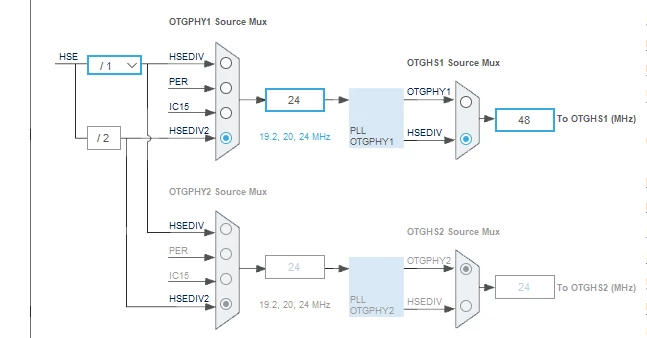
Step#1:  Clock Configuration.  
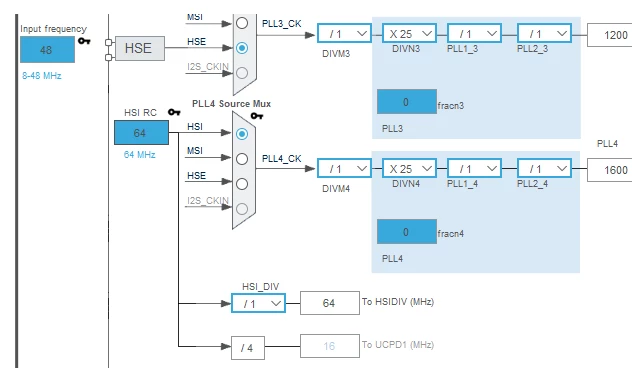


Step#2: Set SYS clock : HSE -? DIGBYPASS Clock Source 
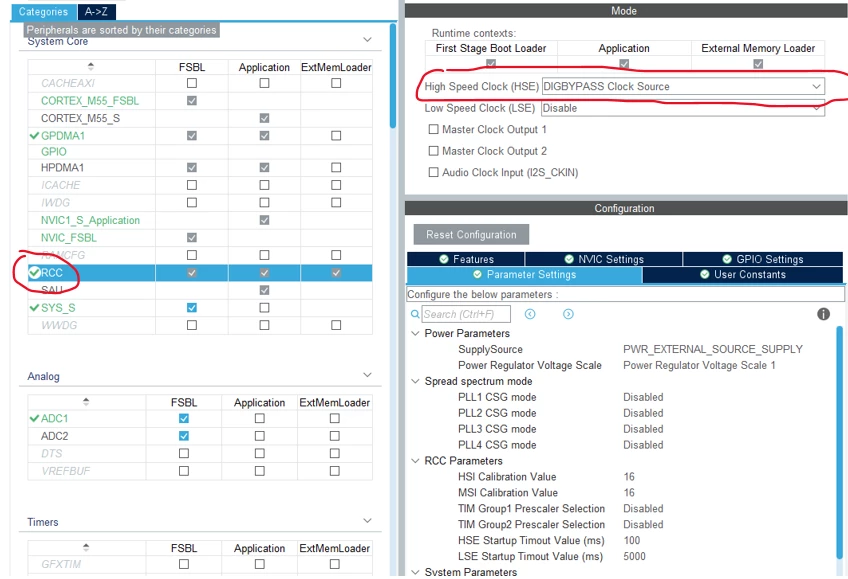


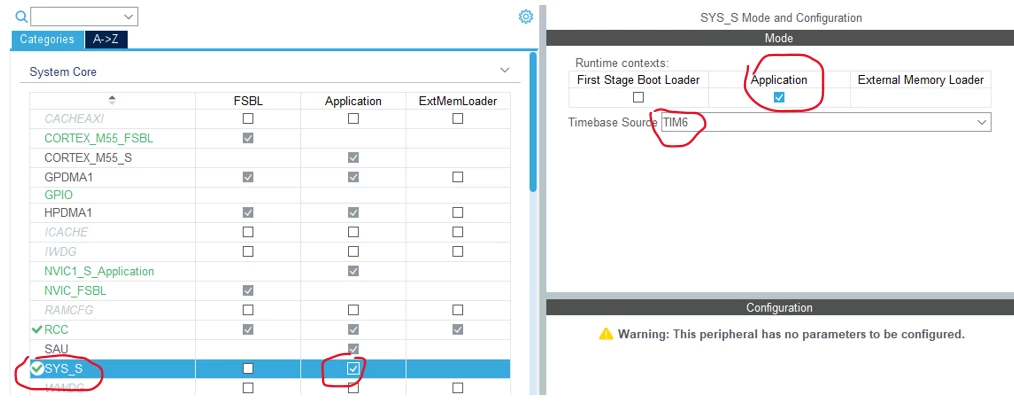
Step#3:  Select TIM6, check off : Application 
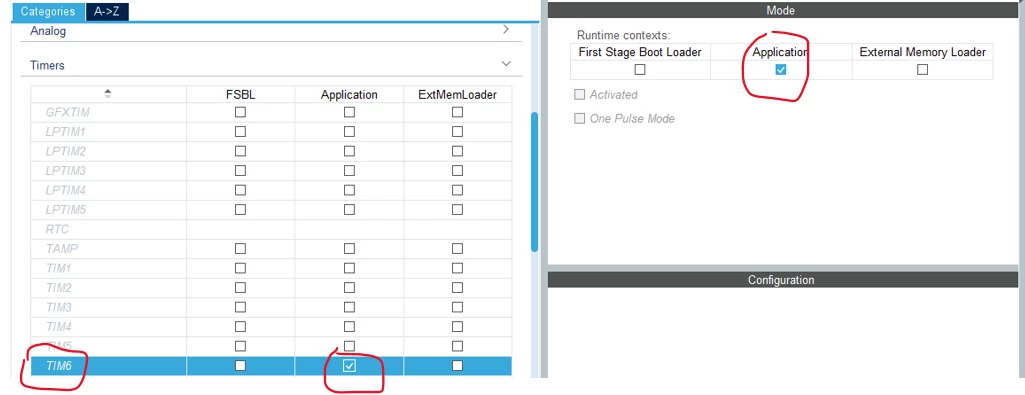


Step#4:  Select TIM6 as Timebase Source, check off : Application 


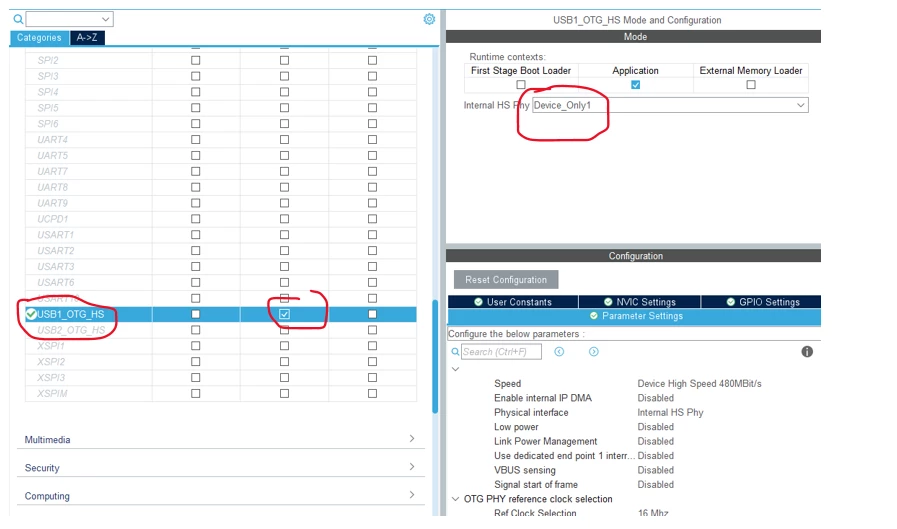
 Step#5:  Select USB1_OTG_HS, and select Internal HS Phy: Device, check off : Application 


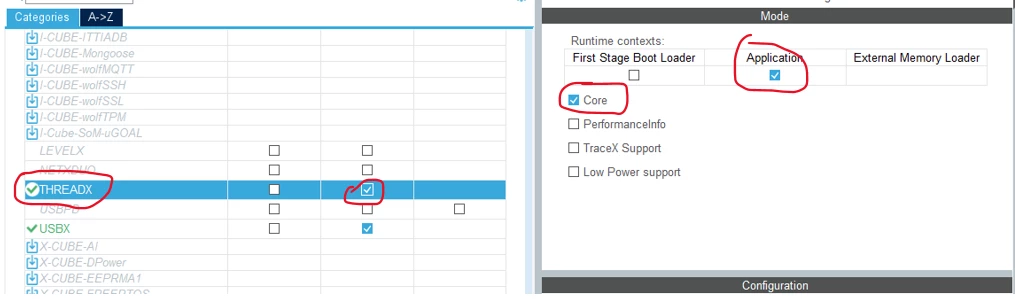
Step#6:  Select Threadx  and check off Core and Mode: Application 


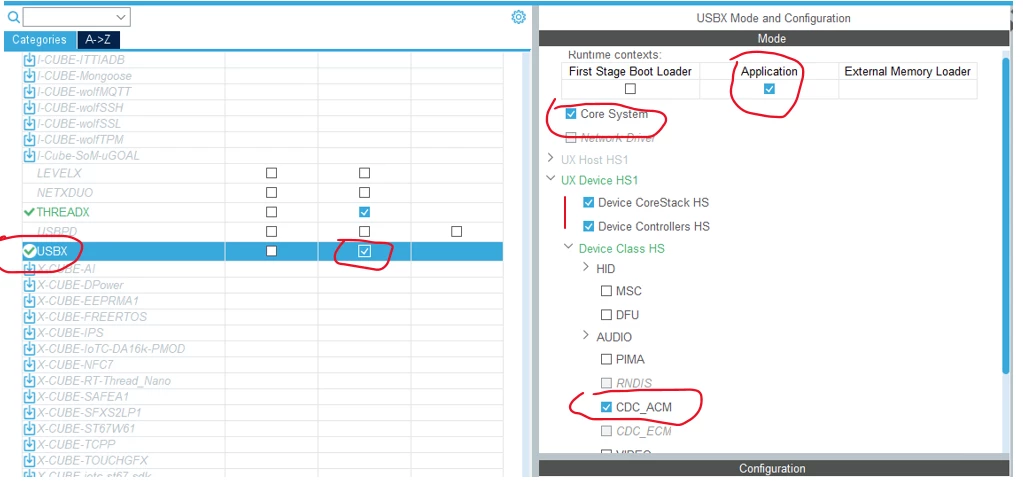
Step#7:  Select USBx with the following setting :
1. Mode: Application mode 
2. Check off  Core system
3. UX Device:  Device CoreStack HS and Controllers HS
4. Device Class HS: CDC_ACM 


And here is my main.c file :
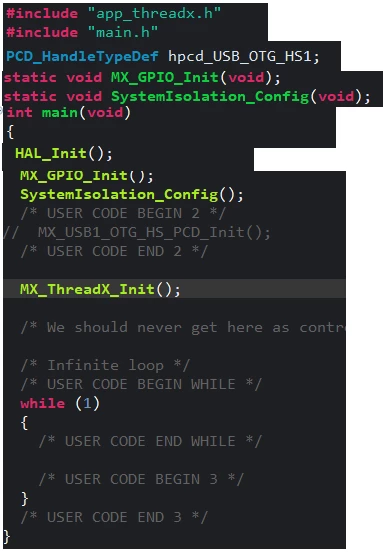


​​​

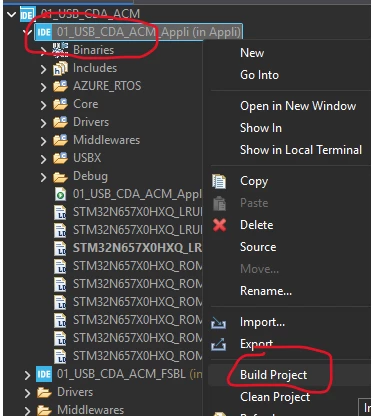
Here is my project folder structure.

To program the board, I've set the boot switches to DEV mode and compiled only the application code. I don't build or program the FSBL.


When I connect my board to my laptop, nothing happens. There isn't a new virtual COM port.

I'd appreciate it if someone could guide me on what I'm missing here.


Best answer by FBL

Hi ​@Saeid ​@Gyessine 

1- FSBL remains required because the boot ROM first copies and executes the FSBL, and then the FSBL initializes the system and transfers control to the Application. For instance, this usb example  STM32CubeN6/Projects/STM32N6570-DK/Applications/USBX/Ux_Device_Video at main · STMicroelectronics/STM32CubeN6 · GitHub uses  application context.

2- A good starting point is the CDC ACM example here: https://github.com/STMicroelectronics/STM32CubeN6/blob/8ab3b6410f9d893ae7ead4a3315215210220cb37/Projects/NUCLEO-N657X0-Q/Applications/USBX/Ux_Device_CDC_ACM/FSBL/USBX/App/ux_device_cdc_acm.c#L269
 

In general you may need to review memory allocation and USBX application source APIs in ux_device_cdc_acm.c : usbx_cdc_acm_thread_entry , usbx_cdc_acm_write_thread_entry .. 

If your goal is to understand the project organization, I recommend starting from the CubeN6 example structure, I recommend this article :https://community.st.com/t5/stm32-mcus/how-to-create-an-stm32n6-fsbl-load-and-run/ta-p/768206

3- In principle, the CDC ACM example can run without USBPD stack, as long as the board is properly powered and the USB supply path is correct for your setup (including TCPP protection) .


5 replies

ST Technical Moderator
July 13, 2026

Hello ​@Saeid 
To ensure that the issue is not hardware related, run this firmware example and check whether it works. Do not forget to connect the Nucleo USB port to the PC alongside the STLINK USB port. Two USB cables are required. If the example works, the issue is likely related to the software in your code. It is recommended to use that firmware example as a baseline and compare it with the project to identify any differences. 
BR
Gyessine

In order to give better visibility on the answered topics, please click on 'Best answer' on the reply which solved your issue or answered your question.
SaeidAuthor
Associate III
July 13, 2026

Hi ​@Gyessine 

Thank you so much for your prompt response. 
I followed your advice and downloaded the example. I opened .project file from this path : NUCLEO-N657X0-Q\Applications\USBX\Ux_Device_CDC_ACM


Here is the imported project inside the stm32cube ide: 

When I tried to build the project, I have encountering this error : 


08:08:48 **** Build of configuration Debug for project Ux_Device_CDC_ACM_FSBL ****

make -j24 all

make: *** No rule to make target 'C:/Users/myuser/STM32CubeN6-main/Middlewares/ST/usbx/common/core/src/ux_device_stack_alternate_setting_get.c', needed by 'Middlewares/usbx/UX Device CoreStack/ux_device_stack_alternate_setting_get.o'. Stop.

"make -j24 all" terminated with exit code 2. Build might be incomplete.

08:08:49 Build Failed. 1 errors, 0 warnings. (took 1s.96ms)

Can you please advise how to fix this error and build the Ux_Device_CDC_ACM ? 


SaeidAuthor
Associate III
July 14, 2026

​@Gyessine 

I managed to fix the issue and now I can see a USB Serial Device 


Can you please advise me on the following questions ? 

  1. The example is implemented in the FSBL. Can I move it entirely to the Application instead?
  2. I would like to understand which files I need to modify. Is there any guide or documentation that explains the project structure and which files do I need to modify for Usbx and Threadx ?
  3. Why does this example enable USBPD? Can it run without enabling USBPD?


FBLBest answer
ST Technical Moderator
July 15, 2026

Hi ​@Saeid ​@Gyessine 

1- FSBL remains required because the boot ROM first copies and executes the FSBL, and then the FSBL initializes the system and transfers control to the Application. For instance, this usb example  STM32CubeN6/Projects/STM32N6570-DK/Applications/USBX/Ux_Device_Video at main · STMicroelectronics/STM32CubeN6 · GitHub uses  application context.

2- A good starting point is the CDC ACM example here: https://github.com/STMicroelectronics/STM32CubeN6/blob/8ab3b6410f9d893ae7ead4a3315215210220cb37/Projects/NUCLEO-N657X0-Q/Applications/USBX/Ux_Device_CDC_ACM/FSBL/USBX/App/ux_device_cdc_acm.c#L269
 

In general you may need to review memory allocation and USBX application source APIs in ux_device_cdc_acm.c : usbx_cdc_acm_thread_entry , usbx_cdc_acm_write_thread_entry .. 

If your goal is to understand the project organization, I recommend starting from the CubeN6 example structure, I recommend this article :https://community.st.com/t5/stm32-mcus/how-to-create-an-stm32n6-fsbl-load-and-run/ta-p/768206

3- In principle, the CDC ACM example can run without USBPD stack, as long as the board is properly powered and the USB supply path is correct for your setup (including TCPP protection) .


To give better visibility on the answered topics, please click on "Best answer" on the reply which solved your issue or answered your question.Best regards,FBL
SaeidAuthor
Associate III
July 26, 2026

Thanks you so much ​@Gyessine for your great explanation