FWu.3
Associate III
September 18, 2022
Question

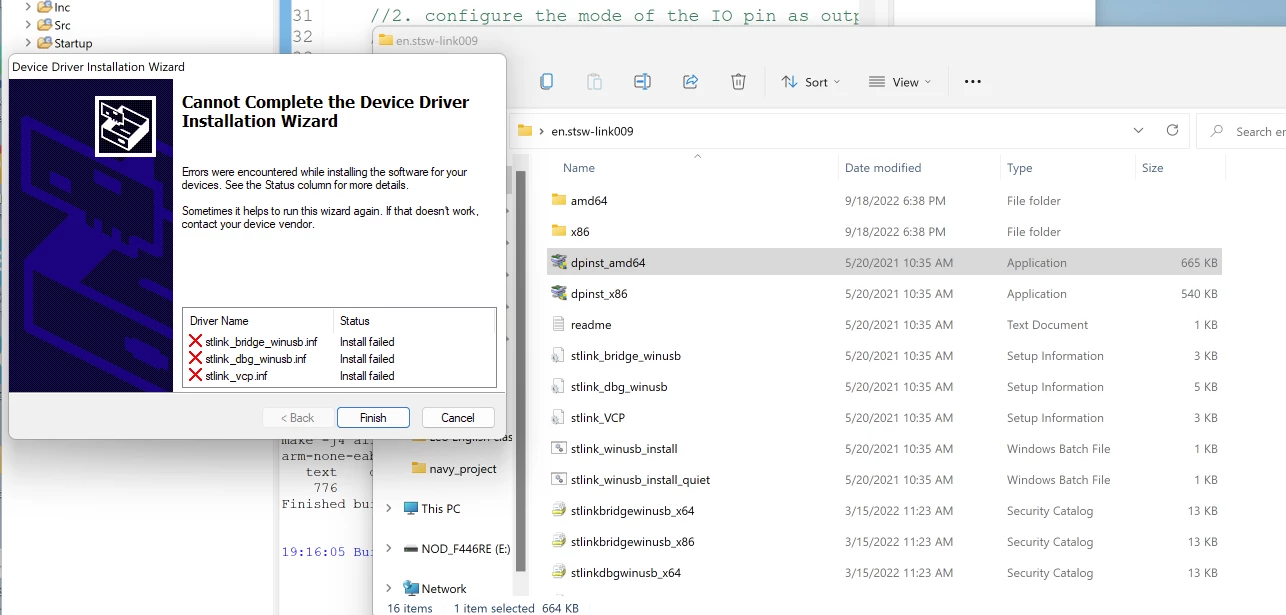
STLINK Driver problem

I have tried many ways to solve this question.

Is anything I missed? Please help. Thanks so much!

My OS is windows 11.
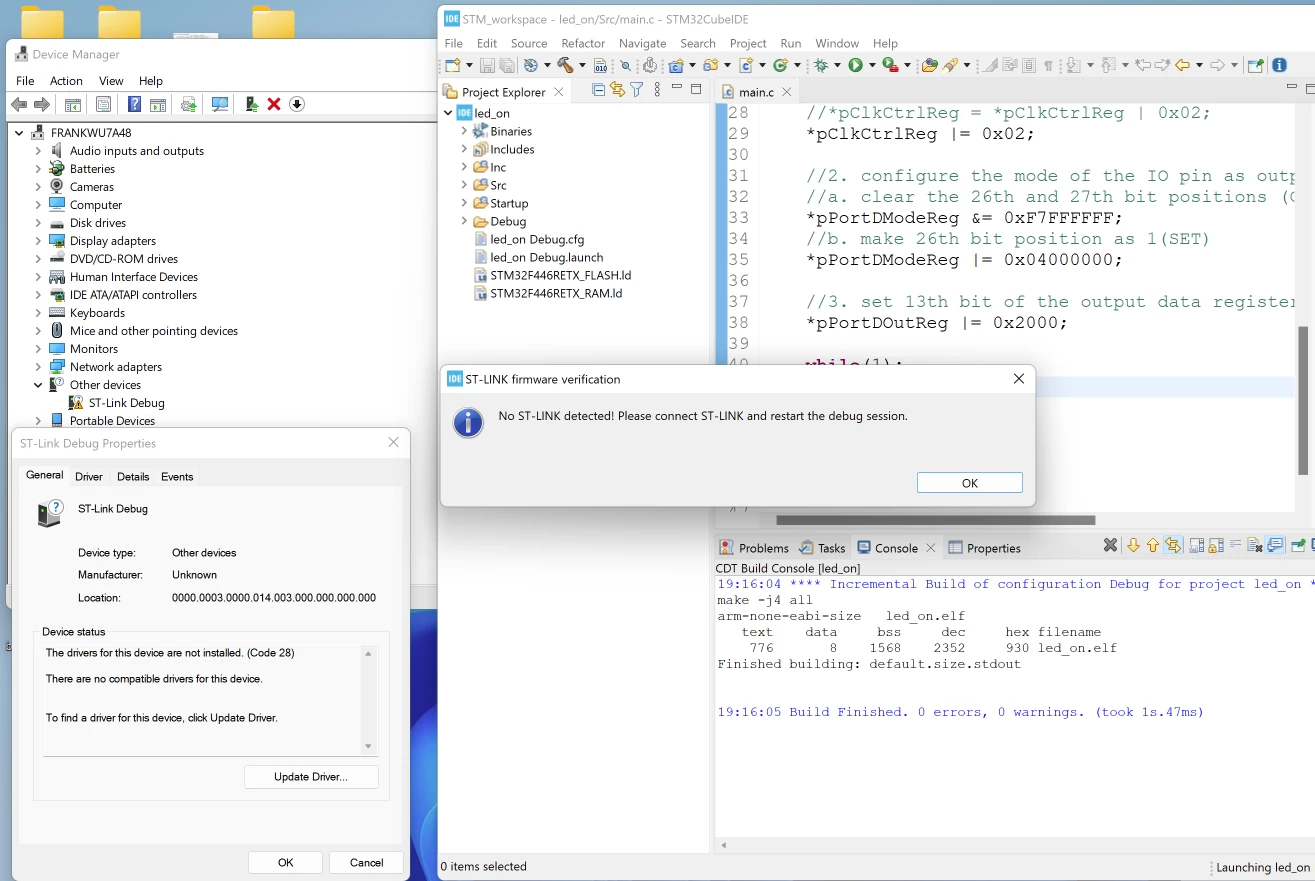
0693W00000Sve9YQAR.png0693W00000Sve9TQAR.png

This topic has been closed for replies.

7 replies

Tesla DeLorean
Guru
September 18, 2022

Unpack the .ZIP to an actual/real directory

Device Manager,

Update Driver

Specify a directory, that of the amd64 subdirectory as unpacked above

Make sure there's not any AV software or settings blocking driver installation.

Tips, Buy me a coffee, or three.. PayPal Venmo (See Profile) Up vote any posts that you find helpful, it shows what's working..
FWu.3
FWu.3Author
Associate III
September 19, 2022

It showed me the same results.0693W00000SveJdQAJ.png

ST Technical Moderator
September 19, 2022

Hello @FWu.3​ ,

Try changing Micro-USB cables (use a good quality USB Cable), and make sure that you are using a current firmware.

When your question is answered, please close this topic by choosing Select as Best.

Imen

In order to give better visibility on the answered topics, please click on 'Best answer' on the reply which solved your issue or answered your question. Thanks
FWu.3
FWu.3Author
Associate III
September 19, 2022

I did, but it still failed I changed to another laptop and connected correctly. I am thinking about why I could not install it on my laptop.

Pavel A.
September 19, 2022

Please find this file on your PC: C:\Windows\INF\setupapi.dev.log

Is there any error related to installation of these drivers?

FWu.3
FWu.3Author
Associate III
September 19, 2022

I have tried solution3(Solution 3: Disabling Enforcement through Startup Settings) from

https://appuals.com/how-to-fix-the-third-party-inf-doesnt-contain-digital-signature-information/

which is the solution from

https://community.st.com/s/question/0D53W00001ONAQySAP/stlink-drivers-unable-to-be-installed-on-windows-11-machine

but still could not solve my issue... and showed me the same thing...

0693W00000SviTcQAJ.png0693W00000SviVsQAJ.png 

Pavel A.
September 21, 2022

@FWu.3​ The posted log file screenshot does not show anything related to st-link (it is not a mouse). It is not obvious that the problem is caused by wrong signature.