Associate
Feb 3, 2025 7:28 AM UTC
Solved

Debugging STM32H735G-DK: "No device found on target"

STM32H735G-DK debug Question

I try to use board STM32H735G-DK.

I connected JP7 to the STLK to change the power source and connected the PC and board via CN15 with USB microB.

In STM32CubeIDE 1.13.0, I make project for the board and debug ( Fig.1 ).
I haven't added anything to the created files, but debugging failed ( Fig.2 ).
The state of the board is
・the monitor is white screen
・LD1 and LD2 is not light
・LD5 is green and LD6 is red

Fig. 1
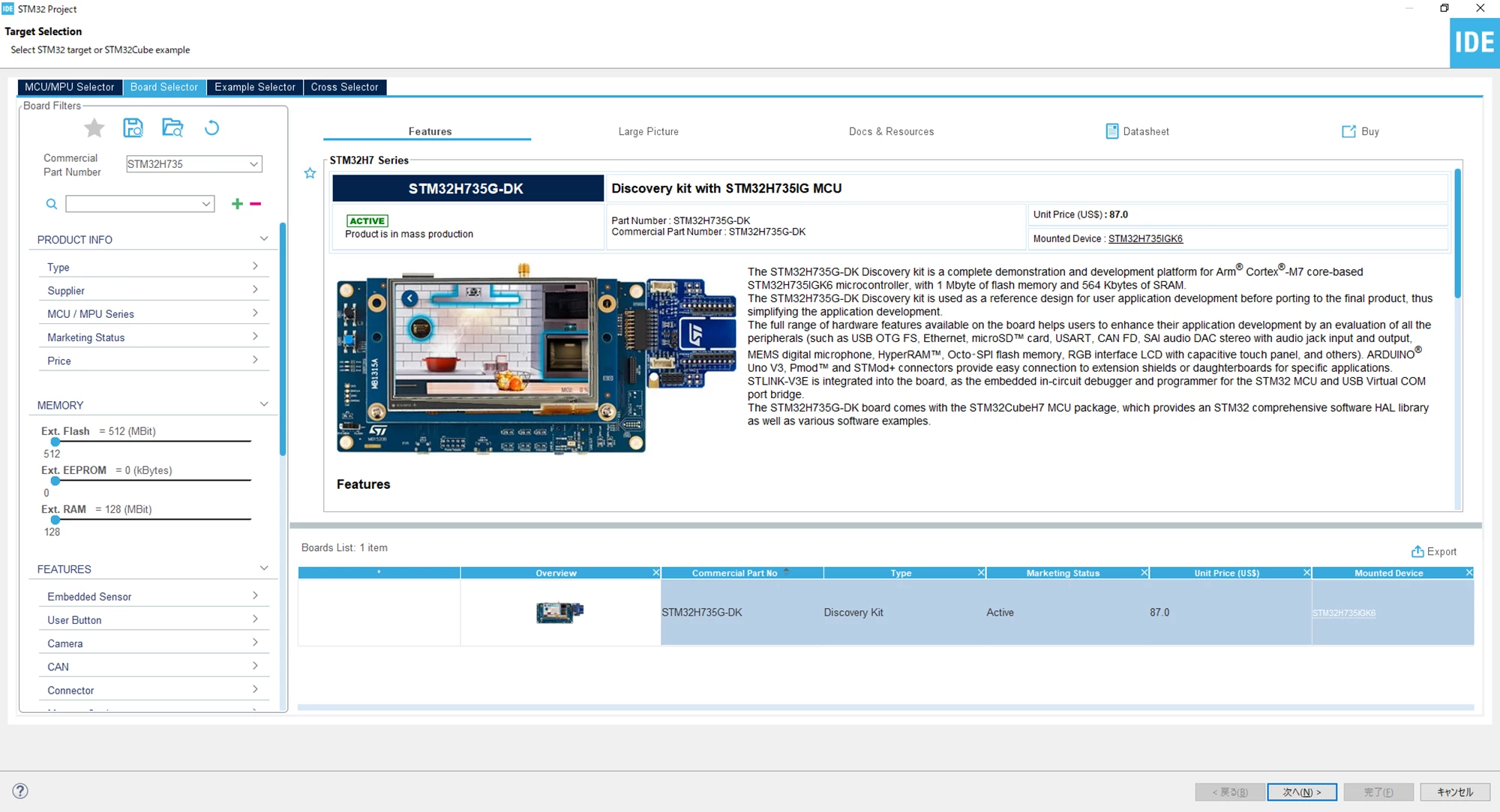
image (4).png


Fig.  2

image (5).png

I thought it might be a deadlock state, so I tried to recover from the deadlock using the STM32CubeProgrammer method as described in the documentation ( https://www.st.com/resource/en/user_manual/um2679-discovery-kit-with-stm32h735ig-mcu-stmicroelectronics.pdf 6.2.4).
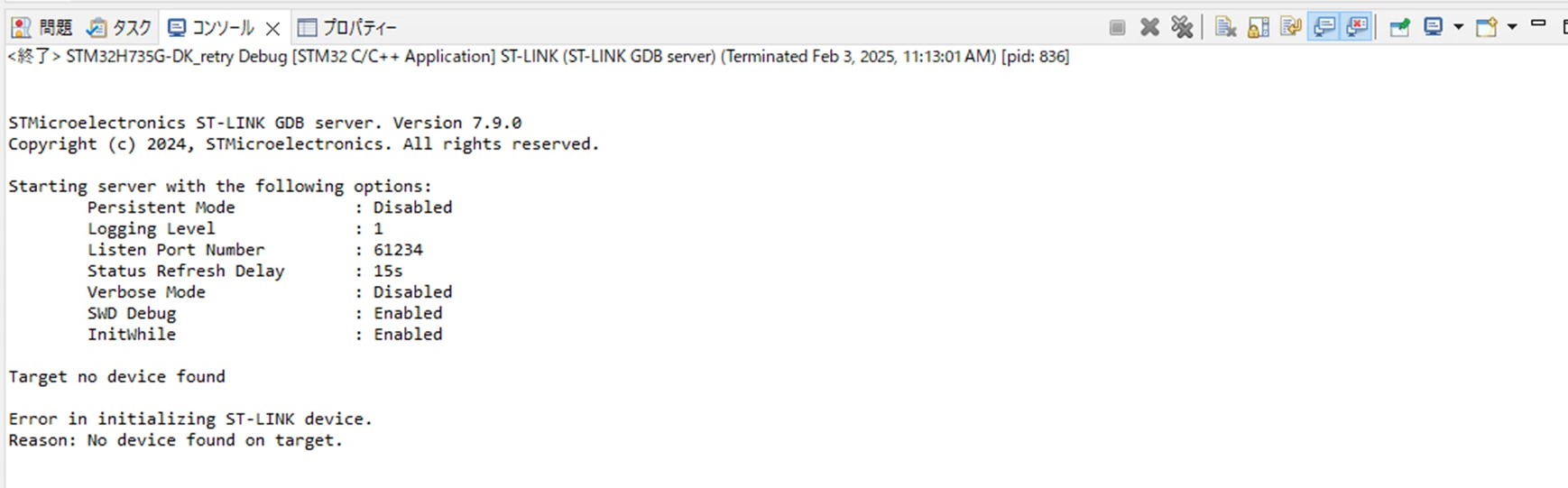
When I debug after running the method, I get Figure 3 in the debug console. If I debug again I get back to Figure 2.

What was wrong with my settings?
Could you please give me some advice on how to restore the state and perform debugging?

Fig. 3
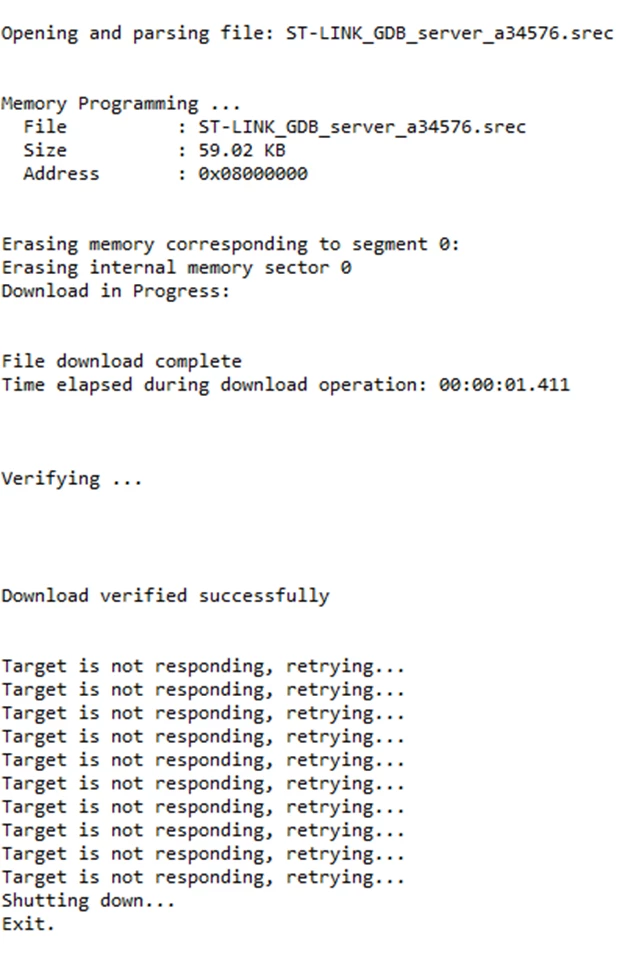
image (6).png

This topic has been closed for replies.
mƎALLEm
mƎALLEmBest answer
ST Technical Moderator
Feb 3, 2025 10:19 AM UTC

Hello,

Most probably the behavior is related to an already raised issue in CubeMx in this thread.

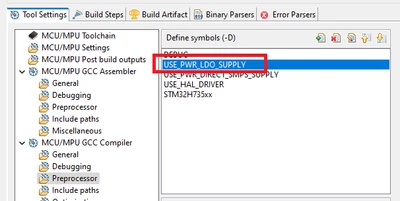
Go to the preprocessor in your IDE and remove the USE_PWR_LDO_SUPPLY definition:

SofLit_0-1738577934049.png

To give better visibility on the answered topics, please click "Best answer" on the reply which solved your issue or answered your question.

4 replies

STTwo-32
ST Technical Moderator
Feb 3, 2025 7:44 AM UTC

Hello @HO_MR and welcome to the ST Community. 
I suggest you to Check this article. It should be helpful. Also, i suggest you to update to use the Last version of the STM32CubeIDE (V1.17.0). 


Best Regards.

STTwo-32

To give better visibility on the answered topics, please click on Accept as Solution on the reply which solved your issue or answered your question.
HO_MRAuthor
Associate
Feb 3, 2025 9:09 AM UTC

Thank you for your reply @STTwo-32.

I have updated ST32CubeIDE.

I read the article you shared and did the following three things:

- Checked PA13 (SWDIO) and PA14 (SWCLK). Fig
- Executed ST32CubeProgrammer with the settings in the article
- Set the debug configuration with the settings in the article

image (7).png

image (8).png

But after debugging, I ended up in the same state as in the question.

What else should I be suspicious of?


image (9).png

mƎALLEm
mƎALLEmBest answer
ST Technical Moderator
Feb 3, 2025 10:19 AM UTC

Hello,

Most probably the behavior is related to an already raised issue in CubeMx in this thread.

Go to the preprocessor in your IDE and remove the USE_PWR_LDO_SUPPLY definition:

SofLit_0-1738577934049.png

To give better visibility on the answered topics, please click "Best answer" on the reply which solved your issue or answered your question.