

Accurate sensor calibration and SFLP algorithms with X-NUCLEO-IKS4A1
- 0 replies
- 5120 views
Summary
This knowledge article explains how you can easily implement accurate sensor calibration and sensor fusion low power algorithms, relying on the new expansion board X-NUCLEO-IKS4A1 with the latest generation of STMicroelectronics MEMS sensors. These algorithms are essential for many applications, such as motion tracking.
Introduction
Are you wondering how accurate motion tracking can be achieved?
The solution is to combine the new generation of ST MEMS sensors with a dedicated software package that implements calibration and sensor fusion low power (SFLP) algorithms. The software package is called X-CUBE-MEMS1 and contains a collection of libraries ready to be used, and some examples of source code for the user’s development.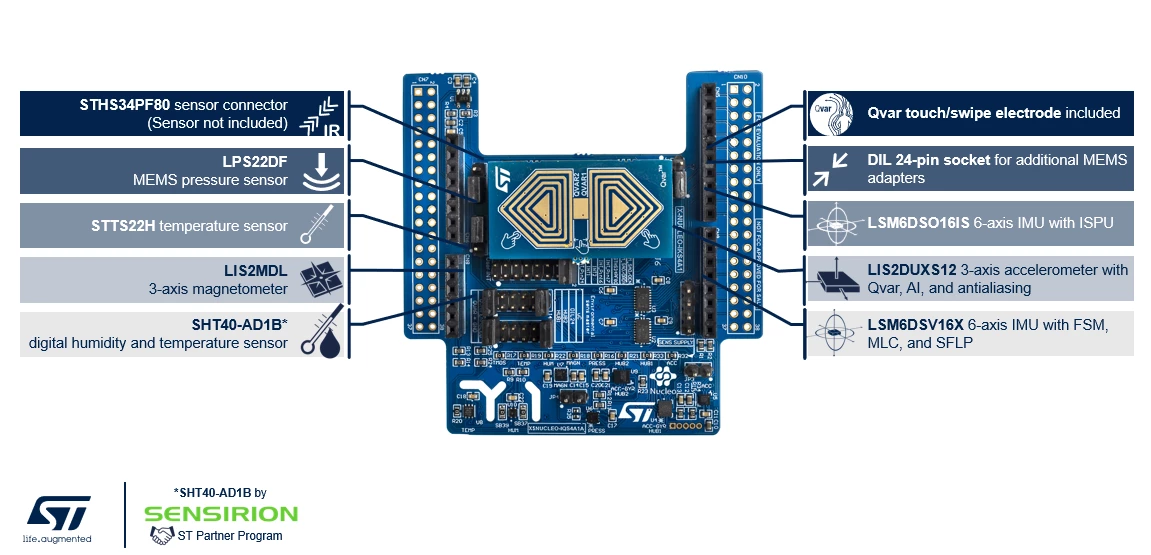 X-NUCLEO-IKS4A1: the new expansion board
X-CUBE-MEMS1 supports the new expansion board X-NUCLEO-IKS4A1, which offers the latest generation of ST MEMS sensors, which are open, accurate, and smart. This new expansion board has been developed relying on the STM32 open development environment (STM32 ODE). This open development environment is an open, flexible, easy, and affordable way to develop innovative devices and applications based on the STM32 microcontroller family.
X-CUBE-MEMS1: libraries and examples
Inside the X-CUBE-MEMS1 package, there are several libraries:
- The MotionAC library, which allows to calibrate accelerometer offset and scale factor coefficients in real time.
- The MotionGC library for gyroscope calibration, which uses zero-rate level coefficients to calibrate gyroscope data.
- The MotionMC library, which allows to calibrate the magnetometer using hard iron and scale factor coefficients.
You can combine data coming from different sensors using the MotionFX library that provides real-time sensor fusion data for all the motion sensors.
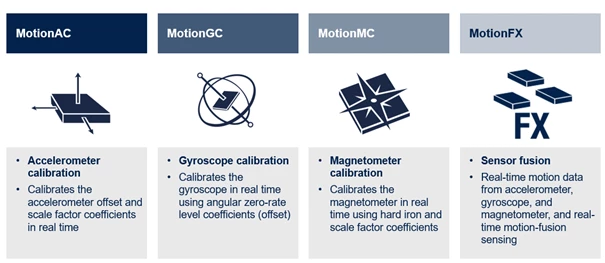 X-CUBE-MEMS1 libraries
Prerequisites
The following hardware and software components are used:
- X-CUBE-MEMS1, expansion software package for STM32Cube
- Unicleo-GUI, graphical user interface for X-CUBE-MEMS1, motion MEMS, and environmental sensor software expansion for STM32Cube
-
The new MEMS sensor expansion board X-NUCLEO-IKS4A1
-
NUCLEO-F401RE, STM32 Nucleo development board
Demo setup
You can download the X-CUBE-MEMS1 software package from the “Tools & software” section of the official X-NUCLEO-IKS4A1 webpage on st.com.
While downloading this package, you can start mounting the X-NUCLEO-IKS4A1 expansion board on top of the NUCLEO-F401RE board.
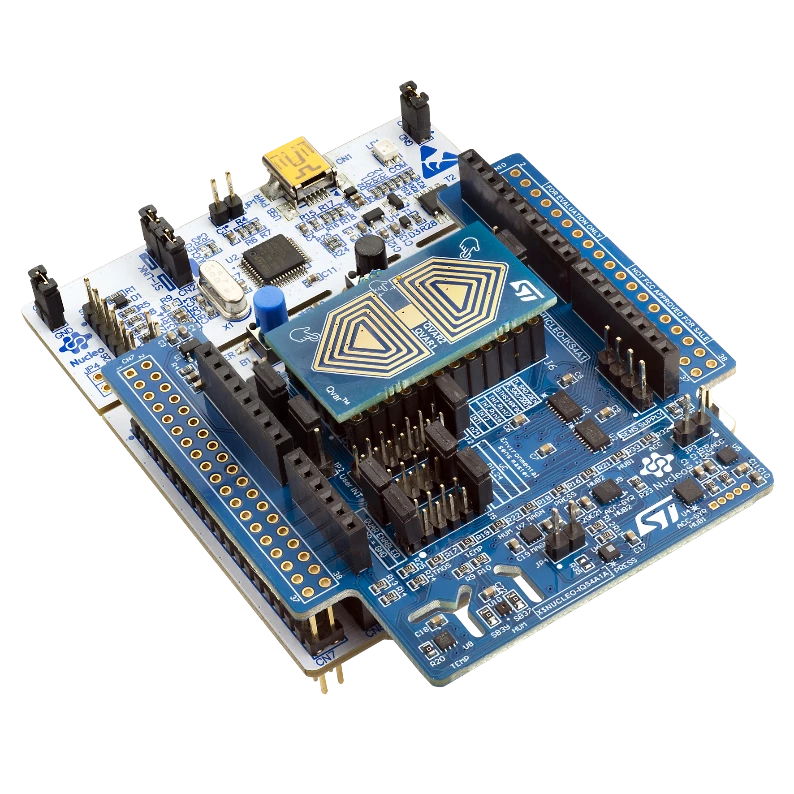 The new expansion board X-NUCLEO-IKS4A1
Then, you connect the Nucleo board to the PC through a USB cable.
You can find the “Projects” folder where the projects are organized by boards inside the package X-CUBE-MEMS1.
You can find a folder called “Applications” containing all the applications available for the different expansion boards, and one folder “Examples” where there is DataLog extended firmware. This example shows how to use a sensor expansion board to send data from a Nucleo board using UART to a connected PC..
You can now flash the DataLog Extended firmware to the Nucleo board by dragging and dropping the binary file to the folder associated to the Nucleo board.
Once the board is flashed, you can use a software tool to evaluate the board, such as Unicleo-GUI.Unicleo-GUI communicates with the STM32 Nucleo board to get data from the sensors acquiring data logs. The software shows sensor outputs as numeric values and plots. With Unicleo-GUI installed, you can visualize data from all the sensors available in the X-NUCLEO-IKS4A1 board and you can perform data logging.
To run the application, it is needed to install and launch the Unicleo-GUI on a PC.
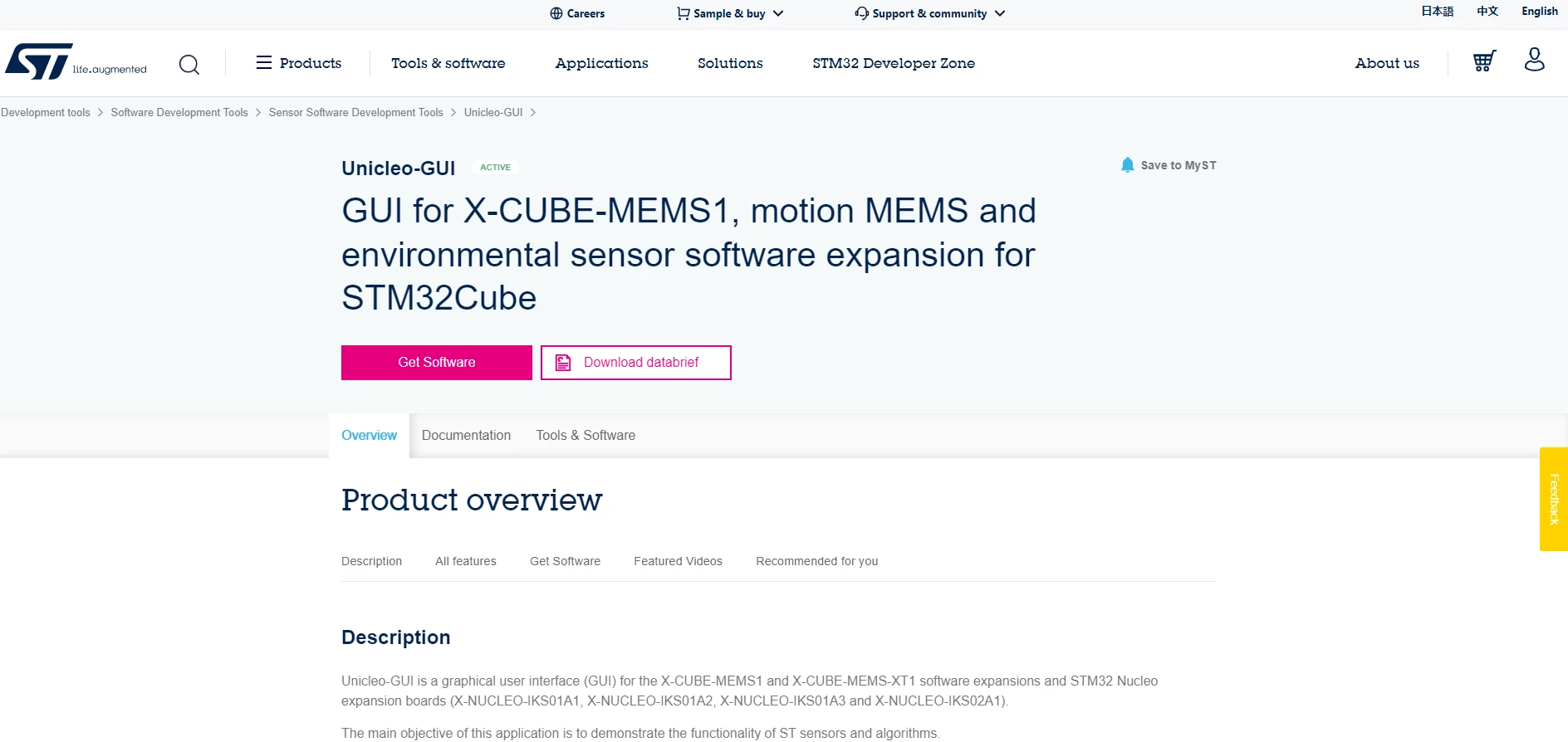 Unicleo-GUI software tool
After a connection has been established, the following is possible:
- View the data from various on-board environment sensors like temperature, humidity, and pressure
- View data from various on-board inertial sensors as well like accelerometer, gyroscope, and magnetometer
- Visualize the data as graphs
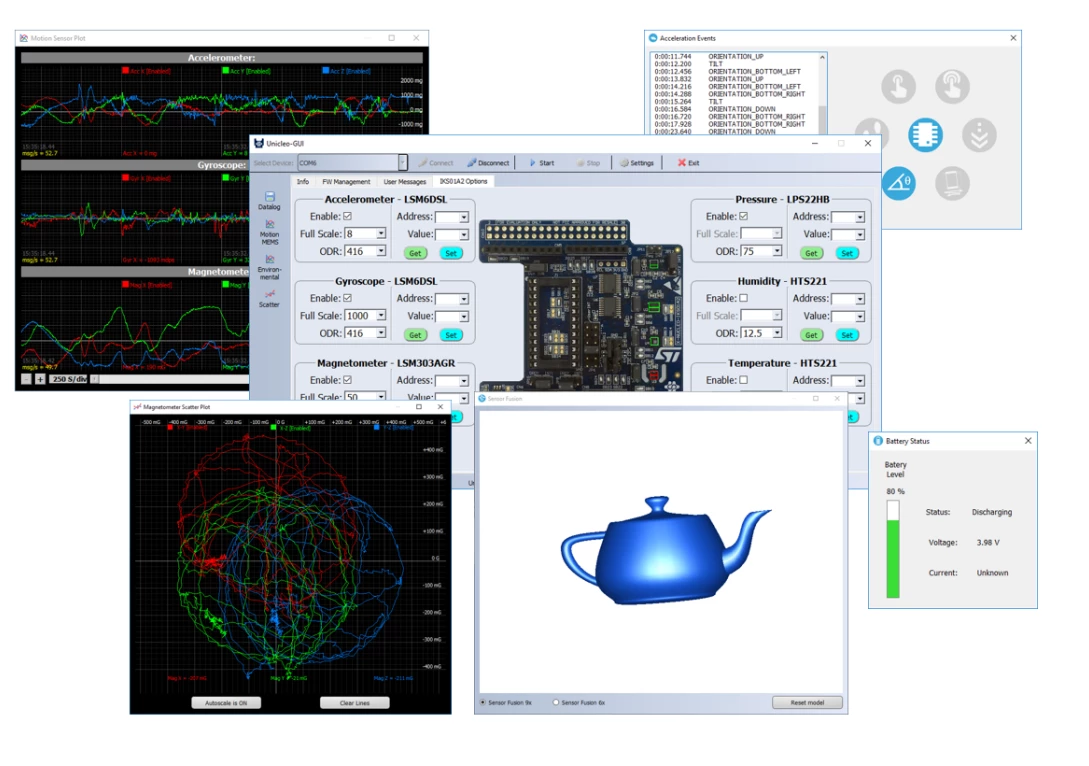 Unicleo-GUI graphical user interface
Related links
- Knowledge base article: How LSM6DSV16X enables sensor fusion low power (SFLP) algorithm
- Dedicated webinar: Webinar: In-sensor monitoring with intelligent MEMS sensors
- Unicleo-GUI: https://www.st.com/en/development-tools/unicleo-gui.html
- X-CUBE-MEMS1: https://www.st.com/en/embedded-software/x-cube-mems1.html
- Getting started with Unicleo-GUI: https://www.youtube.com/watch?v=45baO5Lxv-o
- Purchase a X-NUCLEO-IKS4A1: https://estore.st.com/en/x-nucleo-iks4a1-cpn.html
- Purchase a NUCLEO-F401RE: https://estore.st.com/en/nucleo-f401re-cpn.html