

cancel
Showing results for 
Search instead for 
Did you mean: 

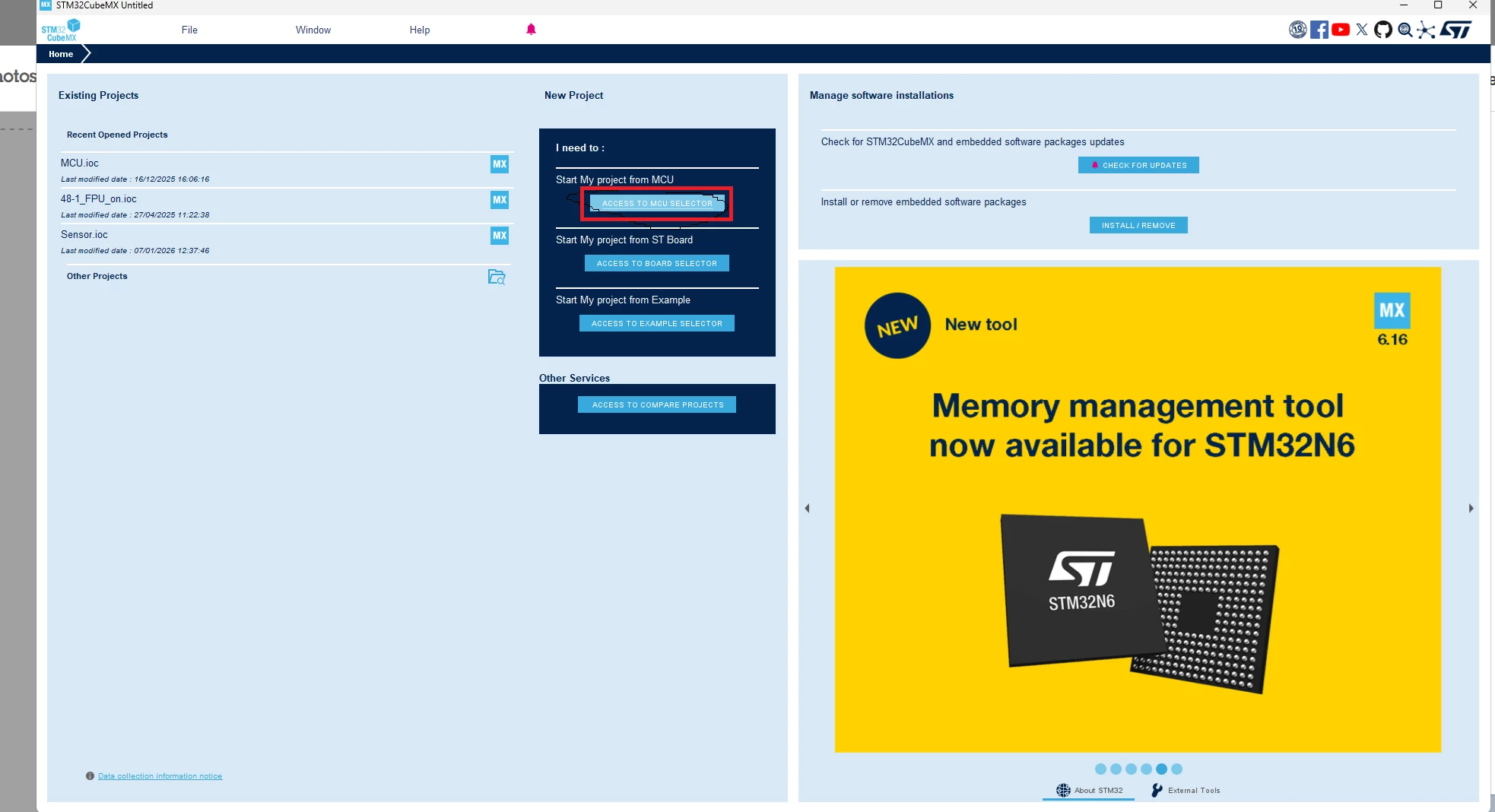
The MCU selector cannot be opened, but the board selector can be opened normally.
jungle_bert
Associate II

无标题.png

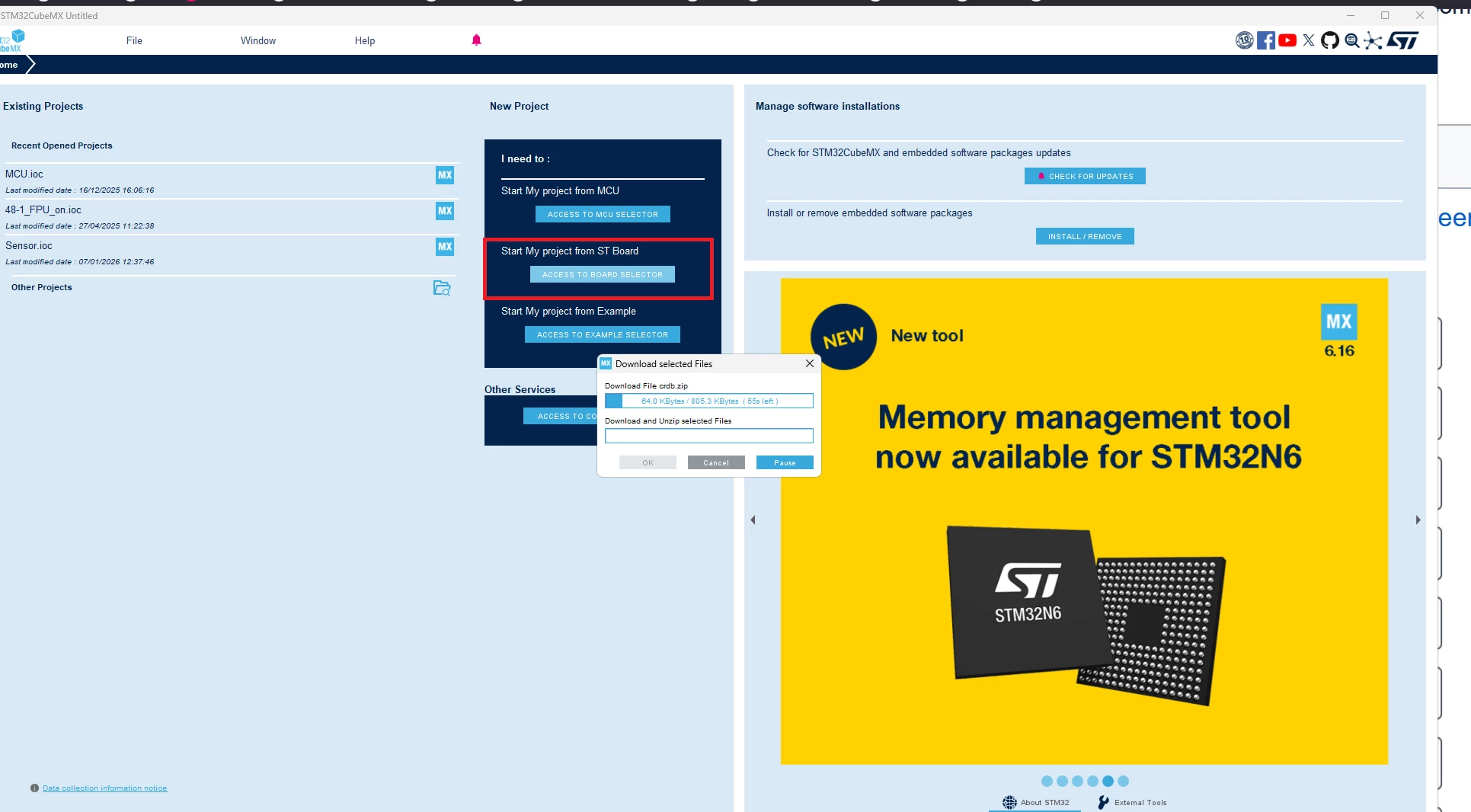
When I clicked the "Access to MCU Selector" button, the interface did not respond. The pointer just kept rotating to indicate loading. However, when I clicked the "Access to Board Selector" button at this time, the selection interface could be opened.
无标题.png

On the board selection interface, when I clicked the MCU/MPU Selector interface, it still showed the situation where the pointer was rotating and indicating a loading process, and I did not enter the MCU selection interface.

 

1 ACCEPTED SOLUTION

Accepted Solutions
Ghofrane GSOURI
ST Employee

Hello @jungle_bert 

Let's try to close MX then go under C:\Users\XXXX , delete .stm32cubemx and .stm32cubefinder

then relaunch MX again and retest.

I will be waiting for your feedback.

THX

Ghofrane

To give better visibility on the answered topics, please click on Accept as Solution on the reply which solved your issue or answered your question.

View solution in original post

16 REPLIES 16
Ghofrane GSOURI
ST Employee

Hello @jungle_bert 

Let's try to close MX then go under C:\Users\XXXX , delete .stm32cubemx and .stm32cubefinder

then relaunch MX again and retest.

I will be waiting for your feedback.

THX

Ghofrane

To give better visibility on the answered topics, please click on Accept as Solution on the reply which solved your issue or answered your question.

无标题.png

As shown in the picture, I deleted these two folders.Then I ran STM32CUBEMX as an administrator.无标题.png

The same problem as before still occurred, such as the pointer just rotating in circles but the MCU selector did not appear.无标题.png

Additionally, when I clicked the "ACCESS to board selector" button, the following loading screen appeared. I believe this is the result of deleting those two folders.

无标题.png

As shown in the above figure, I can still open the board selector by pressing the second button. However, when I click on MCU/MPU Selector on this interface, the pointer still just rotates in circles and the interface remains unchanged.无标题.png

I found that after deleting those two files, if you click on "ACCESS TO MCU SELECTOR", although the interface won't load properly, if you close MX, the following dialog box will appear. I don't know if this is useful. After clicking "OK" for a while, when I closed it again, no such dialog box appeared.

Hello @jungle_bert 

Ok let's try to uninstall MX completely from your machine and reinstall it again .

I will be waiting for your feedback .

THX

Ghofrane

To give better visibility on the answered topics, please click on Accept as Solution on the reply which solved your issue or answered your question.

At the very beginning, I had already tried this method, but even after changing the version, it still didn't work. In fact, I have been using MX for a long time, but recently I suddenly couldn't open the MCU selector.无标题.png无标题.png

无标题.png


Hello @jungle_bert 

Could you please specify your OS?

THX

Ghofrane

To give better visibility on the answered topics, please click on Accept as Solution on the reply which solved your issue or answered your question.

My operating system is Windows 11, but there is no problem on my colleague's computer which also runs Windows 11.

Hello @jungle_bert 

Could you please provide your log ?

THX

Ghofrane

To give better visibility on the answered topics, please click on Accept as Solution on the reply which solved your issue or answered your question.

OK. Do you need me to provide the logs of MX? But I don't know how to obtain the logs. Is there any reference available?

Hello @jungle_bert 

1- Close CubeMX .

2- Copy paste this command under MX installation path :

jre\bin\java -Djavax.net.ssl.trustStoreType=WINDOWS-ROOT -jar STM32CubeMX.exe

as shown in this screenshot command.png

STM32CubeMX will start and a console window will display the log output.

3- In STM32CubeMX, open the MCU Selector.

4- Go back to the console window and copy the log messages that appeared when you opened the MCU selector.

THX

Ghofrane

To give better visibility on the answered topics, please click on Accept as Solution on the reply which solved your issue or answered your question.