Associate II
November 17, 2023
Solved

STM32H755 dual core debugging problem

  • November 17, 2023
  • 2 replies
  • 2881 views

Good morning:

Please I would like to receive your help.

I am starting to learn to program the STM32H755 microcontroller using a nucleo board and the STM32CUBE IDE tools.

My first project is to blink two leds using individual CPUs. That is, the green LED with the M4 CPU and the red LED with the M7 CPU.

After configuring the debugger, the system only programs the M4 CPU and additionally the algorithm runs very slowly.

Please, I would appreciate your valuable help on this issue.

Thank you
    This topic has been closed for replies.
    Best answer by Souhaib MAZHOUD

    Hello again  @JUANdeJESUS 

    There are some suggestions in order to troubleshoot your issue :

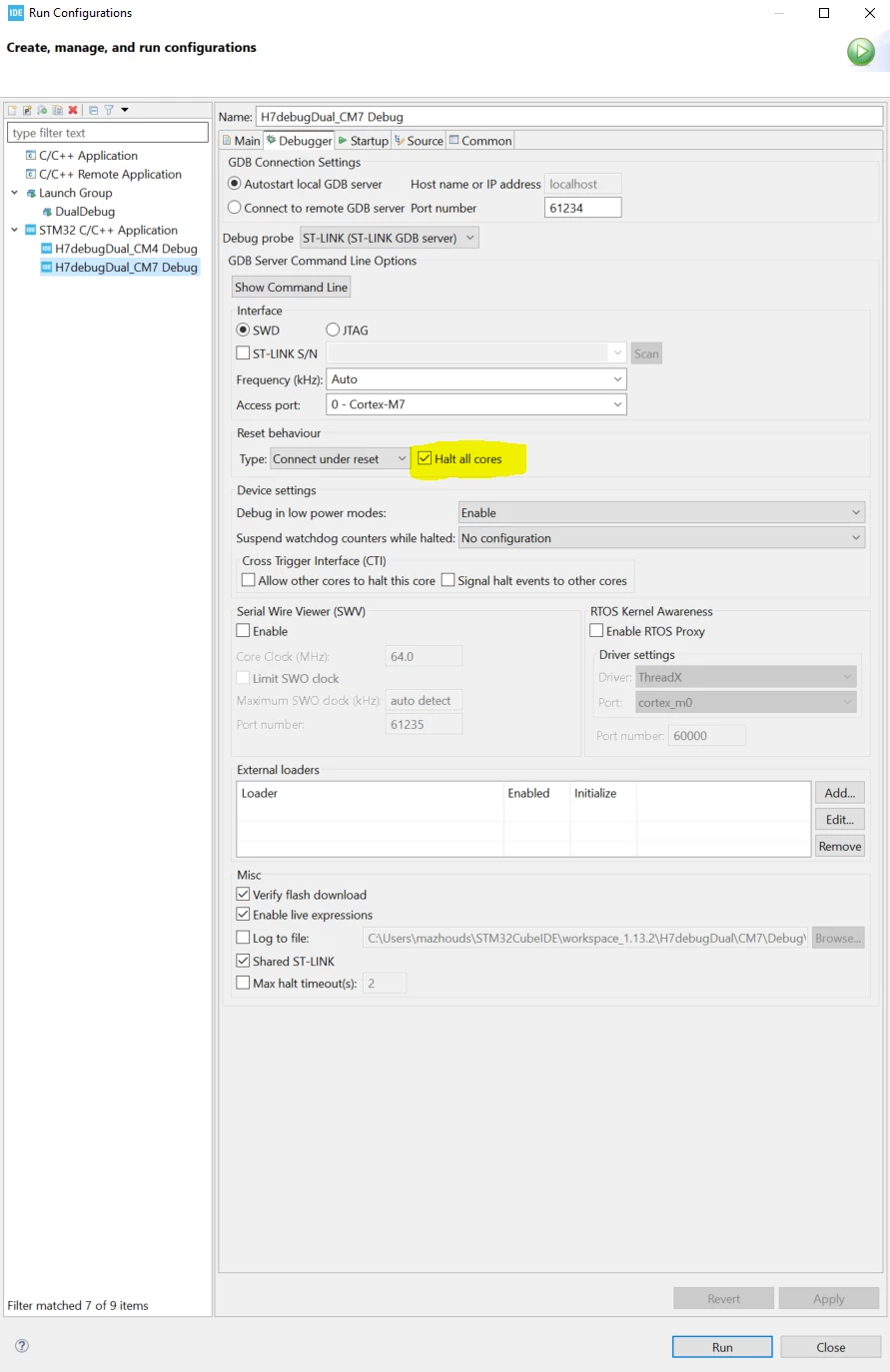
    1-In debug configuration check "Halt all cores" in reset behavior

    SouhaibMAZHOUD_0-1700662667869.png

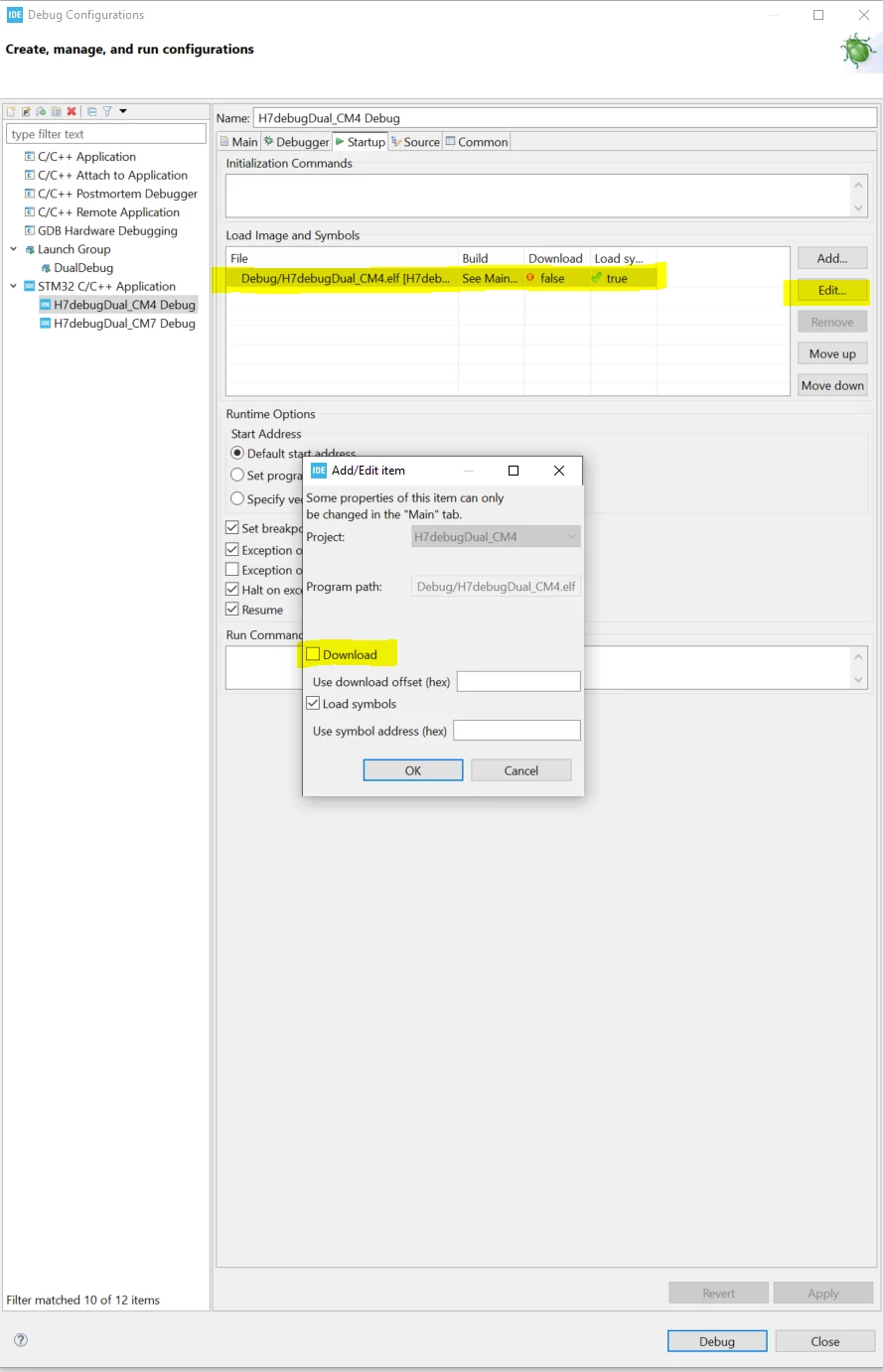
    2-Go to the Startup tab and select [Edit…]>[Disable Download]. This is required since the download is already
    performed by the Cortex®-M7 configuration 

    SouhaibMAZHOUD_1-1700663147316.png

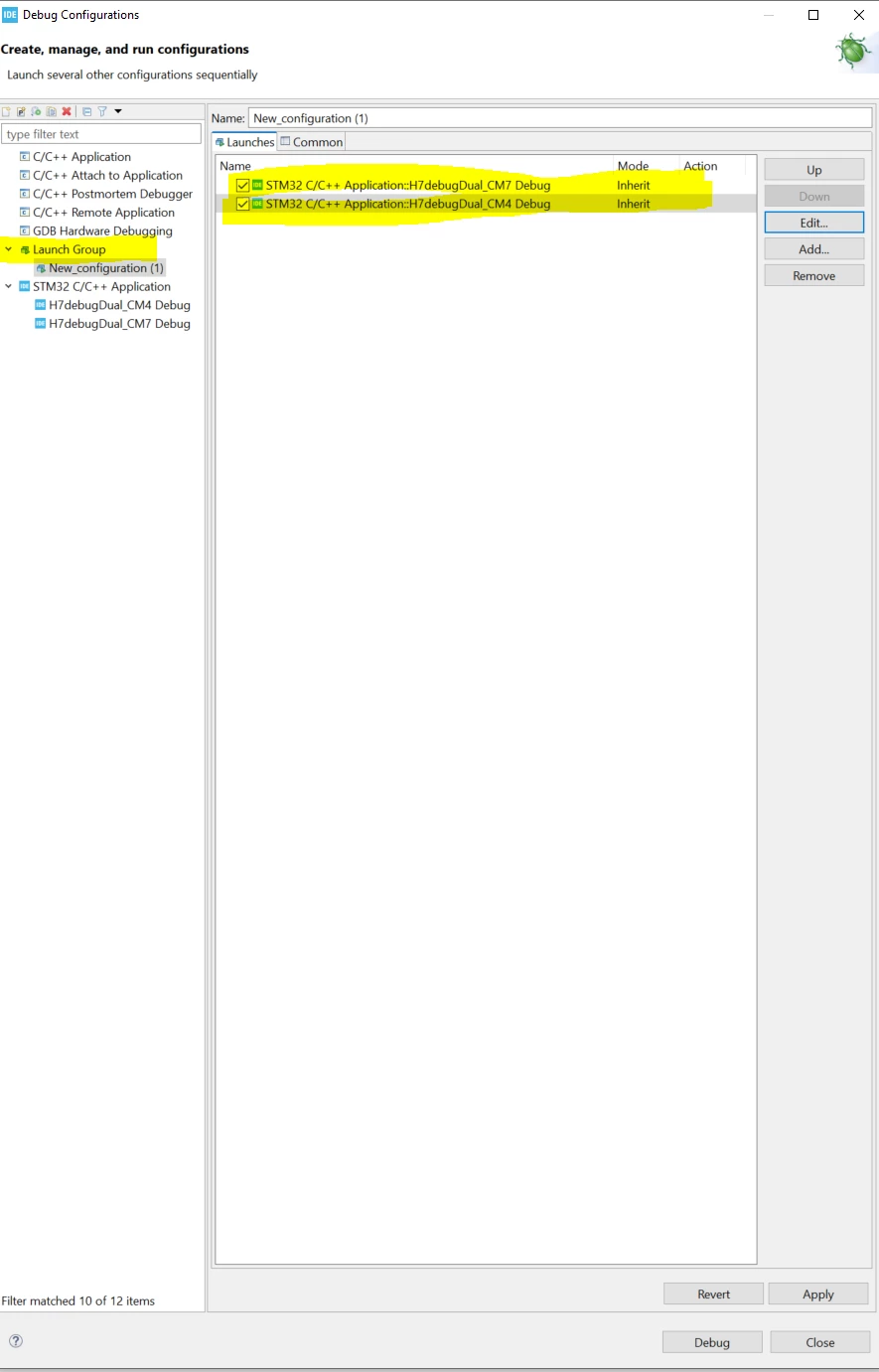
    3- You can launch the debug session on both cores with only one launch configuration as shown below 


    SouhaibMAZHOUD_2-1700663313760.png


    Thx

    Souhaib 

    2 replies

    ST Technical Moderator
    November 17, 2023

    Hello @JUANdeJESUS and welcome to the community!

    I recommend you this document AN5361 , which can help you in debug configuration with STM32H7.

    Thank you,

    Souhaib

    To give better visibility on the answered topics, please click on 'Best answer' on the reply which solved your issue or answered your question.
    Associate II
    November 18, 2023

    Hello:

    Thank you for your reply.

    I have been studying the documents: AN5286 and AN5361, I have followed in detail all that the steps suggested in these two documents, but the problem persists.

    I appreciate your help.


    Souhaib MAZHOUDBest answer
    ST Technical Moderator
    November 22, 2023

    Hello again  @JUANdeJESUS 

    There are some suggestions in order to troubleshoot your issue :

    1-In debug configuration check "Halt all cores" in reset behavior

    SouhaibMAZHOUD_0-1700662667869.png

    2-Go to the Startup tab and select [Edit…]>[Disable Download]. This is required since the download is already
    performed by the Cortex®-M7 configuration 

    SouhaibMAZHOUD_1-1700663147316.png

    3- You can launch the debug session on both cores with only one launch configuration as shown below 


    SouhaibMAZHOUD_2-1700663313760.png


    Thx

    Souhaib 

    To give better visibility on the answered topics, please click on 'Best answer' on the reply which solved your issue or answered your question.