Associate II
October 28, 2024
Solved

STM32cudeIDE on Ubuntu 24.04 - no target

  • October 28, 2024
  • 12 replies
  • 5512 views

Hi guys

I need help! 

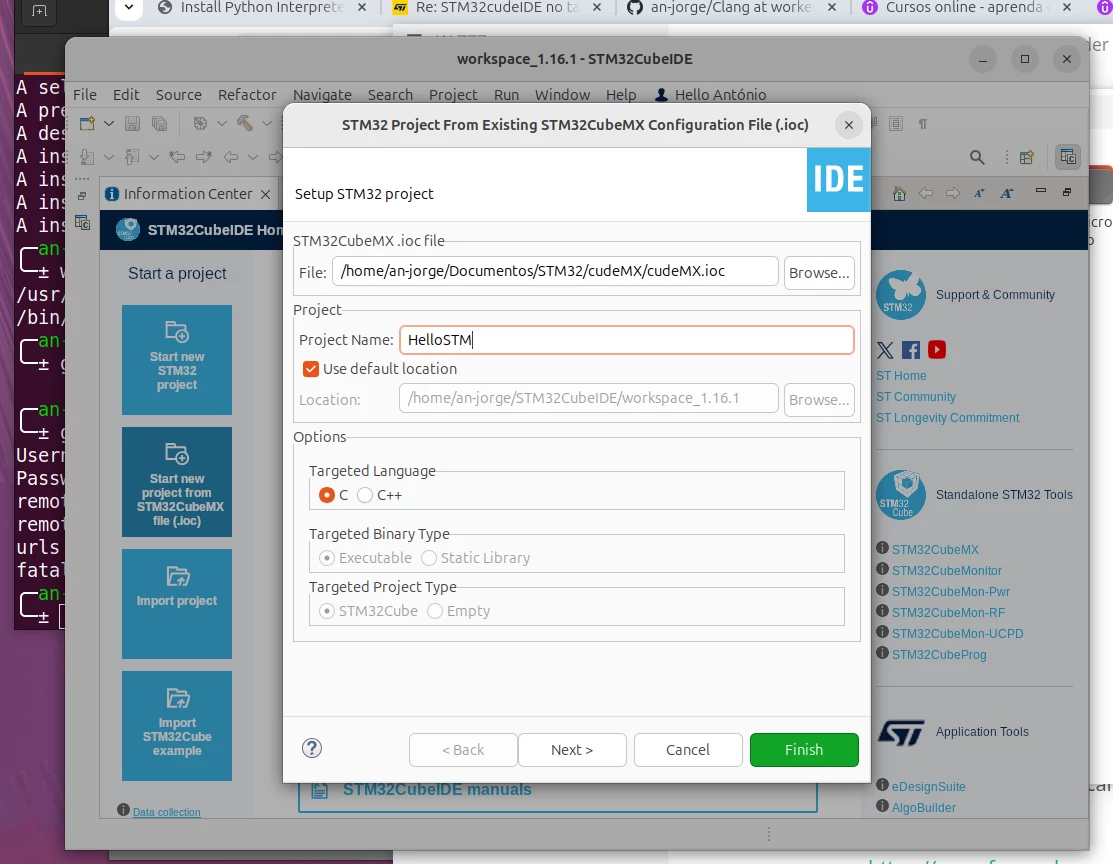
After the installation, I am trying to start a new project in the STM32CudeIDE, it requires a target no more opinions

How can I resolve this?
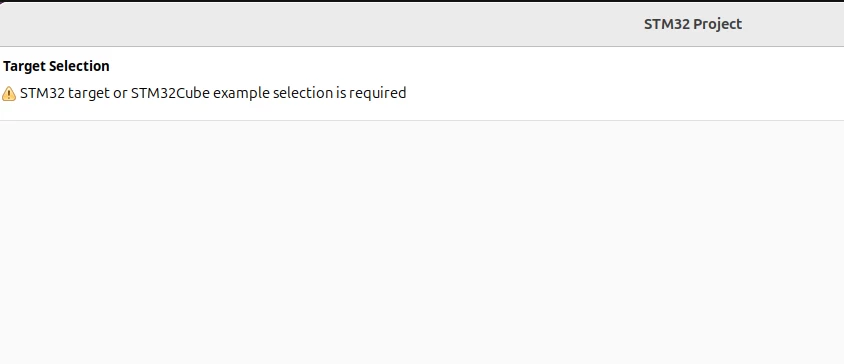
PrtscreenPrtscreen

This topic has been closed for replies.
Best answer by a-jorge

Hi,

I found a possible solution 

1- create the project in the STM32cudeMX

              Select the language and target broad, save the project

2- Open the STM32cudeIDE

           Search for the project that you created in the STM32cudeMX and be happy :)


cudeIDE prtscrcudeIDE prtscr


12 replies

STTwo-32
ST Technical Moderator
October 28, 2024

Hello @a-jorge and welcome to the ST Community.

First, you have to go to File>New>STM32 Project. then you can start your project from a MPU/MCU, an evaluation board or an example. 

More details are provided on this Wiki 

Best Regards.

STTwo-32 

To give better visibility on the answered topics, please click on Accept as Solution on the reply which solved your issue or answered your question.
a-jorgeAuthor
Associate II
October 28, 2024

Hi,

Is that what I am doing ( File>New>STM32 Project), but the second screen with the list of target select is not snowing up.


I am using ubuntu 24.04

STTwo-32
ST Technical Moderator
October 28, 2024

Infact, this Ubuntu version (V24.04) is not officially supported by STM32CubeIDE. Here is the list of OS supported (in RN):
Supported operating systems and architectures
• Windows® 10 and 11, 64 bits (x64)
• Linux®: Ubuntu® LTS 20.04 and LTS 22.04, and Fedora® 36
• macOS® 12 (Monterey), macOS® 13 (Ventura)

So, I suggest you use on of the OS officially supported.

Best Regards.

STTwo-32

To give better visibility on the answered topics, please click on Accept as Solution on the reply which solved your issue or answered your question.
debugging
Lead
October 28, 2024

Perhaps try

ulimit -n -H 4096

before starting CubeIDE.

The Eclipse bug seems to show itself in many different forms.

Running Ubuntu 24.10 myself and its fine.

a-jorgeAuthor
Associate II
October 28, 2024

Hello,

I didn't understand, how can I do it.

debugging
Lead
October 30, 2024

1. Open a command prompt in the folder where CubeIDE executable is located

2. Enter

     ulimit -n -H 4096 <enter>

3. enter 

    ./stm32cubeide <enter>

Do this every time you want to use CubeIDE

a-jorgeAuthor
Associate II
October 30, 2024

Hello,

Doesn't work 

It still jumping the select target screen as in the video.

https://drive.google.com/file/d/1Xh2KV1O5ukZZbHWqwPttRqMuMFU8aegH/view?usp=sharing


prompt prtscrprompt prtscr

debugging
Lead
December 7, 2024

I just upgraded the IDE to 1.7 and run fine on Ubuntu 24.10. I have another post. the only issue I have is that the IDE shows a warning for entries like __ALIGN_BEGIN static uint8_t USBD_CDC while it did not before version 1.16.1