
Senior III
February 14, 2025
Solved

Problem opening a project CubeIDE

  • February 14, 2025
  • 5 replies
  • 2620 views

Win 10, x64, STM32CubeIDE version 1.17.0

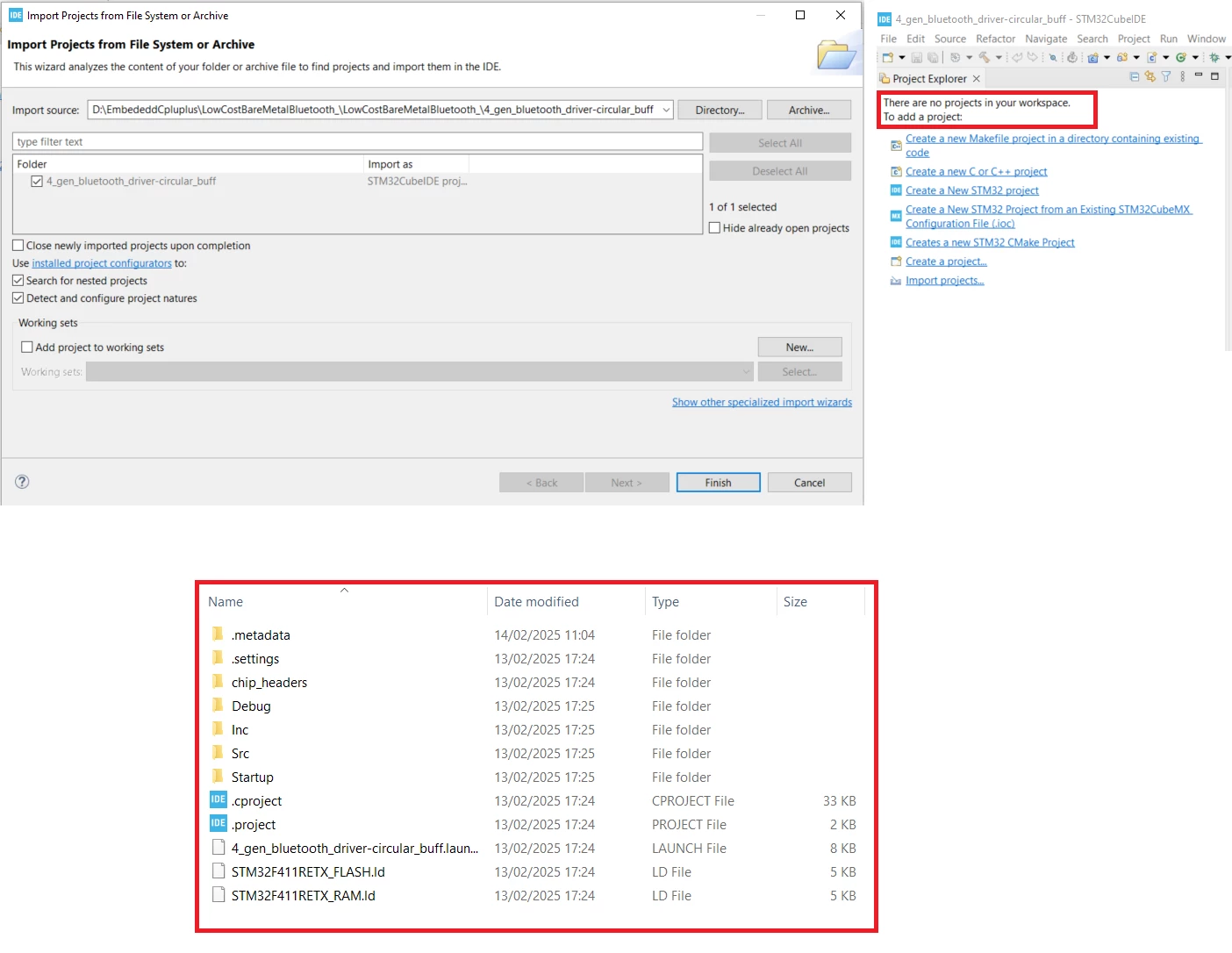
I'm trying to open a CubeIDE project from a workspace but it just doesn't load, see image below. 

I select the folder for my workspace, click finish & am then told that there are no projects in the folder. Yet the folder does contain a CubeIDE project. The open project option is also greyed out in the projects menu pull down.

What am I missing here?
Cube_Proj_Issue.png

This topic has been closed for replies.
Best answer by NicRoberts

Turns out I was not in the workspace directory from where the project was created, which was further up the directory hierachy.

5 replies

Peter BENSCH
ST Technical Moderator
February 14, 2025

Please see this thread which probably answers your question.

Regards
/Peter

In order to give better visibility on the answered topics, please click on Accept as Solution on the reply which solved your issue or answered your question.
NicRobertsAuthorBest answer
Senior III
February 14, 2025

Turns out I was not in the workspace directory from where the project was created, which was further up the directory hierachy.

mƎALLEm
ST Technical Moderator
February 14, 2025

Hello @NicRoberts ,

If you solved your issue please accept your comment as solution.

Thank you.

To give better visibility on the answered topics, please click "Best answer" on the reply which solved your issue or answered your question.
Associate III
February 14, 2025

I have identical problem with the version 1.17, I also have a lot of problems with version 1.17, I also ghastly sad because of problems of CubeIDE :( really sad.

mƎALLEm
ST Technical Moderator
February 17, 2025

Hello @JerryMC22 ,

Need to open a separate thread and describe all the problems you are facing.

To give better visibility on the answered topics, please click "Best answer" on the reply which solved your issue or answered your question.
