

ULehm.1
Associate III
November 5, 2021
Solved

Crazy Things / STM32CubeIDE Version: 1.7.0 Build: 10852_20210715_0634

  • November 5, 2021
  • 8 replies
  • 4382 views

STM32G474RET / FDCAN1

When I create with a STM32 Project, there will be creatied different

startup files (startup_stm32g474retx.s) depending wether I select

Target Projekt Type "STM32Cube" or "empty"!

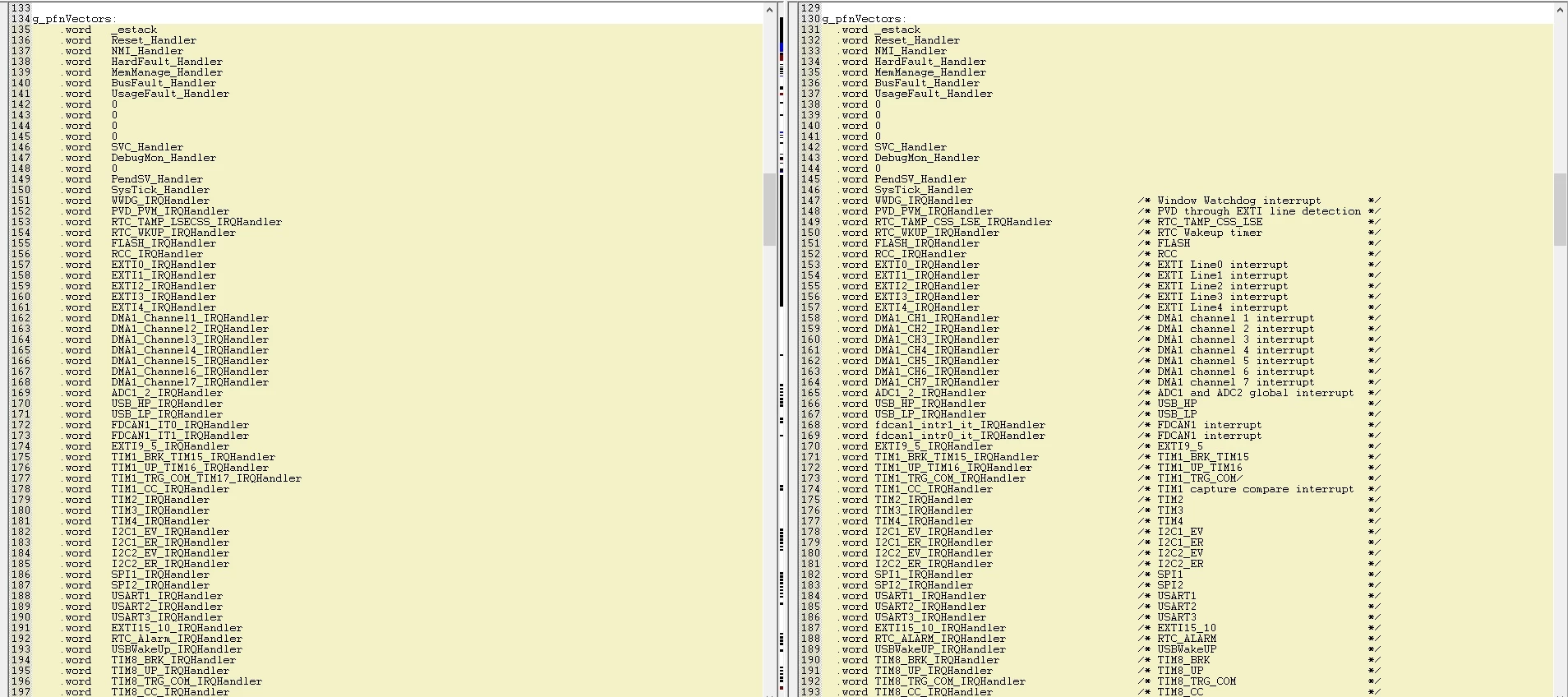
- STM32Cube => startup_stm32g474retx.s with Copyright (c) 2019

- empty    => startup_stm32g474retx.s with Copyright (c) 2020

This files are differ from eahc other, especially some names of

interrupt vectors differ - furthermore more odrder of FDCAN1

interrupt vecotrs differ (0 <==> 1) !!!
0693W00000GWZfvQAH.jpgI've created a STM32 Project with an empty Target Projekt Type and

use therefore the newer startup file.

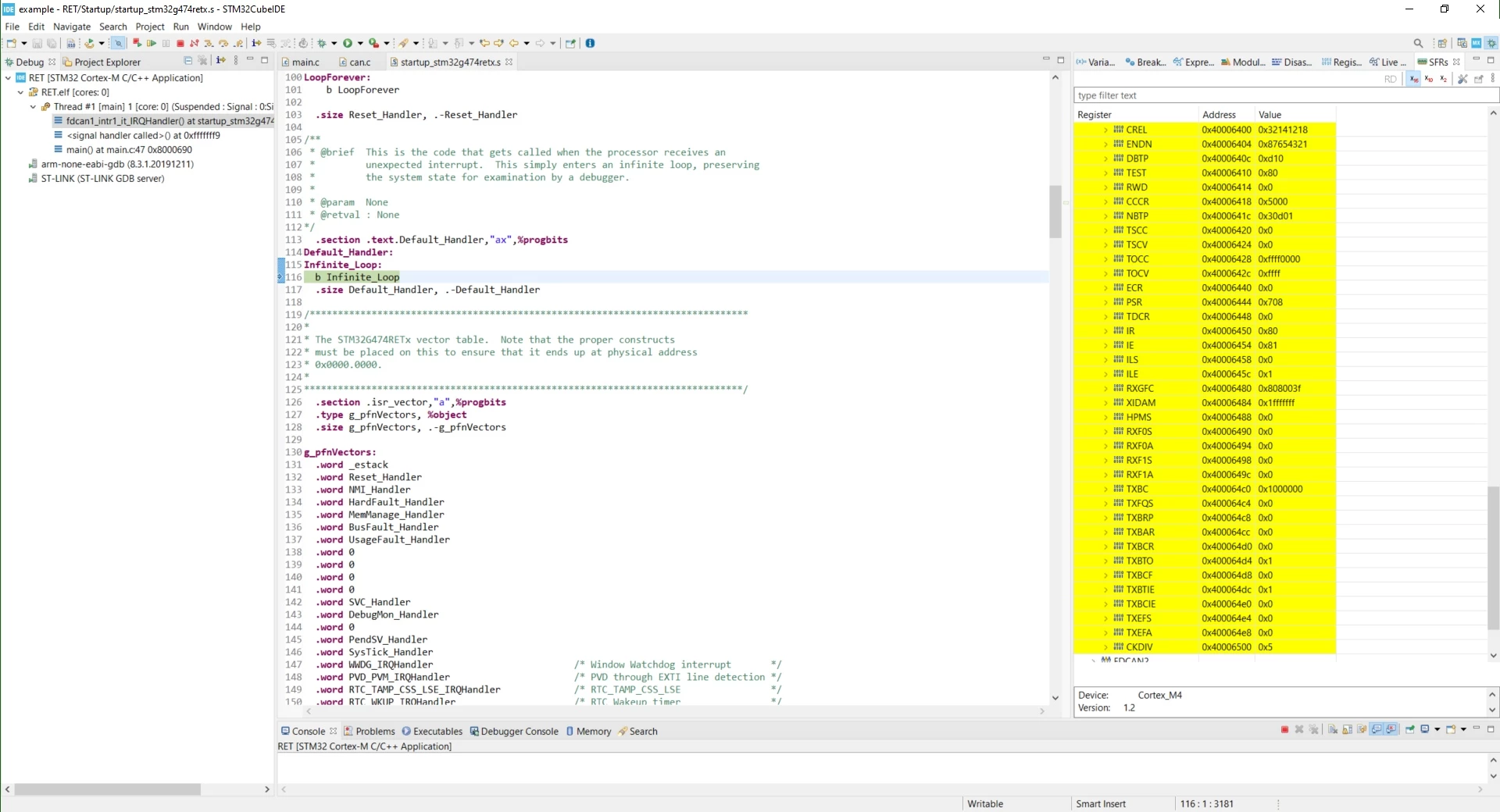
When I let run my small programm and "Suspend" it, after a

CAN message has been transmitted (it has been received by

PCAN-View on the PC), it seems, the CPU loops in the

Default_Handler.
0693W00000GWZgKQAX.jpgWhen I change order of interrupt vectors from

 .word   fdcan1_intr1_it_IRQHandler           /* FDCAN1 interrupt               */

 .word   fdcan1_intr0_it_IRQHandler           /* FDCAN1 interrupt               */

to

 .word   fdcan1_intr0_it_IRQHandler           /* FDCAN1 interrupt               */

 .word   fdcan1_intr1_it_IRQHandler           /* FDCAN1 interrupt               */

this will not occur.

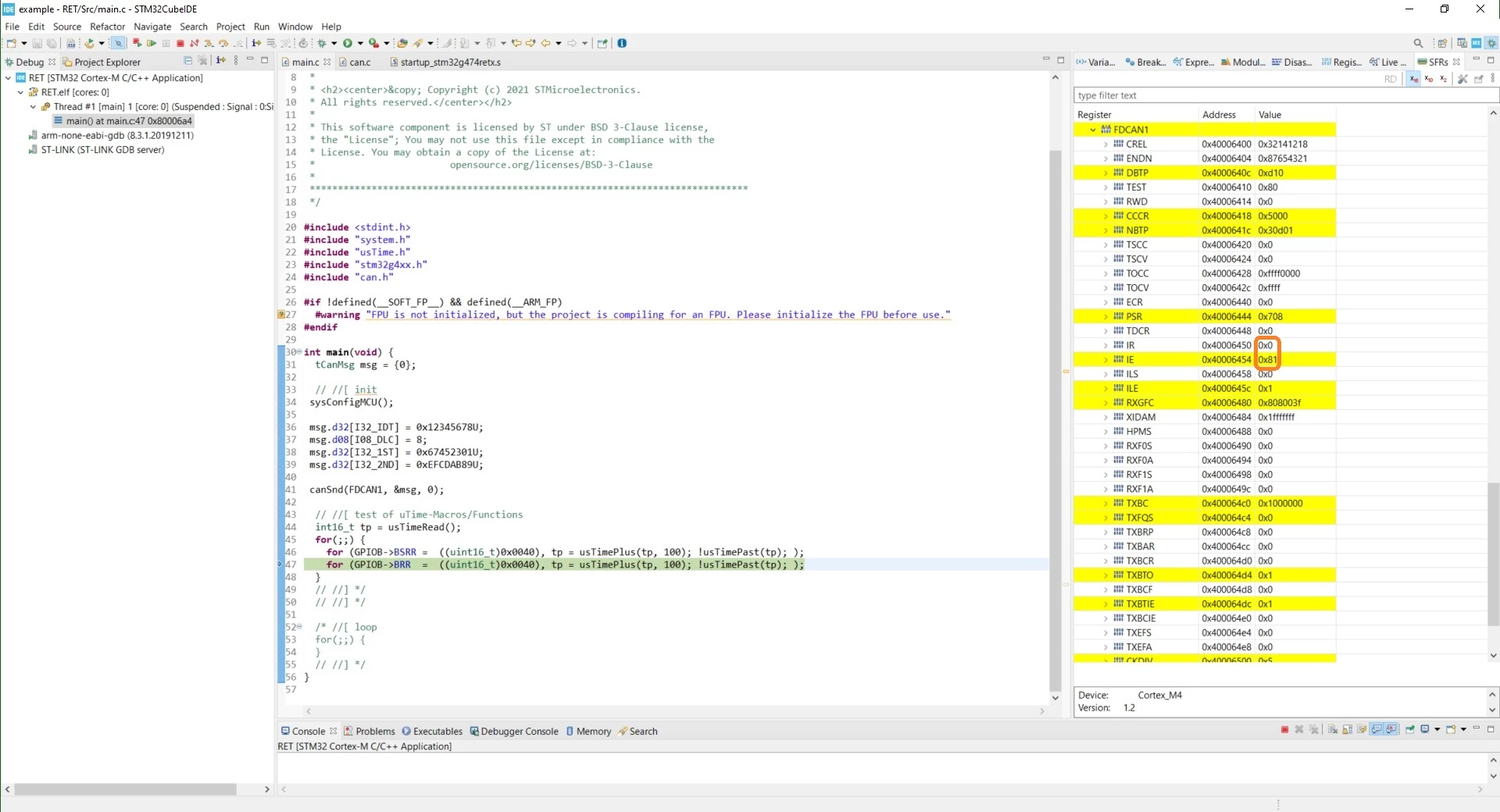
I expect, my small programm will stop at breakpoint at line 182 or at

least at line 188 inside the fdcan1_intr0_it_IRQHandler, but this

doesn't occur!
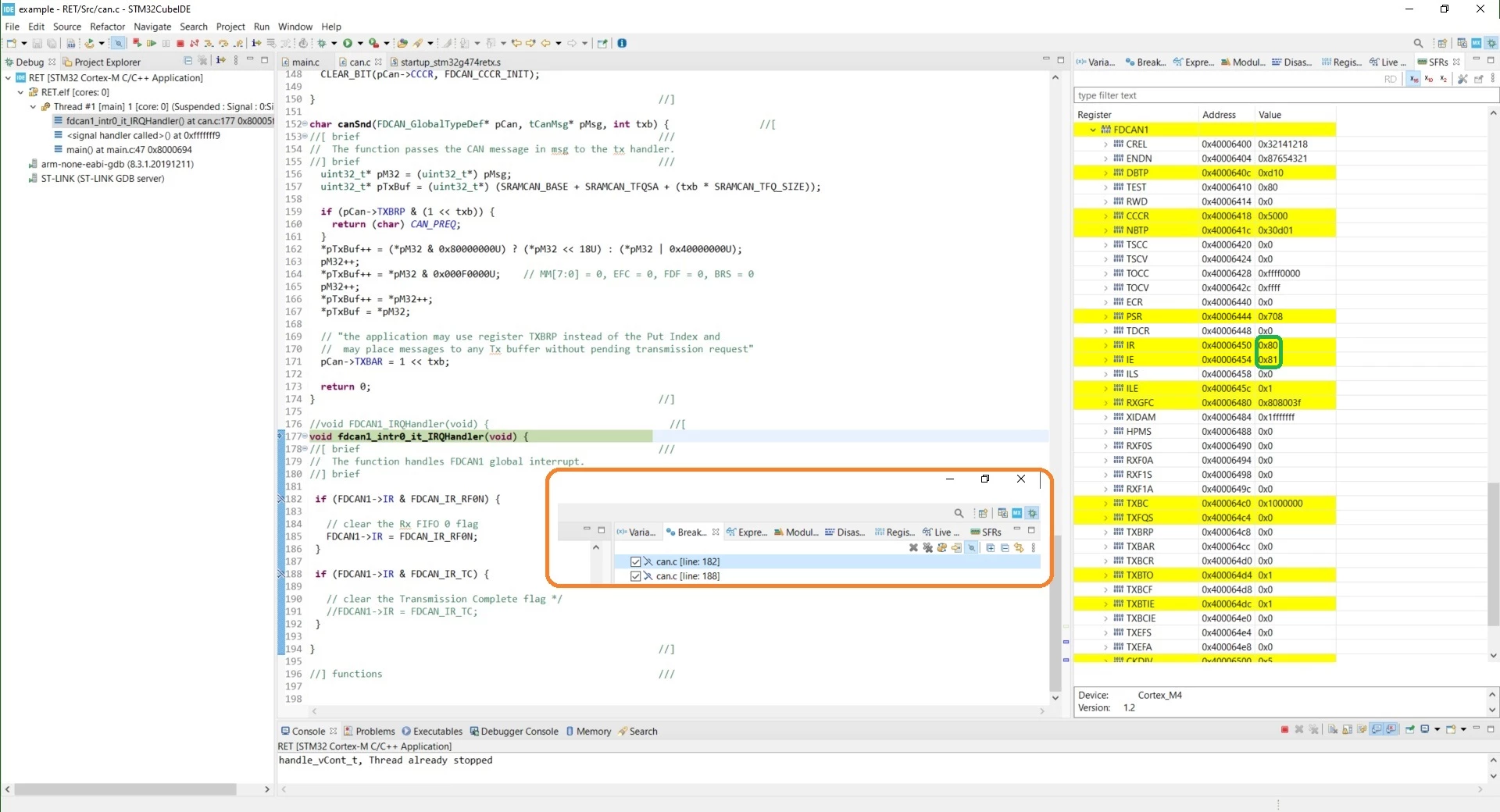
0693W00000GWZgUQAX.jpgWhen I "Suspend" the program after the CAN message has been transmitted

it seems, the fdcan1_intr0_it_IRQHandler has beeen called, because

TC bit (bit 7) in IR register has been cleared (suspend1.jpg)

When I comment out line 191 in fdcan1_intr0_it_IRQHandler and

"Suspend" the program after the CAN message has been transmitted,

it seems, the cpu will permanently call fdcan1_intr0_it_IRQHandler,

but the program will not stop at the breakpoints!
0693W00000GWZhNQAX.jpgAnyone an idea, why???

This topic has been closed for replies.
Best answer by Amel NASRI

Hi @ULehm.1​ ,

Thanks for highlighting these issues.

I'll bring them to the attention of both reference manual responsible as well as STM32CubeIDE team in order to take relevant corrective actions.

Internal ticket number: 117331 (PS: This is an internal tracking number and is not accessible or usable by customers)

-Amel

8 replies

ULehm.1
ULehm.1Author
Associate III
November 5, 2021

Is there an switch, I can prevent breakpoint from working?

Now also the program deos'nt stop at line 269 inside the DMA1_CH1_IRQHandler,

something which has worked before!

0693W00000GWa4CQAT.jpgHas there something to be present in "Actions" for a breakpoint

(I've no idea, how I have delteted it, if something was present)?

Can I switch from "Debug" to "Release" inside STM32CubeIDE

or will switching automatic done by selecting "Run" or "Debug"?

ULehm.1
ULehm.1Author
Associate III
November 5, 2021

It seems I've accidentally hit the Ctrl+Alt+B !!!

Now breakpoints will work again!

TDK
November 5, 2021

Look at the VECTACTIVE bits to determine what IRQ the system is in.

Ensure the IRQ order in the startup file matches that in the reference manual (in NVIC).

Don't assume newer is better.

"If you feel a post has answered your question, please click ""Accept as Solution""."
ULehm.1
ULehm.1Author
Associate III
November 5, 2021

It remains: STM32CubeIDE Version: 1.7.0 produce an erroneous startup file when

a STM32 Project with "empty" Target Projekt Type will be creatied.

0693W00000GWbLnQAL.jpg 

ULehm.1
ULehm.1Author
Associate III
November 5, 2021

0693W00000GWbSFQA1.jpg

TDK
November 5, 2021

That's absurd, and it begs the real question of which order is in the silicon? Also bizarre that the capitalization is off. I'm sure the CubeMX guy making the startup file just did what was in the RM and didn't ask questions.

"If you feel a post has answered your question, please click ""Accept as Solution""."
ULehm.1
ULehm.1Author
Associate III
November 5, 2021

Order in silicon is according to the description!

Amel NASRI
Amel NASRIBest answer
ST Technical Moderator
November 10, 2021

Hi @ULehm.1​ ,

Thanks for highlighting these issues.

I'll bring them to the attention of both reference manual responsible as well as STM32CubeIDE team in order to take relevant corrective actions.

Internal ticket number: 117331 (PS: This is an internal tracking number and is not accessible or usable by customers)

-Amel

To give better visibility on the answered topics, please click on "Best Answer" on the reply which solved your issue or answered your question.
