

Trouble with LCD and Nucleo Board f303ze
EDIT: In case someone in the futurehas the same problem, I solved it by welding each pin.
Hello, I'm trying to learn about microcontrollers and some of their characteristics, so bare with me as I'm pretty new to all of these stuff. Right now I'm trying to send some data to an LCD, just some basic program.
I've got a nucleo board f303ze which works fine on all the projects that I've done so far.
I recently I bought this LCD display: https://www.amazon.es/AZDelivery-HD44780-visualizaci%C3%B3n-16-caracteres-Arduino/dp/B07CQG6CMT/
And I'm trying to make it work with the nucleo board.
I've been following this tutorial: https://www.youtube.com/watch?v=e-KgHsQPkwg
Which uses the following libraries: https://github.com/MYaqoobEmbedded/STM32-Tutorials/tree/master/Tutorial%2042%20-%20LCD16x2%20I2C
Of which I had to edit lcd16x2_i2c.c, as it seemed to have soem duplicate lines. (I upload the new file .c, but I think it's fine now).
So, there are several problems after I connect the LCD+adpater to the board. First of all, the connectors seem pretty loose, so I have to force into a position for the screen to iluminate.
Then, even after I've found the spot, the screen only shows some gibberish.
I upload the whole code, in case some may find it useful as well as a photo of the setup, but I believe these are both correct.
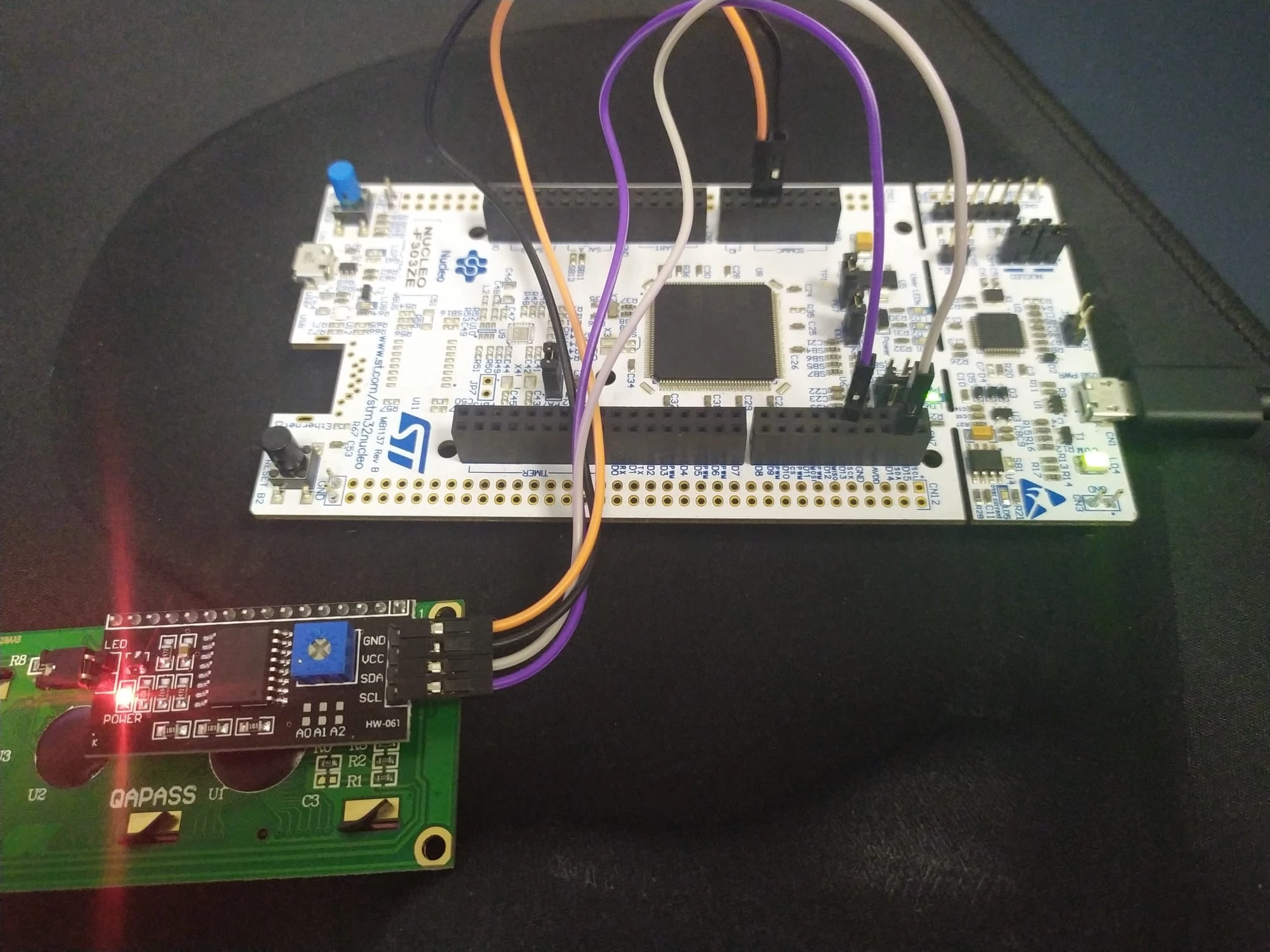
Variable bool check is set to true after the initialization.
So, what do you think coud be the cause?
Is this LCD compatible with the board (I wanted one which only needed 4 pins for the connection)?
Should I use other libraries (these seemed liked the simplest)?
Maybe the adapter is just broken?
I've also heard about addresses for the slave and such, which I'm not familiar with at all , so I really hope the problems are not coming that way.
Thank you very much.
