2026-03-31 8:32 AM
Hello, I made a lot of project with Touchgfx . I started a new project with STM32U599ZI, IAR 9.60.3 , Touchgfx 4.26.1 , CubeMx 6.17.0 , STM32CubeU5 MCU package V1.8.0.
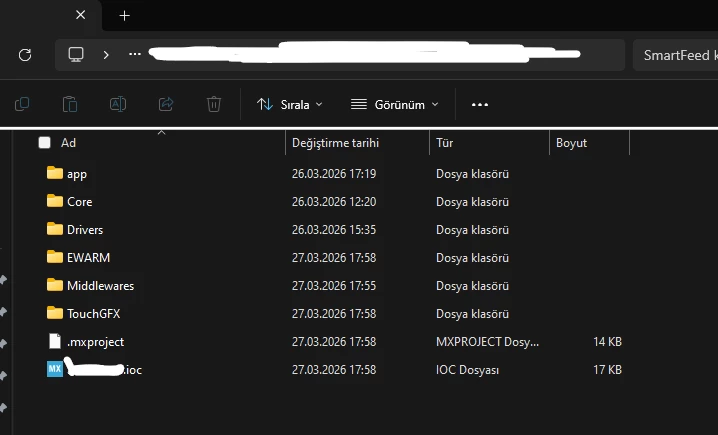
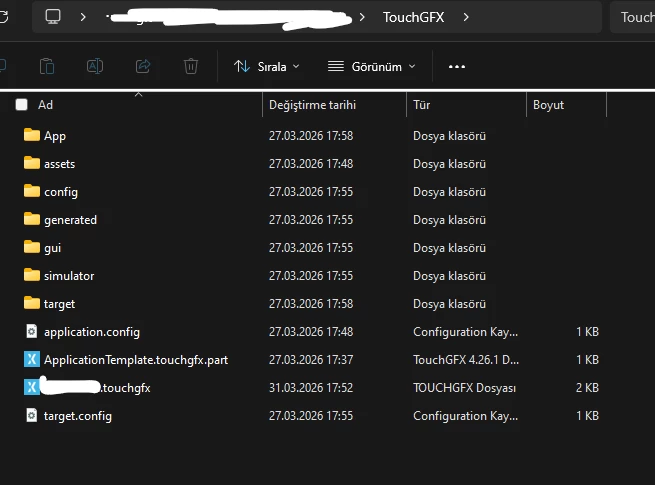
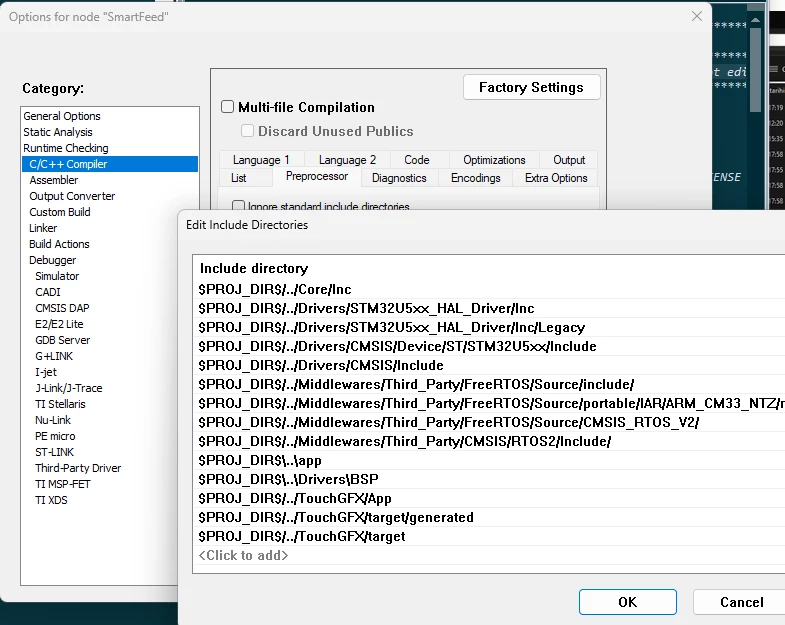
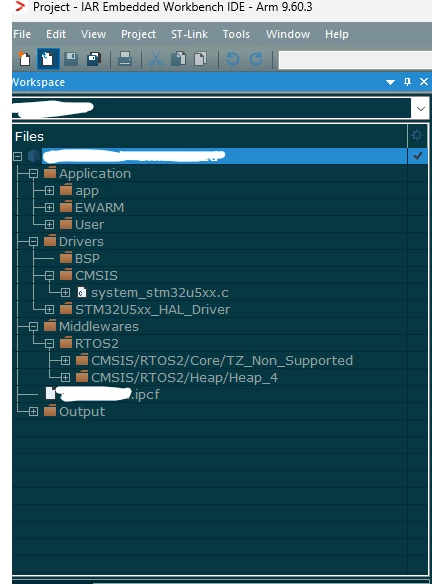
I created project from Cube, than I double clicked touchgfx file under TOUCHGFX folder.I created a dummy project with only a red box and I clicked generate code on TouchGFX as I always do. But when I open IAR project I cannot see TouchGFX folder on IAR workspace window and when I try to build project, IAR gives a lot of erros about not founded Touchgfx files. Touchgfx files and folders ara exist in my project folder but not in IAR workspace window.
My colluage has same proglem with STM32L4R5A mcu . I tried rebuild all, clean project, creating project from CubeMX from zero, but I could not find a solution.
Can you give any solution.
Solved! Go to Solution.
2026-04-07 2:36 AM
I opened one of my old projects ( 1 year old ) from L4 family with CubeID. I reset pinouts and change to U5 from "List Pinout Compatible MCUs" and selected U599. Cube created a new project then I defined only needed peripherals for TouchGfx . Now all the Touchgfx Folders created on IAR ide.
2026-04-01 2:08 AM
Do you get similar problem with Cube IDE?
If not, then can you switch to ide.
I have also faced similar kind of problem where code in IAR was not working but fine with cube ide.
2026-04-06 11:53 PM
Thank you for your help but I dont want to use Cube IDE. I guess there is a bug in CubeMx for IAR IDE.
Thanks.
2026-04-07 2:36 AM
I opened one of my old projects ( 1 year old ) from L4 family with CubeID. I reset pinouts and change to U5 from "List Pinout Compatible MCUs" and selected U599. Cube created a new project then I defined only needed peripherals for TouchGfx . Now all the Touchgfx Folders created on IAR ide.