I also see that you've got all your hardware configuration inside the GUI code files (screen1view.cpp) - If you're running from the designer (GUI SIMULATOR ONLY) then it won't have the HARDWARE-related header file on its include path - this would typically be something that's on the path for the target-specific project , e.g. using EWARM, MDK-ARM, CubeIDE, etc.
Try to seperate GUI code and Hardware code.
You can use:
#ifndef SIMULATOR
//hardware stuff, unknown to the designer
#endif
It's good practice to go through the views presenter to contact the model to do anything hardware specific, so that your gui code is portable. Something like (simplified):
Screen1View.cpp
void Screen1View::led()
{
 presenter->toggleLed();
}
Screen1Presenter.cpp:
void Screen1Presenter::toggleLed()
{
 model->toggleLed();
}
That completes the link from the view to the model where you could do one thing for the simulator and one thing for target (using the ifndef trick) if you want your simulator to exhibit certain behavior.
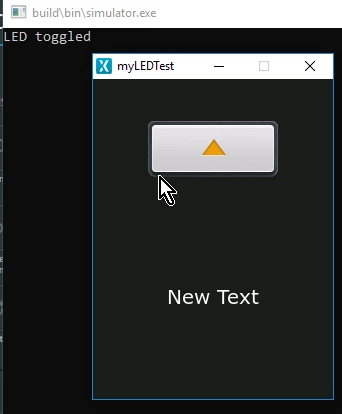
By moving the hardware specific code from your Screen1View to the model, guarding it with #ifndef SIMULATOR and instead just printing something if the button is pressed in the simulator, i can achieve the following in the simulator, whereas in my EWARM project the SIMULATOR flag would not be set and i would instead call the code you had originally in the led() function:
 HAL_GPIO_TOGGLEPIN(GPIOG, GPIO_PIN_13);
 HAL_DELAY(500);
/Martin