Associate III
January 11, 2024
Solved

(Urgent)Inquiries about improving the response speed of device Ethernet communication

  • January 11, 2024
  • 13 replies
  • 10523 views

I am developing a device using the nucleo-f429zit6 evaluation board as a reference. This device has an Ethernet communication function, and the Ethernet communication function was tested by directly connecting this device to the server using a cross-Ethernet cable. Currently, after a command is delivered to the device from the server, the response from the device arrives at the server late. As an example, I checked the server's response to a ping command, and the initial response took about 2 seconds. I'd like to know how to improve this response so that it comes out quickly, within 1 second.


The current device's slow Ethernet communication response speed

image4.png


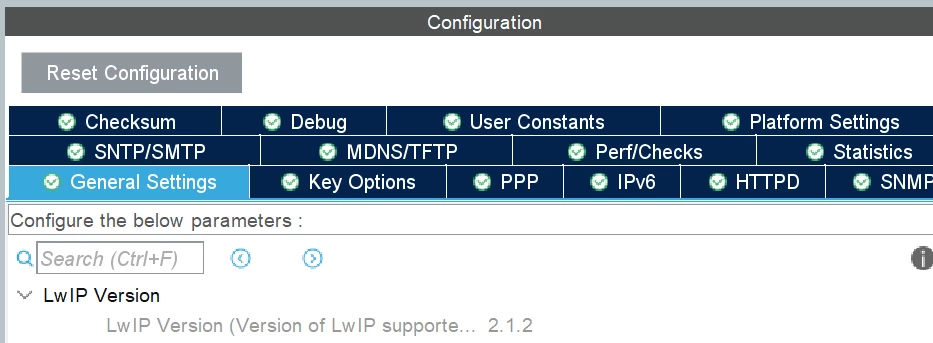
Below is the clock speed of the hardware used by the device, the firmware version currently being used, and the version of LwIP.
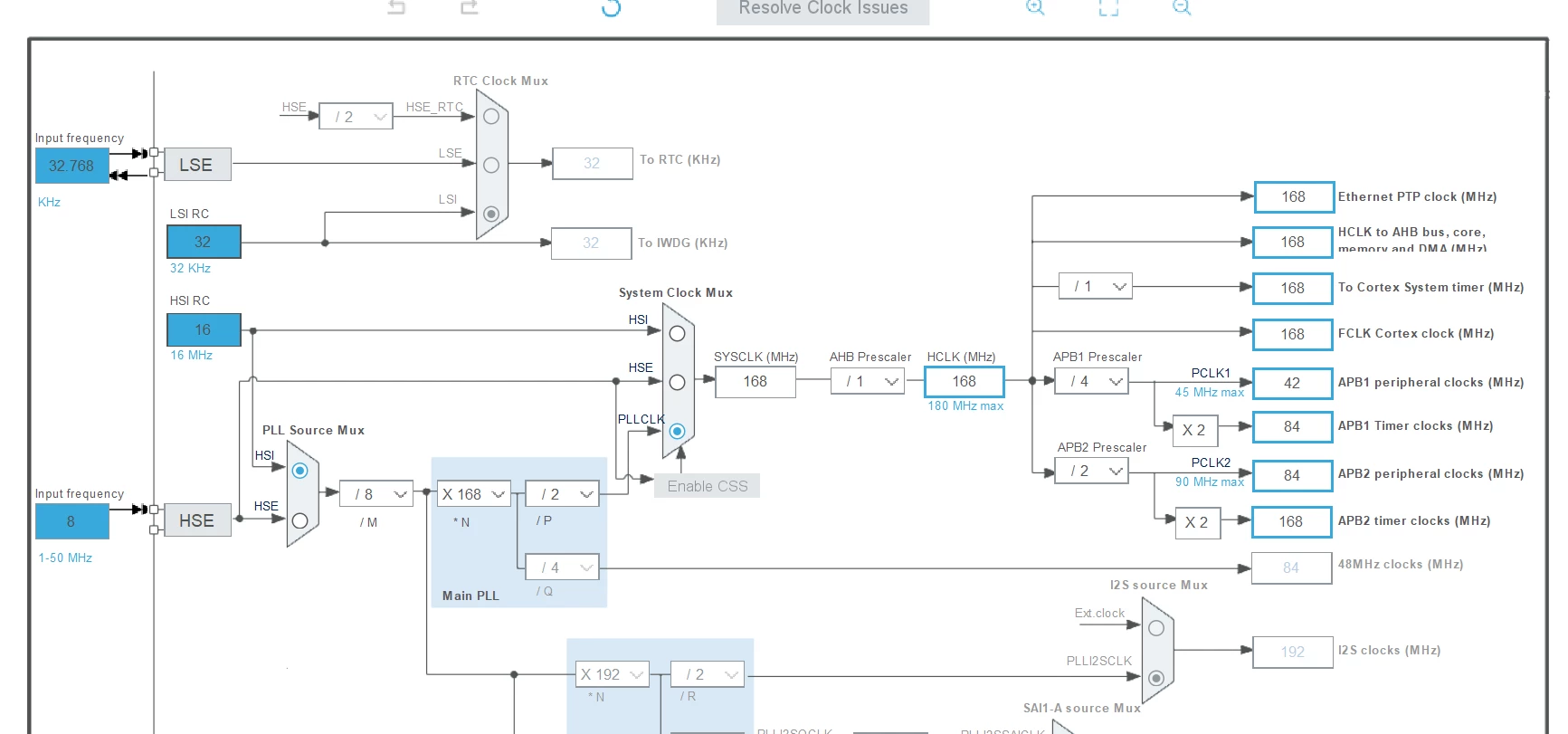

image3.pngimage1.pngimage2.png

This topic has been closed for replies.
Best answer by Bob S

What in blazes is your code doing?????????

OK - more rational thoughts.  Check your interrupt priorities.  How much code do you have running in interrupt handlers?  Note that the HAL "callback" functions are called from the interrupt handlers.  Do you have other, blocking, HAL calls in these callbacks?  What about HAL_Delay() calls?

Are you using an RTOS?  If so, what tasks do you have that are higher priority than the Ethernet task?  I don't recall what RTOS priority the ethernet task runs at.

If no RTOS, then something in your main polling loop is starving the LwIP processing calls.

Start disabling portions of your "user" code until you find the culprit.

13 replies

Associate
January 11, 2024

Hi, i have the same problem with nucleo144 board, did you found any solution or cause for this delay in response?

joseph05Author
Associate III
January 11, 2024

I haven't found a solution yet. stm32f429zit6 is being used in the device under development, and the clock frequency used is 168 MHz. Which MCU do you use and what is the frequency?

Associate
January 24, 2024

stm32h755zit6 dual core, M7 frequency 680Mhz and M4 frequency 240Mhz

Bob S
Super User
January 11, 2024

That certainly isn't right.  I get ping response < 1ms across our internal network using that same Nucleo board.  I do see that PC always sends 2 requests before the Nucleo responds.  But that is due to the PC (Windows) having a 12us retry timeout.  It takes the Nucleo about 500us to respond to pings.  I am using the older CubeF4 ver 1.26.1 (not the newer one with the re-designed Ethernet driver).

Can you run wireshark on the host PC?  Just to verify there is nothing else weird going on.

What version of CubeF4 and CubeMX are you using?  Please don't say "most recent".  Can you share/post you .ioc file (you may need to rename it to some file extension other than .ioc in order to post it here).

joseph05Author
Associate III
January 12, 2024

Dear Bob S

Below are the CubeF4 and CubeMX versions and the LwIP API type in use.

Cube F4: 1.27.1
CubeMX: 6.9.1
LwIP: 2.1.2
LwIP API in use: Raw API

Due to the nature of the project, it is difficult to share the entire ioc file with the community. I am currently creating an ioc file in STM32CubeIDE, and if there is a part that needs to be reviewed, I can capture that part and share it.

As additional information, the Ethernet cable between the server and the device is tested by using a cross Ethernet cable to directly connect the server and the device without an intermediate device such as a hub, so there is no delay problem caused by the intermediate device.

Piranha
Principal III
January 12, 2024

Your network input processing code assumes that one Rx interrupt means one Rx frame to process, but that is not true.

And also read this:

https://community.st.com/t5/stm32-mcus-embedded-software/how-to-make-ethernet-and-lwip-working-on-stm32/m-p/261456

joseph05Author
Associate III
January 12, 2024

Dear Piranha,

Thank you for your interest in this conversation. Your comments are difficult to understand for me, so can you select the content that should be reviewed first?


Dear Bob S

The ping command is used to measure the Ethernet response time of the device. Wireshark is used to share Ethernet transmission and reception communication packets between the server and device. The packet data also contains the results of sending a ping command from the server and responding from the device.

In the wireshark log above, the server's IP address is 192.168.100.121 and the device's IP address is 192.168.100.130.

image1.png


Bob S
Super User
January 12, 2024

I don't know how @Piranha knows your code is only expecting 1 packet per IRQ - perhaps from your earlier posts, or he just knows that is how the "new" ST Ethernet code is written (I don't use the new ST Ethernet code).  But he might be right - or on the right track.  I see NO packets FROM .130 in that wireshark log file.  no ICMP responses and no TCP packets.  So either you have wireshark filtering and only display/capturing packets from .121 or something is seriously messed up somewhere.

If Pirhana is right, his mention of "your code" is really "the ST Ethernet driver used in your code" (i.e. code ST provided, not something you wrote).

Sorry - I can't be more help than that.

joseph05Author
Associate III
January 18, 2024

After disabling LwIP's statistics and debug log output settings, a response to ping was confirmed in about 1 to 1.5 seconds. However, since our goal is less than 0.2 seconds, we are still looking for a solution.

Piranha
Principal III
January 18, 2024

What I said was based on the observation how the old ST code with a broken ethernetif_input() function worked. The Rx packets were piling up in the DMA queue, because the code was not processing those. But it could also be anything from the million issues HAL/Cube broken bloatware has. For example, if you are using RTOS, the Tx deadlock, which is the first issue in the list I gave.

For Wireshark just use a filter "host 192.168.100.130" and it will filter out everything related to that IP address.

joseph05Author
Associate III
January 19, 2024

Dear Piranha,

Thanks for your response

The development device uses stm32f429zit6 and the Ethernet function does not have a DMA function. What is unusual is that when I check the ping response from the CubeMX automatically generated code with the Ethernet function activated without user code, there is a about 1ms response.
However, after adding user code and operating the development device, the ping response time increases. The ping initial response time increases from about 0.4 seconds and remains at 1.0 seconds. The guess is that the development device may respond in 0.4 seconds, but it appears that some delay factor is accumulating. I am curious as to what causes this behavior.


Use only CubeMX automatically generated code

image1.png


Use CubeMX automatically generated code + User code

image2.png


Bob S
Bob SBest answer
Super User
January 19, 2024

What in blazes is your code doing?????????

OK - more rational thoughts.  Check your interrupt priorities.  How much code do you have running in interrupt handlers?  Note that the HAL "callback" functions are called from the interrupt handlers.  Do you have other, blocking, HAL calls in these callbacks?  What about HAL_Delay() calls?

Are you using an RTOS?  If so, what tasks do you have that are higher priority than the Ethernet task?  I don't recall what RTOS priority the ethernet task runs at.

If no RTOS, then something in your main polling loop is starving the LwIP processing calls.

Start disabling portions of your "user" code until you find the culprit.

joseph05Author
Associate III
January 24, 2024

Thank you Dear Bob S and Piranha.

Specially, Thanks to Bob S for your advice . I would like to buy you a cup of coffee.

The software I am currently using on your device does not use an RTOS. It is configured to perform serial communication and Ethernet communication functions in a single loop. After removing HAL_Delay(1000), which was used to receive data in the serial communication receiver, the ping command response became 1ms during normal operation of the device, and the overall operation of the device became faster after modification(yellow box log in the attached picture). When the server responded after the required command, the ping response momentarily increased to 78~232ms and then returned to 1ms(red box log in the attached picture).

I am curious as to whether the instantaneous increase in ping response when a server command is something that needs to be improved.


Below is the result of the device's ping response after modifying the code.


image01.png