Ahmed.Waqar
Associate III
April 20, 2018
Solved

IAP with STM32F103C8 is not working!

  • April 20, 2018
  • 4 replies
  • 1869 views
Posted on April 20, 2018 at 14:15

Hello Sir

Turvey.Clive.002

Neil.Andrew

I followed the said instructions and managed a successful IAP test with STM32F429 using support given in

.\STM32Cube_FW_F4_V1.21.0\Projects\STM324x9I_EVAL\Applications\IAP

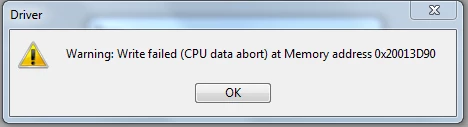
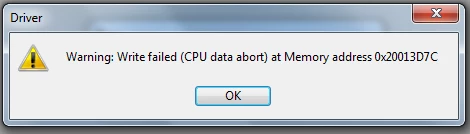
However, I get memory error (attached as images)  while doing same test with STM32F103C8 using support given in

.\STM32Cube_FW_F1_V1.6.0\Projects\STM3210E_EVAL\Applications\IAP

0690X0000060AhdQAE.png0690X0000060AhiQAE.png

Sir I have STM32F103 on board therefore I need this fix. As IDE I am using EWARM.

#write-failed #stm32-iap

    This topic has been closed for replies.
    Best answer by Tesla DeLorean
    Posted on April 20, 2018 at 14:24

    I think you'd need to review the RAM settings because currently you look to be using more memory than is available.

    Check linker scripts and stack pointer settings, review the .MAP file for the data you're attempting to download here. Check if the IAP code has constants defining a RAM address, or checking its size.

    4 replies

    Tesla DeLorean
    Tesla DeLoreanBest answer
    Guru
    April 20, 2018
    Posted on April 20, 2018 at 14:24

    I think you'd need to review the RAM settings because currently you look to be using more memory than is available.

    Check linker scripts and stack pointer settings, review the .MAP file for the data you're attempting to download here. Check if the IAP code has constants defining a RAM address, or checking its size.

    Tips, Buy me a coffee, or three.. PayPal Venmo (See Profile) Up vote any posts that you find helpful, it shows what's working..
    Tesla DeLorean
    Guru
    April 20, 2018
    Posted on April 20, 2018 at 14:29

     ,

     ,

    This thread forked from earlier one

    https://community.st.com/0D70X000006SkBRSA0

     ,
    Tips, Buy me a coffee, or three.. PayPal Venmo (See Profile) Up vote any posts that you find helpful, it shows what's working..
    Ahmed.Waqar
    Associate III
    April 21, 2018
    Posted on April 21, 2018 at 10:54

    Thanks Sir

    Turvey.Clive.002

    Now I am using STM32F103RE that has 64k ram. But when I configure its clock, debugger gets struct in while loop at

    if (HAL_RCC_OscConfig(&oscinitstruct)!= HAL_OK)

    {

    /* Initialization Error */

    while(1);

    }

    Please check the following modification for 8 MHz HSE. Am I doing it wrong?

    0690X0000060AiMQAU.png

    Even it is getting struct with following configuration as well

    0690X0000060AiRQAU.png

    I am using following IAP example

    .\AN4657-STM32Cube_IAP_using_UART\Projects\STM3210C_EVAL\IAP_Main\EWARM\STM3210C_EVAL\

    Tesla DeLorean
    Guru
    April 21, 2018
    Posted on April 21, 2018 at 17:22

    Suggests the HSE clock isn't starting properly, or there is a parameter error. You'd want to single step into the code, or use the RCC registers directly to bring up the clocks, and validate with a scope. The clock can also be configured to output via the PA8 (MCO) pin.

    You might want to start with using the HSI, and clocking up to 64 MHz via the PLL. Once you get to main() enable the HSE_ON bit in the RCC register.

    Tips, Buy me a coffee, or three.. PayPal Venmo (See Profile) Up vote any posts that you find helpful, it shows what's working..