

Houssem
Associate II
June 20, 2022
Solved

STM32G0B1 USB device not recognized in Windows 10

Hello,

I'm using STM32G0B1-Nucleo (with no USB user connector), and I am trying to program USB device (I tried virtual COM, HID and MSC separately).

I'm using the STM32CubeMx with STM32CubeG0 FW V1.5.1 to generate the configuration with PA12 and PA11 for D+ and D-.

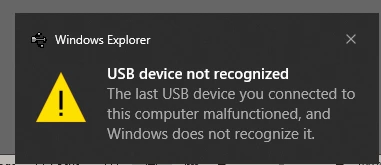
But after plugging into PC it is detected (after a while) with "Unknown device (device descriptor request failed)" error. (see img bellow)

0693W00000NsGxsQAF.png 

0693W00000NsGxxQAF.png 

Notes:

1- I have used the same USB Wire to connect the board with the PC on STM32L476-Nucelo (with no USB user connector also) and STM32F4 Disco and it works fine for both, so I don't think it is related to the wire or the configuration I'm using.

2- The STM32G0B1 Nucleo I'm using is a new one, I just purchased it for this application.

3- I have tried to use the STM32G0C1-EV application provided in the Cube FW but with no success.

Please find attached the .ioc file and the main.c of my project.

Any Idea about this issue and how to fix it please?

Thanks.

This topic has been closed for replies.
Houssem
HoussemBest answer
Associate II
November 15, 2023

Hi @jpichingo 

if you are using CubeMx, I think that it is a bug in the tools that should automatically activate the usb interrupt.

in fact, the USB is based on the interrupt routine and cannot works if the interrupt is not activated. even for other devices when activating the USB, the interrupt is activated automatically and cannot even be deactivated which is not the case if you are using the stm32g0, you need to activate it manually in the interrupt interface. ( @Amel NASRI maybe it should be fixed in the CubeMx tool)

if you are not using the Mx tools, make sure that you have activated the usb interrupt.

10 replies

Walid ZRELLI
Visitor II
June 20, 2022

Hello @Houssem​ ,

You can refer to the following example provided under the G0 Firmware Package:

Path: Projects\NUCLEO-G0B1RE\Applications\USB_Device\CDC_Standalone

Please let me know if this example works well from your side and if you still have the problem of the unrecognized USB device.

BeST Regards,

Walid

Houssem
HoussemAuthor
Associate II
June 20, 2022

Hi @Walid ZRELLI​ 

There is no USB Application provided for NUCLEO-G0B1RE.

That would be great if there is one.

Regards,

Houssemeddine.

Houssem
HoussemAuthor
Associate II
June 20, 2022

Please note that I have tried with both STM32CubeG0_FW v1.5.1 (USB_Device v2.8.0) and STM32CubeG0_FW v1.4.1 (USB_Device v2.7.1)

Walid ZRELLI
Visitor II
June 20, 2022

Hello @Houssem​ ,

Sorry for the confusion. The example mentioned in the comment above no longer exists.

You can refer to other examples developed on other boards and port them to your board.

BeST Regards,

Walid

Houssem
HoussemAuthor
Associate II
June 20, 2022

Hi @Walid ZRELLI​ 

Thanks for reply.

Unfortunately, I have already tried your recommendations with no success:

Notes:

1- I have used the same USB Wire to connect the board with the PC on STM32L476-Nucelo (with no USB user connector also) and STM32F4 Disco and it works fine for both, so I don't think it is related to the wire or the configuration I'm using.

2- The STM32G0B1 Nucleo I'm using is a new one, I just purchased it for this application.

3- I have tried to use the STM32G0C1-EV application provided in the Cube FW but with no success.

Besides, you can find my ioc project and main.c attached.

Any other suggestion please?

Thanks.

Walid ZRELLI
Visitor II
June 21, 2022

Hello @Houssem​ ,

Your issue has been raised internally. I will keep you informed as soon as possible.

Internal ticket number: 130617 (PS: This is an internal tracking number and is not accessible or usable by customers)

BeST Regards,

Walid

Houssem
HoussemAuthor
Associate II
June 24, 2022

Hi @Walid ZRELLI​ 

Please note that I m using USB_DRD_FS and not UCPD

Visitor II
November 15, 2023

Hi @Houssem, any news? I have exact the same problem 

Houssem
HoussemAuthorBest answer
Associate II
November 15, 2023

Hi @jpichingo 

if you are using CubeMx, I think that it is a bug in the tools that should automatically activate the usb interrupt.

in fact, the USB is based on the interrupt routine and cannot works if the interrupt is not activated. even for other devices when activating the USB, the interrupt is activated automatically and cannot even be deactivated which is not the case if you are using the stm32g0, you need to activate it manually in the interrupt interface. ( @Amel NASRI maybe it should be fixed in the CubeMx tool)

if you are not using the Mx tools, make sure that you have activated the usb interrupt.

Associate II
December 18, 2023

Hi, @Houssem, any updates? I have a similar issue that can be seen here.